
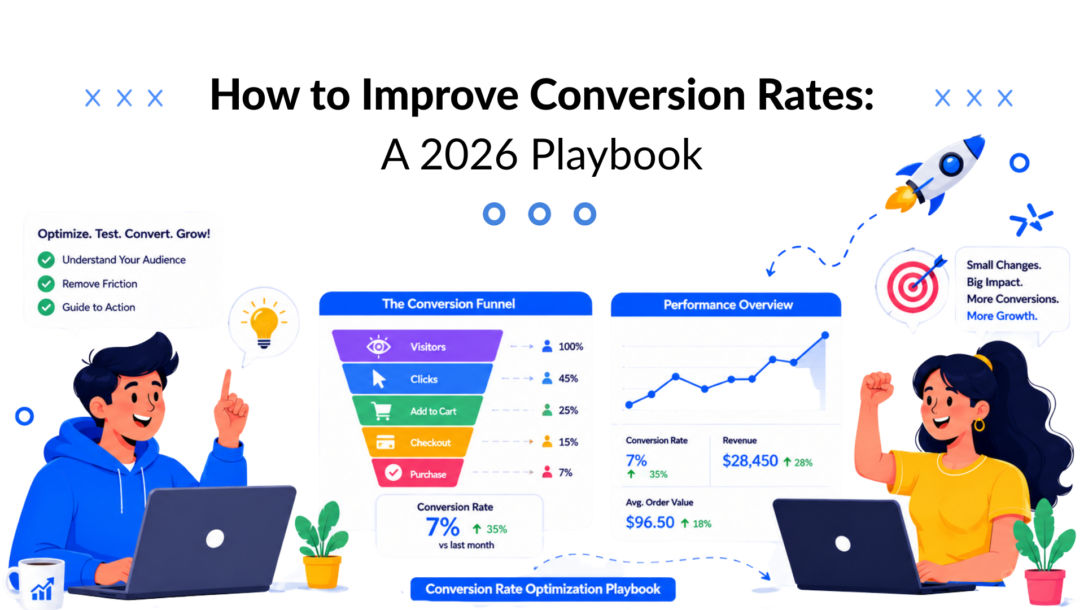
Organizations often don’t have a traffic problem. They have a conversion problem.
That matters because the average website converts about 2.35% of visitors into customers, according to Invesp’s CRO statistics. If that baseline is anywhere near your reality, most of the value in your paid traffic, SEO, email, and social campaigns is slipping away before a visitor takes action.
The old playbook treated conversion rate optimization like a landing page exercise. Tweak the headline. Test the button color. Trim the form. Some of that still matters. But if you want to know how to improve conversion rates today, you need to work across the full journey: entry page, intent signals, trust moments, chat interactions, follow-up, and handoff into sales or checkout.
The best-performing funnels feel simple to the user and highly instrumented to the team behind them. They reduce friction, personalize the next step, and answer questions the moment hesitation appears.
Find Your Biggest Leaks: The Diagnostic Phase
Effective optimization starts with diagnosis, not redesign.
If you don’t know where users drop off, every change is a guess. The fastest way to waste a quarter is to rewrite copy on a page that isn’t the actual bottleneck. A better approach is to treat your funnel like a sequence of measurable stages, then focus on the highest-volume leak first. That’s the logic behind Winning by Design’s guidance on stage-based conversion analysis in its sales conversion rate guide.
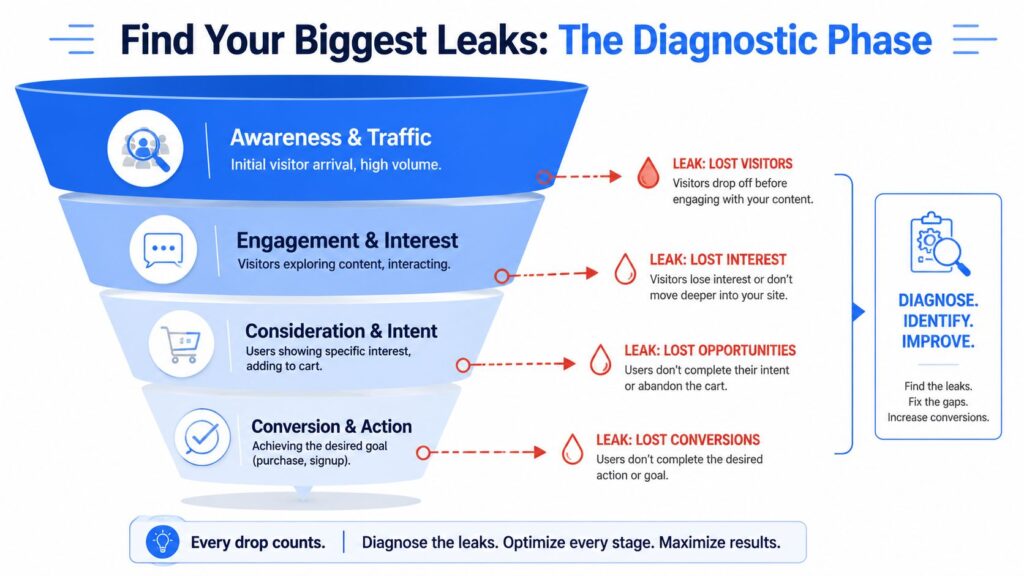
Improve Conversion Rates Funnel Diagram
Map the funnel before you touch the page
Start with the steps that directly impact revenue. For ecommerce, that might be a landing page, product view, add to cart, checkout start, and purchase. For SaaS, it could be an ad click, a landing page, a pricing page, trial start, onboarding completion, booked demo, or activation.
Then ask a simple but powerful question: where is the biggest drop happening at the highest volume?
That’s your priority. Not the page the CEO dislikes. Not the button your designer wants to retest. The focus should be on conversion optimization — identifying the step with the most leakage and enough traffic to matter. Improving the value proposition at this stage often leads to a higher conversion rate and can boost conversion more effectively than chasing cosmetic changes elsewhere.
Practical rule: Optimize the step with the most leakage and enough volume to matter. A small gain there usually beats a dramatic lift on a low-traffic page.
Use both numbers and behavior
Analytics tells you where the leak is. Behavior tells you why.
A practical workflow looks like this:
- Check stage conversion rates in GA4 or your product analytics tool. Compare by traffic source, device, and campaign.
- Review page exits and abandonment paths on the steps with the heaviest drop-off.
- Watch session recordings for users who stalled or left.
- Open heatmaps and scroll maps to see whether key information sits too low or gets ignored.
- Ask one short question on high-intent pages, such as what information is missing or what stopped the purchase.
If you sell online, a primer on ecommerce behavioral data analysis is useful because it helps connect click behavior, hesitation, and abandonment back to business outcomes.
Build a ranked problem list
Don’t turn insights into a random task list. Turn them into a ranked backlog.
Use a simple table like this:
| Funnel stage | What you see | Likely issue | Next action |
|---|---|---|---|
| Pricing page | High exits after plan comparison | Confusion or unanswered objections | Review recordings and isolate repeated questions |
| Lead form | Users start but don’t finish | Too much friction or weak value exchange | Reduce fields, improve proof near form |
| Checkout | Abandonment after the shipping/payment step | Last-minute trust or cost concerns | Add reassurance and simplify flow |
One more thing. Anonymous traffic is only half the picture. If you want to connect behavior to an identifiable follow-up, track key visitor actions with tools that surface intent earlier in the journey. Clepher’s guide on how to track website visitors is a useful reference for that layer.
Most CRO programs improve when teams stop asking, “What should we test?” and start asking, “Where is the biggest leak, and what evidence explains it?”
Master Your Landing Page and Core Funnel
A landing page rarely fails because of color choices or button shape. It fails because the offer is vague, the next step feels risky, or the handoff after the click adds friction.
That matters because the page is only one part of the conversion path. If the headline gets the click but the form, scheduler, or follow-up slows people down, revenue drops anyway. Strong CRO work treats the landing page and the next action as one connected system.
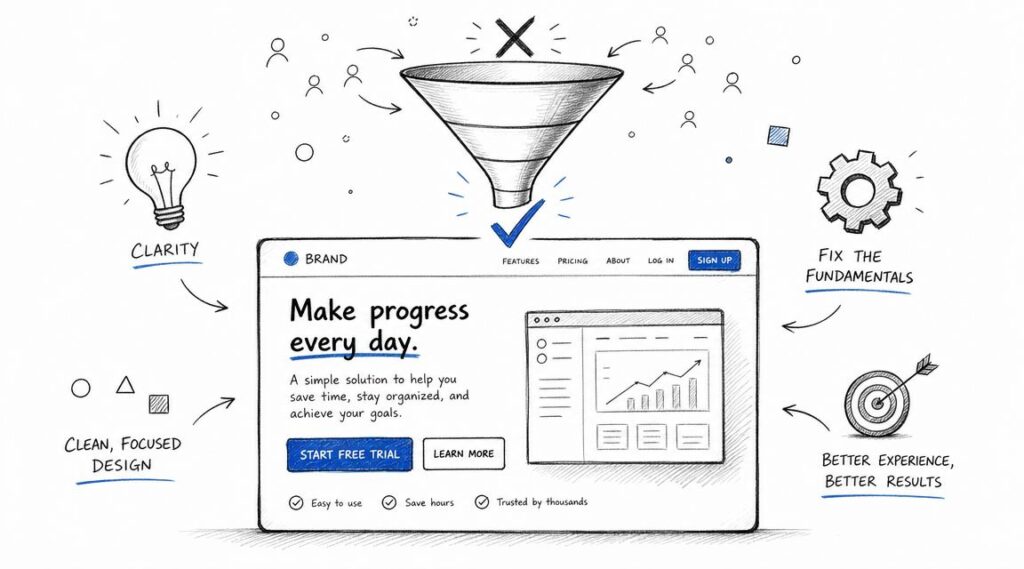
Improve Conversion Rates Marketing Funnel
Give each page one conversion job
Pages convert better when they ask for one clear action. A demo page should drive demo requests. A product-led page should drive trial starts. A lead magnet page should get the opt-in and hand that contact into the right follow-up sequence.
Confusion kills intent fast.
A strong page answers four questions near the top:
- What is this
- Who is it for
- What outcome should I expect
- What should I do next
If a visitor has to scroll, decode jargon, or compare multiple CTAs before they understand the offer, the conversion rate usually drops, and paid traffic gets more expensive.
Common friction points show up in the same places:
- Multiple offers competing for the hero
- navigation links pulling attention away
- generic CTA copy like “Submit” or “Learn more.”
- proof buried far below the action point
- forms collecting sales qualification data too early
Tighten the message before you redesign
Teams often redesign pages when the core issue is message clarity.
A SaaS page that says “Transform your workflow with intelligent automation” sounds polished, but it does not tell a buyer what changes after signup. Replace that with a concrete outcome, name the audience, and reduce the number of choices. Keep the proof close to the CTA. Ask only for the information needed for the next step.
That single change often helps improve your conversion rate and even increase your conversion rate because visitors understand what they are agreeing to, and sales get more intentional submissions. Clear messaging paired with focused conversion optimization ensures that prospects see the value proposition right where it matters most.
Audit the path after the click
The landing page should set up the next micro-commitment, not dump the visitor into a new experience with different expectations.
Review the core path in order:
- Headline clarity: Use plain language that buyers would use themselves.
- Offer match: Align the page with the ad, email, keyword, or referral source.
- Primary CTA: Keep one dominant action on the page.
- Form friction: Remove fields that do not affect routing, qualification, or fulfillment.
- Decision support: Place FAQs, proof, guarantees, and objection handling near the action point.
- Handoff experience: Make sure the thank-you page, booking flow, checkout, or chat follow-up continues the same promise.
That last point gets missed often. If someone clicks “Book a demo” and lands on a cluttered calendar page with no context, drop-off is predictable. If someone downloads a guide and gets no relevant follow-up for two days, the lead cools before sales or automation does its job.
For teams refining structure and messaging, this resource on how to improve your landing page conversions is a solid companion read.
Build the funnel around buyer intent
High-converting funnels are built around what the visitor is ready to do now, not what the business wants to ask for immediately.
A cold visitor may be ready for a useful answer, a product explainer, or a short conversation with a chatbot. A returning high-intent visitor may be ready for pricing, a demo, or a checkout flow. Treating both visitors the same creates friction somewhere in the journey.
Map the sequence clearly:
- traffic source to landing page
- landing page to CTA click
- CTA click to form, checkout, or chat
- submission to automated follow-up
- follow-up to sales conversation or purchase
If you need a practical framework for connecting those stages, Clepher’s guide on how to create a sales funnel breaks down the mechanics well.
The goal is continuity. The page sets intent. The form captures it. The follow-up advances it. When those pieces match, conversion rates rise and more of your paid and organic traffic turns into pipeline, not just clicks.
Leverage Personalization and Social Proof
Relevant journeys convert better because they reduce friction at the exact moment a buyer is deciding whether to act.
Personalization matters most after the click, once the visitor has shown some intent and expects the experience to match it. If the ad promised a solution for ecommerce returns, the page, proof, CTA, and follow-up should stay anchored to that use case. If someone is returning to pricing, they should not have to start from the homepage message again.
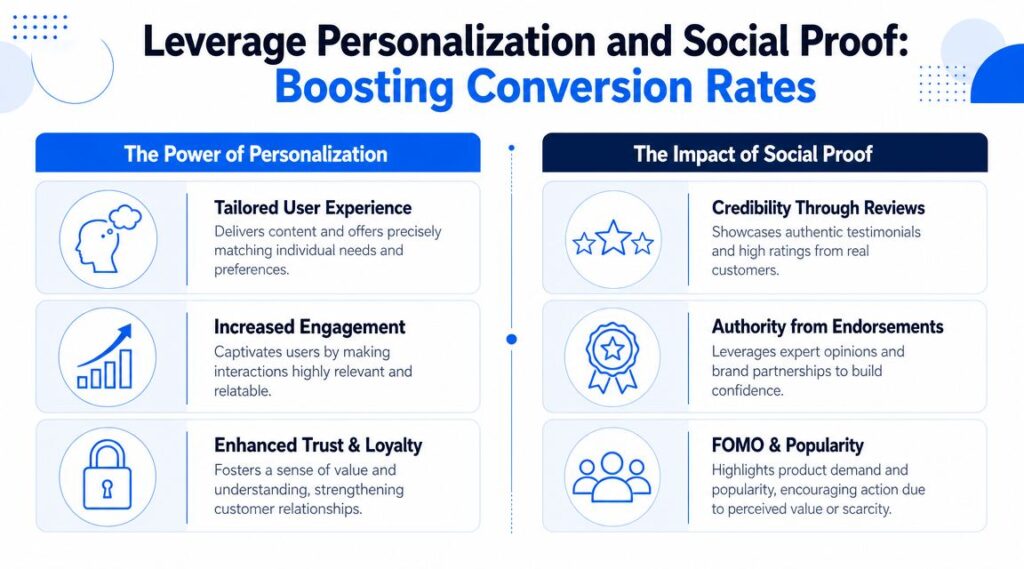
Improve Conversion Rates Strategy
Personalization that actually changes behavior
Useful personalization changes the path, not just the greeting.
The strongest inputs are usually simple:
- traffic source
- campaign intent
- location
- returning versus first-time visitor
- viewed products or pages
- stage in the buying journey
A visitor arriving from a comparison query needs competitive clarity and proof. A cart abandoner needs reassurance, delivery details, and an easy way to ask a question. A repeat visitor from an account-based campaign may need industry-specific examples and a shorter route to book time with sales.
Start with a few segments that map to buying intent. Teams often overbuild dynamic content before they have enough traffic or clean data to support it. That creates maintenance overhead without a measurable lift. In practice, three to five high-intent segments usually outperform a sprawling personalization setup that nobody can manage.
Focusing on these segments gives you actionable ways to increase your conversion rate. For example, tailoring messaging for comparison shoppers or cart abandoners often produces a bigger lift than generic personalization. Pairing this with smart Google Ads targeting ensures that the right audience sees the right message, which compounds the impact of your conversion optimization efforts.
| Visitor type | Better message | Weak message |
|---|---|---|
| Returning product viewer | Reminder of product viewed and next step | Generic homepage hero |
| Pricing page visitor | Plan comparison, FAQ, proof near CTA | Broad brand story |
| Cart abandoner | Reassurance, shipping clarity, support access | Same promotion they already saw |
For teams that want to carry that relevance past the page, a chatbot for lead generation helps qualify intent, route visitors, and continue the conversation after the first session.
Social proof belongs near decisions
Social proof works best where perceived risk is highest. Put it next to forms, pricing, checkout steps, and high-commitment CTAs.
Unbounce cites Northwestern University research indicating that customer reviews and quotes can increase conversion rates by as much as 270%, and it also notes that positive social media support can generate 34% more purchases than a similar page without those signals in its guide on how to increase conversion rate.
Placement matters as much as the proof itself. A generic testimonial block halfway down the page often gets ignored. A short quote about implementation speed beside a demo form can remove enough uncertainty to increase submissions. A review of shipping reliability near checkout can prevent drop-off. Match the proof to the objection.
What to place and where
Use a simple placement model:
- Near first CTA: recognizable customer logos, category-specific proof, short testimonial snippet
- Near forms: privacy reassurance, expected response time, quote that confirms the value of taking the next step
- Near pricing: reviews about ROI, onboarding, support quality, and ease of switching
- Near checkout: ratings, delivery information, return policy, and support access
User-generated content is especially useful for products or offers that buyers want to validate in practical settings. Photos, reviews, community comments, and unpolished customer examples often outperform polished brand copy because they answer a practical question. Did this work for someone like me?
Personalization gets attention. Social proof earns trust. Combined across the full journey, they improve form completion, sales conversations, and purchase rate, not just click-throughs.
Turn Conversations into Conversions with AI Chatbots
Most conversion flows still assume the visitor will patiently hunt for answers.
They won’t. If a buyer hesitates on pricing, gets stuck on shipping, wants product fit guidance, or needs reassurance before handing over an email address, the fastest path forward is often a conversation, not another block of page copy.
That’s why chat has moved from a support tool to a conversion infrastructure.
Improve Conversion Rates Clepher Marketing
Why conversational flows convert better than static paths
Personalized calls to action outperform generic ones. The strongest way to deliver that in real time is through a system that adapts to the visitor’s question, source, and intent. In HubSpot’s analysis of more than 330,000 CTAs over six months, personalized CTAs converted 202% better than one-size-fits-all CTAs, according to the earlier-cited WordStream roundup. Conversational AI is one of the most practical ways to execute that kind of personalization at scale.
Chatbots reduce friction in ways landing pages alone can’t:
- They answer objections immediately
- They route visitors to the right offer
- They qualify before asking for a form fill
- They recover intent that would otherwise disappear
- They continue to follow up after the first session
Where chat belongs in the funnel
Don’t place a bot everywhere with the same script. That’s where chat turns into noise.
Use it where uncertainty is highest:
- Pricing pages: answer plan questions, explain differences, offer guided selection
- Product pages: surface specs, reviews, availability, shipping details, or use-case fit
- Checkout steps: resolve hesitation around payment, delivery, or returns
- Lead generation pages: qualify intent before handing off to sales
- Post-visit follow-up: re-engage warm visitors who didn’t complete the first action
A strong flow maps each branch to a single stage in the funnel. One branch handles product questions. Another qualifies budget or use case. Another offers a demo or guide. That structure keeps your reporting clean and your optimization decisions grounded.
What a useful chatbot flow looks like
A high-performing conversion bot usually follows a simple logic:
- Open with context tied to the page or action
- Offer narrow choices rather than open-ended prompts
- Answer the top objections before asking for commitment
- Capture only essential data
- Hand off cleanly to checkout, calendar, rep, or follow-up sequence
For lead capture use cases, platforms such as a chatbot for lead generation can structure that process around qualification instead of dumping every visitor into the same form.
Here’s a practical example. A visitor on a product page clicks into chat and asks whether an item works for a specific use case. The bot can respond with the relevant recommendation path, show supporting proof, and then offer the next action. That could be a checkout, a lead magnet, or a message-based follow-up. The key is that the conversation resolves uncertainty before demanding commitment.
Another important shift in modern CRO is where test ideas come from. Yotpo’s analysis of modern content gap analysis argues that teams should look at semantic, intent, format, and value gaps, especially through real user queries from site search and support logs. Those blocked, natural-language questions often make excellent chatbot prompts and bot-branch ideas because they reveal exactly what users couldn’t find on the page.
One practical option for building these conversational journeys is Clepher, which lets teams create no-code flows for website chat and messaging channels, then segment and automate follow-up based on behavior.
The mistake to avoid is treating chat as a floating FAQ. Used well, it’s part qualifier, part sales assistant, part recovery channel.
Run Experiments That Actually Teach You Something
Most A/B testing programs fail for one reason. They test surface details before they’ve formed a real hypothesis.
A test should answer a customer question, not settle an internal opinion. If you’re serious about how to improve conversion rates, the point of experimentation isn’t to chase random winners. It’s to learn what people need in order to move forward.
Start with blocked intent
The best test ideas usually come from friction language. What are users asking in site search? What appears in support logs before a prospect drops? Which questions repeat in chat transcripts?
Yotpo’s guide to modern content gap analysis makes this especially clear. Modern CRO should address semantic, intent, format, and value gaps by analyzing real user queries from site search and support logs. Those queries often contain the exact phrasing people use when they’re blocked, including conversational wording that traditional keyword research misses.
That changes what you test.
Instead of “Should the button be green or blue?” ask:
- Is the offer unclear for visitors from paid social?
- Does the pricing page need a comparison explanation before the CTA?
- Are mobile users missing a key trust signal?
- Does the form ask for information before enough value is established?
A good test begins with observed friction, not creative preference.
Keep the experiment clean
A disciplined testing process is boring in the right way.
Use a single primary metric. Change one major variable at a time. Record the hypothesis before launch. Run the test long enough to capture a normal business cycle. If you change the headline, layout, and proof placement all at once, you may get a result, but you won’t get insight.
Here’s a practical format:
| Part of the test | Example |
|---|---|
| Hypothesis | Adding a short comparison block above the CTA will reduce hesitation for pricing-page visitors |
| Audience | Visitors landing directly on pricing |
| Primary metric | Progression to demo request or checkout start |
| Variable | Comparison block present vs absent |
| Learning goal | Whether uncertainty about plan fit is blocking the next step |
Prefer strategic tests over cosmetic ones
Headlines, offer framing, CTA wording, page sequencing, proof placement, chat prompts, and qualification order usually teach you more than design polish alone.
That doesn’t mean visual changes never matter. It means they should follow the diagnosis. A cosmetic test without evidence is just a cheaper form of guessing.
Teams get better results when they document every experiment, including the losers. A losing test still tells you something valuable about your buyer. Over time, that library becomes more useful than any generic CRO checklist.
Beyond the First Conversion: Your Conclusion
The first conversion is not the finish line. It’s the point where the relationship becomes measurable.
The same systems that improve initial conversion also improve onboarding, retention, repeat purchase, and upsell timing. Personalization can guide the next best action after signup. Social proof can reinforce confidence after a trial starts. Conversational follow-up can answer the questions that stall activation or second purchases.
That’s why the strongest CRO programs don’t stop at the landing page. They connect acquisition, qualification, sales assistance, and post-conversion messaging into one operating model. If you want more ideas on how brands improve online sales performance, it’s worth studying examples that treat the buying journey as a system rather than a page-level problem.
If there’s one pattern that keeps showing up, it’s this: conversion rates improve when teams remove uncertainty at every step. Diagnose the leak. Simplify the path. Match the message to intent. Add proof where risk feels highest. Use conversations to catch the hesitation that static pages miss. Then test what you changed and keep learning.
If you want to put that playbook into practice, Clepher gives you a way to build AI-powered conversational flows across your website and messaging channels, so you can qualify leads, answer buying questions, recover drop-off, and turn more high-intent visits into measurable conversions.

Related Posts
Client Account Management: A Practical Playbook
October 13, 2026Chat Bot Responses That Convert: A Practical Guide
October 12, 202610 Broadcast Automation Software Platforms Compared
October 11, 2026
Founder Clepher