
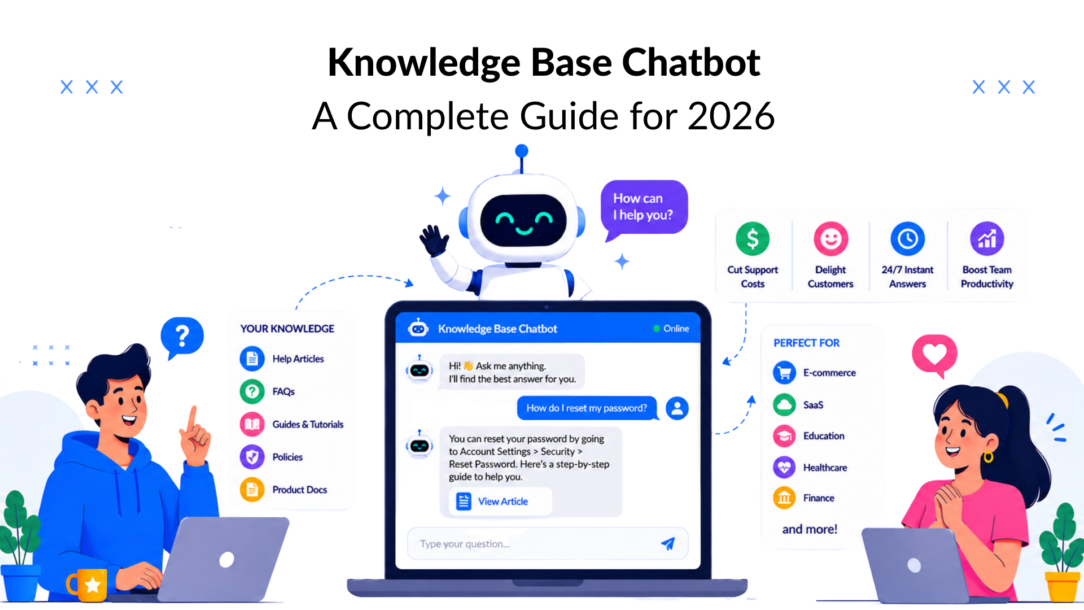
The chatbot market isn’t inching forward. It’s on a steep curve. It’s The market for AI tools is projected to surpass $27 billion by 2030 with a 23.3% CAGR., driven by investment in AI automation and customer experience platforms, according to Master of Code’s chatbot statistics roundup. That matters because an AI-powered knowledge base chatbot is no longer a novelty on a support page. It’s becoming part of how customers expect to get answers.
Most guides stop at one idea: feed the bot more content.
That’s incomplete. A strong knowledge base chatbot doesn’t just know what your business does. It also needs to know what your business doesn’t do. That gap is where bad answers, false promises, and broken trust usually start.
What Is a Knowledge Base Chatbot and Why You Need One
A knowledge base chatbot gives customers answers from the information your business already maintains. That usually includes help articles, product docs, return policies, onboarding steps, pricing details, and internal support notes. Instead of relying on a fixed script alone, this AI tool pulls from approved sources and responds in natural language.
That sounds simple, but the business impact depends on one thing: whether the bot knows the limits of your business as clearly as it knows the basics. Most companies document what they offer. Fewer document what they do not offer, which requests require a human, or which promises the bot must never make. That negative knowledge gap is where many chatbot failures start.
Why businesses are prioritizing it
A knowledge base chatbot earns its keep by handling repetitive questions quickly and consistently, while your team focuses on cases that need judgment. The value is operational, not cosmetic.
Here’s where an AI-powered tool usually helps first: building a knowledge base.
- It answers common questions fast. Support teams regularly see the same requests over and over, such as order status, shipping coverage, refund rules, and setup steps.
- It keeps responses consistent. Approved wording reduces the chance that one agent says yes, another says maybe, and the bot says something else entirely.
- It reduces low-value manual work. Human agents can spend time on escalations, edge cases, and account-specific problems instead of repeating saved replies.
- It improves access to self-service content. A chatbot can surface the right article or policy in conversation, which is why many teams invest in website self-service tools instead of treating support like a never-ending inbox.
A practical rule I use is simple: build a knowledge base for better customer support. If the same question appears every week, solve it in the knowledge layer first, not only with more staffing.
Accuracy depends on boundaries, not just answers
Business owners usually ask, “How do we make the bot know more?” A better question is, “Where should the bot stop?”
A reliable knowledge base chatbot should know when to answer, when to ask a clarifying question, and when to hand off. It should also know what your company does not support. If you do not ship to certain countries, the bot should say that clearly. If you cannot guarantee compatibility, the bot should not guess. If pricing depends on a custom quote, the bot should explain the process instead of inventing a number.
This is how trust gets built. Clear limits beat confident wrong answers.
It supports sales as well as support
For eCommerce and service businesses, a knowledge base chatbot can do more than deflect tickets. Connected to product and policy data, it can answer availability questions, explain shipping rules, surface warranty details, and guide buyers toward the next step. LeadDesk’s eCommerce chatbot examples show how that plays out in real buying journeys.
A simple flow looks like this:
- A shopper asks whether a size is in stock.
- The bot checks current product data.
- If it is unavailable, the bot suggests a relevant alternative.
- If the buyer asks about delivery timing, returns, or fit, the bot pulls the answer from the chatbot knowledge base.
- If the question crosses a line the bot should not handle, it routes the conversation to a person.
That last step matters. A useful chatbot does not try to win every conversation. It helps the customer get the right answer with the least friction, and it avoids pretending to know what it does not know.
The result is straightforward: faster answers, fewer repetitive tickets, and fewer avoidable mistakes. A knowledge base chatbot works best when it turns your existing business knowledge into something customers can use, while also making your operational boundaries explicit.
Comparing Chatbot Architectures: FAQ vs Retrieval vs RAG
Not every chatbot works the same way. A lot of frustration comes from buying one type of bot and expecting another.
Here’s the required visual comparison.
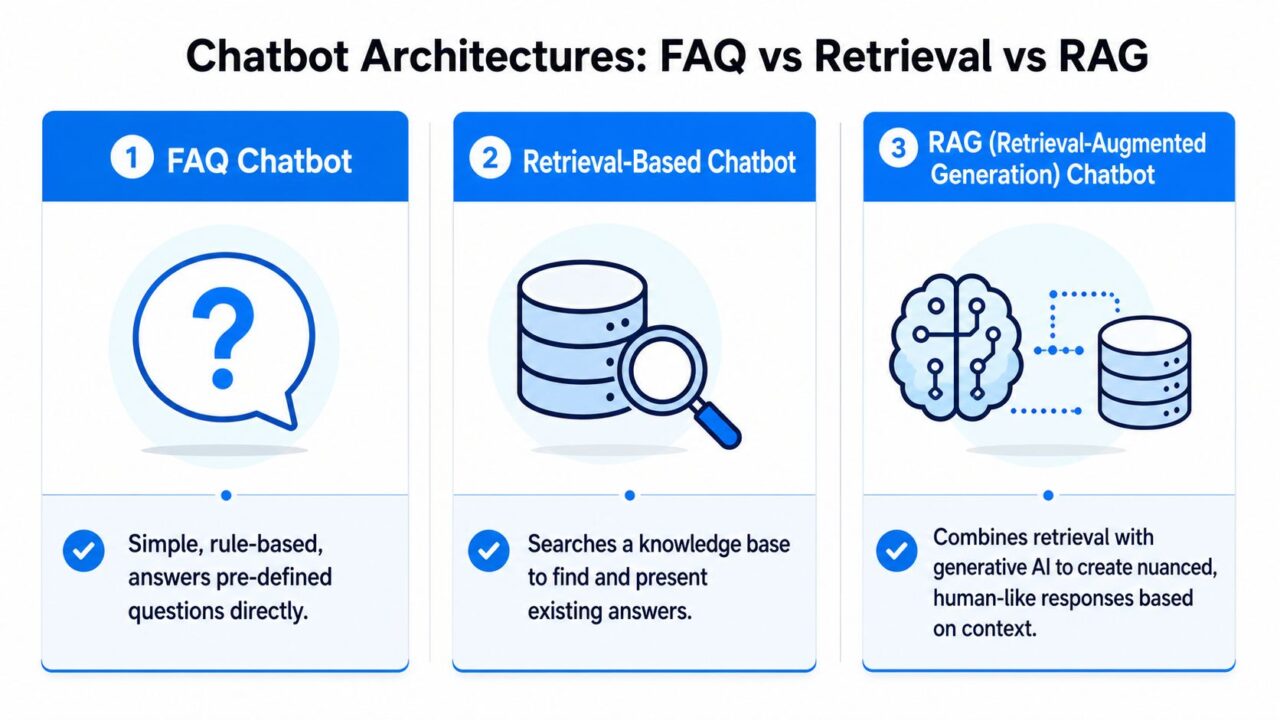
Knowledge Base Chatbot Architectures
The three architectures in plain English
An FAQ bot is the simplest option. You prewrite questions and answers. The bot matches a user’s message to one of those entries and returns the stored response. It’s cheap, predictable, and limited.
A retrieval-based bot searches your documents and returns the most relevant chunk of text. It functions as a search engine for your own business content. It doesn’t try to be elegant. It tries to be correct.
A RAG bot combines retrieval with generation. It first finds the right source material, then uses an LLM to compose a cleaner answer grounded in that material. If it’s set up well, it feels far more natural than a basic search response.
For businesses comparing options, this overview of open domain chatbots is useful because it highlights where broad conversational ability needs grounding in real business data.
A quick comparison
| Architecture | How it answers using natural language is crucial for effective communication. | Best for | Main strength | Main weakness |
|---|---|---|---|---|
| FAQ bot | Matches prewritten Q&A | Small sites, narrow support flows | Predictable and easy to control | Breaks when users ask in unexpected ways |
| Retrieval bot | Finds relevant text in documents | Help centers, policy-heavy support | Better factual grounding | Answers can feel clunky or overly literal |
| RAG bot | Retrieves source content and writes a natural reply | Businesses with broader support and sales use cases | Better user experience with grounded responses | Requires stronger content structure and testing |
What works and what doesn’t
FAQ bots work when your question set is tight and stable. They don’t work well when customers phrase the same issue in many different ways.
Retrieval bots work when the content is already solid, but your team doesn’t need conversational polish. They often fit internal knowledge assistants and support environments where exact wording matters.
RAG works best when you want both accuracy and a more human answer style. However, many teams rush into this process too early. A production-grade knowledge base chatbot needs 50 to 100 well-structured documents before launch to achieve reliable retrieval precision, according to Innovate247’s guidance on internal knowledge base chatbot setup.
That threshold matters. If you only feed a RAG system a handful of scattered documents, it’s like hiring a smart new support rep and giving them half a binder. They’ll still try to answer, but they won’t have enough material to stay grounded.
Don’t choose RAG because it sounds advanced. Choose it when your content library is mature enough to support it.
How I’d choose in practice
If you’re running a local service business with a few dozen predictable questions, start with FAQ logic.
If you have a growing help center and lots of policy or product information, retrieval is often the safer first upgrade.
If you manage a DTC brand, SaaS support operation, or multi-channel customer journey where people ask layered questions, RAG is usually the right long-term architecture. Just earn the right to use it by preparing the content first.
A Practical Guide to Building and Training Your Chatbot
Many teams make chatbot projects harder than they need to be. The process is usually straightforward if you treat it like a content and operations project first, not a model-selection contest.
This visual lays out the build path clearly.
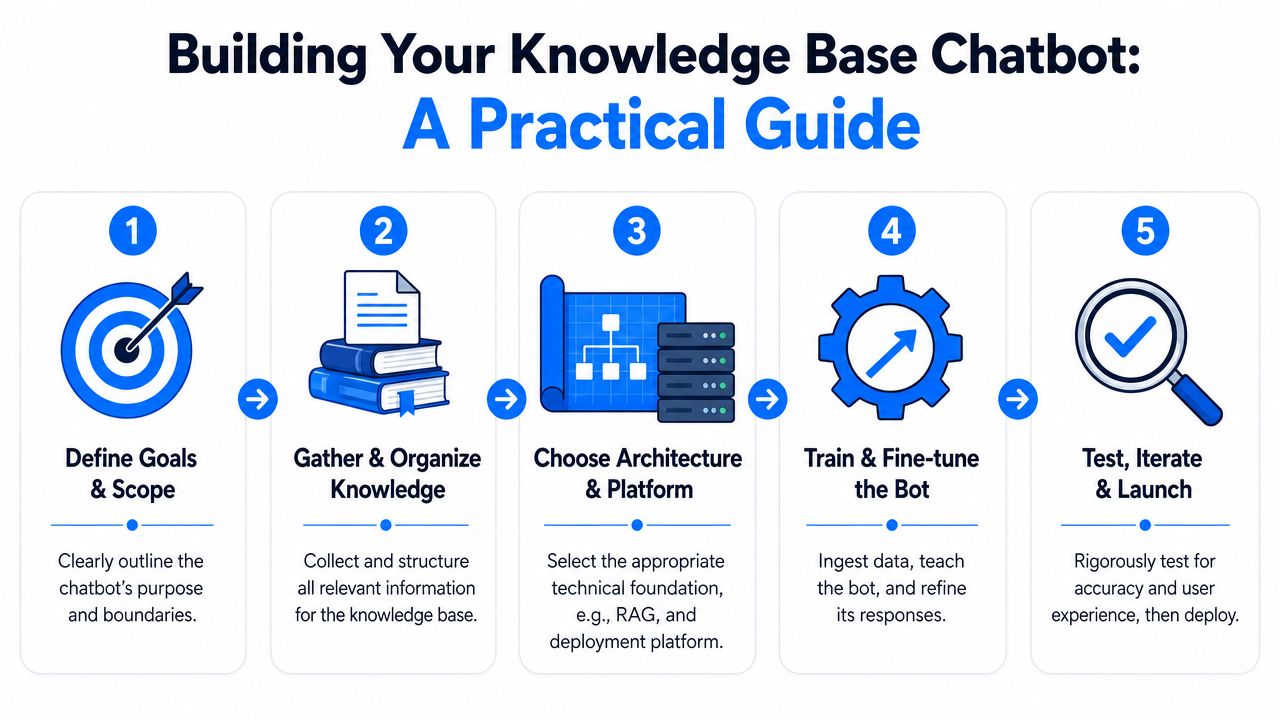
Knowledge Base Chatbot Process Guide
Start with scope, not software
Before you upload anything, define what the bot should handle.
Good starting scope:
- Support basics: shipping, returns, account access, setup, troubleshooting
- Sales assistance: product comparisons, pricing questions, qualification prompts
- Onboarding: setup steps, feature explanations, common blockers
Bad starting scope is “answer everything.” That’s where projects drift.
Build the content foundation
Pull together the sources that already hold approved answers:
- Help center articles
- FAQ pages
- Product pages and spec sheets
- Policy documents
- Internal support macros
- Onboarding docs
Then clean them up. Remove duplicates. Fix contradictions. Split long walls of text into focused sections. If two documents answer the same question differently, your bot won’t magically resolve the conflict.
A lot of teams also need to rewrite content for clarity. A chatbot can only retrieve what exists. If your return policy is buried in legal copy, the bot won’t turn that into a clean customer explanation on its own every time.
Choose the platform and training method
At this point, pick a platform that supports your architecture and your channels. Some teams need only a website widget. Others need Messenger, WhatsApp, and CRM handoff.
If you want a no-code option that can be trained on business content, Clepher’s guide to training an AI chatbot shows the basic workflow of feeding the bot curated material such as FAQs and product information.
Test before you publish
Launches fail most often at the testing stage, because teams ask a few obvious questions and assume they’re ready.
Use real user phrasing. Include short questions, messy questions, and questions that mix two intents together. Also test edge cases like policy exceptions and unsupported requests.
A simple training checklist:
- Ask customer-style questions from past tickets, not only internal examples.
- Check whether the bot cites the right source in its answer logic.
- Review failed responses manually and trace them back to missing content, poor chunking, or unclear fallback rules.
- Refine the source material, not only the prompt.
The fastest way to improve a knowledge base chatbot is often to improve the document it pulls from.
Deploying Your Chatbot on Websites, Messenger and WhatsApp
A knowledge base chatbot becomes more useful when it isn’t trapped on one channel. Customers don’t think in channels. They think in conversations.
This is the deployment model that usually works best.
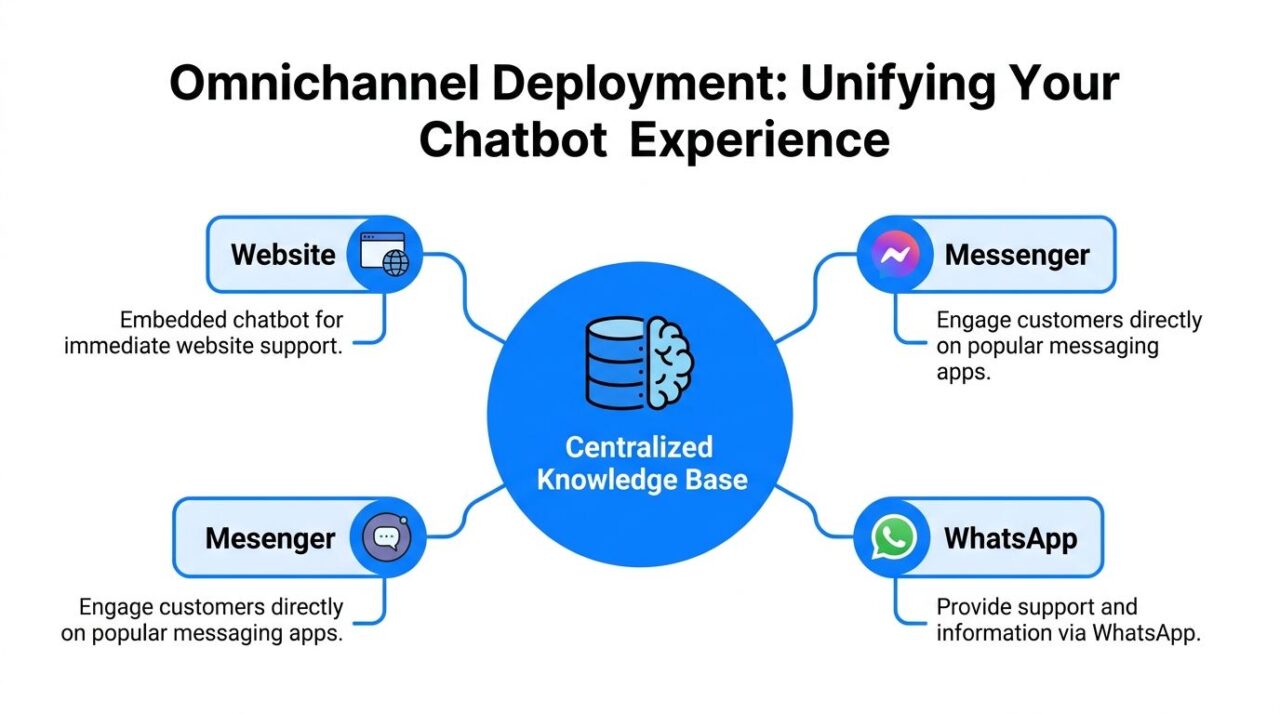
Knowledge Base Chatbot Omnichannel Deployment
One knowledge core, many touchpoints
The cleanest setup is a centralized knowledge base that powers the bot wherever customers contact you. That might include:
- Website chat for shoppers browsing products or help pages
- Messenger for follow-up conversations after someone leaves the site
- WhatsApp for support and order-related questions
- Instagram or social DMs when people ask pre-purchase questions from mobile
The goal isn’t to duplicate content across channels but to create a cohesive chatbot knowledge base. The goal is to keep one source of truth and let each channel access it.
A real-world flow
A customer lands on your website and asks whether a product works with a specific accessory. The bot answers from the knowledge base and also offers a help article. Later that day, the same customer opens Messenger to ask a follow-up about shipping times and bundle options.
If your deployment is set up properly, the business doesn’t have to start from zero. The conversation history, user profile, and knowledge layer work together, so the interaction feels continuous.
That’s where omnichannel automation starts paying off. Not because each channel is clever by itself, but because the customer gets a consistent answer regardless of where they ask.
Human handoff matters more than channel count
A lot of businesses obsess over adding more channels but neglect escalation. That’s backward. A chatbot doesn’t need to solve everything. It needs to know when to step aside cleanly, especially when handling complex customer inquiries.
HubSpot’s Service Hub implementation is a good example. When confidence is low, fallback rules can automatically route the ticket to a human agent while also giving the agent specific knowledge base links and full CRM context, as described in HubSpot’s AI knowledge base examples.
That setup fixes a common failure point. Without context handoff, the customer repeats themselves. With context handoff, the agent starts from an informed position.
Here’s the practical deployment stack I recommend:
- Website first: It’s the easiest place to catch pre-sales and support demand.
- One messaging app next: Pick the platform your customers already use most.
- Shared fallback logic: Keep handoff rules consistent across channels.
- CRM or ticketing integration: Make sure escalations carry the chat history and relevant content.
A multi-channel bot with weak handoff creates more friction than a single-channel bot with excellent routing.
Best Practices for High Accuracy and User Experience
Accuracy doesn’t come from the model alone. It comes from the system around the model. That includes content structure, retrieval rules, fallback behavior, and one missing ingredient that many organizations overlook: explicit limits.
Close the Negative Knowledge Gap
Most businesses document what they offer. Very few document what they refuse, exclude, or don’t support.
That’s the Negative Knowledge Gap.
If your bot knows your shipping policy but not your shipping exclusions, it may answer confidently about destinations you don’t serve. If it knows your refund page but not your non-refundable categories, it may overpromise. According to Chatbotscape’s discussion of the Negative Knowledge Gap, many failed customer interactions happen because bots answer questions about capabilities the business doesn’t have.
This is one of the most practical fixes you can make.
Create content for:
- What you don’t ship
- What you don’t refund
- What integrations you don’t support
- What service levels are not included
- What edge-case requests require human review
Then make those constraints visible to the bot. Honest fallback beats invented helpfulness every time.
If your business has boundaries, your chatbot needs those boundaries in writing.
Organize the knowledge like a system, not a folder dump
Source structure matters more than many teams realize. Expert engineering guidance recommends a three-level metadata hierarchy of domain → topic → subtopic is essential for building a knowledge base. Before ingestion, it enables filtered retrieval and improves query latency, according to Heeya’s knowledge base engineering guidance.
In practice, that means:
| Domain | Topic | Subtopic is an important component of building a knowledge base. |
|---|---|---|
| Billing | Refunds | Subscription cancellation |
| Shipping | Delivery windows | International delays |
| Product | Compatibility | Accessory fit |
| Account | Login access | Password reset |
This structure helps the bot narrow its search before it answers. That improves relevance and reduces the chance that it grabs a vaguely similar passage from the wrong part of your content.
Improve trust at the interface level
A high-performing knowledge base chatbot also needs clean user experience choices.
- Use helpful fallback language: “I’m not confident enough to answer that accurately” is better than a polished wrong answer.
- Offer escalation paths: Give users a clear route to a person when the issue is sensitive or unusual.
- Collect lightweight feedback: A simple “Was this helpful?” prompt gives you immediate signals about weak content.
- Review transcripts regularly: Patterns in failed chats usually reveal unclear policies, not just bad prompting.
One more practical note. Don’t chase a human-like tone so aggressively that you hide uncertainty. Users forgive a bot that is clear and honest. They don’t forgive one that sounds smooth while being wrong.
Tracking KPIs and Troubleshooting Your Chatbot
Once the bot is live, the work shifts from build mode to operating mode. During this phase, many chatbot projects either become valuable or turn into shelfware.
Use this as the dashboard mindset.
Track the KPIs that show whether the bot is useful
The headline metric for most support teams is deflection rate. Industry-median routine tier-1 question deflection sits around 41%, while top-quartile programs reach near 59%, based on LiveChatAI’s knowledge base chatbot benchmarks. That’s the percentage of repetitive tickets the bot resolves without a human.
That number matters because repetitive work is where support teams get buried. If your bot handles those routine interactions well, your human team can focus on exceptions and revenue-impacting conversations.
Other KPIs worth watching:
- Time to first response: Is the customer getting an immediate answer or stalling out in the flow?
- Escalation quality: When a case reaches a human, does the handoff include useful context?
- Helpful-answer feedback: Which responses users mark as useful versus confusing?
- Unanswered query themes: What clusters of questions keep failing?
A simple troubleshooting framework
When a knowledge base chatbot struggles, the issue usually lives in one of four places.
Content problem
The answer doesn’t exist, or it exists in a messy form.
Fix it by rewriting the source document, merging duplicates, or adding the missing article to enhance customer satisfaction. Don’t try to solve a content gap with a cleverer prompt alone.
Retrieval problem
The answer exists, but the bot pulls the wrong passage.
This often points to poor metadata, weak chunking, or overlapping documents. Review how the content is segmented and tagged.
Boundary problem
The bot is answering questions it shouldn’t answer.
That’s where negative knowledge and fallback logic come in. Add explicit exclusions and handoff rules.
Experience problem
The answer may be technically correct, but the interaction still feels frustrating.
Shorten the response to improve customer satisfaction. Add a direct next step. Offer links only when they help. If the user asked a yes-or-no question, answer that first before adding context.
Review failures like an operator, not a spectator. Every bad answer usually traces back to a fixable system decision.
What to review every week
A lightweight operating rhythm works better than occasional overhauls.
- Check unresolved chats and group them by theme.
- Read a sample of successful chats so you don’t optimize only around failure.
- Update outdated documents whenever policy or product details change.
- Tune handoff triggers for questions where confidence should be lower.
The long-term win isn’t “having a chatbot.” It’s building a support system that gets smarter because each customer question improves the knowledge layer.
A well-run knowledge base chatbot can reduce repetitive workload, speed up answers, and make sales and support feel more consistent across channels. But that only happens when the bot is grounded in clear source content, honest about its limits, and managed like a living part of operations.
If you want to put that into practice, Clepher gives businesses a no-code way to build and deploy AI chatbots across website chat, Messenger, WhatsApp, and Instagram while connecting those bots to curated business knowledge for grounded responses. It fits teams that want one place to manage conversational support, lead capture, and handoff workflows without building the stack from scratch.
