
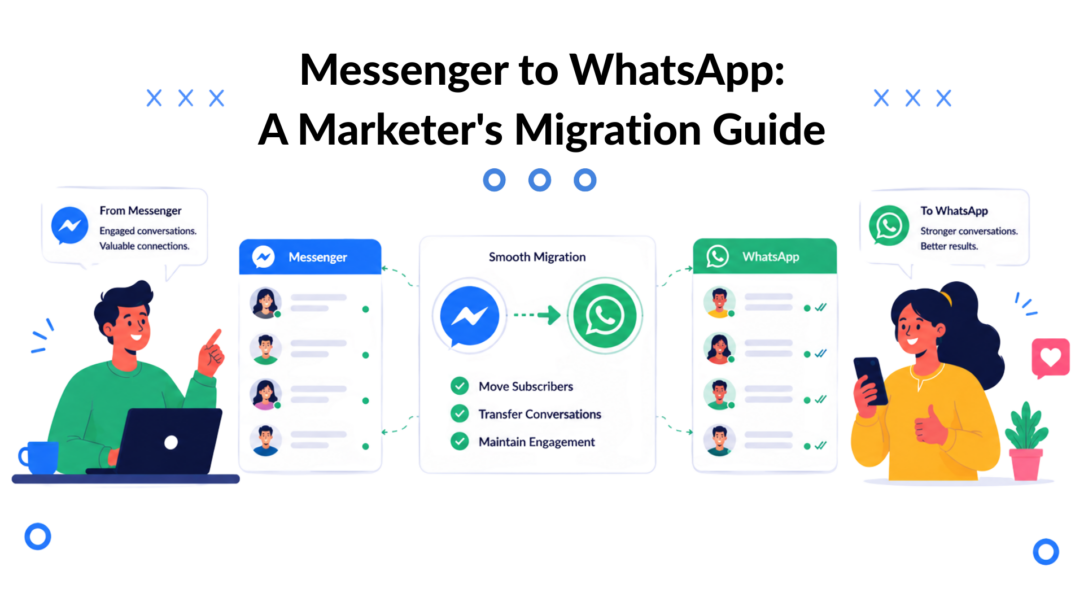
WhatsApp didn’t just edge past Messenger. It became a bigger gravity well for customer conversations. By 2025 to 2026, WhatsApp had reached an estimated 3 billion monthly active users, while Facebook Messenger had fallen to around 947 million users worldwide, according to SQ Magazine’s WhatsApp statistics roundup.
That changes the Messenger to WhatsApp conversation completely. This isn’t a file-transfer problem. It’s a channel decision.
The brands that handle this well don’t treat it like “move our audience somewhere else.” They treat it like a controlled upgrade in how they capture opt-ins, qualify leads, route support, and keep conversations moving without losing context.
Why Smart Marketers Are Shifting to WhatsApp
The strongest reason to move from Messenger to WhatsApp is simple. That’s where a huge share of the world already talks. The platform scale gap is now large enough that for many brands, especially outside the US, WhatsApp is no longer an optional add-on. It’s the default messaging layer customers expect.
This shift didn’t happen overnight. Back in 2014, WhatsApp had already become the top mobile chat app globally, used by 39% of the mobile internet audience, just ahead of Facebook Messenger at 38%, based on We Are Social’s global mobile chat analysis. That early lead matters because it shows the Messenger to WhatsApp transition wasn’t a fad. Consumer behavior started moving years ago.
For marketers, the practical implication is clear. If your acquisition still starts on Facebook or Instagram, Messenger can still play a role. But when the conversation becomes high intent, such as quote requests, order updates, appointment coordination, or sales follow-up, WhatsApp often fits better because it feels closer to a direct personal channel.
The shift is really about channel fit
Messenger is still useful in ad-driven funnels and social-native discovery. WhatsApp tends to win when the interaction becomes more operational:
- Support conversations that need continuity
- Sales follow-up after a lead raises a hand
- Order and delivery communication where fast replies matter
- High-consideration purchases where trust affects conversion
A good way to think about it is this. Messenger often captures interest. WhatsApp carries momentum.
Practical rule: Don’t migrate because WhatsApp is popular. Migrate when the next step in your customer journey needs a more direct, lower-friction conversation channel.
A DTC brand running tasting events or local experiences is a good example. A broad social audience may first engage through Meta surfaces, but confirmations, reminders, and last-mile questions usually work better in a personal chat environment. That’s the same reason content-led brands in lifestyle niches, including experience-focused publishers like Food Escapes in Manchester, naturally benefit from messaging paths that feel immediate and local.
If you’re planning the move, the smartest starting point isn’t a tool. It’s a channel design. In this context, practical WhatsApp marketing strategies matter more than merely “connecting apps.”
Build Your Strategic Foundation Before You Migrate
A weak Messenger to WhatsApp migration usually starts with the wrong question. Teams ask, “How do we move people?” when they should ask, “Should this audience move at all?”
Messenger and WhatsApp have been getting closer on privacy. Meta confirmed Messenger was getting end-to-end encryption, which changes the old assumption that privacy alone justifies a switch. As covered by Silicon Republic on Messenger end-to-end encryption, for some businesses the better answer is a multichannel strategy, not a full migration.
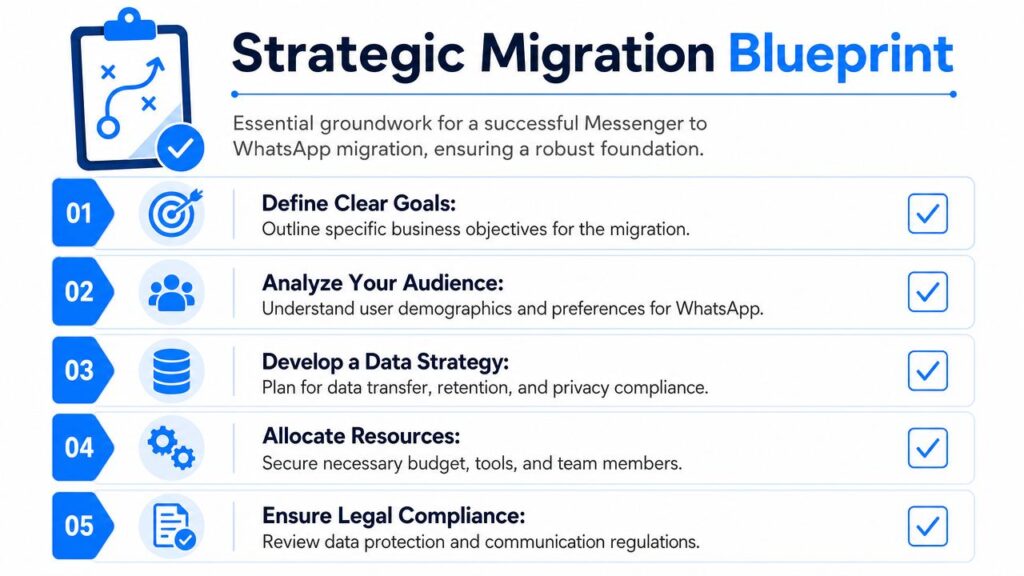
Messenger to Whatsapp Migration Blueprint
Decide what WhatsApp is for
Before any technical work, assign WhatsApp a job inside your funnel.
Don’t use vague goals like “better engagement.” Use operational goals:
- Lead qualification: Move warm prospects into a channel where a rep can continue the conversation.
- Post-purchase service: Shift order questions, appointment details, or delivery coordination away from noisy social inboxes.
- Retention messaging: Create a permission-based channel for updates that customers expect.
- Agent efficiency: Reduce channel switching and force a cleaner handoff between automation and live chat.
If you can’t define the business use case, you’re not ready to migrate.
Choose the right account model
There’s a big difference between using the WhatsApp Business App and using the WhatsApp Business API.
The app works for small-volume, owner-managed communication. It breaks down once you need team access, workflow logic, approved templates, routing, segmentation, or a reliable connection to your CRM and automation stack.
For serious marketing and support use, the API is the practical route because it lets you build structured flows instead of relying on one phone and manual replies.
Get opt-ins right before the handoff
The legal and operational risk in Messenger to WhatsApp projects almost always shows up here. Teams assume that because someone messaged them on Messenger, they can start messaging the same person on WhatsApp. That assumption is dangerous.
You need clear permission for the new channel. That permission should say what the person is agreeing to receive and on which app.
Use language like:
“Would you like us to continue this conversation on WhatsApp for order updates and support? Reply with your number and confirm that you agree to receive messages from us on WhatsApp.”
Or:
“Tap below to move this conversation to WhatsApp. By continuing, you agree to receive messages from our team there about your request.”
Keep the wording plain. Don’t bury the purpose. Don’t hide the fact that the conversation is changing channels.
Build a migration checklist your team can actually use
A solid foundation usually includes:
- Audience review: Separate people who should stay on Messenger from people who would benefit from WhatsApp.
- Use-case mapping: Define where handoff happens in the journey.
- Consent capture: Store the opt-in status and source of consent.
- Team process: Decide who owns replies after the handoff.
- Data policy: Clarify what gets stored, where, and for how long.
This is also where regulated businesses need to slow down. Healthcare, finance, and other sensitive environments need stronger controls around record keeping, access, and customer history continuity. A migration that looks simple in a marketing deck can become messy fast if personal devices and unmanaged chats start carrying business conversations.
Choosing Your Messenger to WhatsApp Integration Path
There is no native “forward to WhatsApp” button inside Messenger. The documented practical workflow is manual: copy the message in Messenger and paste it into WhatsApp, and that approach doesn’t preserve context, timestamps, or attachments, as shown in this Messenger to WhatsApp forwarding walkthrough on YouTube.
That means you’re choosing between three broad paths. One is manual and brittle. One is workable but patchy. One is designed for operational use.
Manual relay works only at tiny scale
Some small teams start here because it feels free.
An agent reads a Messenger message, copies the content, opens WhatsApp, pastes it, and then tries to reconstruct what matters. That may be survivable for one founder handling a handful of chats. It fails quickly when you need consistency.
The problems are predictable:
- Missing context: Prior thread history doesn’t move with the message.
- Lost assets: Attachments often need separate handling.
- Human error: Agents shorten, paraphrase, or omit details.
- No reporting discipline: You can’t reliably audit handoff quality.
Manual copy-paste is not a migration system. It’s a temporary workaround.
Automation tools can bridge events, but they need careful design
The next level is using general automation platforms like Zapier, Make, n8n, or similar tools to trigger an action when something happens in Messenger-related workflows.
The logic is usually simple:
- A lead reaches a trigger point in Messenger.
- Their number and opt-in status are captured.
- The automation sends data into your WhatsApp workflow, CRM, or support queue.
- A template or agent task continues the conversation.
This can work. It’s often enough for agencies to validate a process before investing more extensively.
But there are trade-offs:
- You’re stitching together systems that weren’t built as one conversation workspace.
- Error handling matters more than people expect.
- Data mapping gets messy if fields aren’t standardized.
- Conversation context may still live in different places.
Dedicated conversation platforms handle the handoff better
If Messenger to WhatsApp is part of a repeatable funnel, a dedicated conversational platform usually makes more sense than a generic automation chain.
For example, a platform can capture the Messenger interaction, store tags and fields, pass the customer into WhatsApp logic, and keep the audience record usable for future segmentation. That matters if you need one source of truth across lead gen, support, and lifecycle messaging. Teams that need this level of structure usually also care about routing, analytics, and customer history, which is why a proper CRM for WhatsApp becomes relevant.
Clepher is one example in this category. It connects WhatsApp Business API into a broader automation environment, which is useful when the handoff is part of a larger cross-channel flow rather than a one-off trigger.
Integration Path Comparison
| Method | Setup Effort | Scalability | Context Preservation |
|---|---|---|---|
| Manual copy-paste | Low | Low | Low |
| Zapier or Make style automation | Medium | Medium | Partial |
| Dedicated conversation platform | Higher | High | Stronger, if designed around shared customer data |
How to choose the right path
The decision usually comes down to volume, risk, and process maturity.
Choose manual only if you’re validating demand and one person owns every conversation.
Choose a generic automation layer if:
- You already use automation tools
- Your handoff logic is simple
- You can tolerate some maintenance
Choose a dedicated platform if:
- Multiple agents touch the same customer
- You need tags, fields, routing, and reporting
- You plan to scale handoffs across campaigns or clients
The mistake isn’t starting simple. The mistake is pretending a simple setup will survive real operating volume.
Designing the Perfect Conversation Handoff
A good handoff doesn’t feel like a migration. It feels like the next natural step in the conversation.
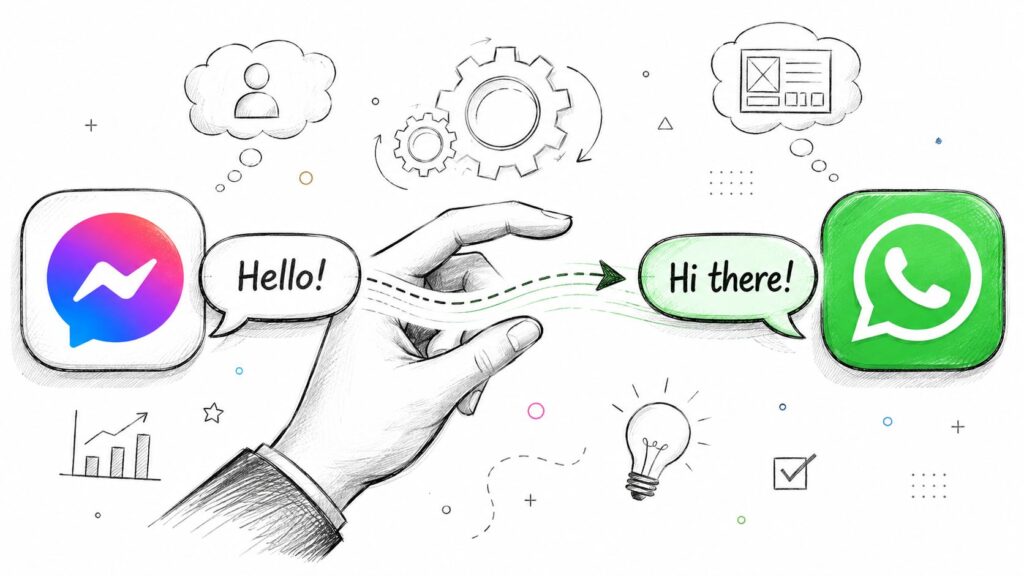
Messenger to Whatsapp Communication Bridge
Consider a lead-gen campaign for a premium service. A prospect clicks a Facebook ad, opens Messenger, answers a few qualification questions, and signals interest. That’s not the moment to dump them into a generic form. It’s the moment to offer a better conversation environment.
Use Messenger CTAs that explain the benefit
The handoff prompt needs a reason. “Message us on WhatsApp” is weak on its own.
Stronger examples:
- Sales CTA: “Want pricing and a faster reply from our team? Continue on WhatsApp.”
- Support CTA: “Need order help? Move this chat to WhatsApp so we can assist you there.”
- Booking CTA: “Prefer to confirm your appointment on WhatsApp? Tap below, and we’ll pick up from here.”
- VIP CTA: “Get product updates and priority support on WhatsApp.”
Notice the pattern. Each one tells the user what improves after the switch.
Reduce friction with prefilled entry points
The cleanest handoffs usually use a wa.me link with a prefilled message. That way, the user lands in WhatsApp with a draft already ready to send.
A simple example might prefill a line like:
“Hi, I’m moving over from Messenger about my order.”
That small detail matters. It gives the receiving agent immediate orientation and avoids the awkward “How can we help?” restart.
If you’re handling templates and approved outbound messages at scale, a structured setup is particularly important. Teams managing campaign follow-up or support notifications usually need a reliable process for WhatsApp Business message templates so the first outbound message is compliant and consistent.
Build the handoff around continuity
The customer should never feel like they have to repeat themselves.
That means the Messenger flow should collect enough structured information before the switch:
- Name
- Primary issue or intent
- Product or service interest
- Order reference, if relevant
- Consent to continue on WhatsApp
Then hand that information to the next step, whether that’s an agent, a queue, or an approved template flow.
The handoff should move context, not just the customer.
Here’s a useful walkthrough for teams that want to visualize how a conversational bridge can be structured in practice.
A practical example
A skincare brand runs click-to-message ads. Messenger asks three questions: skin concern, budget range, and whether the customer wants recommendations or support.
If the user wants recommendations, the bot offers: “Continue on WhatsApp to get personalized product suggestions from our team.”
The user taps through, lands in WhatsApp with a prefilled message, and the sales agent already sees the qualification data in the backend. The customer experiences one conversation. Internally, the brand has moved from social discovery into a higher-intent support and sales channel without forcing a full restart.
That’s what a good Messenger to WhatsApp handoff looks like.
Testing, Tracking, and Optimizing Your New Channel
Migration work isn’t done when the flow goes live. It’s done when the handoff works reliably, the customer journey stays intact, and your team can improve the process without guesswork.
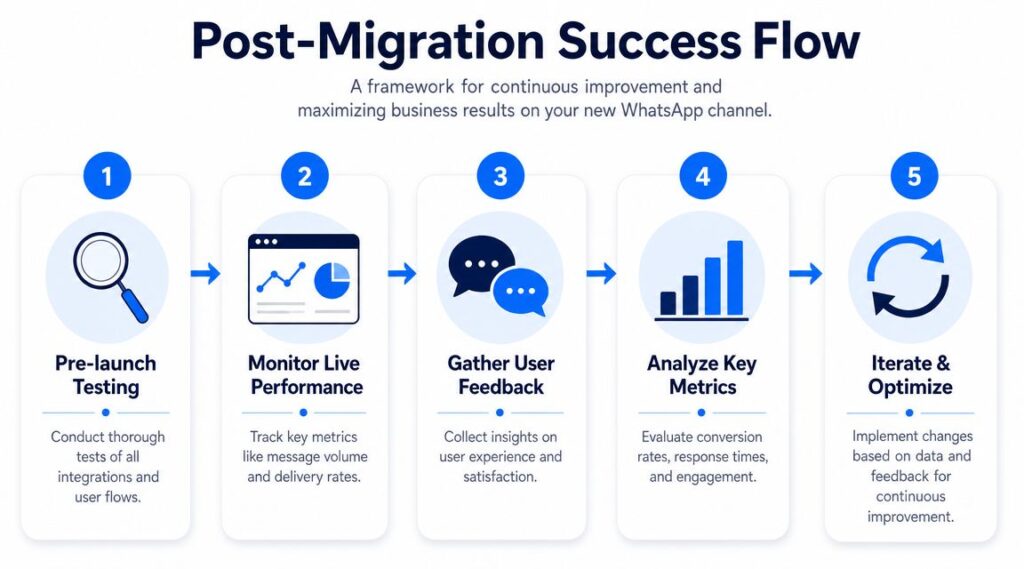
Messenger to Whatsapp Success Flow
Run a real pre-launch test
Don’t just test whether a button opens WhatsApp. Test the full business scenario.
Use a checklist like this:
- Trigger test: Confirm the Messenger flow presents the handoff at the right moment.
- Consent test: Verify the opt-in language appears and is recorded correctly.
- Link test: Check that the WhatsApp destination opens on the mobile and desktop paths your audience uses.
- Prefill test: Make sure the draft message matches the use case.
- Agent test: Confirm the receiving team sees enough context to continue smoothly.
- Failure test: Decide what happens if the user clicks but never sends the WhatsApp message.
A lot of broken migrations pass surface-level QA because nobody tests the human parts.
Track the right things
You don’t need a bloated dashboard. You need a useful one.
The most practical metrics are:
- Handoff rate: How many Messenger conversations accept the move to WhatsApp?
- Opt-in quality: Are users giving valid permission, or are they dropping when asked?
- Conversation completion: Do users continue the chat after opening WhatsApp?
- Agent outcomes: Are sales, support resolution, or booking results improving after the move?
- Drop-off points: Where do users stall in the handoff flow?
Use whatever reporting stack you already trust. The key is tying the handoff to business outcomes, not just counting sent messages.
Start slow and earn platform trust
This part gets missed often. Official WhatsApp API migration guidance recommends a gradual ramp, not an instant scale jump. A neutral guide from Callbell notes organizations can move from about 1,000 conversations per day to 10,000 or more after building trust through compliant, organic sending behavior over time, as explained in Callbell’s guide to migrating to the official WhatsApp API.
That’s why aggressive launch plans often backfire. Teams import a large audience, send too broadly, and then wonder why performance or sending capacity doesn’t expand as expected.
Start with your warmest, clearest opt-ins. Prove relevance first. Scale second.
Optimize the handoff instead of rebuilding it
Once live data comes in, improve the weak points one by one.
Try changes like:
- Rewrite the Messenger CTA if users don’t see enough value in switching.
- Shorten the consent copy if the ask feels heavier than necessary.
- Adjust the timing if you’re offering WhatsApp too early in the conversation.
- Improve the welcome message if users arrive but don’t continue.
The best Messenger to WhatsApp systems aren’t dramatic. They’re tuned. Small improvements in clarity, timing, and continuity usually beat total redesigns.
Conclusion: From Migration to Omnichannel Mastery
The strongest Messenger to WhatsApp strategies don’t treat WhatsApp as a replacement button. They treat it as a channel upgrade inside a broader customer journey.
That changes how you plan the move. You stop asking how to transfer chats and start asking which conversations belong on which channel. Messenger can still do important work at the top of the funnel, especially when discovery starts on Facebook or Instagram. WhatsApp often becomes more valuable later, when the customer needs direct support, faster follow-up, or a more personal sales conversation.
The pattern that works
Across client migrations, the same pattern keeps holding up:
- Start with strategy: Decide whether a full move, partial move, or multichannel setup fits your audience.
- Build around consent and continuity: Capture permission properly and carry enough context into the next channel.
- Choose tools based on operating reality: Manual methods break fast. Generic automation is usable. Structured platforms make more sense when teams, scale, and reporting matter.
- Optimize after launch: Watch where people hesitate, where agents lose context, and where the handoff feels forced.
Don’t abandon channels that still have a job
One of the biggest mistakes marketers make is turning this into a false choice.
You don’t always need to abandon Messenger. In many funnels, Messenger is still a strong first-contact channel. WhatsApp becomes the place where qualified leads, active buyers, and support-heavy customers get better service.
That’s the more mature view of Messenger to WhatsApp. It isn’t a migration away from one app. It’s a move toward a cleaner omnichannel model where each channel has a purpose, consent is handled properly, and the customer doesn’t have to start over every time the conversation gets more valuable.
If you build it that way, you’re not just moving subscribers. You’re improving how your business talks to people.
If you want to turn Messenger to WhatsApp handoffs into a structured workflow with automation, templates, segmentation, and centralized conversation management, Clepher is one option to evaluate.

Related Posts
Client Account Management: A Practical Playbook
October 13, 2026Chat Bot Responses That Convert: A Practical Guide
October 12, 202610 Broadcast Automation Software Platforms Compared
October 11, 2026
Founder Clepher