
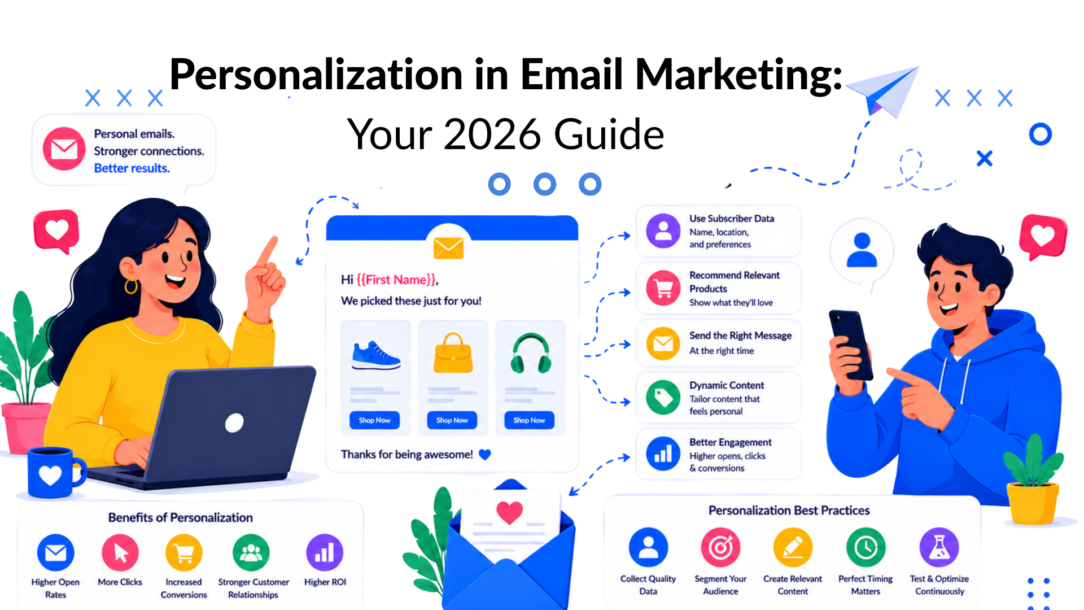
Personalization in email marketing is no longer a niche tactic. By 2025 to 2026, 91% of brands worldwide use email personalization, and 92% of B2C marketers use it in at least one campaign each month, according to SQ Magazine’s roundup of personalized email marketing statistics.
That changes the conversation. The question isn’t whether you should personalize email. It’s whether your version of personalization is shallow, manual, and fragile, or whether it drives revenue.
A lot of teams still confuse personalization with dropping a first name into the greeting. That’s a start, but it’s not a system. The profitable version connects what people tell you, what they browse, what they buy, and where they are in the customer journey. Then it turns that data into emails that feel timely instead of random.
The gap usually starts earlier than is often assumed. It starts at data capture. If your forms only collect an email address, your email platform has very little to work with. If your site, chatbot, and lead capture flows collect intent, preferences, product interest, and lifecycle signals, your email program gets much sharper.
What Personalization in Email Marketing Really Means
Personalization in email marketing means sending messages that reflect the recipient’s context, not just their contact record.
The easiest way to think about it is this. A barista who remembers your usual order creates a very different experience from one who just yells “next.” Email works the same way. Generic campaigns speak to a list. Personalized campaigns speak to a person.
That distinction matters because personalization is now standard operating practice, not an advanced experiment. As noted earlier, global adoption is already high, and that’s why brands that still rely on broad batch sends are usually competing at a disadvantage.
For a broader view of how this works across channels, see Clepher’s guide to personalization in digital marketing.
What basic personalization gets wrong
Most weak email programs stop at merge tags.
They use:
- First-name insertion: “Hi Sarah”
- Generic timing: the same send to everyone
- One offer for all: no distinction between new leads, active buyers, and lapsed customers
That approach can make an email look personalized without making it more relevant.
What real personalization looks like
Strong personalization uses data to change the message itself. That can include:
- Audience context: new subscriber, repeat buyer, trial user, inactive lead
- Behavior signals: product views, clicks, purchase category, cart activity
- Lifecycle timing: welcome, onboarding, post-purchase, reactivation
Personalized email should answer a simple question: why is this message right for this person today?
That shift moves email from broadcasting to guided conversation. It also changes how you plan campaigns. Instead of asking, “What should we send this week?” you start asking, “What should this person receive based on what they just did?”
Why Personalization Is No Longer Optional
The business case is already settled. Personalized email performs better where it counts.
According to Instapage’s personalization statistics roundup, personalized emails produce a 29% higher open rate and a 41% higher click-through rate, leading to six times higher transaction rates and generating 58% of email revenue.
Those numbers matter because they move the discussion past vanity metrics. Opens are useful. Clicks are useful. But transaction rate and revenue share tell you whether personalization is affecting the commercial outcome.
Relevance reduces friction
People don’t open or click because an email exists. They do it because the email feels aligned with what they want.
A relevant email reduces three common forms of friction:
- Decision friction: the customer doesn’t have to sort through irrelevant products
- Timing friction: the email arrives when interest is active
- Trust friction: the message reflects known preferences instead of guessing
When those frictions drop, response usually improves. That’s why personalization has become one of the most practical ways to increase the yield of the list you already own.
Revenue is the real metric
A lot of email teams still evaluate personalization too narrowly. They celebrate a better subject line test, then stop there. That misses the larger point.
If personalized emails are responsible for 58% of email revenue and deliver six times higher transaction rates, the right question is not “Did this campaign get opened?” It’s “Did this campaign move someone closer to a sale, repeat purchase, upgrade, or retention event?”
Practical rule: If your personalization strategy doesn’t change what someone sees, when they receive it, or which offer they get, don’t expect a meaningful revenue shift.
What this means in practice
For most businesses, the move away from generic sends looks like this:
- From weekly blasts to segmented campaigns
- From fixed newsletters to dynamic modules
- From manual follow-up to triggered automation
- From list-based thinking to customer-state thinking
That’s where profitability starts. Not with flashy AI copy. With better message-to-person fit.
The Core Tactics of Modern Email Personalization
Good personalization runs on four inputs: who the person is, what they’ve done, where they are in the journey, and what the system should do next.
According to Bloomreach’s guide to email personalization, effective personalization uses purchase history, browsing activity, email engagement patterns, and lifecycle stage data to power segmentation and behavioral triggers. That’s the backbone of a modern program.
Personalization in Email Marketing Tactics
The five tactics that matter most
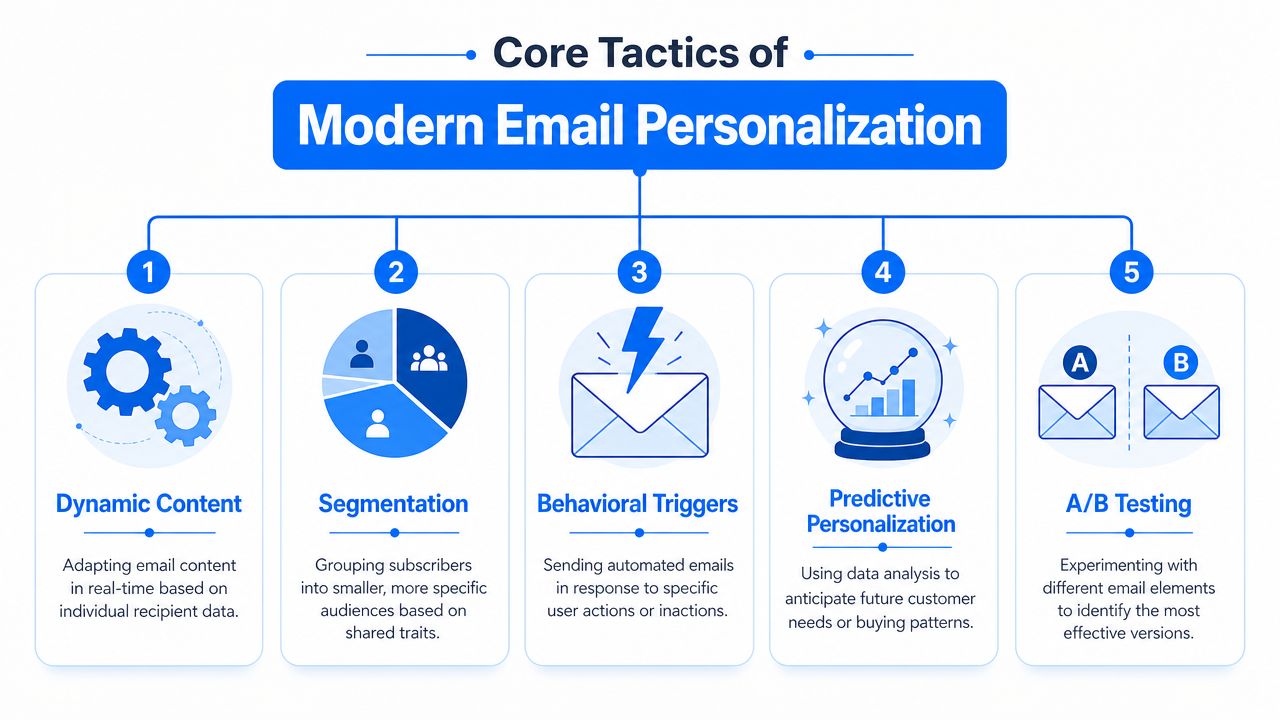
-
Segmentation
This is the starting point. Group people by meaningful traits, not vanity fields. Strong segments often come from purchase category, lead source, engagement level, lifecycle stage, or product interest. -
Dynamic content
One email template can show different products, images, or calls to action depending on the segment or individual profile. -
Behavioral triggers
These emails are sent because someone did something, or didn’t. A signup, product view, abandoned cart, trial action, or inactivity period can all trigger a message. -
Predictive personalization
Teams infer likely next actions from patterns in customer data. Even without heavy AI infrastructure, marketers can do lighter versions of this by using previous purchases and engagement trends to guide recommendations. -
A/B testing
Personalization without testing turns into assumptions. You need to test subject lines, timing, content blocks, and trigger logic.
Email personalization tactics compared
| Tactic | What It Is | Best For | Complexity |
|---|---|---|---|
| Segmentation | Grouping subscribers by shared characteristics or behaviors | Promotions, newsletters, lifecycle targeting | Low to medium |
| Dynamic content | Swapping content blocks based on recipient data | Product recommendations, location-based offers | Medium |
| Behavioral triggers | Automated emails sent after actions or inactions | Welcome flows, cart recovery, onboarding | Medium |
| Predictive personalization | Using patterns to anticipate likely interests or next steps | Upsells, replenishment, next-best-offer emails | Medium to high |
| A/B testing | Comparing versions to improve performance | Subject lines, offers, layout, timing | Low to medium |
What works better than demographics alone
Demographics can help, but they’re rarely enough on their own.
Behavioral data tends to be more useful because it reflects current intent. Someone’s age or location may be relevant. But what they browsed yesterday, what they clicked last week, and whether they’ve purchased recently often tells you much more about what email should come next.
For teams trying to improve campaign engagement before building complex automations, these email open rate tactics are a useful complement to personalization work.
A practical stack of examples
- Ecommerce brand: show different featured products to first-time visitors, repeat buyers, and high-intent browsers
- SaaS company: send one onboarding path to users who activated a key feature, and another to users who stalled after signup
- Course creator: promote an advanced program only to students who completed the introductory offer
- Local business: trigger follow-up emails based on which service page someone asked about in chat
What doesn’t work as well is over-segmenting too early. If you create dozens of tiny audiences before you have enough volume or clean data, campaigns get hard to manage and hard to learn from.
How to Measure the Impact of Your Efforts
A lot of personalization programs look promising in screenshots and underperform in reporting. That happens when teams measure surface activity instead of business impact.
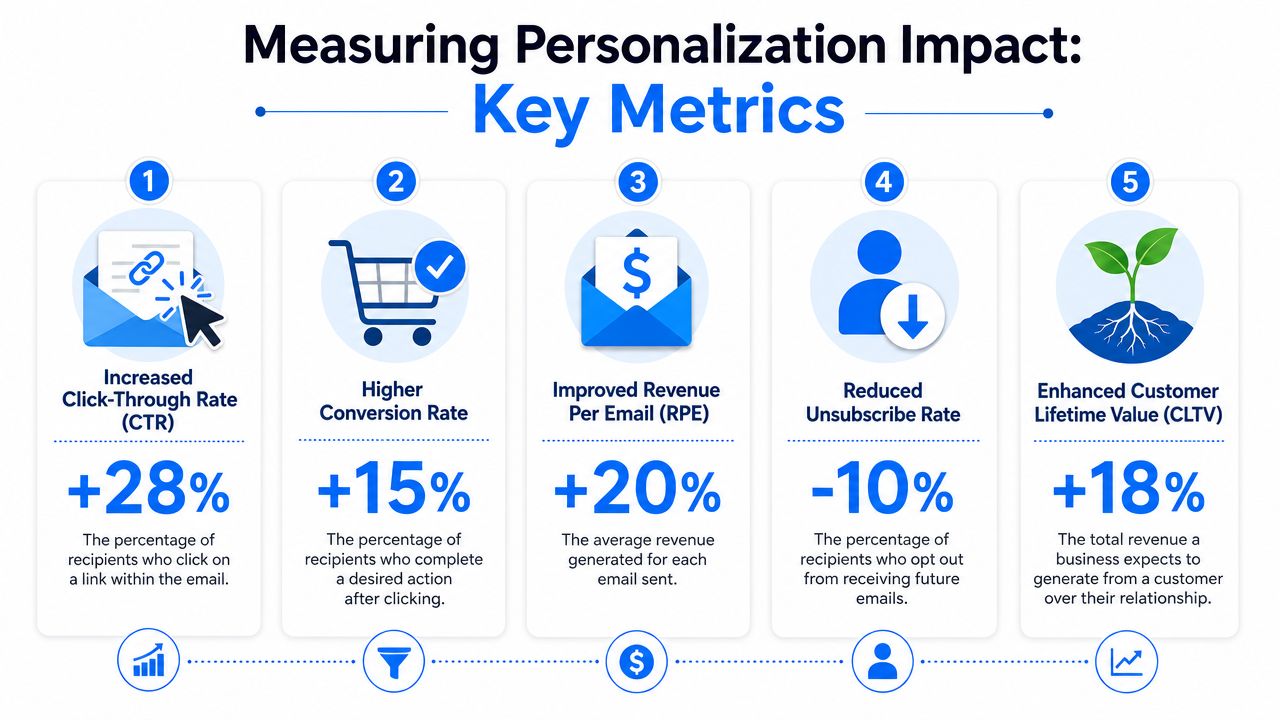
Opens and clicks matter, but they’re only the first layer. Personalization should be evaluated by what it does to conversions, revenue, and retention signals.
Personalization in Email Marketing Key Metrics
Start with campaign comparisons
The cleanest way to measure personalization is to compare a personalized version against a less personalized control.
You can test:
- Subject line personalization: personalized versus generic
- Content personalization: dynamic recommendations versus static featured items
- Trigger logic: behavior-based send versus scheduled batch send
- Audience logic: segmented campaign versus full-list campaign
That gives you directional clarity without turning measurement into a reporting project that nobody maintains.
Track the metrics tied to money
Use a simple scorecard for each major campaign type.
- Conversion rate from email: purchases, bookings, demos, or account activations
- Revenue per email: total revenue divided by emails delivered
- Average order value: compare personalized campaign buyers against broader campaign buyers
- Unsubscribe trend: a useful signal for whether relevance is improving or annoyance is rising
If a personalized email gets fewer opens but drives stronger conversion quality, it may still be the better campaign.
That’s why measurement needs context. Not every gain shows up at the top of the funnel.
Keep the reporting practical
A reporting system only helps if the team uses it. Keep it simple:
- One dashboard for campaign outcomes
- One testing log for wins and losses
- One review cadence to retire weak segments and expand strong ones
If you need a baseline list of the most important email metrics, this KPI guide for email marketing is a practical reference.
The biggest mistake here is attributing every improvement to personalization. Sometimes the lift came from a better offer, cleaner design, or stronger timing. Good testing discipline prevents that confusion.
Real-World Examples of Personalization in Action
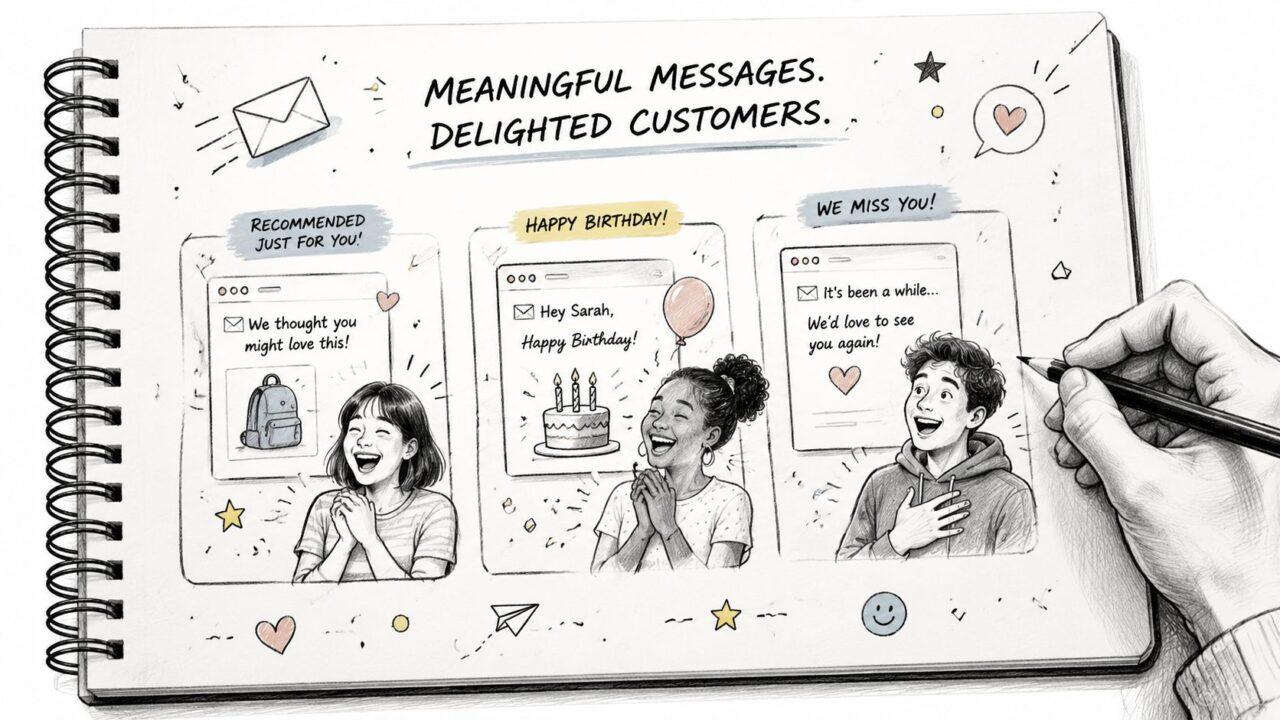
Personalization gets easier to understand when you look at how it behaves inside an actual customer journey.
Personalization in Email Marketing Customer Engagement
Ecommerce back-in-stock flow
A shopper views a product, leaves, and doesn’t buy because the item is unavailable.
When that product returns, the email shouldn’t be a generic “new arrivals” send. It should reference the product category they cared about, use the correct product image, and drive directly back to the item page. If the business also knows the shopper’s preferred collection or price range, that can shape the supporting recommendations.
This kind of message works because it reconnects with existing intent. The customer already raised a hand.
SaaS onboarding based on product use
A SaaS company often has two kinds of new users. One group signs up and quickly reaches an activation milestone. The other group creates an account and then stalls.
Those users should not receive the same onboarding sequence.
The first group might get emails about deeper features, integrations, or team collaboration. The second group needs obstacle removal. Short setup instructions, one next action, and a clear path to the first win.
Course and creator business progression
For coaches and course sellers, the most valuable signal is often completion behavior.
Someone who downloaded a free guide needs a different message from someone who finished a starter course. The first person may need proof and orientation. The second may be ready for an advanced offer, a cohort invitation, or a membership upsell.
The strongest personalized emails don’t feel clever. They feel obvious in hindsight. Of course that was the next message to send.
Service business lead follow-up
A local service brand can personalize without a huge tech stack.
If a lead asks about one service through chat, books a consult for another, or requests pricing for a specific package, the follow-up email should reflect that path. Even simple adjustments to the subject line, proof points, and CTA can make the message feel much more relevant.
The common pattern in all four examples is the same. The business uses a real signal, not a guess, and sends the next useful message instead of another general promotion.
Common Pitfalls and How to Avoid Them
Most failed personalization programs don’t fail because the idea was wrong. They fail because the data is messy, the logic is forced, or the team tries to do too much too early.
The first mistake is fake personalization. That’s the classic broken merge field, awkward first-name use, or an email that references behavior so explicitly that it feels invasive.
Don’t confuse more data with better personalization
More data doesn’t automatically improve the customer experience. If you use every available signal, the email can start sounding like surveillance.
That’s why restraint matters. The message should feel helpful, not unsettling.
A useful reminder comes from Stanford Graduate School of Business research on personalization in email marketing. The researchers found that adding the recipient’s name to an email subject line increased opens by 20%, sales leads by 31%, and reduced unsubscribes by 17%.
That finding is helpful because it challenges a common assumption. You don’t always need more complexity. Sometimes a small personal cue is enough to win attention.
The most common problems
- Broken fields: missing names, wrong product data, empty personalization tokens
- Over-segmentation: too many audiences, not enough scale, impossible reporting
- Creep factor: emails that reveal tracking too bluntly
- Poor timing: sending too fast after a browse or too often across overlapping flows
- Compliance neglect: collecting data without clear consent or controls
Safer ways to personalize
Use these guardrails:
- Default gracefully: if a field is missing, the email should still read naturally
- Use relevance over detail: “Recommended for you” often works better than “We saw you viewed this at 9:14 p.m.”
- Cap frequency: prevent multiple automations from colliding in the same week
- Review consent paths: only personalize from data you’re entitled to use
- Keep segments interpretable: if your team can’t explain a segment in one sentence, it’s probably too complex
Worth remembering: Simpler personalization often scales better because the team can maintain it, test it, and trust the data.
The brands that do this well aren’t the ones with the most complicated flows. They’re the ones with the cleanest rules.
Your Roadmap to Scalable Personalization with Clepher
The fastest way to improve personalization in email marketing is to stop treating email as the first step. Email is usually the delivery layer. The work starts earlier, when the business captures usable customer data.
That’s where front-end conversations matter. If a visitor tells your brand what they’re shopping for, what problem they need solved, which product category they care about, or when they want to buy, that information can shape every email that follows.
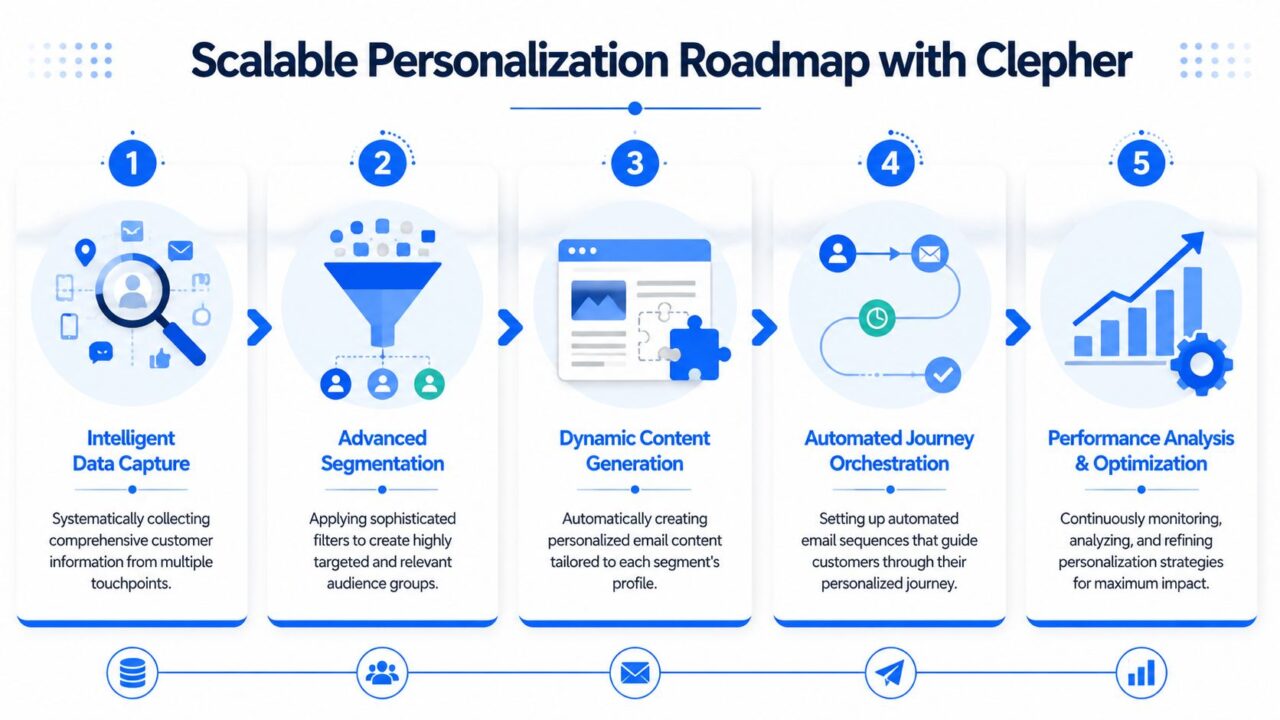
Personalization in Email Marketing Process Roadmap
Step 1 and Step 2
Start by improving data capture and segmentation.
A tool such as Clepher can collect subscriber data through chatbots, website widgets, and conversational flows, then pass fields, tags, and audience data into the rest of your stack through native integrations or automation tools. That matters because your email platform can only personalize what it knows.
Capture a small set of fields that change messaging:
- Interest or intent
- Product category
- Lead source
- Lifecycle stage
- Purchase or booking status
Then build a few high-value segments. New leads. Warm prospects. Recent buyers. Repeat customers. At-risk subscribers.
Step 3 and Step 4
Next, connect those segments to dynamic content and automated journeys.
A practical rollout looks like this:
- Launch a personalized welcome flow based on signup source or stated interest
- Add one trigger-based sequence such as browse follow-up, onboarding, or post-purchase education
- Swap static blocks for dynamic ones in your regular campaigns
- Exclude irrelevant audiences from broad sends so they don’t receive conflicting offers
Many brands get traction this way. Not by rebuilding everything, but by replacing one broad workflow at a time.
Step 5
Finally, create an optimization habit.
Review:
- Which captured fields improve campaign relevance
- Which segments convert better than broad sends
- Which triggered emails deserve expansion
- Which personalization rules should be removed because they add complexity without payoff
Scalable personalization is less about volume and more about clean architecture. Capture useful data. Sync it reliably. Use it in a few critical journeys. Test the outcome. Then expand.
If that foundation is solid, personalization stops being a collection of hacks and becomes a repeatable revenue engine.
If you want to connect front-end conversations with back-end email follow-up, Clepher gives teams a way to capture intent and subscriber data through chat, sync that information into their marketing stack, and build more relevant lifecycle messaging from the start.

Related Posts
Revenue Optimization: A Practical Playbook for Growth
October 19, 202610 Lead Capture Software Tools Compared for 2026
October 18, 2026WhatsApp Chatbot for Ecommerce: A Practical 2026 Guide
October 17, 2026
Founder Clepher