

Monday starts with a launch calendar. By Tuesday, that calendar has become three spreadsheets, a Slack thread, a design queue, a paid media budget change, and a support lead asking whether the team can handle the next promotion. Nobody feels disorganized. Everyone is working hard. But the work still collides.
That’s the trap. Teams frequently struggle not because they lack effort, but because demand, capacity, and priorities are managed in separate locations.
For a DTC brand, that shows up fast. The creative team is booked on a product drop. Paid media wants fresh assets for retargeting. Social needs short-form edits. Support needs coverage because Instagram DMs spike during the promotion. The agency on the account wants approvals. Finance wants a firmer view of staffing costs. Every request makes sense on its own. Together, they overload the system.
A resource management system is what turns that pile of moving parts into an operating model. It gives you one place to see what’s available, what’s committed, and what should happen next.
Introduction Beyond the Chaos of Spreadsheets
Spreadsheet-based planning works right up to the moment it doesn’t. It’s fine when one person owns the schedule and the work is simple. It breaks when campaign timelines change daily, team members split time across channels, and digital work has hidden capacity limits.
That’s why the shift away from manual planning matters. In 2026, 54% of organizations were using dedicated resource management software, compared with 44% still relying on spreadsheets, according to Runn’s resource management statistics. The same research found that only 9% fully trust their resource data, and 47% cite lack of visibility into capacity and demand as a top issue.
Those numbers explain a problem most marketing managers already feel in practice. It’s not just that spreadsheets are annoying. It’s that they create false confidence. A sheet can look tidy while the copywriter is overbooked, the chatbot flow update hasn’t been assigned, and the account manager has promised a turnaround nobody checked.
What chaos looks like in a marketing team
A typical version looks like this:
- Creative demand piles up: one designer is assigned to landing pages, paid ads, email banners, and social cutdowns because they’re the fastest person on the team.
- Channel work gets hidden: website tasks are visible, but WhatsApp, Messenger, and Instagram DM coverage needs sit outside the planning process.
- Approvals delay execution: client feedback or internal sign-off pushes work into the next week, but nobody updates downstream schedules.
- Urgent work wins by volume: the loudest request gets staffed first, not the most valuable one.
Practical rule: If your team can’t answer “who has capacity next week?” in a few minutes, you don’t have resource visibility. You have hopeful coordination.
A good resource management system fixes that by making capacity visible before work is promised. It helps you decide whether to launch on schedule, shift resources, reduce scope, or bring in outside help. Those are better trade-offs than discovering the problem halfway through a campaign.
What Is a Resource Management System Really
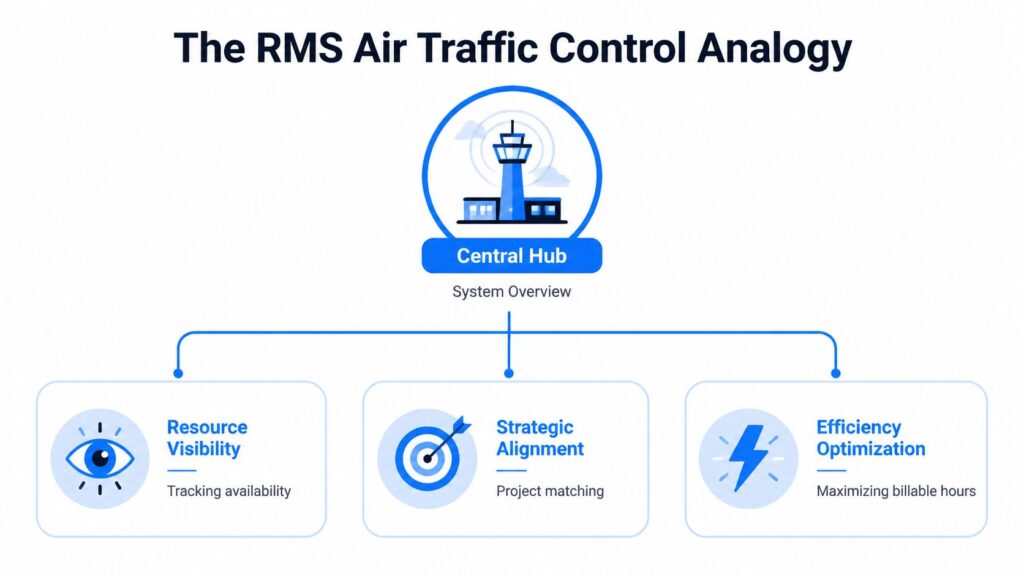
A resource management system is air traffic control for business operations. Flights still take off, land, and change course. Air traffic control doesn’t do the flying. It keeps the whole environment visible so nothing dangerous or wasteful happens in the background.
That’s what an RMS does for teams. It shows who’s available, what work is already committed, where the bottlenecks are, and which projects are competing for the same resources.
Resource Management System Air Traffic Control
Resources are more than people
Many organizations hear “resource management” and think headcount. That’s too narrow for modern marketing.
In practice, your resources include:
- People and skills: designers, media buyers, lifecycle marketers, support reps, developers, strategists
- Time: available work hours, deadlines, campaign windows, approval cycles
- Budget: contractor spend, production spend, software spend, media allocations
- Digital capacity: automation limits, chatbot maintenance time, CRM ops bandwidth, content calendar slots
- Operational constraints: holidays, leave, client review delays, launch dependencies
For an e-commerce brand, this matters because a campaign doesn’t fail only when a person is unavailable. It also fails when the landing page queue is full, ad creative isn’t approved, and customer support coverage wasn’t planned for the response spike.
Why centralized oversight matters
This idea isn’t new. One of the early examples was the Natural Resource Management System developed by the U.S. Army Corps of Engineers in 1984, which created standardized annual data collection across civil works projects and showed the long-term value of centralized oversight, as described by the U.S. Army Corps NRMS archive.
The tools have changed. The operating principle hasn’t. When work is spread across departments, locations, or software, you need one trusted view of the system.
That’s also why teams evaluating an RMS often end up reviewing adjacent tools such as digital HR systems for SMEs. Resource planning gets stronger when availability, leave, roles, and staffing data are connected instead of maintained in separate silos.
An RMS isn’t just a scheduler. It’s a decision system for matching finite capacity to business priorities.
The best systems don’t just show where people are busy. They help leaders choose what deserves that time.
Core Features That Drive Real Results
A feature list only matters if it changes day-to-day decisions. The best resource management system features do exactly that. They turn guesswork into visible trade-offs.
Resource Management System Project Diagram
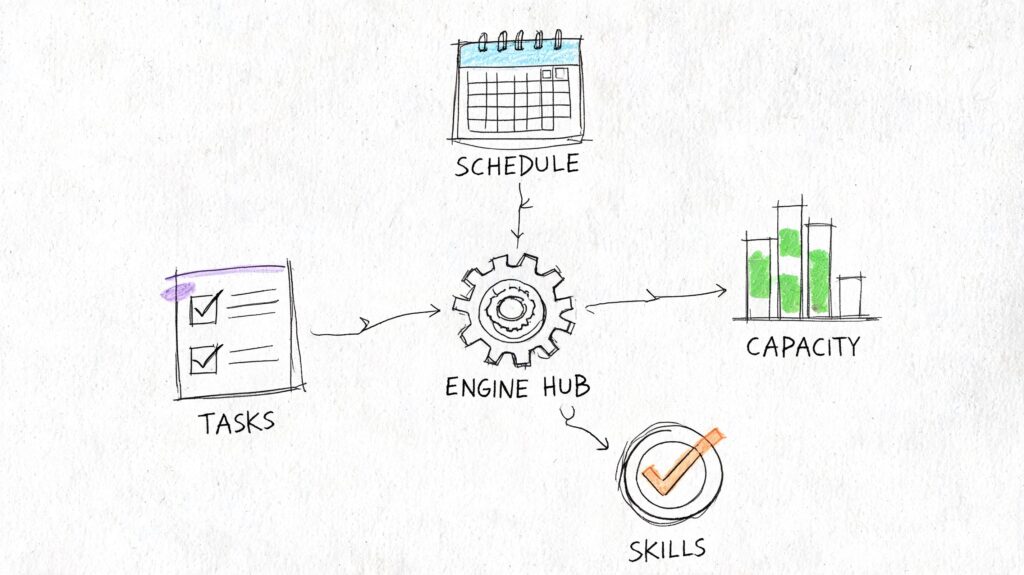
Centralized scheduling
This is the feature that many organizations notice first. You get a shared calendar, workload view, or Gantt-style schedule that shows who is assigned to what and when, making it a crucial component of any project and resource management solution.
For a marketing manager, the payoff is simple. You stop staffing work from memory, enabling more effective management decisions.
If the same video editor is booked across paid social, product launch content, and client revisions, the system should show that conflict immediately. Without that visibility, resource managers and teams keep making commitments that look small in isolation but become impossible in aggregate. This visibility is vital for streamlining operations and preventing scheduling bottlenecks, which is why modern scheduling software has become indispensable for professional services teams.
What works:
- One planning view across departments
- Role-based visibility for managers and team leads
- Fast reallocation when timelines move
What doesn’t:
- A beautiful timeline that no one updates
- Separate schedules for creative, paid, and support
- Planning tools that ignore non-project work like approvals or QA
Capacity planning and workload balancing
Capacity planning is where an RMS starts paying for itself. It answers the uncomfortable question before launch day. Can this team absorb the work?
Effective systems calculate utilization rates as actual hours divided by capacity hours, and 70% to 85% is a common benchmark for optimal productivity, according to Teamwork’s guide to resource management systems. The same source notes that systems using historical time-tracking data can improve staffing decisions and reduce the imbalances that contribute to 20% to 30% misallocation.
That matters in marketing because overloaded people rarely fail all at once. They slip. A deadline moves. Review quality drops. A campaign launches without the final variant. Support replies slow down during the exact week when response speed matters most.
Skills matching
Availability is not capability.
A strong RMS helps you assign work based on fit, not just open hours. That means knowing who can handle retention strategy versus who can resize assets, who can build a conversion-focused landing page versus who can only update copy, and who can manage customer conversations during a high-volume promo window. Effective resource management ensures you’re utilizing the right skills at the right time.
A practical example:
The paid team wants a fast-turn sale campaign. One coordinator has free time but weak copy instincts. Another person is busier overall but has stronger direct-response judgment.
A mature team won’t choose based on blank calendar space alone. They’ll decide based on likely output quality and the cost of rework, considering both resource planning software and the strategic value of team expertise.
The cheapest allocation is often the one that avoids revisions, missed approvals, and launch-day cleanup. When choosing the right resource management software, the key is ensuring it helps teams make those informed, quality-based decisions instead of just filling available slots.
Reporting that changes decisions
Reporting should help you answer a few operational questions quickly:
- Which roles are consistently overbooked
- Which project types break estimates
- Where demand exceeds current capacity
- Which work can be delayed without harming outcomes
For e-commerce teams, I’d add one more. Which digital activities are consuming team time without getting planned like formal projects. Chatbot flow updates, audience tagging cleanup, support scripting, promo QA, and ad comment moderation often live in that blind spot.
If your system can’t surface those hidden drains, it’s not giving you a real view of the business.
Choosing the Right System for Your Business
Organizations often do not require the largest platform. They need the one they will consistently use, update, and trust. That usually means choosing based on operating complexity, not ambition.
Resource Management System Strategic Planning
A resource management system sits in one of three broad categories. The right fit depends on how your business runs today.
Resource Management System Types Compared
| System Type | Best For | Key Focus | Example |
|---|---|---|---|
| Enterprise platform | Large organizations with complex cross-functional planning | Deep control across operations, finance, staffing, and governance | ERP-style environment |
| Project management platform with resource module | Agencies and in-house teams that already run work in a PM tool | Balancing project execution with staffing visibility | Project tool with resourcing add-on |
| Lightweight dedicated scheduler | Small teams, growing brands, specialist departments | Fast visibility into workload, capacity, and assignments | Standalone resource planner |
When each category makes sense
Enterprise platforms work when resource planning touches finance, procurement, HR, and multiple departments at once. They offer structure but often demand process discipline that smaller teams don’t have yet. These platforms are great for large-scale resource allocation, but can be overwhelming for teams that aren’t fully equipped for such complex systems.
Project platforms with resource modules are usually the best middle ground for agencies. If your team already manages campaigns, deliverables, and approvals in one place, adding resource views can be more realistic than introducing a brand-new planning system. Resource management tools that integrate smoothly with your existing project workflows help optimize resources by giving you visibility into resource availability, making it easier to allocate work effectively.
Dedicated schedulers suit lean marketing teams that need visibility now. They’re useful when the immediate pain is overbooking, uneven workloads, and poor forecasting, rather than a full operational transformation. These tools are tailored for teams that need to ensure efficient resource allocation without the complexity of larger platforms, helping improve resource utilization without overwhelming the team.
The trade-offs that matter
Choosing the wrong system usually shows up in one of two ways.
First, the tool is too heavy. Teams spend more time maintaining fields and statuses than making allocation decisions. Adoption falls because the system feels like admin work.
Second, the tool is too light. It shows assignments but can’t model real capacity, skills, or workflow dependencies. The team still ends up using side spreadsheets.
A useful filter is this: can the tool support how your business routes work?
For example, a brand running frequent promotions may need to coordinate media, design, lifecycle, and support operations together. An agency may need resource views by client retainer, role, and margin pressure. A team building modern workflows may also want to review how no-code automation supports cross-tool operations before choosing a system that won’t connect with the rest of the stack.
Selection checklist
Use this checklist before you buy anything:
- Ease of adoption: Can a busy manager understand the workload view without a long rollout?
- Planning depth: Does it handle capacity, not just task lists?
- Skills visibility: Can you assign work by expertise, not only by availability?
- Integration fit: Will it connect with your CRM, HR, finance, or marketing systems?
- Reporting quality: Can it show future bottlenecks, not just current assignments?
- Scalability: Will it still work when you add more channels, clients, or campaigns?
- Operational reality: Can it account for recurring work, leave, review delays, and support coverage?
A practical buying mistake is prioritizing features nobody will use over clarity everyone needs. If managers can’t trust the data or update the plan easily, the system won’t become part of real decision-making.
Your Roadmap to Successful Implementation
Implementation goes wrong when teams treat it like a software setup instead of operating change. A resource management system only works when the data, workflows, and decision rights are clear enough to support it.
Resource Management System Strategy
Start with one operational problem
Don’t begin by mapping everything. Start with the friction your team feels most often.
That might be:
- Overbooked creative resources during promotions
- Poor visibility into support coverage
- No reliable forecast for contractor needs
- Campaign delays caused by hidden dependencies
The first implementation goal should be narrow enough to solve and visible enough to matter. “Improve all planning” is too vague. “Stop overcommitting the design team during launch weeks” is much better.
Clean the data before you configure the tool
Most implementation pain comes from bad inputs. If job roles are inconsistent, leave calendars aren’t current, and project stages mean different things to different teams, the system becomes expensive confusion.
HR and operational data prove essential in this context. HRMS-integrated resource management systems can model future resource needs with 85% to 90% accuracy by combining employee data, skills, and time-off records, and automating those connections can reduce manual payroll errors of up to 25%, as explained in this HRMS and resource planning overview.
That principle applies beyond payroll. If your resource system doesn’t know who is available, what skills they have, or when they’re out, forecasting will always be shaky.
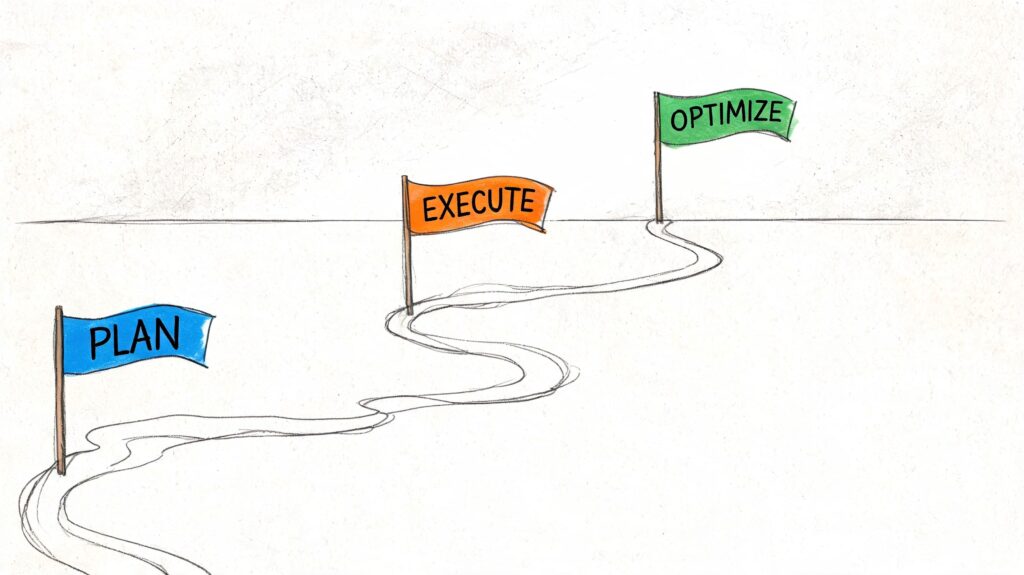
Roll out in phases
A phased rollout is usually safer than a company-wide launch.
-
Define scope
Pick one team, one workflow, or one campaign type. -
Import core data
Add people, roles, standard work types, leave, and active projects. -
Set planning rules
Decide who can request resources, who approves changes, and how priorities are resolved. -
Pilot with a cooperative team
Use a group that will give honest feedback and maintain the data. -
Review and expand
Fix fields, reporting views, and workflow friction before broader rollout.
Field note: Teams adapt faster when the system helps them avoid pain this week, not when leaders promise strategic value next quarter.
A practical extension is connecting adjacent systems early. If your organization relies on forms, approvals, or repeatable handoffs, it helps to map that alongside document workflow automation so requests and approvals don’t stay trapped in inboxes.
After the pilot, it’s worth giving teams a concrete walkthrough of how the process should feel in daily use.
Don’t forget integration logic
An RMS shouldn’t become another isolated dashboard.
If support demand rises during campaigns, your planning process should account for that. If CRM activity signals a busy launch period, staffing plans should reflect it. If approvals sit in separate systems, project timelines should recognize that delay.
For digital teams, this often means using integration tools like Zapier, Make, or native APIs to connect planning data with customer-facing systems. The goal isn’t more automation for its own sake. It’s cleaner forecasting and fewer surprises.
Measuring Success with KPIs and Governance
Launching a tool is common, but fewer groups establish the habits necessary to maintain its utility six months later. This is why KPIs and governance are essential.
A good resource management system should make operating health visible. Not just project status. Not just whether people are busy. It should tell you whether the business is allocating finite capacity in a way that supports delivery, margin, and team sustainability.
KPIs worth tracking
Use a short list of metrics that force better decisions.
- Utilization rate: Are key roles consistently overbooked, underused, or sitting in a healthy range?
- Forecast accuracy: How close were planned allocations to actual effort?
- On-time delivery: Are deadlines slipping because of poor planning or shifting priorities?
- Resource conflict rate: How often are two priorities competing for the same person or team?
- Unplanned work volume: How much capacity is being consumed by requests that bypass the planning process?
For service teams and agencies, it also helps to connect planning metrics with service execution data. If customer requests, tickets, and handoffs live elsewhere, the planning picture stays incomplete. That’s why many teams eventually pair RMS processes with a CRM and ticketing system so workload signals and service demand are easier to interpret together.
Governance without bureaucracy
Governance sounds heavier than it needs to be. In practice, it’s just a small set of rules that stop planning from becoming political.
A workable model usually includes:
- One owner for data quality
- A standard intake path for new resource requests
- A weekly review cadence for near-term conflicts
- A clear tie-breaker when priorities clash
- A rule for when work must be re-estimated or re-approved
Good governance doesn’t slow work down. It stops teams from making invisible commitments that someone else has to absorb later.
If you skip governance, the tool becomes a reporting layer on top of the same old chaos. If you keep the rules simple, it becomes a real operating system.
Avoiding Pitfalls and Embracing the Future
The biggest RMS mistakes are predictable.
Teams import messy data and expect clean answers. Leaders buy a complex platform for a simple problem. Managers keep making side deals outside the system, so the official plan and the actual plan drift apart. Then everyone says the tool failed, when the process never had a fair chance.
The fix is usually straightforward:
- Start with trusted data
- Keep the scope tight at first
- Make capacity visible before commitments are made
- Choose a system your team will maintain
- Treat digital operations as resources too
That last point matters more than many teams realize. Marketing no longer runs only on people and projects. It runs on support bandwidth, automation capacity, content throughput, review cycles, and channel-specific demand. If those resources aren’t planned, the business stays reactive.
There’s also a real market gap here. A review of underserved resource management needs for SMBs and solopreneurs notes that most guidance still leans toward enterprise-scale implementations, leaving smaller teams with limited practical help for managing digital resources like team time and automation capacity on constrained budgets.
That’s why this topic matters now. Smaller brands, agencies, and lean operators need resource discipline just as much as large organizations do. In many cases, they need it more, because they have less slack, fewer backup roles, and tighter operating margins.
A resource management system isn’t there to restrict your team. It gives you the confidence to scale without turning every campaign into a scramble.
If your business is managing customer conversations across website chat, Facebook, Messenger, WhatsApp, and Instagram DM, resource planning has to include those digital workloads too. Clepher helps teams centralize AI-powered conversations, automate lead capture and support flows, and connect customer engagement data back into the rest of the stack so growth doesn’t depend on manual follow-up alone.

Related Posts
Customer Journey Automation: The Practical Guide
October 10, 2026Lead Qualification Marketing: A Practical 2026 Guide
October 9, 2026Customer Experience Optimization Playbook
October 8, 2026
Founder Clepher