
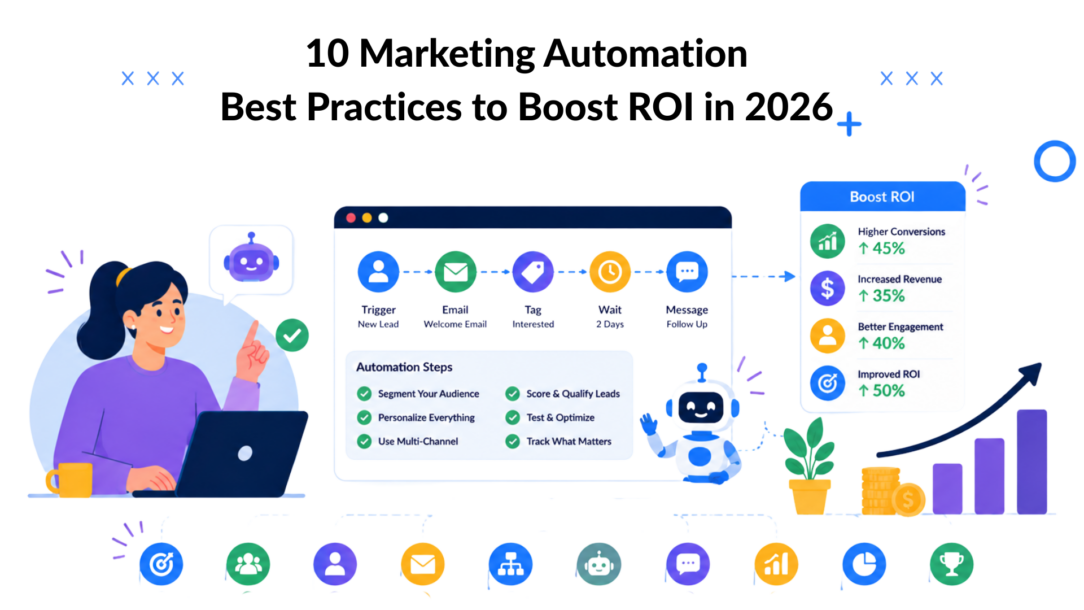
Your stack is connected, but your campaigns still feel disconnected. A visitor asks a question in chat, clicks a product link, leaves, and then gets a generic email that ignores what they just did. A lead requests pricing, but sales never sees the intent signal until the moment has passed. That’s the gap many organizations are trying to close in 2026.
Marketing automation best practices matter now because buyers expect fast, relevant responses across every touchpoint. They don’t care which system owns the interaction. They care that your brand remembers context, responds well, and makes the next step easy. When automation works, it feels less like a campaign machine and more like a well-run conversation.
The upside is real. Marketing automation delivers an average ROI of 544%, and 76% of companies report seeing that ROI within 12 months of implementation, according to Dataopedia’s marketing automation statistics roundup. But strong results don’t come from turning on a platform and hoping for the best. They come from better segmentation, smarter triggers, cleaner data, tighter testing, and clear human handoffs.
Chatbot-driven automation sharpens all of that. A bot can capture intent in real time, tag contacts during conversations, pass context into email or SMS, and trigger the next message based on what someone asked or clicked. That’s why the best-performing setups don’t treat chat as a side channel. They use it as the front door to the whole automation system.
These 10 tactics will help you drive acquisition, engagement, personalization, and measurable results, with practical chatbot and Clepher examples throughout.
1. Build Segmented Audience Lists Before Campaign Launch
A team spends two weeks building a launch sequence, writes solid copy, wires up the chatbot, and schedules the send. Then the same message goes to new leads, recent buyers, inactive contacts, and people who opened a support ticket that morning. Performance drops for a simple reason. The audience was never defined well enough.
Segmentation needs to happen before campaign setup, not after. Once a mixed list enters automation, every downstream step gets weaker. Open rates mean less, conversion signals get harder to interpret, and the chatbot starts sending the wrong follow-up because the contact entered the flow with poor context.
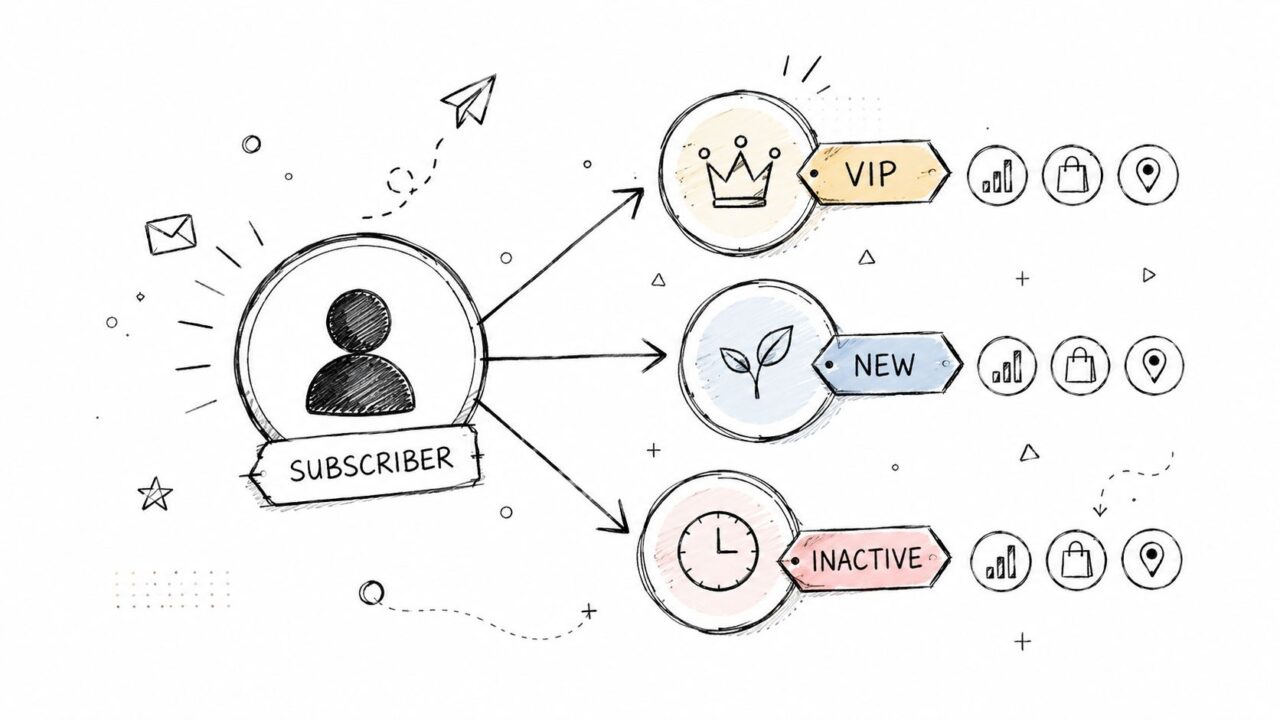
Marketing Automation Best Practices Subscriber Segmentation
What good segmentation looks like
Strong segments reflect buying stage, engagement, and intent. An e-commerce brand might split audiences into VIP repeat buyers, recent browsers, and lapsed customers. A SaaS team can separate trial users by onboarding milestone, then send setup help to early users and use-case content to activated accounts. A coach or course creator can keep active students out of win-back campaigns and reserve those messages for subscribers who have gone cold.
Chatbot-driven automation makes this easier because the segmentation can happen inside the conversation. With Clepher, a bot can tag someone the moment they click “new arrivals,” ask about shipping times, request premium options, or choose a service category. That tag should place the contact into the right audience immediately, so the next email, SMS, or chat follow-up matches what they just told you.
I usually recommend starting smaller than the team wants to. Three to five segments with clear rules outperform a big taxonomy that no one maintains.
Useful starting segments include:
- VIP customers: High-value buyers who should receive early access, loyalty offers, or priority support.
- Lifecycle stage: New leads, active prospects, customers, and lapsed customers each need different messaging.
- Engagement level: Recent clickers and responders belong in active nurture flows. Quiet contacts need re-engagement or suppression rules.
- Intent signals: Product page visits, pricing clicks, chatbot replies, and support questions often predict near-term action better than firmographics alone.
There is a trade-off here. More segmentation improves relevance, but every new audience rule adds operational overhead. If the team cannot explain who belongs in a segment, what message they should get, and what action should move them out of it, that segment is probably not ready for launch.
If you need a clean starting point, Clepher’s guide to audience segmentation for chatbot marketing gives a practical framework for building lists that are specific enough to perform and simple enough to maintain.
2. Implement Triggered Sequences Based on User Actions
Scheduled campaigns have their place. Triggered sequences usually do the heavier lifting.
When someone clicks a pricing link, abandons a cart, books a service, or finishes a welcome flow, they’ve given you context. That’s the moment to respond. Effective personalization depends on unifying customer data across touchpoints so web behavior can trigger real-time follow-up, such as a cart abandonment reminder with the exact product viewed, as explained in MoEngage’s overview of marketing automation mechanics.
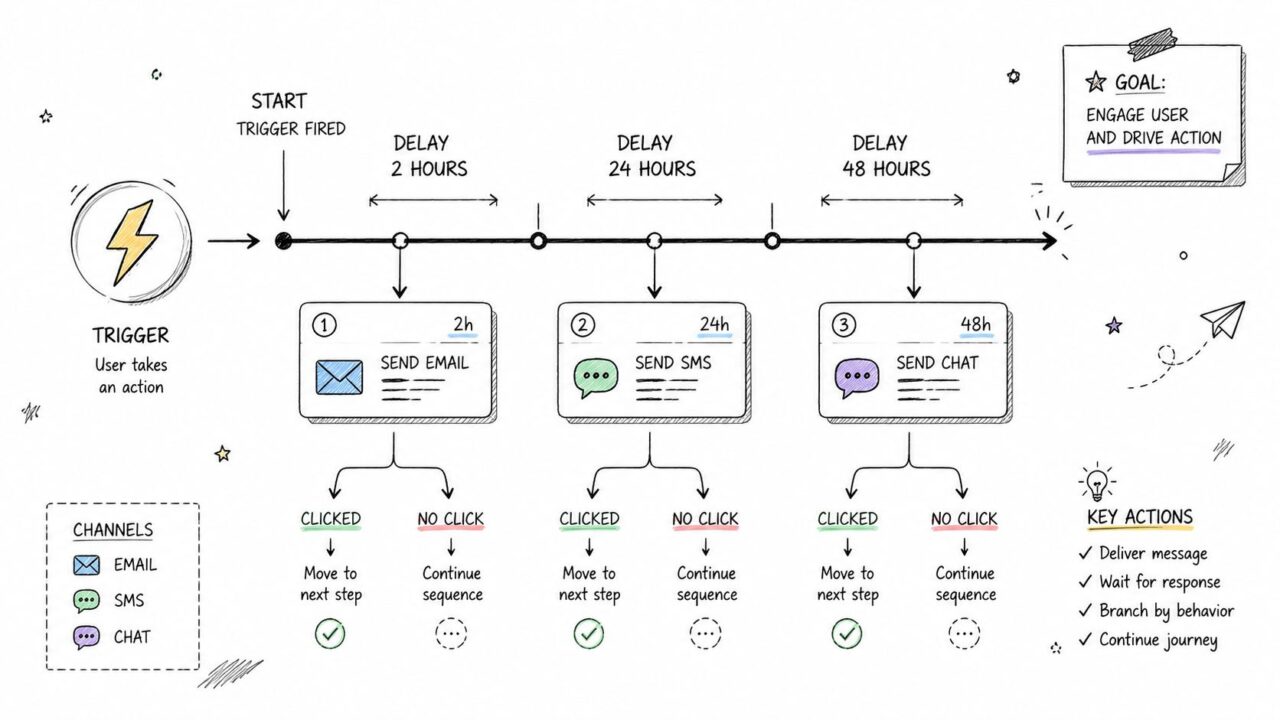
Marketing Automation Best Practices Workflow Diagram
Trigger the response, not just the message
For a DTC brand, a good abandoned-cart sequence isn’t a generic reminder. The chatbot should pull the exact product from the cart session, mention that item in the message, and route the contact into a recovery flow that matches the category and price point.
A local service business can do the same thing after an appointment booking. The first automation confirms the appointment. The next sends prep instructions. The next asks for feedback. The next requests a review if the experience was positive.
What tends to work:
- Choose high-intent triggers: Pricing-page visits, cart abandonment, demo requests, booking confirmations, and repeat product views usually matter more than simple opens.
- Mix formats: One trigger can start a chat reply, an email reminder, and a follow-up SMS if the contact has consented.
- Keep the CTA narrow: Each step should ask for one clear action, not three.
- Adjust by segment: Repeat buyers shouldn’t get the same recovery logic as first-time browsers.
Triggered automation feels personal when it responds to behavior people actually remember.
In Clepher, chatbot flows shine. A conversation can branch instantly based on clicks, replies, or field values, then hand data to the rest of your stack so every next message stays in context.
3. Leverage A/B Testing on High-Impact Variables
A lot of teams “test” by changing five things at once and then guessing why results changed. That’s not optimization. That’s noise.
Continuous experimentation is still the standard. Marketers need A/B tests on subject lines, creative elements, and send times, with automation distributing users across different paths to refine performance based on real engagement data, as outlined in Braze’s guide to marketing automation strategies. In chatbot-driven automation, that can mean testing two opening questions, two offers, or two sequence delays inside the same flow.
Start with the variables that move behavior
Typically, the best first tests are simple:
- Opening line: Does the first message sound helpful, urgent, or product-led?
- CTA wording: “See options” may outperform “Buy now” for colder traffic.
- Delay timing: A follow-up after a short pause may beat one sent a day later.
- Flow entry question: The first question often determines how useful the rest of the conversation becomes.
A SaaS company can test “What are you trying to solve?” against “Which feature are you exploring?” inside a Clepher welcome bot. The first version might produce broader discovery data. The second might qualify users faster for product-specific nurture.
What not to test first
Don’t start with tiny cosmetic changes if the offer, audience, or trigger is weak. Fix the fundamentals first.
Also, don’t overreact to one campaign. Good testing creates a control, logs the result, and then improves from there. Clepher’s random path distribution is useful here because it lets you route comparable traffic into different branches without rebuilding the whole system every time.
If a test wins, keep it as the new control. Then test the next thing. Incremental gains compound.
For e-commerce, one practical test is inside a browse-abandonment bot. Version A leads with the product image and “Still thinking it over?” Version B leads with category help and “Need help choosing the right option?” Those two messages attract very different buyer mindsets.
4. Use Personalization Tags to Create Individual Relevance at Scale
Using a first name alone isn’t personalization. It’s mail merge.
Real personalization pulls from behavior, product interest, purchase history, lifecycle stage, or stated preferences. AI tools can also analyze user behavior to identify sub-segments within larger groups, revealing different needs inside what looked like one audience, according to Campaign Creators’ discussion of AI in marketing automation. That matters because your chatbot shouldn’t just greet someone by name. It should know whether they’re a likely buyer, a support case, or a reactivation target.
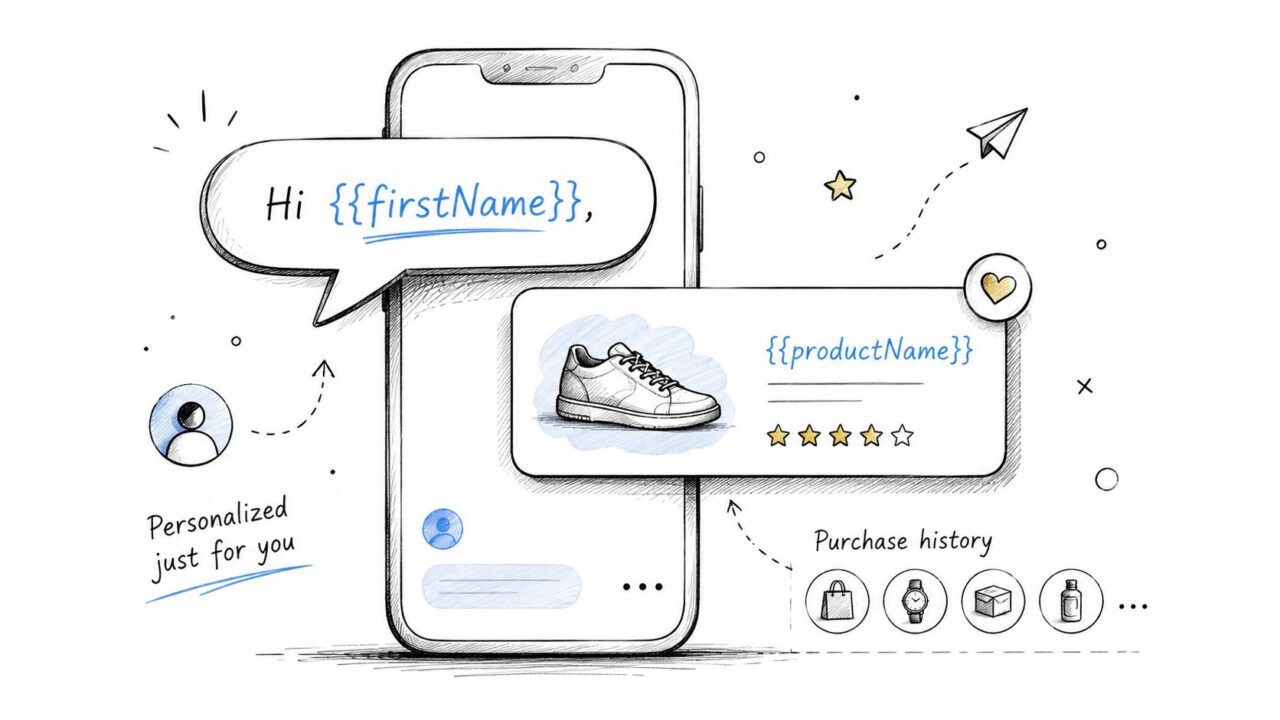
Marketing Automation Best Practices Personalized Marketing
Make the message match the last action
An online retailer can send a chatbot message that references the exact item someone viewed, then include a category-specific recommendation if they don’t click. A subscription brand can vary the offer based on whether the contact prefers essentials, premium bundles, or a specific category collected earlier in chat.
The strongest setups usually combine:
- Identity tags: Name, company, location, or account type.
- Behavior tags: Last product viewed, pricing page visit, content clicked, reply intent.
- Conditional blocks: Different sections for VIP buyers, new leads, or inactive users.
- Reliable source fields: CRM or purchase history should override guessed data.
With Clepher, personalization tags make it easier to insert these details directly into flows and broadcasts without writing separate campaigns for every micro-segment.
One practical example from SaaS. If a lead says they run a marketing agency, the bot can save “agency” as a business type, then show agency-focused onboarding content later. That one field makes the next sequence more relevant without adding friction upfront.
5. Map, Optimize, Monitor, and Iterate the Full Customer Journey Across Touchpoints
Most automation problems aren’t message problems. They’re journey problems.
A campaign might look fine in isolation but fail because the handoff before it was weak or the next step after it was missing. Marketing automation strategies need to map the journey from awareness to purchase to loyalty, and triggers should respond to specific actions such as clicking an email link without converting, then following up with a different angle, according to Adobe’s marketing automation guide.
Build around conversion moments
For an e-commerce brand, the journey might look like this: ad click, chatbot product questions, browse sequence, checkout reminder, post-purchase support, review request, loyalty upsell. If one of those steps is generic or absent, the whole experience feels fragmented.
A B2B SaaS flow might move from demo request to qualification bot, nurture sequence, booking confirmation, onboarding, and support escalation. The chatbot doesn’t replace those stages. It connects them.
Monitor the journey by segment, not just overall
You need dashboards that let you zoom in on segment-level response, not just campaign averages. Marketers have to interpret numbers in context and spot where one audience is underperforming even if the top-line result looks acceptable, as explained in Insider One’s piece on monitoring performance by segment.
That changes how you review results:
- Weekly: Watch top-line flow health and obvious drop-off points.
- Monthly: Review segment-specific outcomes, handoff friction, and poor-performing branches.
- Quarterly: Rebuild broken logic, retire stale messages, and tighten attribution.
If you use Clepher well, each chat interaction becomes part of the journey map. You can see where contacts stall, which replies predict purchase intent, and where a human should step in.
6. Implement Progressive Profiling to Gather Data Without Friction
Long forms kill momentum. Progressive profiling keeps the conversation moving.
Instead of asking for everything at once, collect useful details over time. The first exchange might capture product interest. The next asks budget range. The next asks purchase timeline. This approach fits chat naturally because a bot can ask one relevant question while the user is already engaged.
Ask for information when it earns its place
A fitness brand might ask, “What’s your main goal?” on the first interaction. Later, the bot can ask how often the person trains. After that, it can recommend the right plan or content path. An e-commerce store can ask about category preference first and save style or budget questions for later.
What works best in practice:
- Ask questions that change the next message: If the answer won’t affect segmentation or content, skip it.
- Use conditional follow-ups: If someone chooses “enterprise,” ask team-size questions. If they choose “solo,” don’t.
- Collect intent early: Product interest, urgency, or use case usually matter more than demographic details.
- Keep answers optional when possible: Forced data collection raises drop-off.
One reason chatbot-led profiling works so well is timing. People are more willing to answer a quick question when they’re already asking about a product, feature, or service. Clepher flows can save those answers into fields and tags, so future messages become more precise without forcing a hard gate at the start.
For coaches and course creators, this is especially useful. A lead who says they want beginner support should enter a different nurture path from someone already asking about advanced implementation.
7. Create Multi-Channel Broadcast Sequences Across Messaging, Email, and SMS
Single-channel automation leaves revenue on the table. People don’t all respond in the same inbox.
Effective personalization depends on unified profiles across web, email, SMS, and push so brands can coordinate behavior-triggered follow-up across channels, not just inside one app, as noted earlier in the article. That matters because a contact may ignore an email, click an Instagram DM, and finally convert from an SMS reminder.
Coordinate the channels instead of duplicating the message
A flash sale sequence for a DTC brand might start in Messenger, continue with email for richer product detail, and finish with SMS for high-intent contacts who haven’t purchased. The content shouldn’t be copied and pasted across each channel. It should adapt.
For example:
- Messenger or Instagram DM: Fast hook, product angle, conversational reply options.
- Email: Full product context, images, FAQs, and stronger merchandising.
- SMS: Brief reminder, urgency, direct link.
Clepher is useful for marketers who live inside social and chat-first journeys. You can launch a conversation where attention already exists, then sync that behavior into the rest of your automation stack for email and SMS follow-up.
Multi-channel doesn’t mean more noise. It means better timing and channel fit.
One caveat matters here. Consent and cadence are everything. If a lead just engaged in chat, they may welcome a same-day follow-up email. They may not welcome messages on three channels in three hours. Good orchestration respects the difference.
For local businesses, this can be simple. A promo starts with Messenger to past buyers, then email to the broader list, then SMS only to loyalty members who opted in and haven’t redeemed the offer.
8. Use Keyword-Based AI Triggers to Respond Instantly to Intent Signals
A prospect opens your chatbot and types one word: “pricing.” Another asks, “Do you connect with Shopify?” A frustrated customer writes, “refund.” Those messages should trigger different automation paths right away. If they all get the same generic reply, the bot slows the sale, frustrates support, and pollutes your follow-up logic.
Keyword triggers work best when they do three jobs at once. They answer the question, classify the contact, and change what happens next. As noted earlier, segmentation gets stronger when it includes behavior and declared intent. In chatbot-driven automation, typed language is one of the clearest intent signals you can get, and it’s a signal that email marketing automation alone can’t capture, since email only tells you what someone clicked, not what they actually asked.
This is one of the more underused email marketing automation best practices: feed the keyword-classified intent from chat into your email sequence instead of treating the two channels separately. A contact who typed “refund” and a contact who typed “pricing” should never land in the same nurture email the next morning.
Turn message text into action
A good setup starts with intent groups, not isolated keywords. “Price,” “pricing,” “cost,” and “how much” belong in one cluster. “Shipping time,” “delivery,” and “when will it arrive” belong in another. The goal is to map real customer language to useful next steps.
Here’s what that usually looks like in practice:
- Intent grouping: Combine close variants so the bot catches natural phrasing, misspellings, and short questions.
- Response logic: Send the most relevant answer, content block, or CTA for that intent.
- Routing rules: Move support-heavy terms like “refund” or “cancel” out of promo flows and into service workflows.
- CRM updates: Save the detected intent as a tag, field, or lead score input for later campaigns.
Clepher handles this well inside chat-first journeys because the trigger does not stop at the reply. It can branch the conversation, update qualification status, and drop the contact into a different automation flow based on what they typed.
That matters more than teams expect.
I’ve seen brands answer “pricing” correctly but fail to record that signal anywhere. The immediate reply looked fine, but the follow-up campaign still treated that lead like a top-of-funnel browser. That is wasted intent. If someone asks about integrations, the next message should not be a broad brand story. It should move them closer to a product-fit decision.
A few examples make the trade-offs clearer:
- E-commerce: If a shopper types “sizing,” the bot should send fit guidance, size chart links, and product recommendations tied to the category they were viewing.
- SaaS: If a lead says “demo,” “pricing,” or “integration,” each term should trigger a different qualification path and sales follow-up.
- Coaching or consulting: If a prospect asks about “results” or “payment plan,” the chatbot should shift to proof, offer clarity, or a booking step based on the question.
The caution is simple. Keyword automation is only useful if the taxonomy stays tight. If you create too many overlapping trigger groups, the system starts firing the wrong response or assigning the wrong tag. Start with high-intent phrases, review real transcripts every month, and refine from there.
In Clepher, chatbot automation starts acting like a real operator instead of a scripted FAQ widget. The bot reads intent, responds in context, and pushes the contact into the right path while the conversation still has momentum.
9. Build Reusable Message Templates and Flow Blocks for Consistency and Speed
You don’t want every new campaign to start from a blank canvas. That slows teams down and creates inconsistency fast.
Reusable templates solve two problems at once. They reduce build time, and they preserve messaging patterns that have already proven useful. In Clepher, that can mean saved flow blocks for welcome sequences, abandoned-cart replies, lead qualification, post-purchase updates, or reactivation prompts.
Standardize what should be standardized
A good template library usually includes:
- Core lifecycle flows: Welcome, browse abandonment, cart recovery, onboarding, reactivation.
- Modular response blocks: FAQs, offer reminders, review requests, shipping updates.
- Voice guidelines: Short examples that show how the brand sounds in chat versus email.
- Variable fields: Clear placeholders for name, product, category, intent, or account owner.
This is especially helpful for agencies managing multiple brands. You don’t need to reinvent a post-purchase support flow every time. You need a strong base structure that can be adjusted for product type, audience, and offer.
What doesn’t work is template sprawl. If your library has dozens of nearly identical flows and no one knows which version is current, speed disappears. Keep the system tight. Retire weak blocks. Update top performers. Note where each template should and shouldn’t be used.
For online course sellers, a reusable set of launch blocks can cover waitlist confirmation, enrollment open alerts, lesson reminders, and completion celebrations. The sequence feels polished every time because the underlying logic has already been tested.
10. Establish Clear Escalation Workflows to Hand Off to Human Support Intelligently
Automation should remove friction, not trap people in loops. The moment a user needs a human, your system should recognize it and hand off cleanly.
That matters even more as AI usage expands. Directive Consulting notes that 63% of marketers now use generative AI, but many teams still lack practical controls for throttling cadence and adding approval steps, which can lead to over-automation and brand fatigue in high-stakes funnels, as discussed in Directive’s review of common marketing automation mistakes.
Define the handoff before you need it
An e-commerce brand should escalate refund requests, unresolved complaints, repeat confusion, and sensitive billing issues. A SaaS company should escalate cancellation signals, technical errors, competitor comparisons, and high-value account questions. A service business should escalate legal concerns, scheduling conflicts, or anything the bot fails to resolve after a short exchange.
What a solid escalation system includes:
- Clear triggers: Complaint keywords, refund language, legal terms, repeated failure, or account value thresholds.
- Context transfer: Pass the full conversation history so the customer doesn’t repeat everything.
- Priority logic: Critical issues first, then high-value accounts, then general support.
- Review loop: Check escalation reasons regularly to find gaps in the bot.
If you’re building this in Clepher, the practical reference is how issue escalation works inside chatbot workflows. The key is making the switch feel smooth. The customer shouldn’t feel like they hit a wall. They should feel like the brand understood the issue and routed it correctly.
The best escalation flow is invisible. People just feel that someone competent picked up the conversation at the right moment.
Marketing Automation: 10 Best Practices Comparison
| Item | Complexity 🔄 | Resources ⚡ | Expected Outcomes ⭐ / 📊 | Ideal Use Cases 💡 | Key Advantages 📊 |
|---|---|---|---|---|---|
| Build Segmented Audience Lists Before Campaign Launch | Moderate, planning + maintenance | Data, tagging tools, moderate setup time | Higher open/CTR; lower unsubscribes | Targeted promos, upsell/cross-sell, re-engagement | Improved ROI and relevance |
| Implement Triggered Sequences Based on User Actions | High, journey mapping & conditional logic | Automation platform, content, QA/testing | Timely engagement; higher conversion rates | Cart recovery, onboarding, behavioral follow-ups | Real-time contextual messaging; reduces manual work |
| Leverage A/B Testing on High-Impact Variables | Moderate, test design and analysis | Sufficient traffic, analytics, time for significance | Data-driven uplifts in CTR/conversion | Subject lines, CTAs, send-time optimization | Removes guesswork; scales winning variants |
| Use Personalization Tags to Create Individual Relevance at Scale | Low–Moderate, templating + data hygiene | CRM/custom fields, template setup | Higher opens/transactions; stronger relationships | Personalized recommendations, welcome flows | Individual relevance at scale; better engagement |
| Map, Optimize, Monitor, and Iterate the Full Customer Journey | Very High, cross-channel mapping & alignment | Cross-functional teams, integrations, dashboards | Reduced drop-offs; higher LTV and efficiency | End‑to‑end funnels, complex customer experiences | Unified experience; continuous improvement |
| Implement Progressive Profiling to Gather Data Without Friction | Low–Moderate, question cadence design | Flow builder, storage for custom fields | Higher completion rates; richer profiles over time | Onboarding, lead qualification, personalization | Better data quality with low user friction |
| Create Multi-Channel Broadcast Sequences Across Messaging, Email, and SMS | High channel coordination & compliance | Multiple integrations, channel-specific assets | Increased visibility and overall conversions | Flash sales, launches, high-impact campaigns | Reach users on preferred channels; redundancy boosts deliverability |
| Use Keyword-Based AI Triggers to Respond Instantly to Intent Signals | Moderate, keyword/NLP tuning & monitoring | AI/NLP tools, monitoring, escalation paths | Faster responses; higher lead qualification | FAQs, intent capture, immediate routing | 24/7 intent capture; reduces manual triage |
| Build Reusable Message Templates and Flow Blocks for Consistency and Speed | Low–Moderate, initial library creation | Time to build templates, version control | Faster campaign creation; consistent brand voice | Common use cases, scaling teams, onboarding | Speed, consistency, fewer errors |
| Establish Clear Escalation Workflows to Hand Off to Human Support Intelligently | Moderate, rule definition + training | Support agents, routing integrations, SLAs | Faster resolution; higher customer satisfaction | Support-heavy products; high-value accounts | Context-rich handoffs; prevents bot frustration |
Turn Best Practices into Real Results
The common thread across these marketing automation best practices is simple. Relevance beats volume. Context beats cadence. Good systems respond to what people do, ask, and signal across the journey.
That’s why segmentation comes first. If your audience model is weak, triggered sequences won’t feel timely, personalization will feel shallow, and testing will produce mixed signals. Once the list structure is sound, everything downstream gets easier to improve. You can launch cleaner journeys, monitor real behavior, and make better decisions without guessing.
The performance upside is substantial when teams get this right. Across mature programs, marketing automation has been linked to a 14.5% increase in sales productivity and a 12.2% reduction in marketing overhead, according to AMW Group’s roundup of marketing automation statistics. In the same analysis, top-quartile performers generated more than $8.70 for every dollar spent, above the broader average return cited earlier. That gap usually comes from cleaner data, stronger iteration, and better system integration.
Lead generation and conversion also improve when automation is tied to qualification instead of simple broadcasting. Mature automation can drive a 451% average lift in qualified leads, and 77% of marketers report increased conversions after implementation, according to Ranktracker’s marketing automation statistics summary. Those gains don’t come from sending more messages. They come from using segmentation, nurturing, and behavior-triggered engagement to move the right people forward.
There’s also a practical warning worth keeping in view. AI can speed up everything, including bad decisions. If your chatbot triggers too often, pushes people into the wrong path, or keeps promotional cadence high when someone is already frustrated, automation starts damaging trust instead of building it. That’s why journey mapping, keyword logic, and escalation rules matter just as much as copy and design.
For e-commerce brands and DTC marketers, chatbot-led automation is especially useful because it captures intent early. A product question, abandoned cart, refund concern, or shipping request can become a routing signal. For agencies, it creates repeatable systems across client accounts. For coaches, creators, SaaS teams, and local businesses, it turns everyday inquiries into structured nurture, qualification, and support workflows.
Clepher fits that operating model well. It gives you no-code flow building, AI Agents, personalization tags, A/B testing, keyword triggers, segmentation, analytics, live chat, and handoffs across website chat, Facebook, Messenger, WhatsApp, and Instagram Direct Message. Beyond these capabilities, it also provides a way to connect those pieces so automation feels like one coordinated conversation instead of a pile of disconnected tools.
Start with one journey that matters. Segment it properly. Trigger it from real behavior. Test it. Monitor it by segment. Add human handoffs where trust matters most. Then scale from there.
If you want to put these ideas into practice without stitching together a complicated stack, Clepher gives you a fast way to build chatbot-driven automation for marketing, sales, and support across your website and social channels. You can launch segmented flows, trigger responses from user behavior, personalize messages with real data, test different paths, and hand complex issues to a human when needed.
