
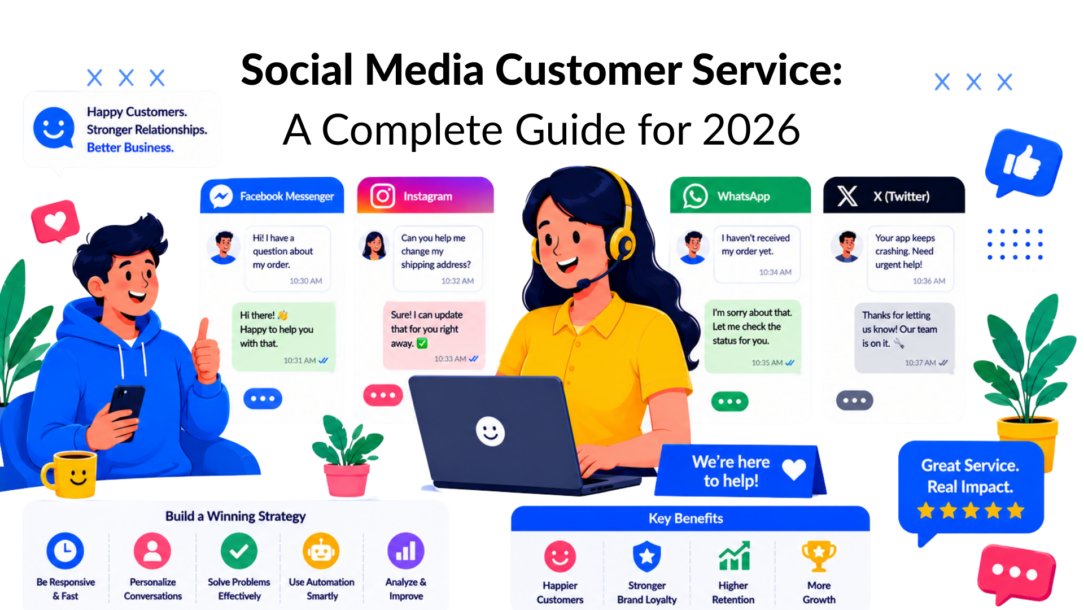
A social inbox isn’t a side channel anymore. It’s where customers ask for help, complain in public, follow up on orders, and test whether your brand is responsive.
That shift creates a hard operational problem. Recent guidance on social support keeps recommending AI for common questions, but the main challenge is balancing automation, brand voice, and accountability when people expect near-immediate replies and every mistake can play out in public, as noted in Salesforce’s guidance on social media customer service.
It’s not a lack of channels that causes teams to struggle. They struggle because they lack a system. They have DMs in Instagram, comments on Facebook, messages in WhatsApp, and a chatbot that can answer easy questions but can’t recognize when a human needs to step in.
That’s the difference between basic responsiveness and an actual social media customer service operation. The goal isn’t to automate everything. The goal is to answer simple requests fast, route messy issues safely, and protect the customer experience when the conversation gets emotional, complex, or public.
If your team is wondering whether your response standards are keeping up, this guide on responding fast enough on social media is a useful gut check.
Introduction: The New Rules of Customer Conversation
Customers used to tolerate a queue. On social media, they usually won’t.
The pressure isn’t just speed. It’s visibility. A delayed email affects one customer. A mishandled Instagram comment can affect everyone reading the thread after it. That changes how social media customer support teams need to work, how they escalate, and how they decide what a bot should never try to handle alone.
When a customer service channel is public, every reply shapes perception. A strong process protects trust, ensures smoother handoffs, and builds customer loyalty instead of eroding it.
The reality is that customers on social media expect fast, visible, and empathetic responses. Treating these interactions as part of a broader loyalty system — not just complaint management — is what separates reactive teams from mature ones.
Why old support habits break on social
Many teams bring email logic into social channels. They answer in batches, over-explain in public, or let a bot keep pushing scripted options long after the customer has made it clear they’re frustrated. That approach fails because social conversations move faster and feel more personal.
A strong social media customer service model does three things at once:
- Acknowledges quickly: Customers need to know you saw the issue.
- Routes intelligently: The right person or workflow has to take over fast.
- Protects the interaction: Public threads need concise, calm handling before the issue moves private.
Practical rule: Use automation for speed, not for denial. If a customer is upset, repeating menu options usually makes the situation worse.
What good looks like now
A modern setup treats social support as part of your core service operation, not as overflow work for the marketing team. It needs shared standards, response rules, escalation paths, and tooling that connects social conversations to the rest of the customer record.
That matters most when volume rises. During launches, shipping delays, billing questions, or service disruptions, the brands that stay in control are the ones that already decided which issues automation can solve, which issues require human judgment, and how the handoff should happen.
What Is Social Media AI Customer Service and Why It Matters Now
Social media customer service is support delivered through channels such as Facebook, Instagram, WhatsApp, Messenger, and X. It includes public comments, private messages, mentions, and replies. The job is simple to describe and hard to execute well: listen, respond, solve, and do it in a way that fits the speed and tone of each platform.
It is not the same as social media marketing. Marketing broadcasts. Service responds. Marketing tries to attract attention. Service earns trust after attention has already arrived.
Modern teams strengthen this by layering service automation into workflows. Smart AI for customer service tools can handle repetitive customer queries, while humans manage nuance. The most effective customer service uses AI to reduce friction, preserve context, and escalate complex issues with empathy. Done right, the blend of automation and human judgment delivers faster responses and builds trust at scale.
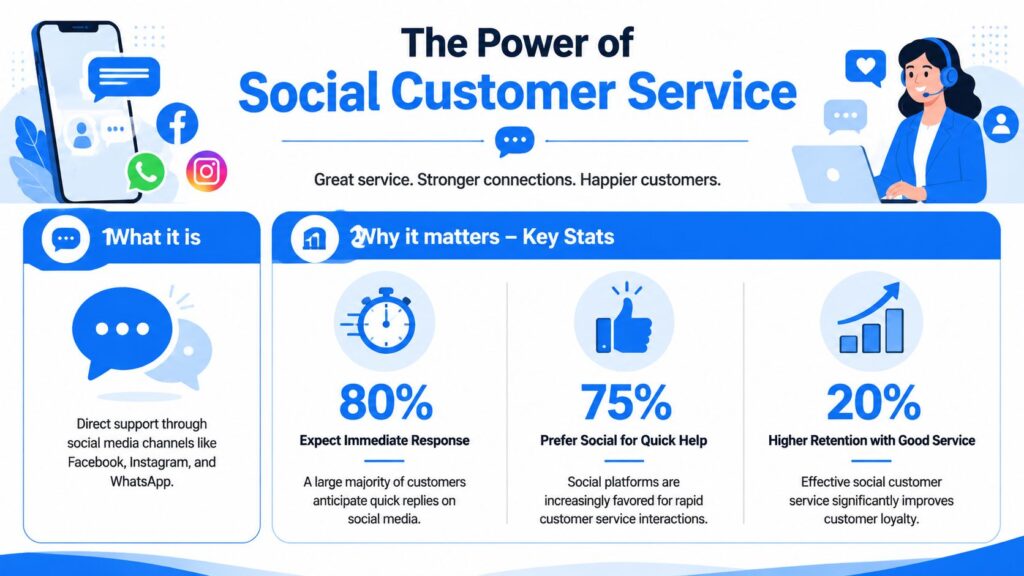
Social Media Customer Service Infographic
The channel is already mainstream
The scale is large enough that this can’t be treated as optional. By 2025, 80% of consumers were using social media to engage with brands for support, complaints, or feedback, and 34.5% said they specifically prefer social media when contacting a brand for assistance, according to Electro IQ’s social media customer service statistics roundup.
Speed expectations are just as important. The same source reports that 38% of consumers expect a reply within 30 minutes, while 68% want one within four hours. In the United States, 84% of consumers who sent customer service requests via social media said they received a response.
That combination matters. Customers are already there, they expect quick action, and they’ve learned that many brands do respond.
Why it matters beyond support
A social support team does more than close tickets. It affects retention, reputation, and product feedback.
Think about three common situations:
| Situation | What the customer sees | What the business learns |
|---|---|---|
| Shipping question in Instagram DM | Whether you’re easy to deal with | Which order-related questions should be automated |
| Complaint in a Facebook comment | Whether you stay calm in public | Which recurring issues need policy or product fixes |
| WhatsApp follow-up after purchase | Whether support feels personal | Which lifecycle moments need better onboarding |
A lot of value comes from the fact that customers speak more directly on social channels. They don’t write like they’re opening a formal support ticket. They say what’s wrong, what they expected, and how annoyed they are. That makes social support a live signal for service quality.
Public support threads are reputation management and customer research at the same time.
The real business distinction
Social media customer service belongs closer to operations than promotion. It needs workflows, ownership, and service discipline. If the marketing team owns the account but support owns resolution, both teams need clear rules for who replies, who escalates, and when the conversation should move private.
Without that structure, brands fall into a common trap. They answer fast but don’t resolve anything. Customers notice that immediately.
The Four Pillars of an Effective Strategy to Implement AI in Customer Service
A social support operation holds up on four pillars: channel coverage, service voice, escalation design, and tooling. Teams that skip one usually feel the pain in public first. Response times slip, agents improvise, and customers get bounced between marketing, support, and operations.
Modern systems strengthen these pillars by choosing when to use AI in customer service. Smart automation can handle repetitive customer queries, surface insights from customer feedback, and give agents full context before they reply. The real benefits of AI in customer support show up when AI is paired with clear rules: bots handle scale, humans handle nuance, and the workflow becomes more resilient.
Done right, AI doesn’t replace the team — it amplifies their ability to deliver consistent service across every customer service channel while protecting trust in public conversations.
Speed and accessibility
Customers judge responsiveness before they judge resolution quality. If they post a complaint on Instagram and hear nothing for hours, the brand already looks disorganized, even if the issue gets fixed later.
Coverage starts with channel choice. Staff the platforms where customers already ask for help, then be explicit about what support is available on each one. A brand that answers DMs on Instagram and WhatsApp but only monitors Facebook comments needs to say so internally and build workflows around it.
A workable setup includes:
- Channel ownership: Assign each platform to a named team, not a shared assumption
- Coverage windows: Define weekday, weekend, campaign, and after-hours responsibilities
- Acknowledgment targets: Set a fast first response standard, then a separate resolution target based on issue type
- Triage rules: Let automation handle simple intake, keyword detection, and routing, but send account-specific, emotional, or high-risk cases to an agent quickly
Speed matters. Safe speed matters more.
Tone and empathy
Social support needs a service voice built for pressure. Public threads are short, visible, and easy to mishandle. A generic brand tone guide will not help much when someone posts that their order never arrived or their account was charged twice.
Write response rules for real situations. Agents should know how to acknowledge frustration, what to say when facts are still being checked, and how to move a customer into a private channel without sounding evasive. Automation needs the same discipline. If an AI assistant replies in a polished but vague tone, customers read it as deflection.
Use guardrails such as:
- Public response standards: Acknowledge the issue, give the next step, avoid long explanations
- Private handoff language: State why the conversation needs to move, especially for personal or billing details
- Empathy limits: Show understanding without admitting fault prematurely or promising an outcome the team cannot deliver
- AI tone controls: Keep automated replies plain, specific, and easy for an agent to pick up without rewriting from scratch
Calm, direct replies protect trust better than clever ones.
Process and policy in AI-powered Customer Service
This pillar determines whether automation helps or creates new failure points. The goal is not to automate more. The goal is to automate the right moments and escalate the rest with full context.
Agents and bots both need clear decision rules. A return‑status question can stay in an automated flow if the system can verify the order and give a reliable answer. A refund dispute, harassment claim, safety concern, or influencer complaint should trigger immediate human review. Public channels raise the stakes because every weak reply becomes visible proof that the company is hard to deal with.
Strong AI customer service design ensures that automation supports — not replaces — human judgment. By analyzing customer queries and spotting patterns, teams can decide which flows are safe to automate and which require escalation. The benefits of AI-powered customer service include faster responses, reduced agent workload, and more consistent experiences, but only when paired with clear rules. Modern AI capabilities like intent detection and sentiment analysis make it easier to identify when a bot should step aside and let a human take over.
Policy should define:
- Privacy triggers: Order numbers, addresses, payment issues, account access, and any personal data
- Risk triggers: Legal language, threats, repeat complaints, fraud indicators, safety issues, and high-visibility accounts
- Escalation paths: Who takes over, expected handoff times, and what context must travel with the case
- Resolution rules: What qualifies as resolved, when to return to the public thread, and how to document the outcome
- Automation boundaries: Which intents can be answered automatically, which require verification, and which always go to a person
Teams that want consistency across every touchpoint should also define how social fits into the larger service model. This guide to omnichannel customer service strategy and operations is a useful reference for that design work.
Tools and integration
Tooling should reduce decision time, not add clicks. If agents are switching between native apps, spreadsheets, help desk tabs, and internal chat just to answer one complaint, the system is too fragmented.
The right setup gives agents conversation history, routing logic, and case context in one place. It also gives automation enough structure to do safe triage. That means tagging incoming messages, identifying intent, flagging risk terms, and routing to the right queue before a human ever touches the case.
Look for tools that support:
- Unified inboxes: Comments, mentions, DMs, and messaging apps in one workspace
- Customer context: Prior interactions, order history, and notes available at reply time
- Rule-based routing: Assignment by language, product line, urgency, or issue type
- Bot-to-agent handoff: Full transcript transfer, so customers do not need to repeat themselves
- Reporting tied to operations: Response time, time to resolution, escalation rate, containment rate, and repeat-contact patterns
A well-designed approach centralizes interactions, but centralization alone is not enough. The system also has to protect judgment. Automation should filter noise, surface urgency, and handle repetitive requests. Human agents should step in where nuance, exception handling, or emotional recovery determines the outcome.
A Step-by-Step Implementation Roadmap
Good social media customer service isn’t built by turning on a bot and hoping for the best. The order of operations matters. Start with what customers already ask, then design the smallest system that can answer safely and escalate cleanly.
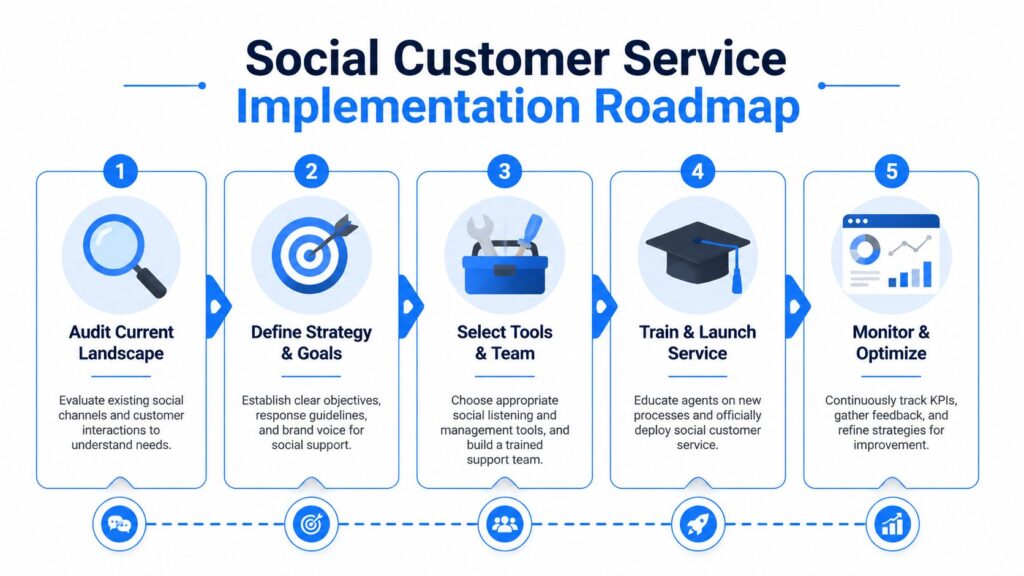
Social Media Customer Service Implementation Roadmap
Audit what’s already happening
Before you build workflows, inspect your current reality. Pull recent DMs, comment threads, mentions, and recurring questions from your active channels.
Sort them into simple buckets:
- Simple and repeatable: Store hours, shipping status, return policy, appointment availability
- Moderately complex: Billing confusion, account updates, order edits
- High risk or emotional: Refund disputes, damaged products, service failures, public complaints escalating in tone
This step keeps teams from automating the wrong things. If an issue requires judgment, exceptions, or account review, it shouldn’t start as a bot-only flow.
Define automation and handoff rules
This is the operational core. For high-volume brands, automation should work as a triage layer, not a replacement for human agents. Best practices recommend using chatbots for repetitive questions and intelligent routing for more complex issues, but only when the workflow is tied to a unified customer view and includes clear handoff logic, as explained in Zendesk’s guidance on customer service through social media.
That principle is easy to agree with and easy to implement badly.
Here’s what tends to work:
| Issue type | Automation role | Human role |
|---|---|---|
| FAQ or policy question | Answer instantly with a clear path to more help | Review only if the customer says the answer didn’t help |
| Order status request | Collect the identifier and return tracking info if available | Step in when details conflict or the shipment is abnormal |
| Frustrated public complaint | Acknowledge, apologize, and move to private | Take ownership, investigate, resolve |
| Sensitive account issue | Ask for minimal routing details only | Handle verification and resolution |
Design handoff triggers before launch. Don’t wait for edge cases to teach you in public.
Good trigger categories include:
- Sentiment triggers: Angry language, repeated punctuation, or clear frustration
- Intent triggers: Refunds, cancellations, damaged items, fraud concerns, account lockouts
- Failure triggers: Two failed bot loops, repeated “agent” requests, unclear answers
- Reputation triggers: Public complaints on visible posts, comments from creators, or active threads attracting other users
If a customer asks for a human twice, the system should stop trying to be clever.
If you’re planning the bot logic itself, this guide to automating customer service is a useful companion because it forces you to think about flows, exceptions, and escalation paths before volume hits.
Build response assets your team can actually use
Templates help, but only if they sound human and fit the channel. A reply that works in email often feels stiff in Instagram DMs.
Build a compact library that includes:
- Holding replies: Quick acknowledgment when research is needed
- Public-to-private transitions: Short comments that move the issue to DM without sounding evasive
- Verified answers for common questions: Returns, delivery timing, subscription updates, and booking changes
- Escalation macros: Messages that explain next steps and expected follow-up
Pair those with a current knowledge base. If the policy changes but the bot and macros don’t, your team creates confusion at scale.
Train the team on judgment, not just scripts
Agents need more than templates. They need examples of what good judgment looks like.
Run training around realistic moments:
- A customer leaves an angry Facebook comment after no reply in DM.
- A bot gives a correct answer, but the customer is still upset.
- An influencer posts a complaint with missing context.
- A local business gets a flood of similar questions during a holiday promotion.
Review the response path, not just the wording. Who owns the reply, when does the issue move channels, and what gets documented for follow-up?
Launch narrow, then refine fast
Don’t automate every use case on day one. Start with one or two high‑frequency requests and one clear escalation path. Watch where people drop off, where agents override the bot, and where public conversations turn tense.
The strongest systems improve because teams study failure points early. Dead ends, vague menus, and missing handoff context are all fixable if you catch them quickly.
Adding AI customer service capabilities makes this process smarter. An AI system can analyze customer data to spot weak points faster, while a generative AI model can suggest clearer responses or automate repetitive flows. The key is balance: use automation to handle scale, but keep humans in the loop for nuance and trust.
Social Customer Service Examples in Action
The easiest way to judge a social support design is to watch how it handles ordinary customer problems. The mechanics matter more than the slogan.
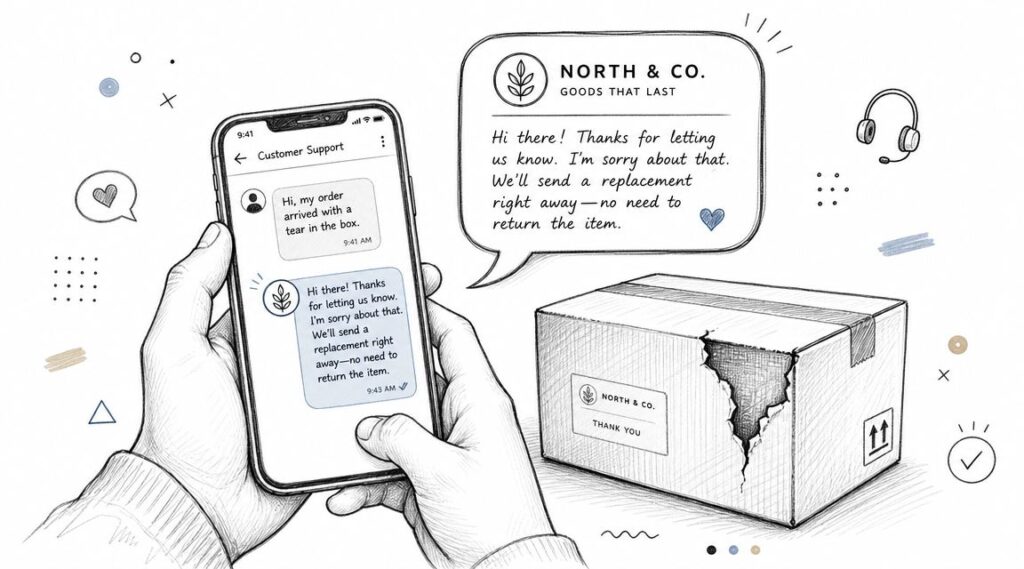
Social Media Customer Service Damaged Package
E-commerce brand handling order questions and damaged goods
A DTC brand on Instagram usually gets a heavy mix of order-status requests, return questions, and damaged-package complaints. Those shouldn’t all hit the same queue in the same way.
A useful setup looks like this:
- WISMO requests: The bot asks for an order identifier and returns tracking details or directs the customer to the right status page.
- Damaged item complaints: The flow asks for a photo and basic order details, then routes directly to a human.
- Public comments: The brand acknowledges the issue briefly, then moves the thread into DM to gather specifics.
The mistake many brands make is letting the bot keep offering menu options after the customer has already said, “My order arrived broken.” That’s not an FAQ. That’s a service recovery moment.
Agency managing support across multiple client accounts
Agencies have a different problem. They’re not just handling conversations. They’re protecting context across brands, offers, and workflows.
A practical agency setup uses tagging and routing rules so each incoming message lands with the right account team. One client’s Facebook inquiries shouldn’t sit in the same unfiltered stream as another client’s Instagram DMs.
That workflow gets stronger when the agency defines separate playbooks for each client:
- Brand voice rules: What sounds right for a fitness brand may sound wrong for a law firm
- Escalation contacts: Which client-side person owns refunds, complaints, or reputation issues
- Response boundaries: Which questions the agency can answer directly and which must be approved
A short walkthrough helps show how these operational choices play out in practice.
Local restaurant using Messenger as a digital concierge
For a restaurant, social media channel support often blends service, reservations, and pre‑visit questions. Customers ask about hours, dietary options, wait times, booking changes, and special requests.
That makes Messenger or Instagram DMs a good fit for lightweight automation. A bot can respond to customer inquiries, answer straightforward questions, collect booking intent, and send the conversation to staff when the request becomes specific.
A well‑structured customer service team can then step in at the right moment, ensuring that automation handles the simple tasks while humans manage nuance. This balance forms the foundation of a strong social media customer service strategy.
Done right, using social media for customer support turns casual questions into trust‑building moments, making customer interactions smoother and more reliable.
A simple flow might work like this:
| Customer need | Automated response | Escalation point |
|---|---|---|
| “Are you open tonight?” | Return current hours | No escalation needed |
| “Do you have gluten-free options?” | Share approved menu guidance | Escalate if allergy-specific questions follow |
| “Can I reserve for a large group?” | Collect date and party size | Route to staff for confirmation |
| “We had a bad experience last night.” | Acknowledge and ask to continue privately | Immediate human follow-up |
The value here isn’t just convenience. It’s consistency. Customers get fast answers to common questions, and staff only step in where context and judgment matter.
Measuring Success with the Right KPIs and Tools
You can’t run social support by instinct once volume grows. Every comment, DM, and mention should be treated as operational data.
A robust approach centralizes those interactions so teams can compute metrics such as first response time, average handling time, response rate, and sentiment shifts, then use the results to tune staffing, routing rules, escalation paths, and self-service content, as described in Sprout Social’s customer service metrics framework.
Social Media Customer Service Clepher Chatbot
Focus on service metrics, not vanity metrics
Follower growth and reach might matter to marketing. They don’t tell you whether support is working.
Track metrics that reveal operational health:
- First response time: How fast the team acknowledges the customer
- Average handling time: How long agents spend resolving interactions
- Response rate: Whether inbound service requests are getting answered
- Sentiment trend: Whether conversations improve or deteriorate after engagement
These metrics matter because they show whether your service design is realistic. If first response time looks good but handling time is rising, the team may be acknowledging too quickly without enough routing discipline. If sentiment worsens after automation touches the conversation, your bot may be creating friction instead of removing it.
What to do with the numbers
Measurement should lead to operational changes. Otherwise, dashboards become decoration.
Use KPI patterns to make decisions like these:
| KPI signal | Likely issue | Action |
|---|---|---|
| Slow first responses on one channel | Queue ownership is unclear | Reassign coverage or add routing rules |
| High handling time for common questions | Agents are manually repeating answers | Expand automation or improve templates |
| Low resolution quality after bot interactions | Handoff is weak | Pass more context to agents and shorten the bot path |
| Sentiment drops in public threads | Responses are too defensive or too slow | Retrain on public reply style and escalation timing |
Measure the handoff, not just the reply. A fast bot response means very little if the human follow-up arrives without context.
Tooling should reduce fragmentation
The right toolset doesn’t just collect messages. It makes customer interactions measurable at the same level as email or chat.
That means your platform should centralize social conversations, preserve interaction history, and make it easy to compare patterns across teams, channels, and issue types. If agents have to piece together the customer story from separate apps, your reporting will be weak because the underlying workflow is weak.
Strong systems simplify handling customer inquiries so every customer service representative can see the full context before responding. A well‑designed social media monitoring tool ensures that service teams aren’t just reacting — they’re building continuity, trust, and measurable improvements in both speed and satisfaction.
Adding AI in customer service takes this further. An AI agent can use AI workflows to triage common requests, surface insights, and free humans to focus on nuance. The right AI tool makes every handoff smoother, while an AI-powered customer support system ensures that automation strengthens loyalty instead of weakening it.
From Reactive Support to Proactive Relationships
The strongest teams stop treating customer support on social media as complaint management. They treat it as a visible trust‑building system.
That shift changes priorities. You don’t just ask, “Did we answer?” You ask, “Did we lower friction, protect the public interaction, and make the next conversation easier?” Once a team starts operating that way, social channels become more than an inbox. They become an early warning system, a service channel, and a loyalty channel at the same time.
Start small. Pick one frequent question, design one clean automated flow for it, and define exactly when a human takes over. Then review real conversations and tighten the weak points. That’s how mature customer service on social media gets built. Not by adding more scripts, but by making each handoff safer and each reply more useful.
Done right, this approach improves customer satisfaction and strengthens trust across any social media platform. Treating social media for customer service as a loyalty channel ensures that engagement is not just reactive but proactive — building relationships that last.
If you want to operationalize social support across Messenger, Instagram, WhatsApp, and website chat, Clepher gives teams a no-code way to build AI-assisted flows, centralize conversations, route customers to the right path, and hand off to live chat when automation has done its job.

Related Posts
10 Lead Capture Software Tools Compared for 2026
October 18, 2026WhatsApp Chatbot for Ecommerce: A Practical 2026 Guide
October 17, 2026What Is Lead Scoring and How It Drives Real Sales Results
October 16, 2026
Founder Clepher