
Your team needs repeatable audience communication or reliable channel operations, but the shortlist keeps mixing radio playout systems with live production control, master control, and conversational marketing tools. That creates a costly comparison problem. A platform that schedules audio across stations isn’t automatically suitable for a live newsroom, and a chatbot that sends targeted broadcasts isn’t designed to keep a television channel on air.
This list compares broadcast automation software by its operational job. It looks at deployment model, scale, integrations, workflow fit, pricing visibility, limitations, and implementation effort. The market itself is expanding quickly, with one industry estimate placing it at $2.58 billion in 2025, projecting $6.04 billion by 2030 and an 18.4% CAGR from 2026 to 2030. The same source identifies North America as the largest regional market in 2025 and Asia-Pacific as the fastest-growing region. That market forecast helps explain the crowded vendor scene, but it doesn’t make the products interchangeable.
Clepher belongs in this comparison for a different reason. It serves marketing broadcasts, lead capture, sales recovery, onboarding, and customer conversations across web chat and messaging channels. The radio and television systems below operate broadcast infrastructure. If you’re comparing Clepher with them, start by defining whether your “broadcast” means a customer message or an on-air channel.
1. Clepher
A marketing team launching a Messenger campaign, recovering abandoned sales, or answering recurring customer questions needs a different system from a station scheduling audio or a broadcaster controlling an on-air channel. Clepher fits the first group. It is an AI-powered, no-code chatbot platform for e-commerce brands, agencies, creators, SaaS companies, local businesses, and other teams communicating through website chat, Facebook, Messenger, WhatsApp, and Instagram Direct Message.
The drag-and-drop Flow builder supports lead capture, onboarding, promotions, follow-up, and abandoned-sale recovery without requiring a custom application. Capture widgets convert website visitors into subscribers, while AI Agents handle recurring questions and route conversations by intent. Installation is designed for a short path from campaign concept to live bot, although teams should still test permissions, channel connections, and message rules before launch.
Best use cases for Clepher
Clepher brings live chat, segmentation, analytics, AI Agents, and broadcasts into one workspace. Teams can send normal, promotional, and follow-up broadcasts to Messenger subscribers, then adjust later messages with tags, segments, personalization tags, conditions, custom fields, and global fields.
Its workflow is built for marketing operations rather than master-control or newsroom production:
- Multi-channel reach: Work across websites, Facebook, Messenger, WhatsApp, and Instagram DMs, with unlimited Pages and Instagram accounts.
- Conversion testing: Use A/B testing and random path distribution to compare conversational routes.
- Smarter routing: Apply AI keyword triggers, personas, typing indicators, and conditions to make flows more responsive.
- Operational connectivity: Connect with 50+ native apps and 5,000+ additional services through Zapier, Make, n8n, and Pabbly.
- Compliance controls: Use GDPR tools when audience data and messaging practices require them.
Practical rule: Choose Clepher when the output is a subscriber conversation, not an audio or video transmission.
Clepher does not replace radio playout, newsroom automation, or channel-in-a-box software. It also relies on third-party messaging ecosystems, so API changes, account policies, and deliverability rules can affect a flow after deployment. Pricing and plan details were not provided here. Check Clepher’s current plans or contact sales before budgeting.
2. WO Automation for Radio
WO Automation for Radio from WideOrbit is built for radio station operations, particularly groups that need centralized control across multiple markets. It supports live-assist and fully automated operation, so a station can combine scheduled programming with intervention from talent or operators when the format requires it.
The platform’s value comes from its relationship with the wider WideOrbit ecosystem. Traffic, sales, billing, analytics, clocks, workflows, and EAS handling can be connected into a coordinated operating environment. That matters for a station group trying to standardize procedures while still allowing local teams to manage market-specific programming.
Where it earns its place
Remote access and voice tracking are central strengths. A presenter working away from the studio can access a workflow intended to resemble the in-studio experience, record tracks, and support distributed programming. That makes WO Automation for Radio a credible choice for centralcasting, regional groups, and organizations with remote talent.
WideOrbit also highlights a broad integration and API ecosystem, which gives technical teams more options when connecting traffic, content, and analytics systems. The trade-off is implementation effort. An enterprise radio group shouldn’t treat this as a simple install. The project may involve workflow design, professional services, staff training, and change management across stations.
- Best fit: Large or multi-market radio groups with centralized operations.
- Useful advantage: Mature remote voice-tracking and integration with traffic and sales workflows.
- Main concern: Enterprise-oriented packaging can make both pricing and deployment harder to evaluate quickly.
Visit WO Automation for Radio for the vendor’s current product information. Ask for a workflow demonstration using your own clocks, traffic handoffs, remote voice-tracking process, and failure-recovery requirements.
3. Zetta
Radio teams already using RCS music scheduling, especially GSelector, should put Zetta on their shortlist. Its main value is the connection between scheduling and playout. Scheduling decisions can flow into the operational rundown used by the studio and transmitter workflow, reducing the gap between the planned log and what operators execute.
Zetta2GO provides browser and mobile control. ZettaCloud offers a hybrid route for teams that want cloud capabilities while retaining selected local components. Multi-studio synchronization and high-availability options also support coordinated operation across facilities.
Test the scheduling chain under pressure
A music-led broadcaster should run a representative log through GSelector, inspect its handoff to Zetta, and then make a last-minute substitution. Test how remote operators receive and apply that change, along with the recovery procedure after a service interruption.
The test is whether scheduling, production, remote-control, and recovery workflows stay aligned when the log changes under pressure. Playing audio alone proves little.
Zetta can serve individual stations and enterprise groups, but the broader deployment requires careful evaluation. Costs may increase as teams add more of the RCS suite and enterprise capabilities. Confirm the operating environment early as well, since Zetta is generally associated with Windows-centric deployments.
A strong scheduler integration helps only when the music log, production edits, and on-air execution remain synchronized.
- Best fit: Radio operators seeking close alignment with RCS music scheduling.
- Useful advantage: Remote control, disaster-recovery options, and multi-studio coordination.
- Main concern: Assess suite-level pricing and platform dependencies before committing.
Review Zetta from RCS and request a demonstration covering scheduling changes, remote access, studio synchronization, and failover. Compare those workflows with the needs of marketers, agencies, or messaging teams evaluating Clepher. Zetta is designed for broadcast operations, while a messaging automation platform serves a different job. The right choice depends on whether the team needs radio playout control or campaign workflow automation.
4. DAD
A station receiving audio from several regions needs more than a playlist engine. DAD from ENCO combines live-assist operation through Presenter with centralized content management and modular workflows for regional splits and shared assets. That makes it suited to broadcasters managing varied feeds, rather than teams looking only for messaging automation or simple campaign scheduling.
Content preparation is one of DAD’s practical strengths. Watch folders, FTP and HTTP transfers, metadata handling, and automated movement can reduce manual work before playout. WebDAD adds browser-based remote control, helping distributed teams operate without tying every operator to a physical studio.
DAD’s flexibility also creates an implementation decision. Its AITrack module can support automated voice and localized programming, but the workflow needs clear controls before it goes live. Define approval rules, pronunciation checks, brand constraints, and the situations that require a human review.
A regional broadcaster might use DAD to receive shared audio, process its metadata, schedule local variations, and send each feed to playout. Test that complete path, including content arrival, regional splitting, recovery after an interruption, and archive handling. Reviewing individual modules will not show whether the operating workflow holds together.
Smaller stations may value Presenter’s live-assist experience while using only a limited part of the platform. Larger organizations can gain from centralized architecture, but should plan for training, module selection, governance, and integration work.
- Best fit: Broadcasters needing mature radio automation, ingest, remote operation, and modular expansion.
- Useful advantage: Strong content workflows with an approachable live-assist environment.
- Main concern: More modules mean more planning, training, and cost to manage.
Use the DAD product page to map Presenter, WebDAD, ingest, and AITrack against the existing workflow. Follow one piece of content from arrival through metadata processing, scheduling, playout, regional splitting, and archive before committing.
5. OverDrive from Ross Video
A live news rundown may need to trigger camera changes, graphics, audio cues, clips, robotic movements, and routing without losing editorial control. OverDrive from Ross Video is built for that job, coordinating live production devices through rundown-driven, template-based workflows. It belongs in the live production control category, separate from channel-in-a-box playout.
OverDrive uses macros such as QuickRecalls and QuickCode, while MOS and NRCS integrations connect newsroom decisions with technical execution. A producer can change the story order, and an operator can intervene when a guest runs long or a segment changes. The system supports repeatable execution without removing human control from a time-critical show.
Where OverDrive fits
A broadcaster might use OverDrive for a planned news sequence that calls cameras, graphics, clips, audio, and studio robotics at defined points. That workflow suits live news, sports, and studio productions. It does not replace the scheduling model required to run a television channel unattended throughout the day.
Device compatibility is a strength, but it creates a substantial setup task. OverDrive can control Ross and third-party equipment, so the technical team should inventory every device, confirm control protocols, map newsroom metadata, and test the response when a device fails or stops communicating.
Before committing, run a real rundown through the proposed system. Include late editorial changes, manual overrides, missing media, device recovery, and handoffs between producer, director, and operator. A simplified demonstration will not expose those operating costs.
- Best fit: Live news, sports, and studio production.
- Useful advantage: Detailed device control with manual override during time-critical shows.
- Main concern: The deployment depends on compatible hardware, newsroom integration, and clear technical ownership.
Teams comparing no-code messaging automation with live production control should distinguish their operating jobs. what no-code automation means may clarify the category difference, while OverDrive addresses coordinated studio execution.
Review OverDrive from Ross Video with a representative rundown and the devices used in the intended production.
6. Versio from Imagine Communications
Versio targets broadcasters running integrated playout and channel origination across on-premise, cloud, or hybrid environments. Its automation layer connects ingest, graphics, workflow orchestration, and master control, giving operators more than a standalone playlist tool.
The web interface links ingest, playout, and graphics. Motion and Workflow can manage file movement and media readiness, while synchronization and redundancy support continuous channel operation. Support for IP-based facilities and ST 2110 workflows suits broadcasters modernizing infrastructure across the channel chain.
Check the architecture before purchase
Versio covers a wide operational scope, so implementation requires decisions about storage, ingest, graphics, playout, monitoring, rights, redundancy, and handoffs between teams. A small operation seeking only scheduled playback may find that scope difficult to justify.
Cloud, on-premises, and hybrid designs also create different failure and support requirements. Confirm where each component runs, how media moves between environments, how operators connect remotely, and what happens if connectivity or a dependent service fails. The proposal should identify redundancy, storage, networking, support, professional services, and ongoing operating responsibilities.
A useful evaluation is a full channel day with late schedule changes, missing media, graphics failures, manual intervention, and recovery from a lost service. That test shows whether the proposed design fits the team’s actual operating model.
- Best fit: Broadcasters building integrated, enterprise-grade channel origination.
- Useful advantage: Cloud-ready and hybrid deployment with mature master-control capabilities.
- Main concern: Complexity and total cost depend heavily on footprint and redundancy design.
Review Versio Integrated Playout with a scoped architecture request, not a generic product quote.
7. Pebble Automation
Pebble fits broadcasters replacing legacy automation while keeping existing devices, archives, and delivery workflows in service. Marina targets complex enterprise environments, while Automation Lite provides a narrower starting point for smaller channel operations.
Its value depends on the operational job. Pebble combines device control, asset management, archive connectivity, playlists, redundancy, and interoperability across IT and SDI environments. SCTE-104 and SCTE-30 support addresses ad-insertion workflows, while multilingual audio management helps teams serving more than one language. This is a stronger match for channel operations that need coordinated control than for marketers seeking messaging automation or agencies running campaign sequences.
A phased replacement is the practical use case. Move channels or workflow components in an agreed order, retain a tested fallback, and verify that assets remain available during each cutover. Before committing, document legacy interfaces, archive access, device control, ad signaling, audio paths, monitoring ownership, and rollback steps.
The commercial question needs equal attention. Automation Lite may suit a smaller footprint, but confirm channel limits and supported integrations directly. Public pricing is not listed, so the proposal should specify channels, sites, redundancy, devices, services, and ongoing support. Those details determine whether a smaller deployment remains economical as requirements grow.
- Best fit: Broadcasters replacing legacy automation or coordinating IT and SDI workflows.
- Useful advantage: Interoperability and a migration path from smaller deployments to broader channel operations.
- Main concern: Edition limits, integration work, and migration planning can change the total cost.
Use how to automate repetitive tasks as a general process reference, then separate simple repeatable actions from workflows requiring orchestration, failover, and broadcast-grade control.
Evaluate Pebble Automation with a controlled migration test covering legacy devices, archive access, ad signaling, multilingual audio, and rollback.
8. Aveco ASTRA
A broadcaster running several studios and master-control sites needs shared operating rules, not just another playlist editor. Aveco ASTRA targets that environment with tools for master control, studio automation, and end-to-end media workflow orchestration. ASTRA MCR handles playout, ASTRA Studio supports production, and ASTRA Media Factory connects wider media operations through a single operating view across on-premises, remote, and cloud resources.
Its value appears in hub-and-spoke operations. Teams can coordinate facilities, transfer rundowns between studios, and manage production-to-master-control handoffs without isolating each location. That design also creates a clear implementation requirement: map who owns monitoring, incident response, redundancy, configuration changes, and recovery testing before deployment.
ASTRA suits a broadcaster with unusual routing, distributed facilities, or shared production capacity. A small channel with limited integrations may gain little from that flexibility, and a custom-engineered rollout can take more planning than a standalone playout application.
Before a purchase discussion, prepare a facility map and a list of every handoff. Include control rooms, studios, media stores, cloud services, operators, monitoring points, and recovery procedures. Ask Aveco to demonstrate a representative workflow rather than relying on a feature checklist.
- Best fit: Broadcasters coordinating MCR, studios, media factories, and distributed facilities.
- Useful advantage: Unified workflows across local, remote, and cloud resources.
- Main concern: Custom engineering and limited public packaging information make early cost and scope comparisons difficult.
A resource-management view can expose conflicts when the same people, studios, and media assets support multiple workflows. Aveco ASTRA MCR provides a useful starting point for assessing the master-control component, while A resource management system can help teams identify shared-capacity scheduling risks.
9. AirBox Neo
AirBox Neo from PlayBox Technology is a channel-in-a-box playout engine for satellite, cable, over-the-air, and streaming channels. It suits smaller and mid-sized operations that need scheduling, graphics, captions, signaling, and flexible I/O in one deployable system, rather than a wider orchestration layer.
Its playlist handles mixed formats and frame rates, while time-based scheduling supports planned channel operation. Operators can make on-air changes through a live-show clipboard. Ingest-while-playout also helps when replacement content arrives close to transmission.
Test the channel, not just the feature list
AirBox Neo supports subtitling, closed captions, multilingual audio, loudness control, SCTE-104 and SCTE-35 signaling, SDI, and multiple IP I/O protocols. Software-only and turnkey configurations let teams choose how much hardware and deployment responsibility they retain.
That flexibility comes with a boundary. A larger network may need centralized monitoring, enterprise orchestration, or facility-wide management beyond a single channel-in-a-box system. Support and feature depth can also depend on the selected configuration, so compare like-for-like builds rather than an entry product with a fully configured enterprise platform.
Build a test playlist with mixed formats, live events, caption requirements, ad breaks, and last-minute substitutions. Check operator actions, timing, signaling, recovery, and the handoff to monitoring. The AirBox Neo product information provides a starting point, but an operational test reveals more than a clean vendor demonstration.
- Best fit: Smaller networks, OTT channels, and operators needing rapid channel stand-up.
- Useful advantage: Broad media support with practical on-air editing and signaling.
- Main concern: Larger networks may require centralized orchestration and monitoring.
10. Cinegy Air
Cinegy Air pairs a broadcast automation front end with a real-time playout server running on standard IT hardware. Teams can deploy it locally, in virtual machines, or in the cloud, with multi-channel IP control and editions that include CG and branding tools.
That architecture suits broadcasters combining SDI and IP, or building virtualized channels instead of dedicating a hardware server to each output. Cinegy Air PRO and Ultimate may cover channel branding without a separate graphics system, provided the required look is relatively contained. The platform also supports high-resolution workflows, including 8K readiness. Confirm the complete hardware, storage, network, and licensing design for the target format before treating that capability as deployable.
Put the operating model through a real test
Cinegy Air is flexible, though its interface and terminology can feel more engineering-led than operator-led. Test it with real playlists, live-event inserts, branding changes, and failure recovery. Training needs to cover the control panels as well as routine playlist work, especially when one team manages multiple channels.
The quoted base system may not include every advanced function. Check which features require add-on licenses or specific bundles, then compare the full operating cost with other broadcast-focused systems.
- Best fit: IT-oriented broadcasters deploying local, virtualized, or cloud playout.
- Useful advantage: Flexible IP control with integrated CG and branding options.
- Main concern: The learning curve and add-on licensing may increase implementation effort.
Review Cinegy Air with infrastructure and operations staff present. Verify multi-channel behavior, graphics needs, cloud architecture, monitoring, support, control-panel workflows, and what remains outside the quoted package.
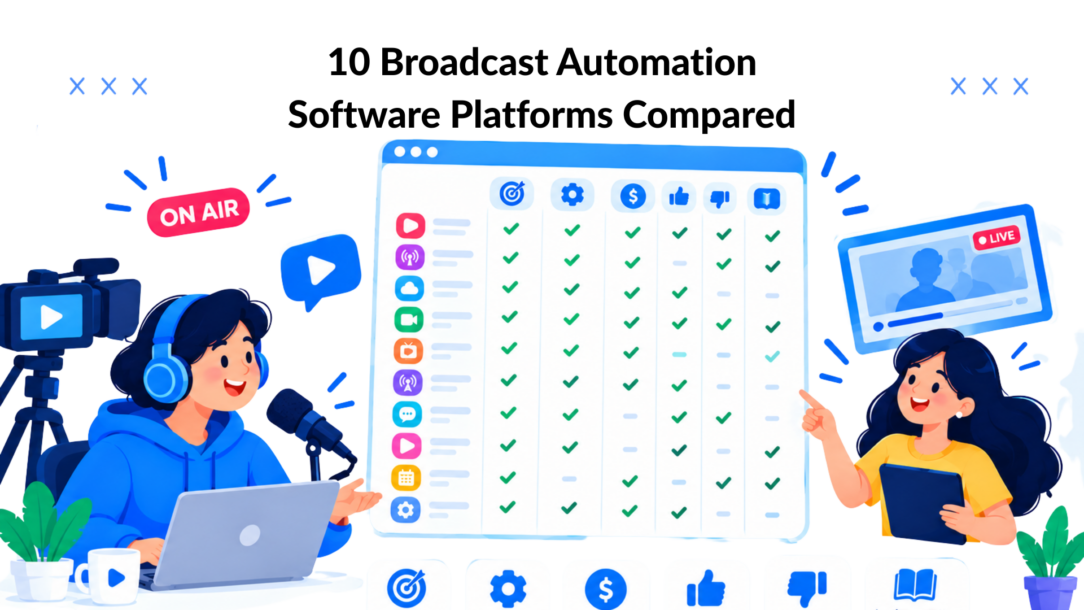
Top 10 Broadcast Automation Software, Side‑by‑Side Feature Comparison
| Product | Key features ✨ | Target audience 👥 | UX / Reliability ★ | Value & Pricing 💰 |
|---|---|---|---|---|
| 🏆 Clepher | ✨ No‑code AI chatbot, multi‑channel (Web/FB/IG/WA), drag-and-drop Flows, AI Agents | 👥 E‑commerce, agencies, creators, SaaS, local businesses | ★★★★★ intuitive, fast setup | 💰 SaaS, contact sales; high ROI from broadcasts |
| WO Automation (WideOrbit) | ✨ Centralized radio automation, remote voice‑tracking, traffic/billing APIs | 👥 Large station groups, centralcasting | ★★★★★ enterprise‑grade reliability | 💰 Enterprise pricing + professional services |
| Zetta (RCS) | ✨ Zetta + GSelector sync, Zetta2GO remote, high‑availability | 👥 Stations needing integrated music scheduling | ★★★★★ tight scheduling & HA sync | 💰 Quote/licensed; scales with suite |
| DAD (ENCO) | ✨ Modular playout, WebDAD remote, ingest automation, AITrack | 👥 Broadcasters wanting flexible workflows | ★★★★★ mature, presenter‑friendly | 💰 Module‑based pricing; add‑ons increase cost |
| OverDrive (Ross Video) – APC | ✨ Rundown‑driven APC, wide device control, MOS/NRCS integration | 👥 Newsrooms, live sports & studio production | ★★★★★ gold‑standard for live control | 💰 Quote/enterprise; integration effort required |
| Versio (Imagine Communications) | ✨ Integrated playout/ingest/graphics, cloud/IP (ST2110) ready | 👥 Broadcasters moving to IP/cloud origination | ★★★★☆ robust enterprise capability | 💰 Quote-based; TCO varies by footprint |
| Pebble Automation | ✨ Marina (enterprise) + Automation Lite, API device control, HA playlists | 👥 Channels migrating from legacy to IP/SDI | ★★★★☆ scalable, interoperable | 💰 Lite SKU entry; Marina quoted |
| Aveco ASTRA | ✨ ASTRA MCR/Studio/Media Factory, single‑GUI across resources | 👥 Complex hub/spoke broadcasters, 24/7 ops | ★★★★★ proven 24/7 reliability | 💰 Custom-engineered; quote |
| AirBox Neo (PlayBox) | ✨ Channel‑in‑a‑box: scheduling, captions, SCTE, IP/SDI I/O | 👥 Small/mid TV & OTT channels needing fast launch | ★★★★☆ fast to stand up for SMBs | 💰 Software or turnkey; good SMB value |
| Cinegy Air | ✨ Software playout + integrated CG (PRO/Ultimate), IP/8K ready | 👥 IT‑centric broadcasters, virtualized/cloud deployments | ★★★★☆ flexible; engineering UI | 💰 License + add‑ons; moderate–high cost |
Match the Platform to the Job
The first selection decision isn’t brand. It’s the operational job.
Choose Clepher when the requirement is customer messaging, lead capture, promotional broadcasts, onboarding, support, or sales recovery across web and messaging channels. Choose WO Automation for Radio, Zetta, or DAD when the requirement is radio playout, scheduling, voice tracking, ingest, regional splits, or multi-station radio operations. Choose OverDrive when a live production team needs rundown-driven control of cameras, graphics, audio, robotics, and other studio devices.
For master control and channel origination, focus on Versio, Pebble, Aveco ASTRA, AirBox Neo, or Cinegy Air. The right choice depends on whether you need enterprise orchestration, legacy migration, integrated media workflows, channel-in-a-box simplicity, or an IT-centric IP and virtualization strategy.
The market is also moving toward cloud-based SaaS, API-driven ecosystems, low-code and no-code automation, IP infrastructure, and AI-assisted quality control. One market commentary cites 25% of broadcasters using AI in workflows and 77% SRT usage, but those figures come from a separate industry report and should be treated as directional context rather than a reason to buy a particular product. That market commentary reinforces the practical issue: mixed legacy and modern systems need governance, reliable handoffs, and controlled change management.
Use this selection sequence:
- Define the output: Is the system sending a customer message, playing radio content, controlling a live show, managing master control, or originating a channel?
- Map the workflow: Document content intake, metadata, scheduling, approvals, playout, monitoring, ad signaling, analytics, and fallback.
- List required integrations: Include traffic, billing, CRM, CMS, NRCS, MOS, storage, archive, graphics, routers, messaging platforms, and APIs.
- Choose the deployment model: Compare on-premises, cloud, hybrid, virtualized, and software-only approaches against your team’s skills and connectivity.
- Specify resilience: Ask about redundancy, synchronization, failover, manual override, recovery procedures, monitoring, and support ownership.
- Expose the total cost: Where pricing isn’t public, request a scoped conversation that includes licenses, hardware, implementation, training, integrations, support, and expansion.
- Pilot one representative workflow: Test the difficult path, not the polished demo. Include a late content change, an unavailable device or service, a remote operator, a handoff to another system, and a recovery step.
A standards document describes a core automation mechanic clearly. At the receiving end of a distribution link, metadata from multiple sources must be aggregated, parsed, and scheduled. The automation system or a standalone data automation system can extract XML fields, map them into a local database, and create a rundown for each audio segment. The NRSC-related technical material is useful when evaluating whether a vendor’s metadata workflow matches your actual inputs.
The business case also extends beyond labor savings. Buyers should evaluate compliance logging, multi-platform monetization, content localization, ad placement, reliability, and the cost of brittle integrations. A smaller station may benefit more from partial workflow automation than from a full enterprise platform. A marketing team may gain more from a no-code conversational broadcast than from buying infrastructure designed for continuous channel transmission.
Clepher fits the first category. The other nine platforms fit broadcast operations, from radio playout to live production and integrated channel origination. Run a focused pilot, measure setup effort and handoffs, verify the limitations, and expand only after the workflow survives real operating conditions.
Clepher gives marketing teams AI Agents, no-code Flows, segmentation, analytics, and broadcasts across web chat, Messenger, WhatsApp, and Instagram DMs. If your broadcast automation goal is customer engagement rather than channel playout, visit Clepher to explore a faster way to launch conversational campaigns and connect them to your wider sales and support stack.
