
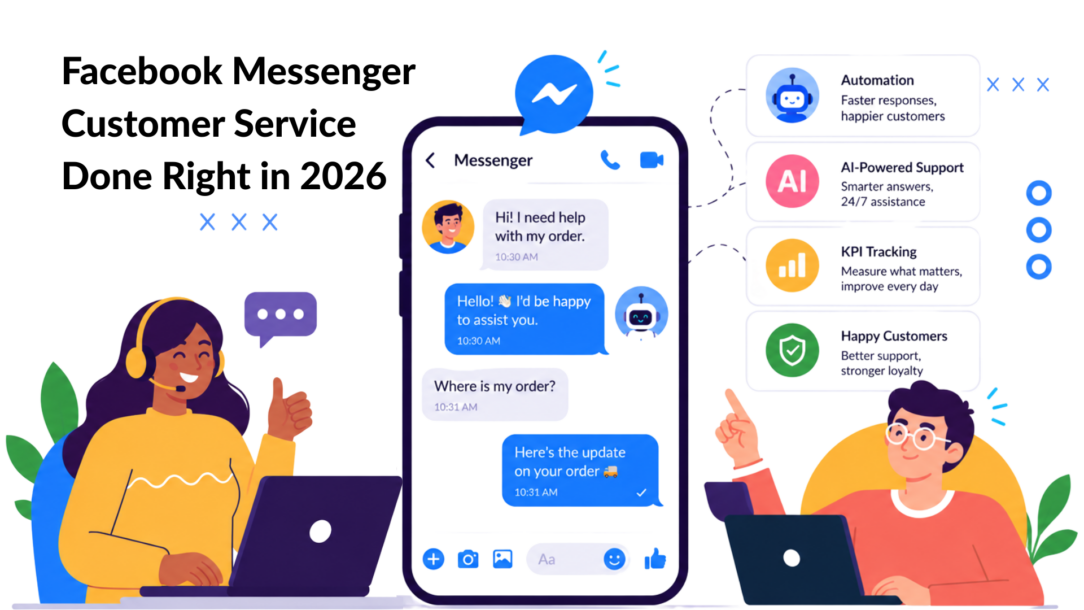
Using Facebook Messenger for customer service isn’t just a trend—it’s about meeting your customers on a platform they use every single day. The old ways of slow, formal support through email are fading fast. Today, it’s all about fast, conversational interactions that people expect.
This isn’t just about answering questions; it’s about turning a support ticket into a relationship. Let’s dive into how you can make that happen.
Why Messenger Is an Essential Customer Service Channel
In the past, customer service meant being stuck on hold or waiting days for an email reply. Today, it lives where your customers are, and for billions of people, that’s Facebook. Ignoring Facebook Messenger for customer service in 2026 is a strategic mistake that leaves you disconnected from a massive, engaged audience.
This shift is all about behavior. Modern customers demand instant answers, and they want them on the apps they already use. Offering support on Messenger isn’t a trendy add-on—it’s the new standard for meeting customer expectations.
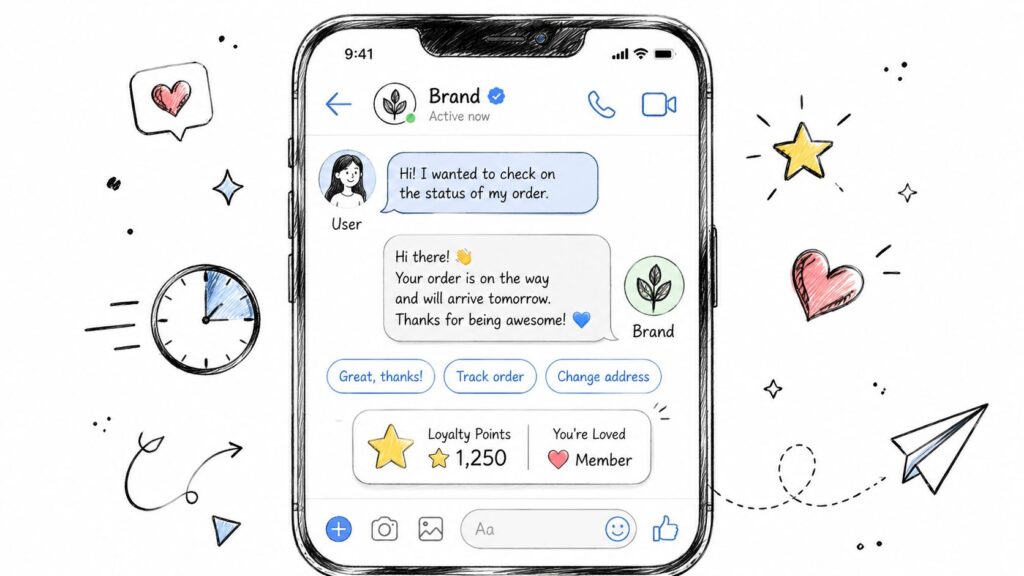
Facebook Messenger Customer Service Chat Interface
Meet Customers Where They Already Are
The sheer scale of Facebook makes Messenger a support powerhouse. With billions of users, your customers are almost certainly there. In fact, Facebook marketing stats show that people are more likely to message a business than ever before.
This creates a huge opportunity. By offering support right inside an app they already have open, you remove friction.
Real-World Impact: Imagine an e-commerce store. A customer has a quick question about sizing before buying. By getting an instant answer on Messenger, they complete the purchase. Without it, that sale might have been lost forever.
Meeting customers in a familiar environment makes getting help effortless. This simple change dramatically improves their perception of your brand and boosts loyalty. The key benefits are clear:
- Slash response times: Answer in minutes, not hours or days.
- Build stronger relationships: A real-time chat feels far more personal and human than a formal email.
- Increase brand confidence: Being accessible and responsive shows you care.
First Things First: Your Foundational Messenger Setup
Before you dive into chatbots and complex automation, you have to nail the basics. A solid Facebook Messenger customer service strategy starts with your Page settings. It sounds simple, but many businesses miss this crucial first step.
Your first action: enable messaging and make sure the “Message” button is front and center on your Facebook Page. This instantly transforms your page from a one-way broadcast into a two-way conversation.
Actionable Insight: Messenger’s power comes from combining its massive user base with nearly frictionless communication. For a deeper look at how businesses leverage this, check out how businesses scale with Messenger support on HubSpot.com.
Getting these initial settings right is half the battle. Here are four quick wins to build a strong foundation.
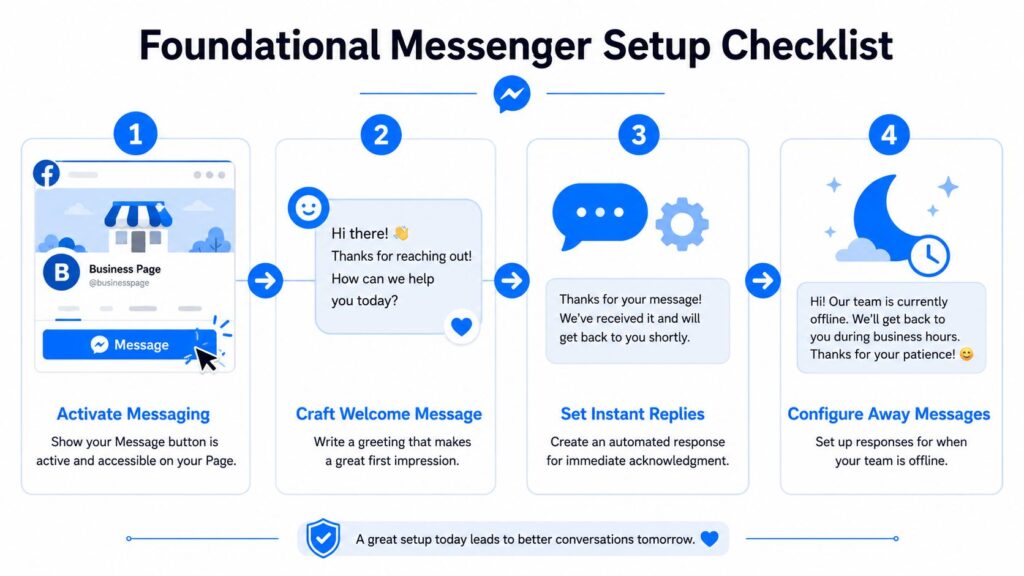
Facebook Messenger Customer Service Setup Checklist
Quick Wins for Your Initial Messenger Setup
| Setup Action | Business Benefit | Practical Example |
|---|---|---|
| Enable the “Message” Button | Makes it obvious how customers can contact you, turning passive visitors into active leads. | An e-commerce store adds the button and gets three pre-sale questions that lead to two new orders within a day. |
| Set Up an Instant Reply | Immediately acknowledges a message, reassuring customers they’ve been heard and managing expectations. | A local gym sets a reply: “Thanks for your message! Our team is online 9 AM – 6 PM and will get back to you soon.” |
| Craft a Welcome Message | Greets users before they type, offering a friendly, proactive start to the conversation. | A local cafe’s Welcome Message says, “Hi! Looking for our menu, hours, or want to place a to-go order? Just ask!” |
| Define Business Hours | Automatically informs customers when you’re available, preventing frustration and setting clear response timeframes. | A marketing agency sets its hours to M-F, 9-5. Messages on Saturday get an automated “away” message. |
By tackling these four simple actions, you create a professional, responsive framework that builds trust from the very first interaction.
Setting Expectations Instantly with Automation
Once you’ve opened the door for messages, your next job is to manage expectations. A customer who sends a message and gets silence is far more frustrated than one who gets an immediate, automated acknowledgment.
-
Instant Reply: Think of this as your digital receptionist. It’s the automatic response sent when someone messages your Page for the first time. It confirms you got their message and tells them what to expect. For example, an e-commerce store could say, “Thanks for getting in touch! Our support team will get back to you within 2-3 hours. In the meantime, you can track your order here: [Link].”
-
Welcome Message: This is your first impression, appearing in the chat window before a person even sends their message. It’s a chance to guide them. A B2B agency might use it to ask, “Welcome! How can we help you grow your business today? Let us know if you’d like to book a consultation or ask about our services.”
These touchpoints are non-negotiable for creating a professional feel. They assure customers their message is in the queue, even if you’re busy or it’s after hours. For a full breakdown, check out this guide on how to auto-reply on Facebook Messenger. The goal here is immediate acknowledgment—it sets a positive tone for the entire experience.
Designing Automation That Customers Will Actually Use
Let’s get one thing straight: effective automation isn’t about replacing your team. It’s about empowering them. The goal is to build a conversational flow that feels genuinely helpful, not like hitting a digital wall. When you can instantly answer common questions, customer satisfaction soars, and your team can focus on the conversations that truly need a human touch.
So, where do you start? Don’t guess. Dive into your emails, DMs, and support tickets to find the top 5-10 questions you answer over and over again. For an e-commerce store, this is almost always order tracking, returns, and product questions. For an agency, it’s booking consultations or asking about pricing.
Actionable Insight: The best automation acts like a concierge, not a wall. It should guide users to a solution for common problems but always provide a clear, easy path to a human agent for complex issues.
Building Your First Helpful Bot
Once you have your list of common questions, you’re ready to build a bot that tackles them head-on. Think of it as an interactive FAQ. With a visual flow builder like the one in Clepher, you can build these flows without writing any code.
Here’s a simple, effective blueprint for an e-commerce bot:
- Smart Welcome: Greet the user with clear buttons like “Track My Order,” “Start a Return,” or “Ask a Question.”
- Order Tracking Flow: A user clicks “Track My Order.” The bot asks for their order number, looks up the real-time status via an integration, and delivers the update right inside Messenger. No more waiting for an email.
- Keyword Triggers: Set up keywords that solve problems instantly. When someone types “shipping,” “price,” or “broken,” trigger a pre-written, helpful answer.
This approach transforms your Facebook Messenger customer service from a passive inbox into a proactive problem-solver.
Designing a Simple Lead Generation Flow
Automation isn’t just for support—it’s a powerful sales tool. A marketing agency, for example, can set up a bot that qualifies leads 24/7.
Here’s how that flow works:
- A potential client clicks a “Get Free Consultation” button from a Facebook post or ad.
- The bot asks a few simple qualifying questions, like “What’s your monthly marketing budget?” or “What’s your biggest business challenge?”
- Based on their answers, the bot can either book a meeting directly on a calendar or, for a high-value lead, immediately notify a live sales agent.
This ensures you capture intent the moment it happens. If you’re ready to get started, you can design a chatbot that perfectly fits your business needs.
Mastering the AI-to-Human Handoff
Automation is great, but its real power comes from knowing when to get out of the way. A great chatbot handles common issues and knows exactly when to pass a complex conversation to a human.
This handoff is a critical moment. Done right, it makes your customer feel supported. Done wrong, it leaves them feeling stuck in a broken loop. Your bot must recognize when a customer is frustrated or has a problem it can’t solve, then get them to the right person smoothly.
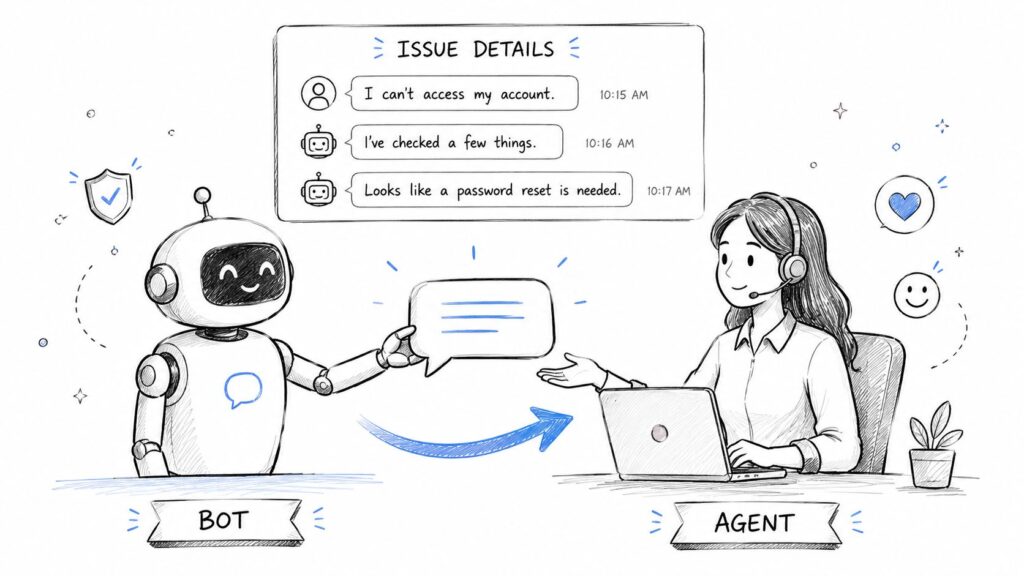
Facebook Messenger Customer Service Bot Handover
Setting Smart Handoff Triggers
Establish clear rules that tell your bot when to escalate a chat. Don’t wait for the customer to get angry. Proactively transfer conversations based on these triggers:
-
Keyword Detection: If a user types “agent,” “human,” or “talk to someone,” it’s a clear signal to hand off the chat.
-
Negative Sentiment: Modern AI can detect frustration. If someone types, “this is so annoying” or “your product isn’t working,” the bot should immediately offer to connect them with your team.
-
Direct Request: Always include a clearly labeled button like “Talk to a Human” or “Get Live Support” in your automated flows.
The Golden Rule of Handoffs: Before transferring, the bot’s most important job is to collect key information—like an order number or a summary of the problem. This gives your human agent instant context, so the customer never has to repeat themselves.
Think of a customer with a damaged delivery. The bot should ask for their order number before transferring them. When the agent takes over in a tool like Clepher, they already have the details and can immediately start solving the problem. This turns a bad experience into an efficient and positive one.
Integrating Messenger into Your Business Ecosystem
Your Facebook Messenger strategy shines brightest when it talks to the rest of your business tools. Isolated conversations create data silos, forcing your team to manually piece together a customer’s history. This is slow and frustrating for everyone.
The real power comes from integration. Connecting Messenger to your CRM, helpdesk, and email marketing service builds a single, unified view of every customer. This transforms your support from reactive to proactive and intelligent.
Actionable Insight: The goal is seamless system communication. When Messenger, your CRM, and your helpdesk share data, the customer never has to repeat themselves, and your team has all the context they need to deliver outstanding support.
Unifying Your Customer Data for Real Results
Integrations unlock powerful automations that save your team hundreds of hours. For example, a new lead captured in Messenger can be instantly added to your HubSpot or Salesforce pipeline, eliminating manual data entry and ensuring fast follow-up.
You can use tools like Zapier to connect Clepher and Facebook Messenger with thousands of other apps, creating automated workflows with just a few clicks.
This screenshot shows how a simple trigger, like a “New Message” in Facebook Messenger, can set off a chain of actions in other apps. For a deeper dive, check out this guide on integrating your CRM and ticketing system.
Here are a few practical integration examples:
- E-commerce: A customer asks about their order in Messenger. The bot automatically checks your Shopify store, gets the real-time status, and replies instantly. No human needed.
- Helpdesk: A conversation gets too complex for a bot. An integration automatically creates a new ticket in Zendesk or Help Scout, complete with the full chat transcript.
Measuring Success and Optimizing Your Strategy
So, you’ve launched your customer service on Facebook Messenger. How do you know if it’s working? To prove its value, you need to look past vanity metrics and dig into the numbers that matter.
The only question you need to answer is this: Are we solving customer problems faster and better than before? Tracking the right Key Performance Indicators (KPIs) gives you a clear, honest look at what’s working and where you need to improve.
Real-World Impact: Messenger customer service delivers measurable wins. Sephora’s Messenger bot, for example, helped 62% of customers find answers without needing a human agent and cut average response times by 15%. This proves Messenger isn’t just for deflecting tickets; it’s a powerful tool for self-service and even driving sales. You can find more examples in these detailed Messenger case studies on Sinch.com.
Core Metrics That Actually Matter
Focus on these four essential KPIs to get a balanced view of speed and quality.
-
First Response Time (FRT): How long does a customer wait for the first reply? On Messenger, expectations are high. Aim for under five minutes for live agents and instantaneous for your bot.
-
Average Resolution Time (ART): This tracks the entire conversation, from the first message until the problem is solved. If this number is going down, your team and automations are getting more efficient.
-
Customer Satisfaction (CSAT) Score: At the end of a chat, simply ask, “How satisfied were you with our support?” A high CSAT score is the ultimate proof you’re doing things right.
-
First Contact Resolution (FCR): What percentage of problems do you solve in a single interaction, with no follow-ups? High FCR is a sign of excellent support. There are many strategies to boost FCR that work great for chat.
Analyzing this data will quickly reveal trends. For instance, if your FCR is low for questions about returns, it’s a red flag. It tells you your automated flow for that topic is broken, or your agents need better training. Use these insights to constantly tweak your bot flows and saved replies. This is how you turn good support into a true competitive advantage.
Ready to unify your customer conversations and drive real results? Clepher gives you the tools to build, automate, and optimize your support on Messenger and beyond. Start your free trial today and see the difference.
