
If you’re only using Facebook to push out content, you’re missing the point. The real power isn’t in broadcasting messages; it’s in starting conversations. And one of the simplest, most effective ways to do that is by learning how to create a survey on Facebook.
You can whip up a quick poll in your Feed, Stories, or Groups for instant feedback. Or, for more detailed insights, you can use Messenger chatbots or third-party apps. The right method really depends on what you’re trying to achieve—a quick jolt of engagement or deep-dive customer research.
Why Facebook Surveys Are a Game Changer for Audience Insights
Facebook Poll
Before we get into the step-by-step, let’s talk about why this matters. Creating a survey on Facebook isn’t just about learning to use another feature. It’s about transforming your marketing from broadcasting to conversing, turning passive scrollers into active participants in your brand.
The magic is in gathering zero-party data. This is information your customers willingly share with you. It’s the gold standard for personalization because it comes straight from the source, no guessing required.
- Get real-time feedback. Instantly validate a new product idea, test a logo, or check the pulse of your community without waiting weeks for sales data to trickle in.
- Boost your engagement. Interactive content like polls consistently outperforms static posts. This signals to the Facebook algorithm that your content is valuable and worth showing to more people.
- Build a true community. When you ask for opinions, people feel heard and valued. It fosters a sense of ownership and loyalty that you just can’t buy.
From Broadcasting to Conversing
Think about old-school marketing: brands shout their message and hope it lands. Surveys flip that script. Instead of guessing what your audience wants, you simply ask them. This shift transforms everything.
For example, a skincare brand used a Story poll asking, “Which scent should we launch next: Lavender or Citrus?” This wasn’t just fun engagement; it provided clear, data-backed direction for product development and de-risked their next launch.
Similarly, a digital marketing agency uses surveys in its private client group to get feedback on new reporting dashboards. It cuts out endless email chains and makes their clients feel like true partners.
The Undeniable Impact on Engagement
The data doesn’t lie. While the average engagement rate for a Facebook post hovers around a mere 0.15%, our analysis shows that polls can skyrocket that figure to an impressive 5.07%. For a deeper look at the numbers, you can dive into more Facebook statistics.
This spike in engagement creates a powerful feedback loop:
- Higher engagement tells the algorithm your content is interesting.
- The algorithm then shows your post to a wider audience.
- More visibility leads to more responses, giving you even richer data.
The goal is to move from assumptions to answers. When you ask your audience for their input, you gain priceless insights that inform smarter marketing decisions, lead to higher conversions, and build genuine customer relationships that last.
Ultimately, mastering how to create a survey on Facebook gives you a direct line to your audience. It’s one of the best ways to ensure your business strategy is built around the people who matter most: your customers.
Facebook Survey Methods at a Glance
Choosing the right survey tool on Facebook can feel overwhelming. Do you need a quick poll or a detailed questionnaire? Here’s a quick breakdown to help you decide.
| Method | Best For | Complexity | Data Potential |
|---|---|---|---|
| Native Polls | Quick, high-engagement questions and instant feedback. | Low | Low (simple vote counts) |
| Messenger Surveys | Conversational, personalized data collection and lead nurturing. | Medium | High (rich, segmented data) |
| Third-Party Apps | In-depth, formal surveys with advanced analytics. | High | Very High (complex logic & reporting) |
| Facebook Page Tools | Gathering structured feedback directly on your Page. | Medium | Medium (basic analytics) |
Each method has its place. For a simple “this or that” question, a native poll is perfect. But if you want to qualify leads or conduct deep market research, a Messenger or third-party survey will give you the powerful data you need.
Using Native Poll on Facebook for Quick Wins
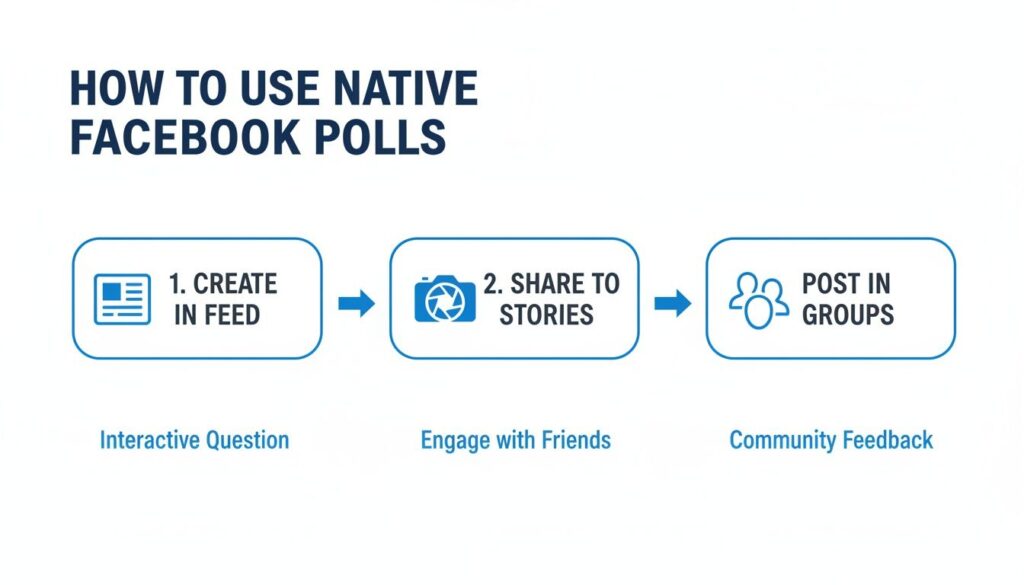
Use Native Facebook Polls
If you need quick, no-fuss feedback, Facebook’s native polls are your best friend. They’re built into the platform, making them simple to create and incredibly effective for sparking instant engagement.
Let’s walk through how to use the poll features in your Feed, Stories, and Groups to get real insights without the complexity.
Driving Engagement with Feed Polls
The classic Feed poll is perfect for those simple, “this or that” style questions that stop the scroll. Because they’re visual and take a single click to answer, they almost always outperform a standard post.
A local coffee shop, for instance, could ask, “What’s our next seasonal latte flavor?” with options like “Pumpkin Spice” and “Maple Pecan.” This does more than just rack up likes—it gives them real-world data for inventory planning and makes customers feel part of the brand’s story.
Here’s how to get the most out of your Feed polls:
- Go Visual: Always add a relevant image or GIF. If you’re a clothing brand asking about new t-shirt colors, show mockups of both. Let people see what they’re voting for.
- Set a Clear End Date: For timely decisions, a 24-hour poll creates a sense of urgency. You can let polls run for a day, a week, or indefinitely.
- Spark a Discussion: In the post text, ask followers to elaborate on their vote in the comments. This is where you’ll uncover the “why” behind the what.
A well-crafted poll doesn’t just ask a question; it starts a conversation. The real gold is often in the comments, where people explain why they voted a certain way. That qualitative feedback is pure market research gold.
Leveraging the Power of Story Polls
Facebook Stories offer an informal, in-the-moment way to connect. The “Poll” sticker is an interactive element that’s incredibly easy for people to tap as they flip through Stories.
Because Stories disappear after 24 hours, they’re perfect for quick-fire questions. A fitness coach could drop a Story poll asking, “Tomorrow’s workout focus? 💪” with “Leg Day” and “Upper Body” as options. The response is immediate and directly informs their next piece of content.
The vertical, full-screen format makes Story polls feel less like a survey and more like a fun check-in. This is a great way to learn more about the various Facebook poll options available to you.
Building Community in Facebook Groups
This is where polls truly shine for community building. In a Facebook Group, your members are already invested and highly engaged. Polls become an invaluable tool for getting opinions from your most loyal fans.
Unlike public Page polls, Group polls offer more flexibility. You can allow members to add their own options, which can uncover ideas you hadn’t considered. You can also see exactly who voted for which option, giving you powerful data on individual preferences.
Consider these real-world scenarios:
- A SaaS Company’s User Group: The community manager posts a poll asking, “Which feature integration should we prioritize next?” This directly informs their product roadmap.
- An Online Course Creator’s Student Group: The creator polls students on the best time for a live Q&A session, ensuring maximum attendance.
- A Book Club Group: The moderator uses a poll to let members vote on next month’s book, building buy-in and keeping the community active.
By using polls strategically inside Groups, you can steer discussions, make collective decisions, and gather nuanced insights that aren’t possible with a public Feed poll.
Building Conversational Surveys in Facebook Messenger
While native polls are great for a quick pulse check, they barely scratch the surface. To get deep, actionable data, you need to bring the conversation into Facebook Messenger. This is where you graduate from a simple vote to a dynamic, one-on-one chat.
Conversational surveys feel less like a clinical questionnaire and more like a helpful, personal interaction. This approach is a game-changer for completion rates. Why? Because users are guided through questions one at a time in a familiar chat interface, preventing the overwhelm that kills longer forms.
Using a platform like Clepher, you can build these interactive chat flows with a simple drag-and-drop interface—no coding needed. You’re not just building a survey; you’re designing a conversation that reacts to user input, creating a personalized path for every single person.
Structuring Your Messenger Survey
The secret to a successful Messenger survey is making it feel like a natural chat. You achieve this with two core components: Quick Replies and Conditional Logic. Quick Replies are pre-set buttons users can tap to answer, making it easy and keeping the momentum going.
Conditional logic is the “brain” of your survey. It allows the chatbot to ask relevant follow-up questions based on a user’s answer.
- For a beginner: If they select “Beginner,” the bot can ask, “Great! What’s the #1 thing you’d like to learn first?”
- For an expert: If they choose “Expert,” the follow-up might be, “Awesome! What advanced topic are you most interested in exploring?”
This simple branching makes the survey feel intelligent and tailored. You’re only asking questions that make sense for them, which creates a better experience and gives you cleaner, more relevant data.
A conversational survey isn’t just a data collection tool; it’s a customer experience. By making the process easy, personal, and responsive, you show customers you value their time and their specific needs, building trust with every interaction.
Those simple native polls we talked about? They’re the perfect entry point to pull engaged users into a more detailed Messenger survey. Think of the polls in your Feed, Stories, and Groups as launchpads to identify your most engaged followers, who you can then invite into a more comprehensive chat flow.
A Practical Example: Post-Purchase Feedback
Let’s get practical. Imagine a customer just bought from your e-commerce store. Instead of an easily ignored email, you can trigger a Messenger survey right away.
Here’s a sample script:
Bot: “Hey [First Name]! Thanks for your recent order. We’d love to get your quick feedback—it’ll only take a minute. Ready?”
- Quick Reply Options: [Yes, I’m ready!] [Maybe later]
If they tap “Yes,” the conversation continues.
Bot: “Awesome! On a scale of 1 to 5 stars, how would you rate your overall experience?”
- Quick Reply Options: [⭐] [⭐⭐] [⭐⭐⭐] [⭐⭐⭐⭐] [⭐⭐⭐⭐⭐]
This is where conditional logic shines. If they give 5 stars, the bot can say, “Wow, thank you! We’d be grateful if you’d share your experience as a review.” But if they give 1 star, it can respond with, “Oh no! We’re sorry to hear that. What went wrong so we can make it right?” and instantly notify your support team.
The results speak for themselves: ads with survey call-to-actions can hit an impressive 9.21% conversion rate. With a tool like Clepher, you can embed these surveys directly into chat flows and turn every response into a segmented lead.
From Data Capture to Automated Action
The real magic happens after you get an answer. Each response is an opportunity to automatically build a rich customer profile.
Here’s how it works:
- Custom Fields: Save a user’s answer—like “Beginner” or their 5-star rating—to a custom field in their profile.
- Tagging: Based on their responses, automatically apply tags like
[Happy Customer],[Needs Follow-Up], or[Interested in Product X].
This automated segmentation is what separates amateurs from pros. Once a user is tagged, you can trigger targeted follow-ups. Someone tagged [Needs Follow-Up] could get a message from a live agent, while [Happy Customer] might get a discount code. You can even set up a powerful auto-reply in Facebook Messenger that triggers based on specific actions.
Bottom line: by building conversational surveys in Messenger, you’re not just asking questions. You’re creating an automated system to understand your audience, personalize their experience, and turn feedback into immediate, targeted action.
Turning Survey Data Into Actionable Marketing
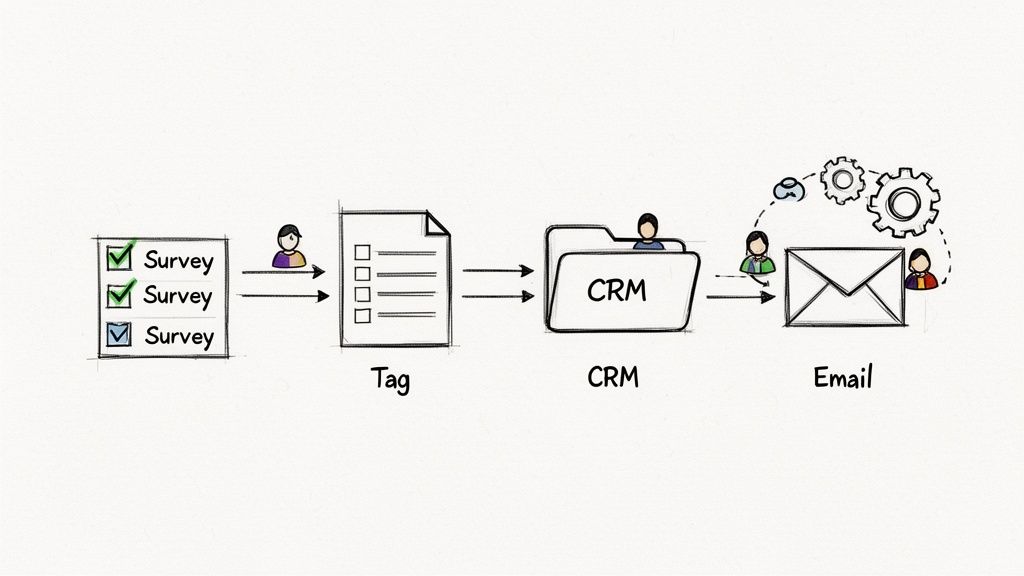
Survey on Facebook Marketing Workflow
Running a survey is a great start, but the real work begins after the last response. Collecting data is easy; turning it into smart, automated marketing is where the magic happens. This is how simple answers become genuine business intelligence.
The goal is to feed that data across your entire marketing stack to personalize the customer journey at scale. You’re building a bridge from survey responses directly to your CRM, email software, and other critical tools.
From Data Collection to Automated Action
Imagine every survey response automatically triggering the perfect follow-up. This is completely doable with today’s automation tools. By linking your Messenger survey tool—like Clepher—to platforms such as Zapier or Make, you can build powerful workflows that run 24/7.
These “connector” apps pass information between your software systems the moment a user completes your survey.
- Google Sheets: Instantly log every response into a spreadsheet for easy analysis and team sharing.
- Your CRM (like HubSpot or Salesforce): Automatically create or update a contact record with survey data, giving your sales team priceless context.
- Your Email Service Provider (like Mailchimp or ConvertKit): Add the user to a specific email list or kick off a targeted automation sequence based on their answers.
This level of sophisticated automation, once reserved for large corporations, is now accessible to everyone.
A Real-World Example in Action
Let’s see how this works. Picture an online educator who sells photography courses. They set up a quick Messenger survey to understand their audience’s needs.
The first question is simple: “What best describes your photography skill level?” with options “Just Starting Out,” “Hobbyist,” and “Pro.”
As soon as a user answers, a workflow kicks in:
- A user who selects “Just Starting Out” is automatically tagged in Clepher as a
[Beginner]. They are then added to an email sequence that sends a free guide to camera basics, followed by an email introducing the “Photography 101” course. - A user who picks “Hobbyist” gets tagged as
[Intermediate]. They’re funneled into a different email sequence about advanced composition techniques and an upcoming Lightroom workshop.
This isn’t just good marketing; it’s a better customer experience. You’ve stopped blasting generic messages. Instead, you’re delivering relevant, helpful content that speaks directly to each person’s stated needs.
From Simple Answers to Smart Segmentation
Every survey response is a building block for more effective communication. By tagging users based on their answers, you create dynamic, intelligent audience segments. To dive deeper, explore our complete guide on these powerful customer segmentation strategies.
This allows for incredibly precise targeting. Announcing a new advanced software feature? Just send the message to users tagged as “Pro.” This ensures your messages always land with the right people, skyrocketing engagement, and reducing unsubscribes.
The real transformation happens when you see a survey not as a one-time task, but as the front door to a personalized marketing ecosystem. Each answer is a signal, and with the right connections, you can build a system that responds intelligently, creating stronger customer relationships and driving real business growth.
Crafting Surveys People Want to Complete
Facebook Mobile Survey
Anyone can launch a survey on Facebook. The real challenge is getting people to actually finish it.
A high completion rate is the result of smart design and a bit of psychology. Your goal is to make the survey feel less like a pop quiz and more like a quick, painless conversation. The biggest killer of a good survey is friction—any confusing question or clunky step that makes someone give up. Let’s smooth out those bumps.
Writing Questions That Get Answers
Your data is only as good as your questions. If people are confused, their answers are worthless. So, talk like a real person. Use the same simple, everyday language your audience uses.
Drop the corporate jargon, avoid double-barreled questions (e.g., “Was our product and customer service great?”), and steer clear of confusing double negatives. If an idea is complex, break it into two separate, focused questions.
Here’s a clear example:
- Bad: “Given the current market dynamics, what is your propensity to advocate for our solution among your professional network?”
- Good: “On a scale of 0-10, how likely are you to recommend us to a friend or colleague?”
The second one is instantly clear. It uses a familiar format—the Net Promoter Score—and removes all the mental work for the user. Easy.
Start with an Easy Win
The first question is the most important. It has to be incredibly simple and non-threatening to get the ball rolling.
A great opening question builds momentum. A local bakery shouldn’t lead with “What’s your email address?” Instead, a question like, “What’s your favorite type of pastry?” with options like “Croissant,” “Donut,” or “Muffin” is perfect. It’s fun, takes a single tap, and gets the user invested.
This is the “foot-in-the-door” technique. It’s a classic psychological trick: when you get someone to agree to a small, easy request (like answering one simple question), they are far more likely to stick around for the rest of the survey.
Respect Their Time and Their Device
Nobody wants to fill out a long survey on a fast-moving platform like Facebook. Long surveys are dead on arrival.
As a rule of thumb, keep your survey to 5-10 questions at most. For a quick Messenger poll, 3-5 questions is even better. Always be upfront about the time commitment. A simple “This will only take 2 minutes!” works wonders.
Remember, most people will be on their phones. Design for mobile first. That means big, tappable buttons (like Messenger’s Quick Replies) and avoiding tiny text or questions that demand a lot of typing.
Using Incentives the Smart Way
A reward is a great way to boost responses, but you have to be smart about it—especially when running a poll in a Facebook group. The goal is to encourage honest feedback, not just attract people who are only there for freebies.
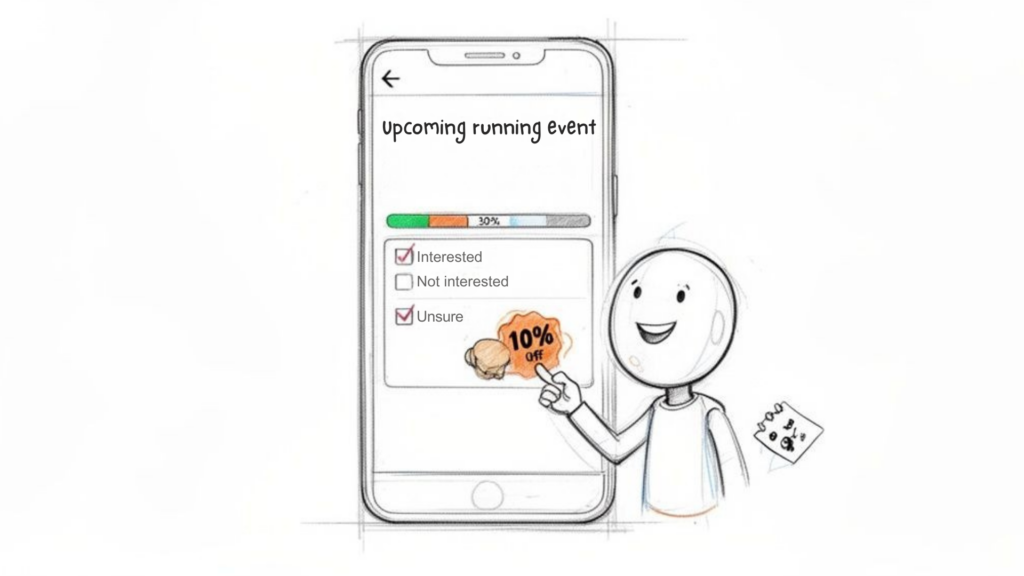
The best incentives are closely tied to your business. A 10% discount code, a free e-book, or entry into a giveaway for one of your products are all effective options. For example, an e-commerce brand could offer a coupon after completing a quick poll, encouraging participation while also driving a future purchase.
Frame the reward as a “thank you” for their time, not a bribe. This keeps your responses more genuine and ensures that your poll in a Facebook group delivers useful, reliable insights while still improving completion rates.
Quick Do’s and Don’ts for Your Survey
Here’s a quick table to keep you on track when building your next Facebook survey.
| Do’s (The Green Flags) | Don’ts (The Red Flags) |
|---|---|
| Start with an easy, engaging question. | Ask for personal information upfront. |
| Keep questions short, clear, and single-focused. | Use jargon, complex language, or leading questions. |
| Limit the total number of questions. | Create a long survey that feels like a chore. |
| Offer a relevant incentive as a thank you. | Forget to share the results with your audience. |
| Design with mobile users in mind. | Use biased questions that push for a certain answer. |
Common Questions About Creating Facebook Surveys
When you start using Facebook for feedback, a few questions always pop up. Nailing the answers is key to getting valuable insights.
Let’s clear up those common sticking points so you can get the most out of every survey you run.
Ready to move beyond basic polls and create dynamic, conversational surveys that get real results? With Clepher, you can build intelligent chat automations for Messenger and Instagram using a simple drag-and-drop builder. Capture leads, segment your audience, and turn feedback into action automatically. Learn more and start your journey with AI-powered chat.

Related Posts
Revenue Optimization: A Practical Playbook for Growth
October 19, 202610 Lead Capture Software Tools Compared for 2026
October 18, 2026WhatsApp Chatbot for Ecommerce: A Practical 2026 Guide
October 17, 2026
Founder Clepher