
A large share of Instagram comment activity is low quality or automated, which is exactly why businesses need to be precise about what they mean by an Instagram comments bot.
The term gets flattened into one ugly stereotype. Generic praise, copied lines, link bait, and throwaway accounts chasing visibility. That version still exists, and it creates obvious problems: weak engagement, damaged trust, and unnecessary account risk.
There is also a very different use case that serious teams use to turn attention into conversations. On a brand’s own post, someone comments with clear intent, then an automation replies in context and starts a DM flow for a coupon, product details, booking info, or lead capture. That is closer to workflow design than spam.
The difference matters because the setup determines the outcome. A bot that posts unsolicited comments across Instagram tries to manufacture attention. A bot that reacts to inbound interest in your content helps organize demand you already earned. Businesses exploring Instagram automation for business growth need to separate those two models before they choose any tool.
That same distinction matters for modern creator brands, ecommerce teams, and visual campaigns that use services like Ai Model Creation. Better creative can increase comment volume, but the follow-up system decides whether that attention turns into qualified DMs, sales conversations, or wasted traffic.
The Two Sides of Instagram Automation
“Instagram comments bot” gets used for two tools that have almost nothing in common.
One is a spam machine. It comments on other people’s posts, tries to look human, and chases attention at scale. The output is familiar: “Nice pic!”, “Awesome!”, “Love this.” It clutters feeds, annoys users, and puts accounts in danger.
The other is a response system. It waits for someone to comment on your post, then replies in context and starts a private conversation in Instagram DMs. That is not growth hacking in the old sense. It is closer to customer service, lead capture, and sales enablement.
This distinction is important because Instagram has become far better at spotting inauthentic activity. A business that confuses outbound spam with legitimate inbound automation can damage reach, trust, and account health very quickly.
Why marketers keep mixing them up
The confusion happens because both tools touch comments.
That is where the similarity ends.
- Outbound spam bots try to manufacture visibility on other accounts.
- Inbound responder bots react to engagement already happening on your account.
- Spam bots interrupt.
- Responder bots assist.
A fashion brand launching a campaign with synthetic visuals from a service like Ai Model Creation may attract a surge of product questions in the comments. In that scenario, automation can be useful. Not to spray comments across Instagram, but to answer “Do you ship to Europe?” or “Send me the link” and route interested people into DM.
What businesses need
Most businesses do not need more public noise. They need a faster path from attention to conversation.
That is why tools built for comment-to-DM workflows make more sense than old-school comment spam. If someone comments “guide” on a reel, an approved workflow can acknowledge them publicly and continue privately with the right next step. The business outcome is better, and the risk profile is completely different.
For teams comparing options, this practical breakdown of Instagram automation for business is a useful starting point because it frames automation around engagement on your own assets, not opportunistic commenting on everyone else’s posts.
The core rule is simple. If the bot helps you respond to interest on your own content, you may have a useful marketing system. If it posts unsolicited comments across Instagram, you are looking at a liability.
Defining the Two Types of Comment Bots
Instagram comment bots fall into two categories, and the distinction matters more than the label.
One category posts unsolicited comments across other accounts to attract attention. The other responds to comments people leave on your own posts and moves interested users into DM. Both are called “comment bots” in the market, but they create very different business outcomes and very different levels of account risk.
The outbound spam bot
This is the risky version.
It logs into Instagram, scans hashtags, reels, or competitor posts, and drops comments meant to spark curiosity or pull users back to a profile. Because the workflow depends on volume, the messages are usually repetitive, vague, or off-topic.
Common examples include:
- Generic praise: “Nice post!”
- Profile bait: “Love this. Check our page.”
- Irrelevant promotion: a crypto or SaaS pitch under a fitness reel
- Pushy prompts: “DM us if you want to grow fast.”
These tools are weak for two reasons. They interrupt people who did not ask to hear from you, and they usually rely on behavior that puts the account at risk. Even when they generate profile visits, the traffic quality is poor because the comment was not tied to real buying intent.
The inbound responder bot
This is the version businesses can use responsibly.
It waits for a person to comment on your content, then triggers a rule-based response. That response might be a short public reply, a DM with the requested link or resource, or a qualification step that routes the person to the right next action.
A few practical examples:
- A skincare brand posts, “Comment ROUTINE and I’ll send the morning routine.”
- A coach posts, “Comment START if you want the checklist.”
- A restaurant posts, “Comment MENU for this week’s specials.”
The key difference is intent. The user starts the interaction.
That is also why these systems convert better. Someone who comments with a keyword has already shown interest, so the automation is handling demand, not manufacturing it. Teams that want to set this up without custom development can follow a no-code guide to building an Instagram bot around comment triggers and DM workflows.
Good Bot vs. Bad Bot. A Quick Comparison
| Attribute | Inbound Responder Bot | Outbound Spam Bot |
|---|---|---|
| Where it operates | On your own posts and reels | On other accounts, hashtags, or scraped targets |
| Trigger | A user comments on your content | The tool decides where to post comments |
| Purpose | Capture intent, answer requests, start sales conversations | Chase visibility and profile clicks |
| Message style | Contextual replies and DM follow-up | Repetitive, generic, often irrelevant comments |
| Compliance posture | Can be built around approved workflows | Often depends on policy-violating automation |
| Business value | Converts engagement into measurable conversations | Creates noise, low-quality traffic, and account risk |
A practical filter for evaluating tools
Ask the vendor one direct question.
Does the tool post comments on other people’s posts on my behalf?
If yes, treat it as a spam automation product, even if the sales page frames it as growth software. If no, and the tool only reacts to engagement on your own account, you are looking at a different class of automation with a much safer use case.
That distinction is the foundation for the rest of this guide. A bot that responds to inbound interest can support marketing. A bot that sprays comments across Instagram creates exposure without trust, and usually without lasting results.
How Instagram Comment Bots Work
Under the hood, most tools fall into two technical camps.
The first uses official platform access. The second imitates user behavior in the interface. This technical difference shapes stability, safety, and what kind of workflow you can responsibly build.
API-based automation
API-based tools connect through authorized pathways provided by Meta. In practical terms, that means the tool is not pretending to be a person tapping around the app. It is receiving structured events and sending approved actions.
For comment automation, the flow usually works like this:
- A user comments on your post or reel
- The system receives that comment event
- Rules evaluate the comment
- The bot posts a reply, sends a DM, tags the user, or routes them into a workflow
This is the architecture businesses should prefer for inbound engagement.
It is also what makes more advanced logic possible. A no-code walkthrough, like build an Instagram bot without code is useful because it shows how comment triggers, DM flows, conditions, and segmentation fit together without relying on hacky browser behavior.
UI automation and scraping
The other category uses browser automation or screen-level simulation.
These tools log into Instagram, open pages, scroll, click, type, and submit comments the same way a person would. They often rely on cookies, randomized delays, and rotating behavior patterns to avoid getting blocked.
That sounds clever until something changes.
A small interface update can break the script. A login challenge can stop the run. A pattern in timing or phrasing can get flagged. And because the tool is acting like a user, it usually pushes you toward exactly the kind of behavior Instagram wants to limit.
Why this difference matters in daily operations
For a marketer, the technical distinction is not academic.
It affects:
- Reliability: API workflows tend to be more stable for legitimate use cases.
- Permission boundaries: Approved access narrows what the tool can do, which is often good.
- Risk concentration: UI bots tend to concentrate risk at the account level because they are simulating direct user activity.
- Workflow quality: API tools are usually better suited for lead capture and service flows than mass outreach.
What safe automation looks like technically
A safe setup usually includes a few characteristics:
- Own-content triggers: It reacts to comments on your posts, not random public content.
- Structured logic: Keyword rules, exclusions, tags, and follow-up paths.
- DM continuation: The public comment is the start, not the whole strategy.
- Human handoff: Sales or support staff can step in when intent is high.
If a vendor spends more time talking about stealth, delays, cookies, and avoiding detection than about customer journeys, that is the wrong category of tool for a business account.
Practical Use Cases That Drive Real Results
The useful version of an Instagram comments bot does not chase vanity metrics. It shortens response time and moves qualified people into conversations.
That sounds simple, but the business effect is significant when you apply it to the right campaign.
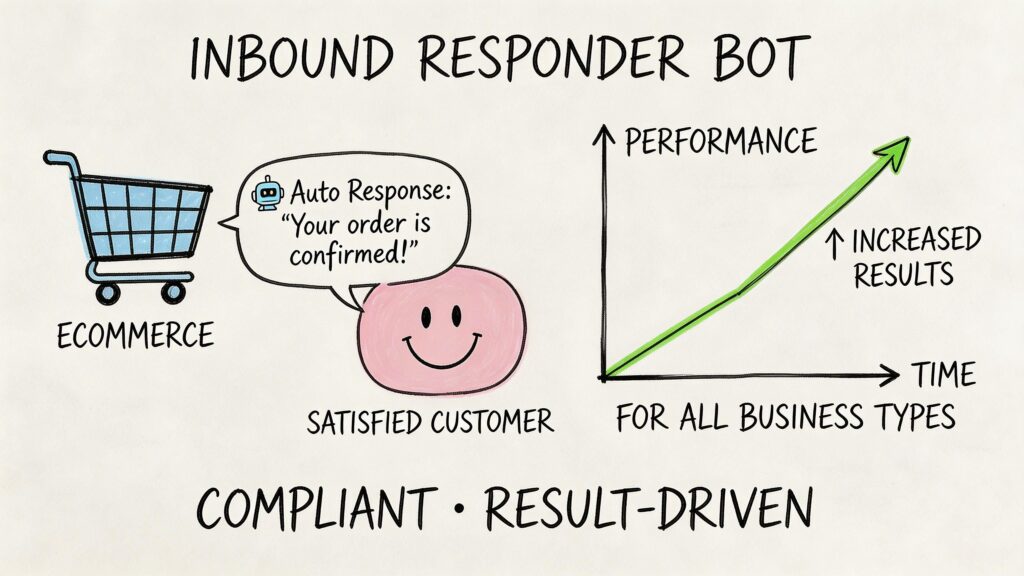
Instagram Comments Responder
For e-commerce brands
A product launch post attracts the same questions every time.
“Does it come in black?”
“Do you ship internationally?”
“Can you send the link?”
“Is there a discount?”
An inbound responder bot can handle the first move.
Mini playbook for product interest
- Trigger: User comments “link,” “price,” or a product keyword on a reel
- Public reply: A short acknowledgment that confirms the message is on the way
- DM action: Send the product link, answer a common question, and offer the next step
- Outcome: The shopper leaves the crowded comment section and enters a private buying path
This is especially effective for short-form content where attention is high but patience is low. People comment while they are interested. The faster the follow-up, the better the chance of conversion.
For creators and coaches
Creators often use comments to distribute lead magnets, waitlists, webinar access, or application links.
A manual process works at low volume. It breaks once the post gains traction.
Mini playbook for lead capture
A business coach posts a reel with a caption inviting people to comment “SYSTEM” for a checklist.
The automation can:
- Reply publicly with a friendly acknowledgment
- Send the checklist in DM
- Ask one qualifying question
- Route the person based on their answer
That last part is where the value compounds. A cold follower and a ready-to-buy lead should not receive the same message sequence.
For agencies managing clients
Agencies need repeatable systems, clean reporting, and low account risk.
Comment-to-DM workflows fit agency operations well because they are campaign-based. You can tie them to specific posts, offers, and client goals without relying on messy outbound tactics.
Mini playbook for client promotions
- Client type: Local service business
- Post CTA: “Comment QUOTE for pricing.”
- Auto response: Public acknowledgment plus DM opener
- Agency workflow: Tag the lead, capture service interest, notify the team for follow-up
This gives agencies a practical middle ground between fully manual engagement and risky automation.
Here is a video example of the general workflow style many marketers use for comment-triggered messaging:
For support and FAQs
Not every use case is sales-driven.
A brand can use comment automation to reduce friction on common support requests:
- Order questions: Move people to DM for order-specific help
- Availability checks: Send stock or variant details privately
- Location requests: Deliver store info without cluttering the comments
- Promotion details: Clarify the offer and capture interest
What makes these use cases work
The pattern is consistent across industries.
The public comment does one job
It acknowledges the person quickly and keeps the interaction feeling alive.
The DM handles core interactions
That is where you can share links, qualify intent, answer specifics, and continue the conversation in a cleaner environment.
The offer is simple
The strongest campaigns usually ask for one easy action. Comment a keyword. Ask a question. Confirm interest.
Good automation does not replace conversation. It removes the lag between interest and response.
Navigating Risks and Instagram’s Policies
Instagram penalizes behavior that looks automated, low-quality, or manipulative. That matters because there is a big difference between replying to people who comment on your post and spraying canned comments across other accounts to chase attention.

Instagram Comments Bot Security
Teams usually get in trouble when they treat automation as a way around platform rules instead of a way to respond faster within them. Instagram does not need a written confession. It can flag patterns. Repeated comments, irrelevant replies, unnatural timing, and account activity that does not match normal human use all raise risk.
What risky automation usually looks like
The highest-risk setups tend to share the same traits:
- Repetitive phrasing: The same compliment, pitch, or CTA is posted again and again
- Predictable timing: Comments are published at fixed intervals that look machine-driven
- Poor relevance: Replies that do not fit the post, creator, or conversation
- Weak account quality: Thin profiles, low-trust posting history, or strange engagement ratios
- Outbound behavior at scale: Commenting on third-party posts to force visibility rather than responding to inbound interest
That last point is the one many articles blur. Outbound spam bots try to manufacture reach by inserting your brand into conversations where nobody asked for it. Inbound comment-to-DM automation starts with user intent on your own content. From a compliance and account-safety perspective, those are not the same category.
Why spam bots are a bad business decision
Spam comments can create surface-level activity, but they are weak marketing.
A generic comment may drive a few profile visits. It rarely produces qualified demand, because the interaction begins as an interruption. That hurts conversion quality, and it also creates a brand problem. People notice lazy automation fast. If a business keeps showing up under unrelated posts with copy-paste comments, it looks sloppy, not efficient.
There is also a durability problem. Any tactic that depends on staying just under enforcement thresholds is unstable. Platform detection improves. Your account history accumulates signals. One campaign might slip through. A repeatable growth system cannot depend on that.
The compliance blind spot many teams miss
A lot of advice about Instagram comments bot tools focuses on what can be automated and skips the harder question. Is the method supported, and who carries the risk if the account gets restricted?
That is the gap serious operators pay attention to. Approved API-based workflows on your own account are one thing. Tools that ask for browser cookies, session exports, device emulation, or mass commenting behavior are another. The logic is similar to automated data extraction and bans. Different platform, same lesson. When automation operates outside approved boundaries, the account usually absorbs the downside.
A practical risk checklist
Before you use any tool, check the operating model:
- Does it comment on third-party posts at scale? High risk.
- Does it require login workarounds like cookies or session scraping? That is a bad sign.
- Does the vendor clearly state what is supported through official access? If not, assume the risk sits with you.
- Can you limit the workflow to your own posts, your own inbox, and user-initiated actions? Safer.
- Can a human step in quickly? You need a clear handoff for support issues, edge cases, and angry replies.
A simple rule works well here. If the automation starts with inbound intent and stays inside approved account actions, risk drops sharply. If it starts by pushing your brand into other people’s comment sections, risk rises fast.
If your growth strategy depends on avoiding detection, it is not a reliable strategy.
A Framework for Safe and Effective Implementation
Safe automation starts with one rule. Build around approved access and inbound intent.
That shifts your thinking from “How do I comment more?” to “How do I respond faster when someone raises a hand?”
Step one uses a trigger with obvious intent
The cleanest setup starts with a post that asks for a keyword or a direct response.
Examples:
- Comment “guide” to get the download
- Comment “menu” to get this week’s options
- Comment “demo” to see how it works
- Ask a question below, and I’ll send details in DM. This is important because the person has already initiated the exchange.
Step two keeps the public reply short
The public reply should acknowledge the comment and set expectations.
Examples:
- “Sent you a DM.”
- “Just messaged you with the details.”
- “Check your inbox.”
Do not turn the public reply into a paragraph. Its job is confirmation, not closing.
Step three moves the conversation into DM
Official API-based automation becomes useful here. Advanced systems can classify incoming comments and trigger sub-second automated responses with 85% personalization accuracy, and that move into DM can increase lead conversion by 15% to 30% for DTC marketers, according to this video breakdown of AI-driven Instagram comment workflows.
That only matters if the DM itself is well-designed.
A strong DM sequence usually includes
-
Immediate value
Deliver the promised asset, link, or answer first. -
A clarifying question
Ask one useful follow-up. Not five. -
A branch based on intent
Buyers, browsers, and support requests should not go down the same path. -
A handoff point
Route higher-intent conversations to a person when needed.
Step four writes like a human, not a script
Bad automation sounds templated even when the workflow is technically compliant.
A few practical standards help:
- Use natural language: Short, clear, specific replies
- Vary phrasing: Especially for public acknowledgments
- Reference context: Mention the product, offer, or topic
- Avoid fake enthusiasm: Excessive emojis and generic praise lower trust
Step five measures business outcomes
Do not judge the system by comment volume alone.
Track outcomes such as:
- Which post triggers the most qualified DMs
- Which keyword attracts the best leads
- Where users drop out of the DM flow
- Which questions require human intervention
- How many conversations lead to bookings, purchases, or support resolution
Tool choice matters
If you need a no-code option, use tools designed around approved comment-to-DM workflows rather than outbound posting. For example, Clepher supports Instagram post engagement flows that privately reply to people who comment on your posts, which fits the inbound model discussed throughout this guide.
A sample safe workflow
Campaign example for a supplement brand
- Post CTA: “Comment PROTEIN and I’ll send the ingredient breakdown”
- Public reply: “Sent it over in DM”
- DM message one: Ingredient breakdown plus product link
- DM message two: “Are you looking for recovery, meal replacement, or daily protein?”
- Branching: Route based on answer
- Human follow-up: Team steps in for advanced product questions
The safest automation feels like operational discipline, not growth hacking.
Smarter Alternatives to Spammy Commenting
Brands get better results when they stop treating every Instagram automation tool as the same category. Outbound comment bots chase attention on other people’s posts and create account risk. Inbound automation works on your own posts, captures clear intent, and turns a public comment into a private conversation your team can convert.
Manual engagement still matters.
Use a person when outcomes are critical or the context is complex. A partnership inquiry, a frustrated customer, or a creator relationship usually needs judgment, not a script. Public trust is easy to lose in those moments.
Saved replies are often the best first upgrade. They help teams answer repeated questions faster without giving up control over tone, timing, or context. For support queues, store locators, pricing questions, and simple product clarifications, that is usually enough.
Teams that need scale should put automation where Instagram intent is strongest. A comment on your own post is a clean signal. Someone saw the offer, chose to engage, and gave you a natural opening for follow-up. That is why Instagram chat bots built around comment-to-DM flows are a better fit for lead capture, product education, waitlists, and coupon delivery than any tool designed to spray public comments across the platform.
A simple rule helps:
- Use manual replies for high-value, sensitive, or relationship-driven conversations
- Use saved replies for repeated questions that still need human review
- Use compliant comment-to-DM automation for campaigns with a clear keyword, offer, and follow-up path
- Avoid outbound comment bots for prospecting, visibility hacking, or mass engagement on other accounts
The strongest Instagram systems are built for relevance and handoff. They start with inbound interest, move the conversation into DM, and give your team a clear point to step in. That is a safer model, and in practice, it is usually the one that produces better business outcomes.
Frequently Asked Questions
If you want to turn Instagram comments into qualified conversations instead of noisy vanity activity, Clepher is built for that inbound workflow. You can set up comment-triggered DM flows, route leads based on intent, and keep Instagram engagement tied to actual sales and support outcomes rather than risky outbound spam.

Related Posts
10 Lead Capture Software Tools Compared for 2026
October 18, 2026WhatsApp Chatbot for Ecommerce: A Practical 2026 Guide
October 17, 2026What Is Lead Scoring and How It Drives Real Sales Results
October 16, 2026
Founder Clepher