
Stop leaving revenue in the inbox.
Instagram DMs regularly outperform email on attention, which is why more teams now treat direct messages as a conversion channel instead of a support side task. The opportunity is obvious. The failure point is execution.
A common mistake is handling DMs in one of two ways. Some brands leave inbound interest untouched. Others reply manually until volume outruns the team. In both cases, high-intent moments expire fast. A new follower cools off, a Story reply goes unanswered, a product question stalls, or a post-purchase customer never gets nudged into the next action.
A strong template for Instagram DMs solves part of that problem. The useful version is built for deployment, not just copy and paste. It needs the right trigger, clear personalization fields, a defined next step, and a test plan your team can launch immediately.
That is the angle of this guide. Each template includes the message itself, the strategic context behind it, the tags you need before turning automation on, practical implementation notes, and one A/B test idea you can run in a platform like Clepher. If you need the automation setup behind these flows, this guide to mastering Instagram DM automation covers the operational side.
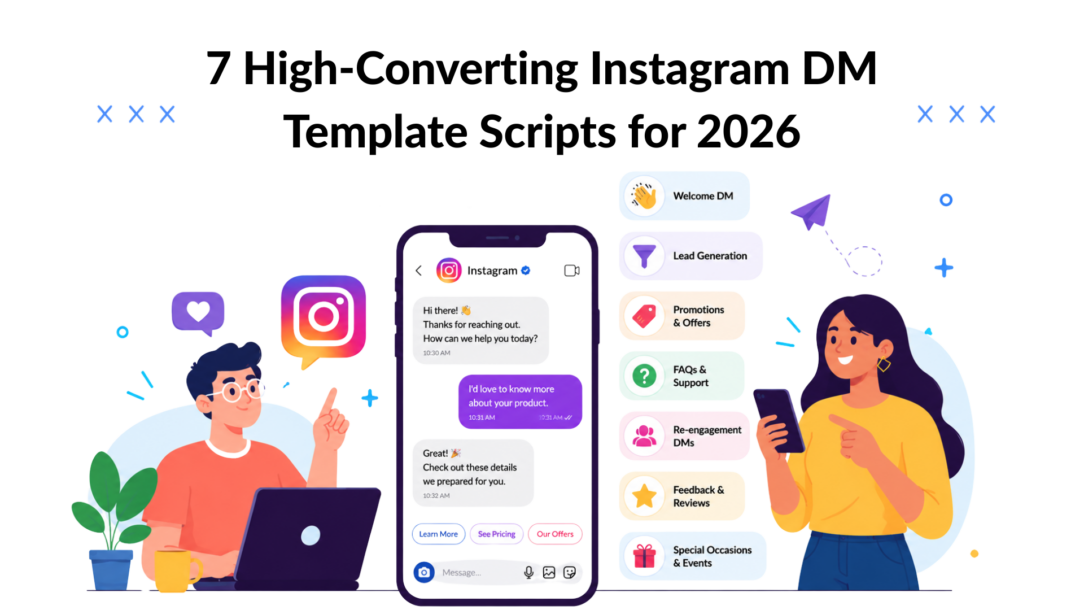
You will get 7 templates built for actual use, not swipe-file clutter.
1. The New Follower Welcome DM Template
A follow is weak intent, but it is still intent. The first DM should turn that signal into a useful reply while attention is still fresh.
A strong welcome message does three jobs at once. It confirms what the account is about, routes the follower into the right path, and creates an easy first response. That is the difference between a polite auto-message and a deployable instagram dm template your team can build into a flow.
Copy-and-paste script
Hi [First Name], thanks for following.
We post practical tips and resources on [topic or outcome].
What are you here for most: [Option A], [Option B], or [Option C]?
Reply with one option, and I’ll send the best starting point.
This format works because it reduces decision load. New followers rarely want a long intro, a discount code, and three links in the first message. A short prompt with a clear set of choices gets more replies and gives you cleaner data for the next step.
Deployment kit
Set up these fields before you switch the automation on:
- First-name tag: Use it if your system captures a reliable first name. If name quality is inconsistent, make the line optional so the message still reads cleanly.
- Interest-routing tag: Map each reply option to a product category, use case, content pillar, or service line.
- Follower-source tag: Record whether the follow came from organic content, paid traffic, a creator collaboration, or a giveaway. This matters later because giveaway followers often need a different follow-up than product-aware followers.
- Resource tag: Assign one asset, page, or next message to each option so the handoff stays tight.
What to do:
- Give 2 to 4 choices: Fewer options raise response rates. Too many choices create hesitation.
- Match the options to real demand: Pull choices from top FAQs, best-performing content themes, or sales call notes.
- Write for mobile: Keep the full message easy to read on one screen.
- Plan the second message before the first one goes live: If someone replies “Option B,” the next step should already be written, tagged, and tracked.
What to avoid:
- Leading with a sale: New followers usually need orientation before an offer.
- Generic option labels: “Services” or “Help” tells you very little. “Grow qualified leads” or “Improve retention” gives you usable intent data.
- One-path automation: If every reply gets the same link, the template is not segmenting anyone.
The trade-off is straightforward. More personalization usually lifts relevance, but every extra branch adds setup time, QA work, and reporting complexity. For many teams, three intent paths is the right starting point. It is enough to segment meaningfully without creating an automation tree nobody maintains.
Practical rule: Use the welcome DM to classify interest first, then deliver the right asset, offer, or conversation path.
If you want the operational setup behind those branches, this guide to mastering Instagram DM automation covers triggers, routing, and follow-up logic.
A/B test to run: Compare reply options written as benefit-led choices versus category-led choices. Example: test “Get more leads / Improve conversion / Retain customers” against “Marketing / Sales / Customer success.” Benefit-led language often produces clearer intent signals because followers choose the outcome they want, not the department label.
2. The Story Reply Lead Capture Template
Story replies are warmer than passive views. Someone already reacted to your content. That’s the moment to move from attention into qualification.
Brands often waste this by sending a generic “thanks” and nothing else. A better instagram dm template uses the reply as the trigger for a small, useful exchange that captures context before it asks for contact details.
Copy-and-paste script
Thanks for replying to that Story, [First Name].
You mentioned [Story Topic]. I’ve got a quick resource that can help with that.
Want me to send the guide here, or would you prefer I send the full version to your email?
Reply with “DM” or “Email”.
How to deploy it without losing momentum
This template works best when the Story itself pre-frames the handoff. If you run a poll saying “Need help with retention?” and then DM a generic brand brochure, the transition feels off. Match the DM to the exact Story topic.
That’s especially important because current best practice is shifting toward intent-based flows, including comment-to-DM and keyword-trigger sequences for lead magnets and support journeys, as discussed in this tutorial on DM funnel behavior and branching. The key move is mapping the DM to the user’s intent, not just automating the response.
Use this structure in a real business scenario:
- A coach posts a quiz about client acquisition.
- A lead replies “yes” to needing more calls booked.
- The DM offers either an in-app checklist or the full worksheet by email.
- If they choose email, the flow captures the address and tags them by pain point.
Story replies are one of the cleanest warm triggers you’ll get on Instagram. Treat them like raised hands.
For platform setup, Clepher’s page on Instagram Story reply automation shows how to turn Story engagement into actual conversation paths.
A/B test to run: compare “DM or Email?” against “Want the short version or full version?” The second option can feel less transactional for audiences that resist giving contact details too early.
3. The Exclusive Promo Code Template
Targeted offers outperform broad discounts because context shapes response. A promo code in DMs works best when the recipient can immediately see why they got it and why it matters now.
That means tying the message to a real trigger: a launch reminder, a restock alert, a VIP list release, or recent engagement with a specific product line. Generic blasts train people to ignore future DMs. Triggered offers keep the channel useful.
Copy-and-paste script
Hey [First Name], thanks for following along.
We just opened [Product or Collection Name], and you’re getting a private code before we share it more broadly.
Use [Code] on [Product Category] here: [link]
If you want help picking the right option, reply here, and I’ll help.
How to use this template without burning the channel
Promo DMs perform on relevance first and discount second. If someone watched your launch Stories, joined a waitlist, clicked a product teaser, or bought from the same category before, a private code feels like service. If they have no recent signal, it feels like another ad.
I usually set clear entry rules before this goes live. For example, send the code only to people tagged with [launch_interest], [restock_request], or [vip_segment]. That gives the team a clean deployment kit instead of a one-size-fits-all blast. It also makes reporting easier because you can compare click and redemption rates by trigger, not just by campaign name.
Good fits for this template:
- DTC skincare brand: Send to followers who engaged with ingredient education or launch countdown content.
- Local gym: Send a class-pass code after someone asked about schedule, pricing, or trial access.
- Course creator: Send an enrollment code to waitlist members or people who clicked the curriculum preview.
Common failure points are predictable.
- Weak segment logic: Sending the same code to everyone lowers relevance fast.
- Too much copy: Put terms, exclusions, and fine print on the landing page.
- No reply path: A short question prompt often recovers buyers who are interested but unsure.
Personalization tags to include: first name, product or collection name, recent interest tag, campaign source, VIP status, expiry window.
Best practice: match the landing page to the DM promise. If the message says “private early code,” the destination should reflect that language. Any mismatch cuts trust and hurts redemption.
A/B test to run: test “private code” against “early access.” In many accounts, early access wins when the audience cares more about getting first pick than saving money. Track not just clicks, but completed purchases and average order value by segment.
4. The Abandoned Cart Recovery Template
Nearly 7 in 10 online shopping carts are abandoned, according to the Baymard Institute’s cart abandonment research. That is why cart recovery DMs deserve tighter execution than a generic reminder blast. The buyer already showed intent. The job is to remove the one friction point that stopped checkout.
Copy-and-paste script
Hi [First Name], you left [Product Name] in your cart.
If you want, reply with any question about fit, shipping, or the best option, and we’ll help you finish with confidence.
Here’s your cart link:
[cart link]
If useful, I can also send the quick sizing or product guide.
Why this template converts
A recovery DM works best when it feels like assisted selling. Buyers abandon carts for practical reasons: sizing uncertainty, shipping concerns, price hesitation, or simple distraction. A good message addresses those reasons directly instead of pushing for the sale too early.
The strongest deployment setup uses trigger-specific logic, not one catch-all script. A shopper who abandoned after viewing a size chart should get fit help first. A shopper who dropped off on shipping selection may need delivery clarity. That is the difference between a template and a usable deployment kit.
Use these tags in the flow:
- First-name tag: keeps the DM readable and human.
- Product-name tag: references the exact item left behind.
- Variant tag: size, color, subscription tier, or bundle choice.
- Cart-stage tag: lets you separate product-page exits from checkout-stage exits.
- Help-topic tag: routes replies into fit, shipping, payment, or product-detail paths.
- Cart-link tag: returns the shopper to the saved cart without extra steps.
A strong setup also needs clear rules for timing. Send too fast, and the message can feel intrusive. Send too late and intent fades. For many ecommerce accounts, the first DM performs best after a short delay, then a second follow-up only if the buyer engaged but did not complete the purchase. That trade-off matters more than clever copy.
Recovery DMs work best when they answer the likely objection before asking for the order.
One practical example is apparel. If a shopper leaves two sizes of the same product in cart, the right DM is not “complete your purchase.” It is a fit-focused message with a direct reply path to ask which size usually works for them. That approach gives support and sales teams something they can act on.
Best practice: keep the destination consistent with the message. If the DM offers fit help, the linked page should reopen the saved cart and make size information easy to find. If the DM offers product guidance, the support branch should have prewritten replies ready for common objections.
A/B test to run: test a question-first version against a cart-link-first version inside your automation platform, such as Clepher. Measure completed purchases, not just clicks or replies. In higher-consideration categories, question-first often drives more assisted conversions. In low-friction categories, cart-link-first can win on speed.
5. The Influencer and UGC Outreach Template
Instagram creators often decide in seconds whether a DM is worth opening fully, and outreach quality shows up fast in reply rates, content rights risk, and team efficiency. The message has to do more than sound friendly. It needs to identify the opportunity, show real context, and set up the next step your team can fulfill.
The practical split here is simple. Creator partnership outreach and UGC permission requests should use different templates because they solve different business problems. One is a pitch. The other is a rights and usage request.
Copy-and-paste script for creator outreach
Hi [Name], I liked your recent post about [specific topic].
Your style feels like a strong fit for [brand]. We’re planning content around [campaign angle], and I’d love to see if there’s a collaboration fit.
If you’re open, I can send a short brief with the concept and what we’re looking for.
Copy-and-paste script for UGC permission
Hi [Name], we loved your photo featuring [product].
Would you be open to us reposting it on our Instagram and marketing channels, with credit to your account? If yes, I’ll send the exact usage details here.
Build the template around workflow, not just outreach
A usable outreach template needs four parts. The opener proves the message is specific. The offer states the type of opportunity. The reply prompt keeps the ask small. The follow-up path handles what happens after “yes.”
That last part is where many teams slow down. If a creator replies positively, someone on your team should already have the brief, compensation range, deliverables, and approval steps ready. If a customer agrees to UGC reuse, the next message should spell out channels, duration, attribution, and any consent language your legal team requires. Teams that use Instagram automation alongside a customer support AI chatbot workflow usually handle this handoff faster because routing, tagging, and human review are already defined.
Use these personalization tags:
- Recent-post reference: One real post, Reel, or Story detail that shows why the outreach is relevant.
- Creator segment: Niche, audience size band, region, or content category.
- Campaign type: Paid collaboration, gifted product, affiliate, whitelisting, or repost request.
- Usage rights status: Requested, approved, declined, or expired.
- Compensation status: Not discussed, gifted only, paid offer sent, or negotiated.
The trade-off is speed versus precision. Broad outreach fills the top of the funnel, but it also creates more low-fit replies and more manual sorting. Tighter targeting takes longer to prepare, yet it usually improves acceptance quality and reduces awkward back-and-forth later.
Good outreach sounds observant and commercially clear. Mention one concrete post or product use. State why the fit makes sense. Ask permission to send details rather than asking for a full commitment in the first message.
Bad outreach usually fails in predictable ways. Generic praise feels copied. Vague offers make creators assume the budget is weak or the ask is disorganized. Missing rights language creates problems after the content is already live.
Best practice: prepare two separate follow-up kits inside your platform. One for creator deals, with brief, timeline, compensation, and deliverables. One for UGC permissions, with usage terms, attribution language, and approval tracking. That turns the template into a deployment kit instead of a one-off message.
A/B test to run: test an observation-led opener against a direct campaign-led opener in Clepher. Measure qualified positive replies, not raw response rate alone. A higher reply count means little if those replies still require manual clarification on fit, budget, or content rights.
6. The Customer Support Triage Template
A good support DM protects your team’s time and the customer’s patience.
Most brands make one of two mistakes here. They either automate too much and trap people in loops, or they automate too little and force agents to answer the same basic question all day. Triage sits in the middle. It handles the obvious stuff instantly and routes the rest cleanly.
Copy-and-paste script
Hi [First Name], I can help with that.
Choose the closest option below:
- Order status
- Shipping
- Returns
- Product question
- Something else
Reply with the number, and I’ll send the fastest next step.
Build for routing, not just replies
This template should be connected to actual outcomes. If someone picks order status, give them the tracking path. If they pick returns, surface the policy and the handoff. If they pick “something else,” route to a human instead of making them fight a bot.
That matters because deliverability and trust are a bigger operational issue than copywriting alone. ReplyRush notes that generic, high-volume outreach performs poorly, while personalized, value-first, action-oriented messages are more likely to convert in its discussion of Instagram auto DM templates and spam-safe messaging. Support inboxes are no different. If the automation feels robotic or evasive, people stop trusting the channel.
Use support-specific tags:
- Order-status intent
- Refund-risk intent
- VIP customer
- Escalation required
- Sentiment flag
For teams building this workflow, Clepher’s page on an AI chatbot for customer support is relevant because triage only works when the bot and human handoff are connected.
If a customer has already explained the issue once, don’t ask them to restate it after handoff. Pass the context into the live chat or ticket.
A/B test to run: compare numeric menu replies against button-based quick replies. Number menus often work better when customers are already typing, while quick replies reduce error for mobile users who want speed.
7. The Post-Purchase Feedback Template
Repeat purchases often come from what happens after delivery, not at checkout. A well-timed Instagram DM gives you three operational advantages in one message: it surfaces product friction early, collects language customers use, and identifies who is ready for a review or referral ask.
Copy-and-paste script
Hi [First Name], checking in on your [Product Name].
How’s it going so far?
Reply with:
- Love it
- Have a question
- Need help
If you’re loving it, I can also send the fastest way to leave a review or share your results.
This template works best as a deployment kit, not a standalone message. The copy is only one piece. Optimal performance comes from timing, branching, and the tags you attach before the DM goes live in a platform like Clepher.
Use these personalization tags:
- [First Name]
- [Product Name]
- [Delivery Date]
- [Days Since Delivery]
- [Order Type]
- [Customer Segment]
Timing is the first trade-off to get right. Send too early and the customer has not used the product enough to answer. Send too late and the moment passes. For skincare or supplements, wait until a customer can speak to routine fit. For apparel, feedback can land sooner. For home goods, send after delivery confirmation plus enough time for setup.
Why this template drives revenue, not just replies
Post-purchase audiences are usually warmer than prospecting audiences, so a weak response here often points to a setup issue. The message may be mistimed. The prompt may be too generic. Or the branch logic may not match the product experience.
The fix is specific follow-up.
If someone replies Love it, send the review path or a UGC prompt. If they reply Have a question, route them to the right usage guidance. If they reply Need help, move them into support with order context attached. That is what turns a feedback DM into a retention workflow instead of a courtesy check-in.
A few examples:
- Supplement brand: ask whether the product fits their routine, whether taste meets expectations, and when they expect to reorder.
- SaaS product: ask whether setup is complete and whether they reached the first useful outcome.
- Home goods brand: ask whether assembly was easy and route issue replies to care instructions or replacement support.
Best practices
- Match the prompt to the product outcome: “How’s it going?” is broad. “Was setup finished in under 10 minutes?” gets sharper feedback.
- Separate advocacy from support: Customers with friction should never receive a review ask before the issue is handled.
- Store voice-of-customer phrases: Repeated wording from buyers can improve product pages, onboarding, and ad copy.
- Tag response intent immediately: Don’t leave “love it” and “need help” in the same bucket if different teams need to act on them.
A/B test to run: test a broad check-in against an outcome-based prompt. Version A: “How’s it going so far?” Version B: “Have you used [Product Name] enough to see the result you wanted?” Track not just reply rate, but branch quality. The better version is the one that produces more useful review-ready replies and fewer vague responses.
7 Instagram DM Templates: Quick Side-by-Side Comparison
| Template | 🔄 Implementation Complexity | ⚡ Resources & Speed | 📊 Expected Outcomes ⭐ | Ideal Use Cases | 💡 Key Advantages |
|---|---|---|---|---|---|
| 1. The New Follower Welcome DM Template | Low, simple automation and timing trigger | Low resources; instant send (5–10 min) | Boosts initial engagement and reply rate; moderate CTR | New followers; community onboarding | Builds rapport quickly; invites conversation |
| 2. The Story Reply Lead Capture Template | Medium, keyword triggers and quick‑reply setup | Medium resources; immediate response to Story replies | High intent lead capture; strong CTR to resources | Story interactions (polls/quizzes); lead magnets | Captures warm leads; easy low‑friction CTAs |
| 3. The Exclusive Promo Code Template | Low, straightforward DM with promo trigger | Low resources; rapid conversions during promo window | Short‑term sales spike; measurable redemptions | Flash sales; product launches | Creates urgency and exclusivity; trackable ROI |
| 4. The Abandoned Cart Recovery Template | High, requires e‑commerce integration and personalization | Medium–high resources; time‑sensitive (send within 1–3 hrs) | High recovery rate and revenue lift ⭐ | E‑commerce cart recovery | Personalized reminders; overcomes purchase anxiety |
| 5. The Influencer & UGC Outreach Template | Medium, best manual or semi‑automated for genuine personalization | Higher human effort; slower but more authentic outreach | Improved collaboration and UGC approvals; higher content quality | Influencer outreach; UGC permission requests | Builds relationships; yields authentic content and crediting clarity |
| 6. The Customer Support Triage Template | Medium–High, flows, keyword mapping, human handoff required | Setup effort required; fast automated replies with human fallback | Reduced support workload; faster resolution and higher CSAT 📊 | FAQ handling and support triage at scale | Provides instant answers; routes complex issues to agents |
| 7. The Post-Purchase Feedback Template | Low–Medium, needs delivery trigger integration | Low resources; scheduled (5–7 days post‑delivery) | Increased review submissions and repeat purchase likelihood | Post‑delivery follow‑up; review collection | Encourages reviews and feedback; strengthens loyalty |
Turn Your Templates into Automated Conversations
Instagram is one of the highest-engagement social channels, but engagement alone does not create pipeline or revenue. Automated DMs do that job only when the flow matches intent, timing, and the next action you want the person to take.
An instagram dm template works best as part of a deployment system. That system needs four pieces. A trigger, such as a Story reply or a cart event. Personalization tags, such as first name, product viewed, order status, or creator niche. Branching logic that separates buyers, support requests, and low-intent replies. Measurement that shows which message, delay, or CTA changes outcomes.
That is the practical difference between a swipe file and a usable automation kit. The message copy matters, but so do the conditions around it.
For e-commerce brands, the highest-intent starting points are usually abandoned cart recovery, support triage, and post-purchase follow-up. For creators and service businesses, Story reply capture and new follower welcome flows tend to be easier to launch first because the trigger is simple and the lead signal is clear. Start with the use case you can tag correctly and route cleanly. If replies pile up in a shared inbox with no owner, the template is not the problem. The workflow is.
Keep the build tight. One trigger. One primary CTA. Two or three reply branches. One human handoff rule. Then run a controlled A/B test inside your platform. Test a direct CTA against a softer question. Test immediate send against a short delay. Test a discount-led cart recovery message against a reassurance-led version focused on shipping, returns, or product fit.
This section of the article is meant to function like a deployment kit, not just a list of scripts. Each template becomes more useful when the team knows when to trigger it, which tags are required, what best practices prevent low-quality sends, and what to test first.
Clepher is one relevant option for putting that into production. Its no-code flows, tags, testing features, and cross-channel automation support the branching logic these templates require.
If you want to turn these scripts into working Instagram automations, Clepher gives you a practical way to build flows, add personalization tags, test message variants, and route leads, customers, and support conversations without handling every DM manually.
