
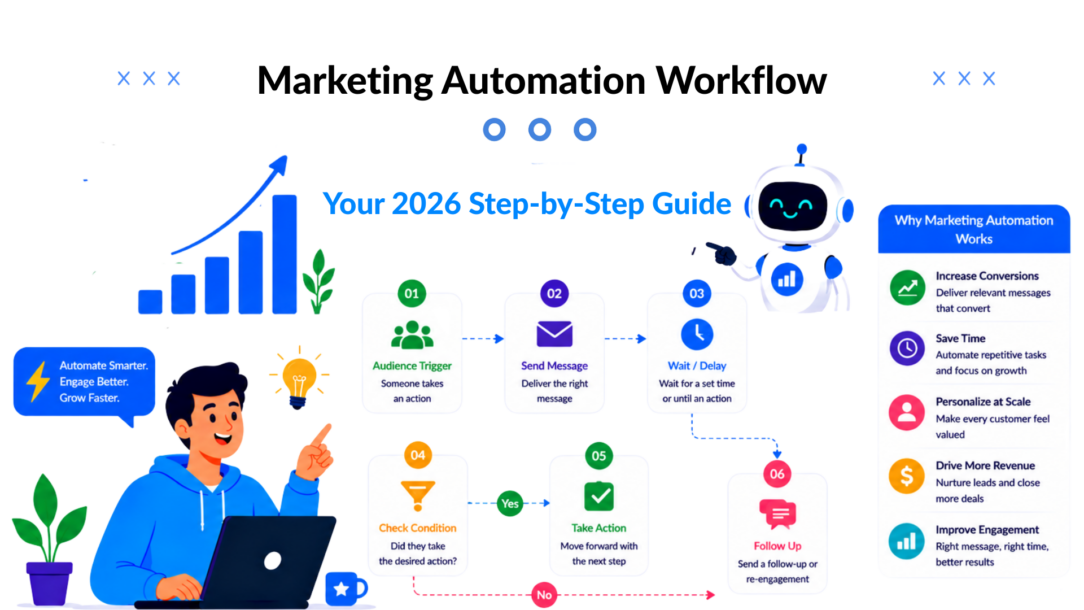
The number that should reset your expectations is this: the global marketing automation market is projected to reach $15.58 billion by 2030, and the average return is $5.44 for every $1 invested. At the same time, 95% of enterprise marketing teams already use at least one automation platform, and those programs lift MQL-to-SQL conversion rates by a median of 38%, according to Grand View Research.
That tells you something important. A marketing automation workflow is no longer a side project for the email team. It’s part of how modern brands capture demand, qualify intent, recover lost revenue, and keep sales moving without adding manual follow-up to every campaign.
The mistake I still see is treating automation like a pile of disconnected sends. One email for signups. One reminder for abandoned carts. One alert for sales. That isn’t a workflow. That’s a patchwork system that breaks the moment customer behavior gets messy.
A real marketing automation workflow connects events, logic, and follow-up into one operating system. It decides what happens next based on what the customer did, what data you already know, and what outcome the business needs.
Why Marketing Automation Workflows Are No Longer Optional
B2B companies that respond to leads within minutes consistently outperform teams that reply hours later, because speed changes conversion. The problem is that speed breaks first when volume rises. More traffic, more handoffs, and more channels create gaps that manual follow-up cannot cover reliably.
That gap costs revenue in ordinary places. A demo request sits in a shared inbox. A returning buyer gets the same nurture as a first-time visitor. A pricing-page visit in GA4 never reaches sales because the website and CRM are not speaking to each other. None of that looks dramatic in isolation. Across a quarter, it shows up as lower pipeline, slower sales cycles, and wasted paid acquisition.
Automation became an operating requirement
Automation now sits in the same category as attribution hygiene and CRM discipline. Teams need it to keep response times tight, route intent correctly, and maintain message consistency across email, SMS, chat, and sales alerts.
The shift is not tool adoption. It is workflow quality.
Basic automations handled simple jobs well enough a few years ago. A welcome email after signup. A cart reminder after abandonment. That baseline no longer creates much advantage. Strong teams now connect external data sources, such as a legacy CRM, GA4 events, billing data, or support activity, and use that context to decide what happens next without asking ops to build custom middleware for every use case.
That matters because customer intent rarely lives in one platform. A high-value prospect might revisit the pricing page, open three product emails, and have an old opportunity record sitting in a legacy CRM under a different owner. If the workflow cannot combine those signals, the follow-up stays generic and sales gets the alert too late.
The cost shows up in lead quality and conversion speed
Manual execution fails in predictable ways. Teams reply late. Segments drift out of date. Sales gets too many weak leads and misses the strong ones. Lifecycle campaigns depend on whoever remembered to set the task.
A well-built workflow fixes those operational leaks. It can watch for behavior, pull in outside context, score intent, and trigger the next step automatically. With modern no-code builders, that no longer requires a full integration project. AI agents and enrichment tools can classify form submissions, summarize account history from a legacy system, and personalize the next message in near real time.
The trade-off is straightforward. Simpler workflows are faster to launch and easier to maintain. Smarter workflows produce better conversion rates because they react to real buying signals, not just list membership. In practice, the best approach is to start with one revenue-critical motion, then add external data only where it improves an actual decision, such as lead routing, qualification, or offer selection.
A useful rule is simple:
If the task repeats, depends on known signals, and affects pipeline or retention, put it in a workflow.
Here is where that creates measurable business value:
- Lead generation: Follow up while intent is still fresh, not after the buying window starts to close.
- Sales efficiency: Send reps the contacts that match fit and behavior, instead of every form fill.
- Retention: Trigger post-purchase education, renewal reminders, and reactivation without relying on manual lists.
- Personalization: Use CRM history, GA4 behavior, or product usage data to change the path each contact receives.
Teams that still treat automation as a batch email tool are leaving money in the handoff between systems. The teams gaining ground are building workflows that act on live customer signals, even when those signals start outside the marketing platform.
The Anatomy of an Automated Workflow
A marketing automation workflow works like a digital domino rally. One event tips the first tile, the system checks what should happen next, and the right action fires without anyone stepping in manually.
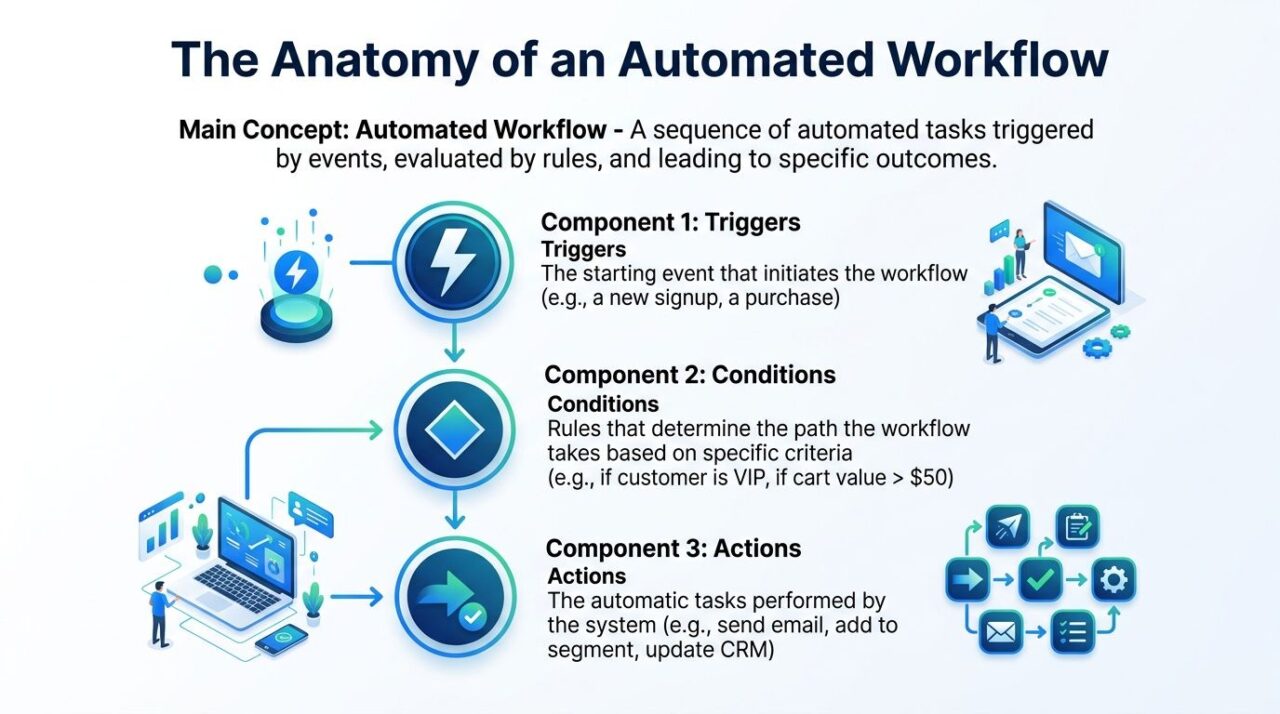
The structure is simpler than many may assume. Every workflow has three core parts: triggers, conditions, and actions.
Marketing Automation Workflow
Triggers start the motion
A trigger is the event that starts the workflow.
That event can be simple, like a form submission. It can also be behavioral, like a product page visit, a missed checkout, or a support conversation that signals buying intent. The point is that the system doesn’t guess when to act. It waits for a clear signal.
Examples of useful triggers include:
- New subscriber: Someone joins through a popup, quiz, or chat widget.
- Cart abandonment: A shopper adds products but leaves before purchase.
- Lead milestone: A contact requests pricing, a demo, or a callback.
- Lifecycle moment: A customer completes a first purchase or becomes inactive.
Conditions decide the route
Conditions are the logic layer. They tell the workflow which path to take based on what’s true about the customer, account, or event.
Basic automation transitions into relevant automation. Instead of sending the same message to everyone, the workflow asks questions. Is this the first purchase? Is the lead from a target account? Did the visitor come from a paid campaign? Is the cart value high enough to justify a stronger follow-up?
A workflow gets smarter when it branches on meaningful data, not when it adds more steps.
Conditions are where many teams either win or create chaos. Too few conditions and messaging feels generic. Too many and the workflow becomes fragile, hard to debug, and impossible to maintain.
Actions do the work
Actions are the outputs. They’re what the system does once a trigger fires and any conditions are checked.
Typical actions include:
- Send a message: Email, SMS, Messenger, Instagram DM, or WhatsApp follow-up
- Update records: Add a tag, change a lifecycle stage, write to a CRM field
- Alert a team member: Notify sales when a lead shows strong intent
- Move the contact: Add to a segment, remove from another flow, suppress future sends
According to Aprimo’s guide to marketing workflow automation, a marketing automation workflow is defined by these three components, and this structure consistently achieves over 50% time savings compared with manual processes.
A simple example
Here’s what this looks like in practice for a B2B lead nurture flow:
- Trigger: A visitor downloads a comparison guide
- Condition: If company size fits your ideal customer profile
- Action: Send a personalized follow-up and assign the contact to the correct sales queue
That’s the full engine. Once you understand those moving parts, you can break down almost any marketing automation workflow and rebuild it for your own funnel.
Proven Workflow Templates That Drive Growth
Teams that start from a proven template launch faster and make fewer logic mistakes. That matters because the gap between “we should automate this” and “this flow is producing pipeline” is usually not strategy. It is execution.
The best templates are built around a business event with revenue attached to it. A signup. A cart abandonment. A pricing-page visit from a target account. A completed purchase. Start there, then shape the workflow around what the buyer needs next and what your team needs to know.
The difference between an average template and a high-performing one is the data feeding it. Basic workflows react to what happened inside one tool. Better workflows also pull in context from outside sources, such as a legacy CRM, GA4, a booking platform, or a support system. With current no-code connectors and AI agents, teams can enrich that data in real time without building custom middleware for every use case. That makes personalization more accurate and sales follow-up more timely.
Four workflows worth building first
Welcome series
A welcome flow turns fresh attention into a first action. It should confirm the signup, deliver the promised asset, and move the contact toward one clear next step, such as viewing a product category, booking a demo, or completing profile setup.
This template gets stronger when it uses external data early. If GA4 shows the subscriber viewed pricing before opting in, the second message should not read like a general brand introduction. If your CRM shows the account already exists, route them into a sales-aware nurture instead of a generic new-lead sequence.
Abandoned cart recovery
Cart recovery works because the buyer already did the hard part. They showed intent. The workflow’s job is to remove friction before that intent cools off.
Good recovery flows do more than send a reminder. They adapt based on cart value, product type, returning-customer status, and support history. A no-code setup can pull order data from Shopify, loyalty status from a CRM, and browsing behavior from GA4, then let an AI agent tailor the message around likely objections such as shipping cost, sizing, or setup effort.
Lead nurturing for B2B
B2B nurture workflows should help sales spend time on the right accounts. That means the flow needs to do two jobs at once. Educate the lead and qualify the opportunity.
External data provides a direct payoff. If a legacy CRM shows an open opportunity from six months ago, the workflow should acknowledge that history. If GA4 shows repeat visits to integration pages, the sequence should shift toward technical validation instead of top-of-funnel education. That kind of routing used to require a developer or heavy middleware. In many stacks now, it is a no-code field sync plus a few well-set conditions.
Post-purchase follow-up
Post-purchase flows protect revenue you already won. They reduce buyer’s remorse, answer setup questions, drive activation, and create the next purchase opportunity.
The logic should reflect what was purchased and what happened after checkout. A SaaS customer who has not completed onboarding needs a different sequence than one who invited teammates on day one. An e-commerce customer who opened a support ticket may need reassurance before any cross-sell offer appears. Pulling that context from product analytics, help desk tools, or your CRM keeps the follow-up relevant and protects the customer experience.
Marketing Workflow Templates at a Glance
| Workflow Template | Primary Goal | Best For | Key Channels |
|---|---|---|---|
| Welcome Series | Convert new interest into first action | New subscribers, lead magnets, free trials | Email, website chat, Messenger |
| Abandoned Cart Recovery | Recover lost revenue | E-commerce and DTC brands | Email, SMS, web chat |
| Lead Nurturing | Qualify and warm leads | B2B, agencies, SaaS | Email, CRM alerts, chat |
| Post-Purchase Follow-up | Increase retention and repeat purchases | E-commerce, subscriptions, courses | Email, SMS, support chat |
What these look like in the real world
A welcome flow for a SaaS company might trigger from a homepage form, then check two outside signals before sending message two. First, whether GA4 shows the contact visited pricing or integrations. Second, whether the CRM already tags the account as active, churned, or sales-owned. That small layer of context changes the path from generic onboarding to targeted conversion work.
For remote or distributed teams, mapping this before you build saves a lot of confusion. If your team needs a visual starting point, these workflow diagrams for remote teams help clarify handoffs and decision points before anyone touches the builder.
An abandoned cart flow is usually shorter and more direct. Show the item, answer the likely objection, and make the return to checkout easy. If you want practical inspiration for timing and message sequencing, these drip marketing examples for behavior-based follow-ups show how short sequences can stay useful without becoming repetitive.
Copying a template word for word is a mistake. Copy the logic, keep the branch points simple, and feed the workflow better data than your competitors do. That is usually what turns an automation from a time-saver into a sales channel.
How to Design Your First Marketing Workflow
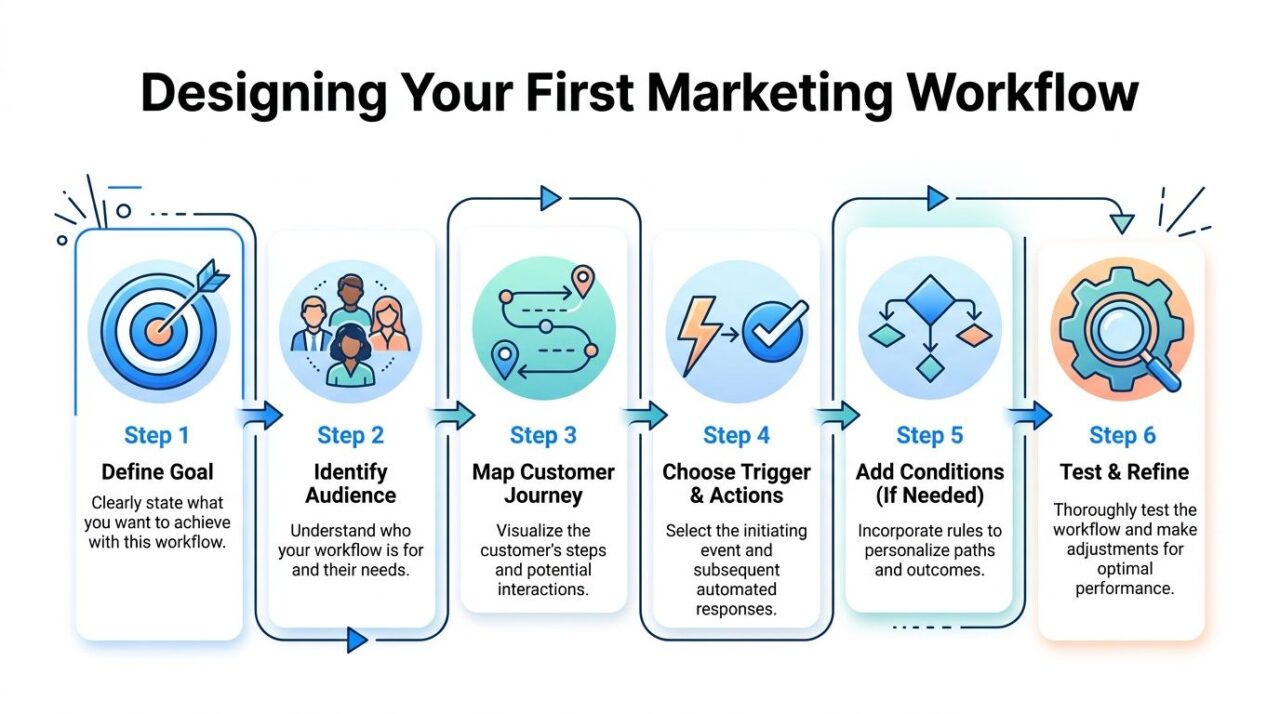
A strong workflow starts on a whiteboard, not in software. If you open the builder too early, you’ll spend your time arranging boxes instead of solving the core problem.
The easiest way to design your first marketing automation workflow is to keep the scope tight. One goal. One audience. One clear outcome.
Marketing Automation Workflow Marketing Strategy
Start with one measurable outcome
Don’t begin with channels or copy. Begin with the business result.
Good workflow goals are narrow enough to guide decisions. Recover lost carts. Book more demos from high-intent leads. Activate new users after signup. Increase repeat purchases after first order.
Weak goals sound like activity. “Set up nurture.” “Automate onboarding.” “Improve engagement.” Those aren’t outcomes. They won’t tell you what to include, what to exclude, or how to judge success later.
Map the path before writing anything
Once the goal is clear, sketch the customer path.
Use sticky notes, a whiteboard, FigJam, Miro, or whatever your team already uses. The format doesn’t matter. The logic does. You want to see where the flow starts, what choices matter, and what should happen if the customer ignores, clicks, replies, buys, or drops off.
A useful draft usually includes:
- Entry point: What behavior starts the flow?
- Decision points: What data changes the route?
- Desired action: What specific step do you want next?
- Exit rules: When should someone leave this workflow?
Write like a person, not a platform
The message should sound like a conversation you’d want to receive.
That means shorter copy, one job per message, and language matched to the moment. A first welcome message should reassure and orient. A cart reminder should remove friction. A post-purchase message should help the customer succeed with what they already bought.
If you can’t explain why a message exists in one sentence, it probably doesn’t belong in the workflow.
Decide what data the workflow needs
This is the part teams often skip, then regret later.
Your workflow only personalizes as well as your data structure allows. Before you build, decide which fields, tags, behaviors, or external signals should drive the logic. That could include product category, first purchase date, lead source, campaign name, CRM owner, or support history.
A practical checklist helps:
- Need to personalize the message: Capture names, products, offers, or lifecycle stage
- Need to branch the path: Identify conditions such as purchase status, lead quality, or channel preference
- Need to notify sales or support: Make sure ownership fields and routing rules exist
- Need to stop overlap: Define suppression logic so customers don’t receive conflicting messages
The workflow gets easier to build when the thinking is already done on paper.
Measuring Success and Optimizing Performance
A live workflow isn’t finished. It’s just producing enough data for you to improve it.
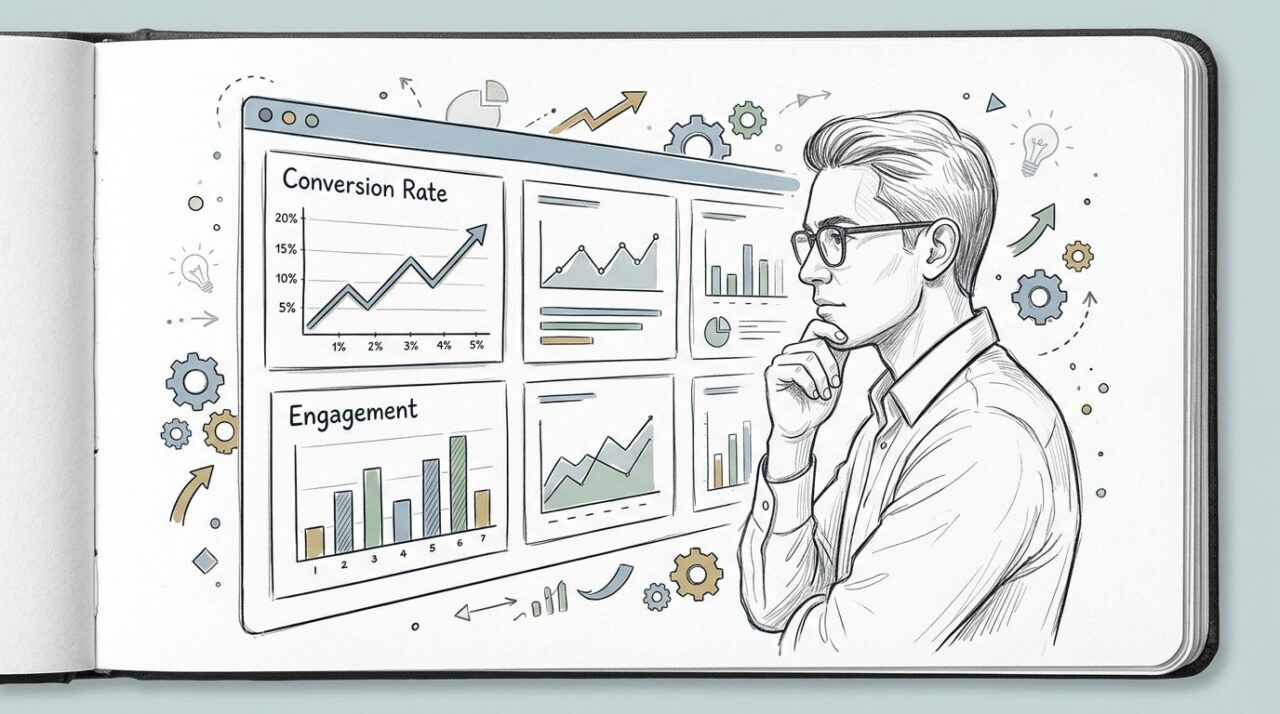
The fastest way to optimize a marketing automation workflow is to stop treating metrics like a scoreboard and start using them like diagnostics. You’re not just checking whether the numbers are up or down. You’re asking where the path is breaking.
Marketing Automation Workflow Data Analysis
Read the three core signals correctly
According to Join Breaker’s workflow guide, workflow success is diagnosed through three key KPIs: Open Rate, Click-Through Rate, and Conversion Rate. The same source gives the ROI formula as [(Value of Conversions – Cost) / Cost] x 100.
Each KPI tells a different story:
- Open Rate: Your first impression. If it’s weak, your subject line, sender identity, or timing may be off.
- Click-Through Rate: Your message relevance. If opens are healthy but clicks lag, the copy or offer isn’t persuasive enough.
- Conversion Rate: Your workflow outcome. If clicks happen but conversions stall, the landing page, form, or next step may be creating friction.
Use metric combinations to find the real issue
Looking at one metric in isolation leads to bad fixes.
High opens with low clicks usually means the hook worked, but the content didn’t carry the promise. Low opens and low clicks often point to a top-of-funnel issue like poor targeting, weak timing, or a forgettable subject line. High clicks with low conversions tell you the workflow did its job, but the destination didn’t.
If your team is trying to connect workflow performance back to revenue influence, this overview of marketing attribution models helps frame how each touchpoint contributes to the outcome.
What to test first
Don’t test everything at once. Change one meaningful variable at a time.
A practical testing order looks like this:
- Subject line first: Best when opens are the weak point
- Offer or CTA next: Best when people open but don’t act
- Timing and delay rules: Best when the message feels late or poorly sequenced
- Channel mix: Best when the audience responds better in chat, SMS, or email depending on the use case
A workflow usually underperforms for one of three reasons: wrong message, wrong moment, or wrong audience.
That diagnosis is what turns a basic automation into a revenue-producing asset.
Bringing Your Workflow to Life in a No-Code Builder
Teams usually hit the same wall at build time. The workflow logic is clear, but the data needed for good routing lives in places the automation platform cannot read on its own, such as a legacy CRM, GA4, a support tool, or a spreadsheet.
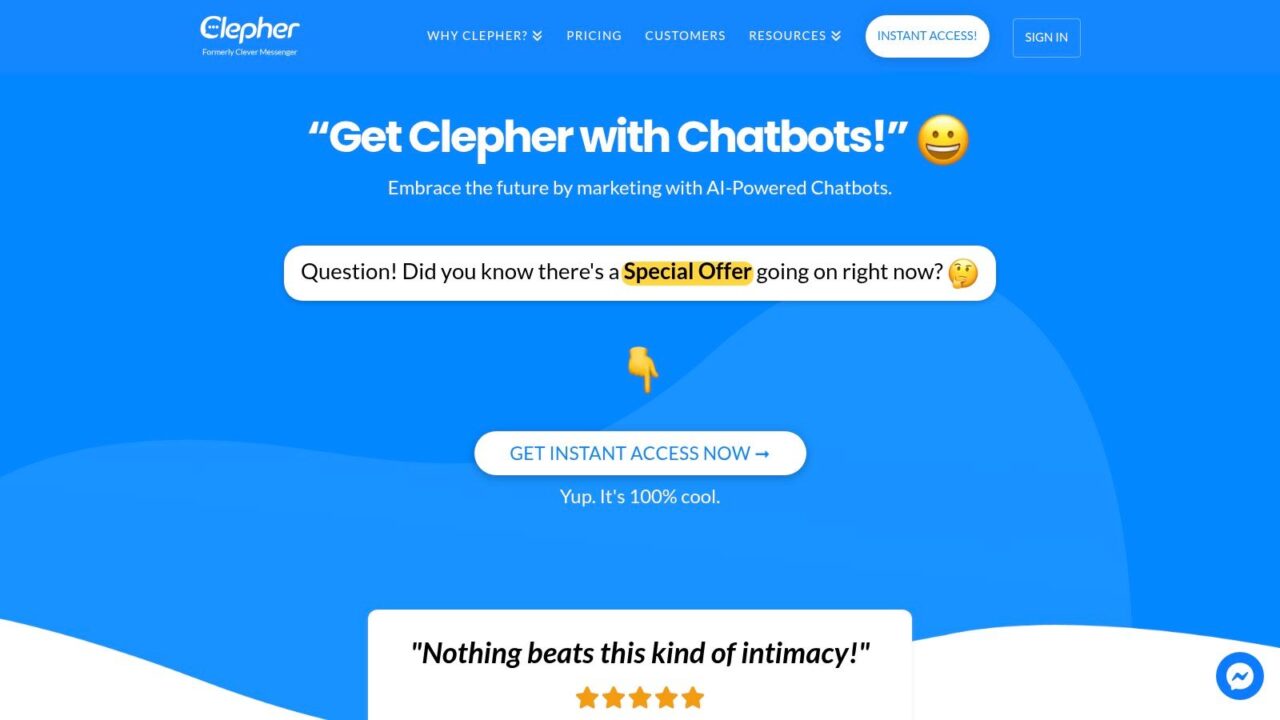
Marketing Automation Workflow Chatbot Landing Page
A no-code builder turns the workflow into visible parts. Triggers start the flow. Decision blocks check rules. Actions send messages, update records, or route the person to sales or support. That visibility matters because the team maintaining the workflow can trace the customer path in minutes instead of decoding hidden logic across multiple tools.
If you want a clearer view of where drag-and-drop builders replace custom integration work, this breakdown of no-code automation explains the trade-off well.
A practical setup using external data without heavy middleware
Here is the common scenario. A visitor starts a chat on your pricing page and enters their email. Sales wants the bot to treat that person differently if they are already in a legacy CRM as an open opportunity. Marketing wants the next message to reflect recent product interest from GA4. In many stacks, that means building a chain in Zapier or Make, mapping fields between apps, storing intermediate values, handling API failures, and maintaining the whole thing every time the CRM schema changes.
That approach can work. It also creates more moving parts than the workflow usually needs.
A cleaner setup is to let an AI agent pull the two external signals at the moment the conversation starts, return a plain-language result, and pass that result into a conditional split inside the builder. Clepher is one example of that model. It combines a drag-and-drop workflow builder with AI Agents that can fetch outside context and feed it back into website chat or messaging flows.
A simple version looks like this:
- Trigger: Visitor opens chat on the pricing page and submits an email address.
- Agent step 1, legacy CRM lookup: The agent queries the CRM by email and returns three fields the workflow needs, such as
lifecycle_stage,account_owner, andlast_demo_date. - Agent step 2, GA4 lookup: The same workflow asks for recent behavior tied to that user or session, such as whether they fired
view_pricing,request_demo_click, orfeature_compare_openin the last 7 days. - Normalize the result: The agent converts raw source data into a compact output the builder can use, for example:
open_opportunity = yes,high_intent = yes,interest = analytics. - Conditional split: If
open_opportunity = yes, route to an account-specific path and notify the assigned rep. Ifopen_opportunity = nobuthigh_intent = yes, show a demo CTA. If neither is true, send an educational message and collect qualification details. - Action: Write the result back to the contact record so the next workflow does not need to ask the same question again.
That is the part many articles skip. The workflow does not need every field from the CRM or every event from GA4. It needs a short decision-ready summary that changes the next action.
Here is what that looks like in practice.
A visitor types: “Can someone show me enterprise pricing?” The workflow captures the email, the agent checks the legacy CRM, and finds an open opportunity owned by Sarah in sales. It also checks GA4 and sees two pricing page views plus a comparison-table interaction this week. The decision block reads those outputs and routes the visitor to a branch that says, “You’re already speaking with Sarah on our team. I can send your request to her now or book time directly.” Sales gets the chat transcript and context immediately.
If the same visitor is not in the CRM but GA4 shows strong product interest, the branch changes. The bot can ask one qualification question, offer a demo, and tag the lead as high intent. If neither signal is present, the workflow shifts to education instead of forcing a sales CTA too early.
That is a revenue decision, not a technical one.
Why this beats a longer integration chain
With Zapier or Make, the usual pattern is app trigger, formatter, CRM search, path, GA4 connector or webhook, storage step, filter, then another action step. Every handoff is another place for the workflow to fail or slow down. You also have to decide upfront which fields to map and maintain those mappings over time.
Using an AI agent inside the builder changes the job. Instead of stitching together every field manually, you define the business question clearly: “Is this person an active opportunity, and what product area have they shown intent around recently?” The agent retrieves the source data, interprets it, and returns a result the builder can act on.
That does not remove trade-offs. AI agents still need permissioned access, clear prompts, and guardrails around which systems they can query. Teams should log every lookup, limit the fields returned, and review edge cases where identity matching is weak. If your CRM data is messy, the workflow will still inherit some of that mess. The difference is that you can contain the complexity in one step instead of spreading it across five tools.
Build rules that stay maintainable
The strongest workflows use external data for a small number of high-impact decisions.
Use it to answer questions like:
- Is this lead already in the pipeline?
- Did they show buying intent recently?
- Should this go to sales, support, or nurture?
- What message matches the product they care about?
Avoid copying your entire internal process into the builder. A workflow that mirrors every CRM status, territory rule, and exception case becomes hard to debug and even harder to improve. Keep the customer-facing path short. Keep the enrichment logic focused.
If your team works across other AI-assisted content systems too, a guide for AI finance video creators is a useful parallel. The underlying lesson is the same. Structured inputs produce better outputs, whether you are generating content or routing a lead in real time.
Start Automating Your Customer Conversations Today
A good marketing automation workflow doesn’t feel automated to the customer. It feels timely, relevant, and easy to act on.
That’s the shift that matters. You’re moving from manual follow-up and fragmented tools to a system that captures intent, responds faster, and keeps conversations going without adding headcount every time volume increases.
The smartest way to start is not to automate everything. Pick one workflow with a clear commercial purpose. A welcome flow. A cart recovery sequence. A lead qualification path. Build one, measure it, and improve it until the logic is solid.
Then expand.
If your team also creates educational content to feed those workflows, it helps to study adjacent automation use cases too. For example, this guide for AI finance video creators is useful because it shows how structured inputs, audience intent, and automation can work together in a different content format. The lesson carries over. Strong systems start with clear inputs and a repeatable path to output.
You don’t need a huge stack to get this right. You need a clear goal, a practical journey map, useful data, and a builder your team can realistically maintain.
The brands that win with automation aren’t the ones with the most flows. They’re the ones with workflows that make the next best action obvious.
If you want to turn these ideas into live conversational workflows, Clepher gives teams a no-code way to build automated customer journeys across website chat, Messenger, Instagram, and WhatsApp using triggers, conditions, AI Agents, and drag-and-drop flow logic.
