

The real-time AI agent assist market is projected to grow by USD 10.04 billion from 2024 to 2029 at a 27.3% CAGR, with North America contributing 37.7% of that growth, according to Technavio’s real-time AI agent assist market analysis. That matters because this category is no longer a niche call center tool. It’s becoming standard operating infrastructure for teams that handle customer conversations at speed.
For e-commerce and SaaS teams, the interesting shift isn’t just better support. It’s that real-time agent assistance now fits messaging-first operations. WhatsApp, Instagram DM, and web chat create a different kind of workload than voice. Agents juggle short replies, multiple threads, order questions, promo requests, and handoffs between bot and human. They need help in the moment, not another dashboard after the conversation ends.
What Is Real-Time Agent Assistance
Real-time agent assistance is an AI co-pilot that supports sales and support agents while a live conversation is happening. Instead of forcing someone to search a help center, dig through Shopify notes, or ask a manager in Slack, the system surfaces the next useful thing right inside the workflow.
That “useful thing” depends on context:
- For support: refund policy, delivery rules, or troubleshooting steps
- For sales: objection handling, product comparison points, or upsell prompts
- For onboarding: setup guidance, account-specific instructions, or the right knowledge article
- For compliance: reminders to include required wording or avoid risky phrasing
In practice, it sits between full automation and fully manual chat handling. The bot doesn’t need to take over the whole conversation. The human doesn’t need to carry the whole cognitive load either.
Why it matters on messaging channels
Messaging creates friction that traditional support playbooks often miss. A customer might send three short messages across five minutes, drop a screenshot, then return an hour later asking whether a discount still applies. The agent has to retain context, keep the tone sharp, and move the interaction forward without sounding scripted.
That’s where real-time agent assistance earns its keep. It helps a human agent respond faster, stay consistent, and avoid context loss across asynchronous conversations. An agent assist solution built for real-time messaging is what makes this possible, since the value collapses if suggestions arrive after the customer has already moved on.
RTAA works best when it feels invisible to the agent. If the system forces extra clicks or interrupts flow, adoption drops fast. Get that right, and it shows up directly in customer experience, because customer interactions stay consistent whether the agent has handled that exact question ten times or is seeing it for the first time.
Many teams already understand AI agents at a broad level. If you want the bigger picture before diving deeper into RTAA, this guide on what AI agents are is a useful starting point.
What RTAA is not
It’s not a replacement for agent judgment. It’s not a giant prompt box that spits out generic answers. And it’s not useful if your knowledge base is stale.
What works is targeted assistance. Short recommendations. Clear next-best actions. Relevant snippets. Strong routing logic. When teams get that right, agents stay focused on the customer instead of hunting for answers.
How RTAA Transforms Agent Workflows
The easiest way to understand RTAA is to view it as a race car co-pilot. The driver still controls the car. The co-pilot feeds the next turn, the hazard, and the ideal line at the right second. Timing matters more than volume.
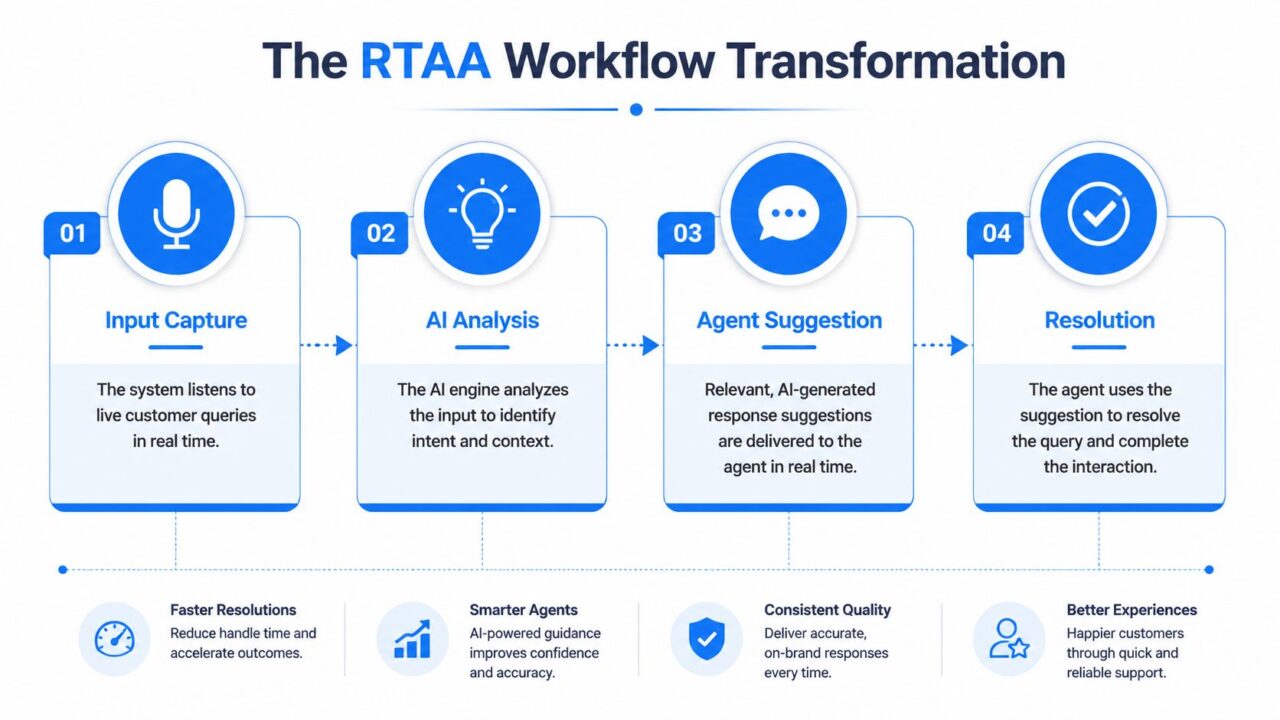
Real Time Agent Assistance Workflow Transformation
Listen
First, the system captures the live interaction. In voice environments, that means audio. In messaging, it means every incoming customer message, attachment event, agent reply, and channel signal.
For chat-first teams, this stage sounds simple, but it’s where a lot of implementations break. If the system only reads the latest message and ignores the thread, it loses context. If it can’t interpret order IDs, shipping terms, plan names, or promo language, the rest of the workflow becomes noisy.
Understand
Next, the AI interprets what’s happening. That includes intent, sentiment, topic, and urgency. On voice systems, this depends heavily on transcription quality. A high-performance RTAA pipeline runs with sub-300ms end-to-end latency, and poor transcription can create 20-30% error propagation in downstream intent detection, according to AssemblyAI’s explanation of real-time agent assist.
For messaging channels, the equivalent problem isn’t speech recognition. It’s messy language. Customers use fragments, emojis, screenshots, slang, and partial questions. A strong RTAA setup has to interpret “where’s my stuff,” “still not here,” and “order says delivered but nope” as related support situations, not separate categories.
Practical rule: Don’t train RTAA on idealized support language. Train it on your actual inbox.
Recommend
Once the system understands the interaction, it applies business rules and content logic. RTAA becomes operational instead of impressive during this phase.
A recommendation might be:
- A response draft customized for a shipping delay scenario
- A knowledge snippet with the exact refund exception policy
- A sales prompt suggesting a bundle when someone asks about compatibility
- A compliance warning telling the agent required language is missing
- A routing action that signals the conversation should move to billing, onboarding, or VIP support
Weak systems flood the agent with suggestions. Good systems prioritize. In most environments, fewer recommendations with higher relevance beat a constant stream of prompts.
Display
The last step is delivery. The agent needs the suggestion inside the workspace, not in a separate tab they’ll ignore after day three.
For messaging teams, the best interface patterns are simple:
| Interface pattern | Where it helps |
|---|---|
| Inline suggested reply | Fast-moving support chats |
| Knowledge side panel | Complex product or billing conversations |
| Compliance banner | Regulated industries or policy-sensitive flows |
| Next-best-action card | Sales and retention conversations |
The display layer has to respect attention. Agents should feel assisted, not managed. If your team says the tool is “technically accurate but annoying,” the problem usually isn’t the model. It’s the interface.
Tangible Benefits Across Your Business
RTAA is only worth deploying if it changes operating results. The gains usually show up in three places first: support quality, sales execution, and campaign consistency.
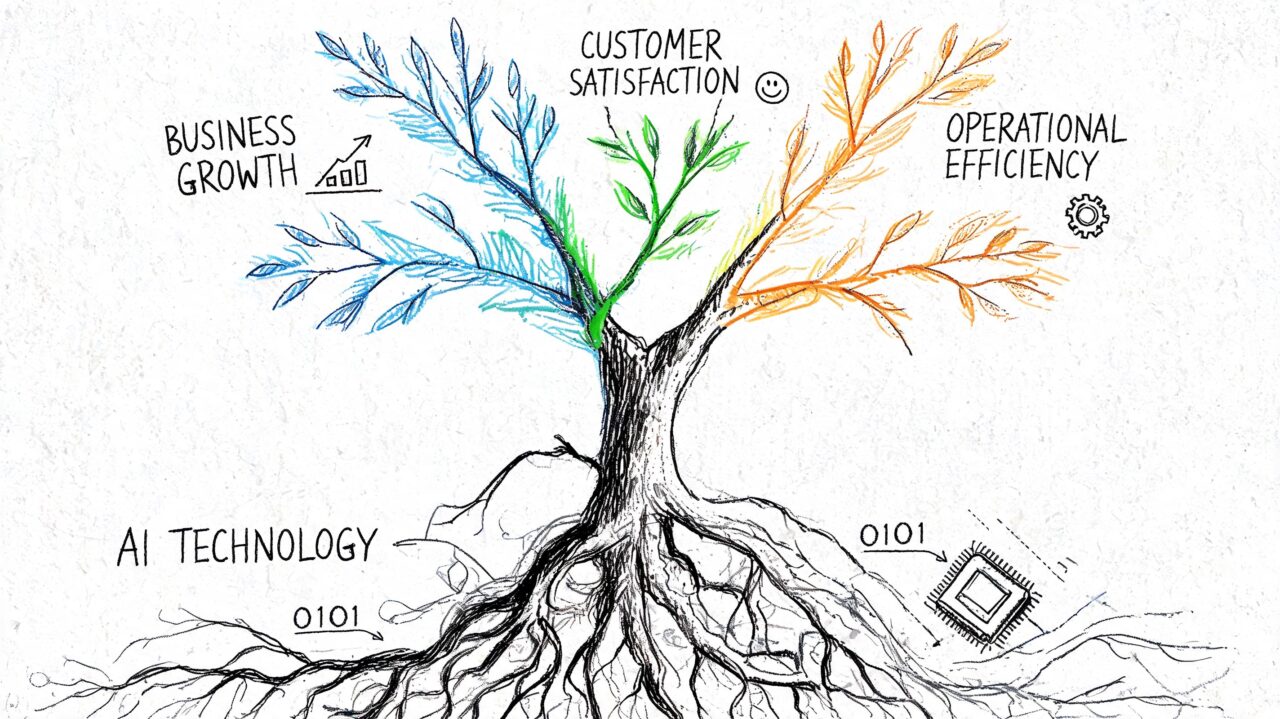
Real Time Agent Assistance AI Business Growth
Smarter support
Support teams feel the effect first because they spend the most time answering repeatable questions under pressure. RTAA reduces search time, lowers hesitation, and helps newer agents handle edge cases without escalating too early.
According to Market.us coverage of the real-time AI agent assist market, RTAA tools can produce average handle time reductions of 60+ seconds while improving First Contact Resolution, CSAT/NPS, and agent retention.
For messaging support, that usually translates into practical wins like:
- Cleaner replies: agents stop copy-pasting old macros that don’t fit the situation
- Better continuity: a returning customer doesn’t have to re-explain the whole issue
- Faster decisions: refund, replace, resend, escalate, or reassure happens with less back-and-forth
If you’re comparing RTAA with broader automation investments, this breakdown of the benefits of AI chatbots gives useful adjacent context.
Faster sales
Sales teams often think they don’t need assistance because top performers already know the playbook. That’s true for a few reps. It falls apart when conversations scale across multiple agents, agencies, or seasonal staff.
RTAA helps by surfacing the right selling point at the moment of intent. In DM and live chat, that might mean:
- product fit guidance when a shopper asks “which one is better for sensitive skin?”
- a cross-sell suggestion when someone confirms a core purchase
- a retention prompt when a lead stalls over pricing or setup effort
The key is subtlety. What works is contextual support that helps an agent steer naturally. What doesn’t work is forcing aggressive upsell scripts into a support conversation.
Agents close more deals when the AI shortens lookup time and sharpens timing, not when it turns every chat into a pitch.
Scalable marketing
Marketing teams don’t usually frame RTAA as a campaign tool, but they should. Promotions break when agents improvise different answers across channels. Real-time guidance keeps live conversations aligned with the offer terms, brand tone, and segmentation logic.
This matters during launches, flash sales, waitlist pushes, and customer reactivation campaigns. When a customer replies to a broadcast with “does this work on bundles too?” the agent needs an immediate, accurate answer. RTAA reduces drift between what the campaign promised and what the inbox delivers.
A hidden benefit is confidence. Agents spend less mental energy remembering every promo detail, and more energy moving the conversation toward resolution or purchase.
Powerful Use Cases for Modern Channels
Most real-time agent assistance examples still come from voice-heavy contact centers. That misses where many e-commerce and SaaS conversations now happen. Messaging has different rhythms, different failure points, and different opportunities.
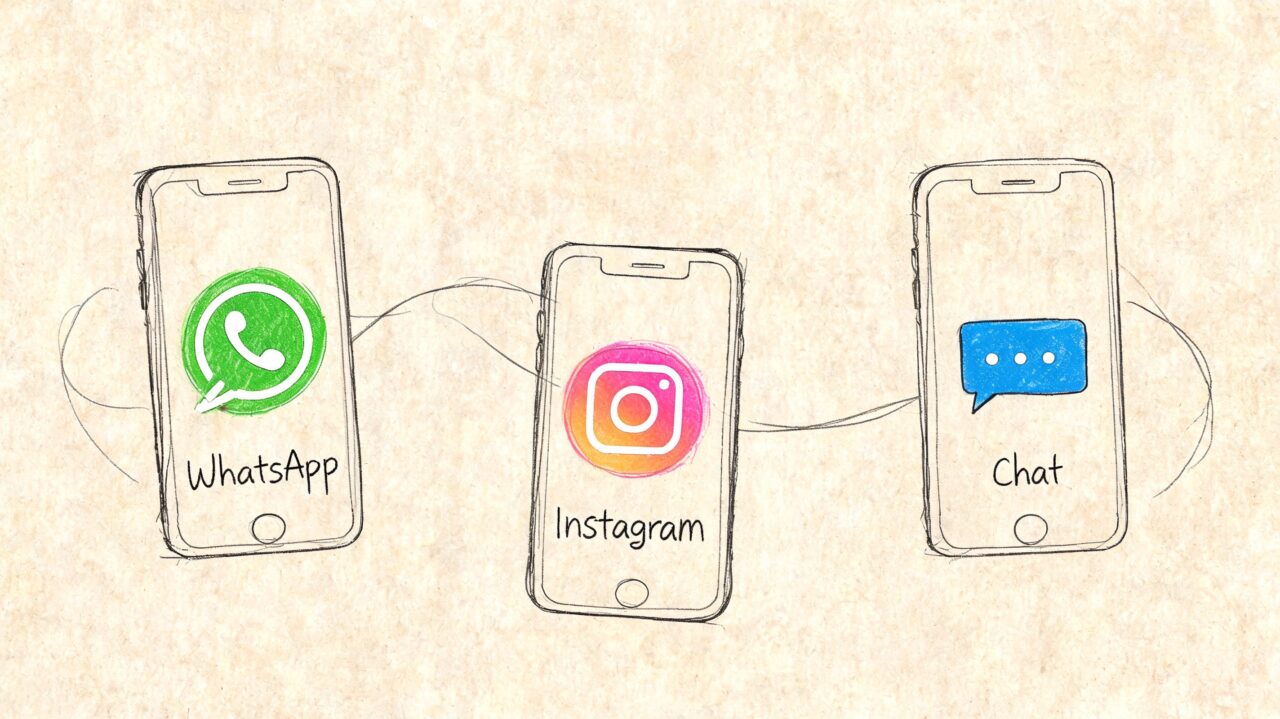
Real Time Agent Assistance Chat Icons
A useful framing for e-commerce teams is to think in channel-specific moments rather than generic support queues. If you want a broader view of that shift, this guide to conversational AI for e-commerce is a helpful companion.
WhatsApp support during a post-purchase issue
A customer messages on WhatsApp asking where their order is. They’re not angry yet, but they’re close. The agent opens the thread and RTAA immediately suggests the likely path based on order status, delivery policy, and prior conversation history.
The agent sees:
- current shipment state
- the approved explanation for carrier delays
- whether a replacement or escalation threshold applies
- the correct tone for a first reassurance reply
What works here is precision. The agent doesn’t need five possible macros. They need the one response path that fits the account and policy.
Instagram DM during a buying conversation
A prospect replies to a product story with a pricing question. Then they ask whether the product works for a specific use case. RTAA can recognize that this isn’t just a support inquiry. It’s a sales conversation with hesitation built in.
The system can surface:
- the product differentiator most relevant to that use case
- a short objection-handling response
- the right follow-up question to move toward checkout
- an upsell cue if the buyer’s stated need points to a higher-fit option
Messaging-native RTAA outperforms static scripts in these situations. Instagram DMs are short, informal, and easy to mishandle with robotic sales copy.
Website chat during lead qualification
For SaaS and subscription businesses, web chat is often the first live conversion point. A visitor asks whether the platform integrates with their stack, whether setup requires a developer, or whether a certain use case is supported.
RTAA can help the agent qualify without sounding interrogative. Instead of dumping a form, it suggests the next best question and the right proof point to share. Done well, the conversation feels helpful. Done badly, it feels like a scripted SDR sequence inside a support widget.
Messaging RTAA should help agents ask better questions, not just answer faster.
Compliance in digital conversations
Compliance doesn’t stop at phone calls. Messaging creates its own risks because agents type quickly, improvise language, and may skip required disclosures when inbox volume spikes.
According to Capacity’s discussion of real-time agent assist for contact centers, automated compliance monitoring in RTAA can achieve 95%+ accuracy, flag missed disclosures or risky phrases within 1-2 seconds, and reduce compliance violations by 40-60% compared with manual review.
For digital teams, that means RTAA can help catch things like:
- unsupported claims in sales chats
- missing privacy or consent language
- risky refund promises
- inconsistent responses to regulated questions
What works is real-time guidance plus an audit trail. What doesn’t work is relying on supervisors to review conversations after the damage is already done.
Choosing Your RTAA Architecture
The architecture decision usually comes down to a simple question. Do you want one platform to do almost everything, or do you want a stack of connected tools that you can shape around your workflow?

Real Time Agent Assistance Architectural Sketch
The all-in-one platform
This model is common in enterprise environments. You buy one vendor’s suite for routing, intelligence, analytics, QA, and agent assist. The upside is tighter control and fewer integration headaches up front.
This approach fits teams that have:
- formal procurement
- centralized operations
- strict security requirements
- internal admins who can maintain a structured implementation
The trade-off is rigidity. Messaging-heavy brands often discover that enterprise RTAA products were designed around voice first. They may support digital channels, but not in a way that feels native to Instagram DMs or web chat sales flows.
The composable stack
The second model is more flexible. You connect a messaging platform, CRM, knowledge source, automation layer, and analytics tools into a working system. This usually suits agile e-commerce and SaaS teams better because they can adapt faster.
A composable setup often works best when:
- your team already uses tools like Shopify, HubSpot, Zapier, or Make
- your processes differ by channel
- you want to test one use case before rolling RTAA out everywhere
- your support and growth teams share ownership of customer conversations
How to decide
Use decision criteria instead of vendor hype.
| Decision factor | All-in-one platform | Composable stack |
|---|---|---|
| Implementation speed | Slower at first, more structured | Faster for focused use cases |
| Customization | Often constrained by vendor model | Strong if your team can configure workflows |
| Maintenance | More centralized | More moving parts |
| Best fit | Large, process-heavy teams | Lean, channel-driven teams |
A common mistake is buying architecture that’s too ambitious for the team operating it. If your support lead and growth manager are the same person on different days, a heavyweight system can become shelfware. If you’re running a large service operation with strict governance, a loose stack can create inconsistency.
Choose the architecture your team can actually maintain six months after launch, not the one that looked best in the demo.
Key KPIs to Measure RTAA Performance
Many organizations track too many metrics and still don’t know whether RTAA is working. The fix is to separate agent efficiency from business impact. One tells you whether the workflow improved. The other tells you whether the improvement mattered.
Efficiency metrics
These metrics show whether agents are moving through conversations with less friction.
| KPI Category | Metric | What It Measures |
|---|---|---|
| Agent & Team Efficiency | Average Handle Time | How long an agent needs to resolve a conversation |
| Agent & Team Efficiency | First Contact Resolution | Whether the issue gets solved in the first interaction |
| Agent & Team Efficiency | Escalation Rate | How often agents need a supervisor or another team |
| Agent & Team Efficiency | Time to First Response | How quickly the team engages an incoming conversation |
| Agent & Team Efficiency | After-conversation admin load | How much manual summarizing, tagging, or note entry remains |
If RTAA is configured well, these indicators usually improve first. If they don’t, check relevance before blaming adoption. Agents ignore suggestions that are late, generic, or wrong.
Business impact metrics
These tell you whether better workflows are producing better outcomes.
| KPI Category | Metric | What It Measures |
|---|---|---|
| Business & Customer Impact | CSAT | How satisfied customers feel after the interaction |
| Business & Customer Impact | NPS | Whether service quality supports broader loyalty |
| Business & Customer Impact | Conversion Rate | Whether assisted conversations turn into purchases or demos |
| Business & Customer Impact | Retention or save rate | Whether agents recover hesitant or at-risk customers |
| Business & Customer Impact | Agent retention | Whether the job becomes easier to sustain over time |
What to watch in practice
Don’t evaluate RTAA only on speed. Faster replies can still be worse replies.
A stronger review pattern is:
- Check efficiency first: are agents spending less time searching and escalating?
- Check quality next: are customers getting clearer answers and fewer mixed messages?
- Check commercial outcome last: are more conversations ending in purchase, retention, or successful resolution?
The best KPI set is small enough to act on weekly. If your dashboard is crowded, your team won’t use it.
Your Implementation Roadmap
The fastest way to fail with real-time agent assistance is to launch it everywhere at once. Start narrow. Pick one queue, one channel, and one clear business problem.
1. Define your goals
Tie RTAA to an operational problem the team already feels. Good examples include inconsistent refund handling, slow replies in sales DMs, poor handoff quality, or uneven onboarding support.
Write the goal in plain language. If the team can’t describe the pain quickly, the implementation will drift.
2. Pick the first use case
Choose a high-frequency conversation type with enough structure to improve. Good starting points are:
- Order status and shipping questions
- Return and exchange requests
- Pre-purchase product fit questions
- SaaS setup and onboarding chats
Avoid the most complex edge cases first. RTAA learns trust when it solves common problems reliably.
3. Prepare your knowledge and rules
Most projects succeed or collapse at this critical stage. Clean up policies, approved responses, offer logic, escalation paths, and channel-specific tone guidance.
Your system needs:
- Reliable source material: current policies and product info
- Clear decision rules: when to reassure, refund, upsell, or escalate
- Channel-aware language: web chat doesn’t sound like Instagram DM
- Compliance logic: required wording and restricted claims where relevant
If your support docs contradict your agent macros, RTAA will expose the mess faster than it fixes it.
4. Train the humans, not just the model
Agents need to know how to use assistance without becoming dependent on it. Show them when to trust the suggestion, when to edit it, and when to override it.
Managers should review early interactions for three things:
- relevance of recommendations
- speed of suggestion delivery
- quality of final customer-facing replies
Feedback loops matter more than perfect prompts at launch.
5. Launch and iterate
Roll out to a small team first. Review transcripts, accepted suggestions, ignored suggestions, and escalation patterns. Then adjust the content, routing, and interface.
The best teams iterate on RTAA the same way they iterate on ad creative or lifecycle flows. They test, review, tighten, and expand.
A practical rollout sequence is:
- Start with one channel
- Instrument the right KPIs
- Collect agent feedback weekly
- Refine prompts and knowledge sources
- Expand to adjacent use cases only after relevance is stable
Real-time agent assistance pays off when it becomes part of the operating system, not a side experiment. Build it around actual conversations, and it will improve both speed and judgment.
If you want to put these ideas into practice on Messenger, WhatsApp, Instagram DM, and your website, Clepher gives teams a no-code way to build AI-driven conversation flows, automate lead capture, support customers at scale, and connect those interactions to the rest of their stack. It’s a practical option for brands that want real-time conversational support without building a complex system from scratch.
