
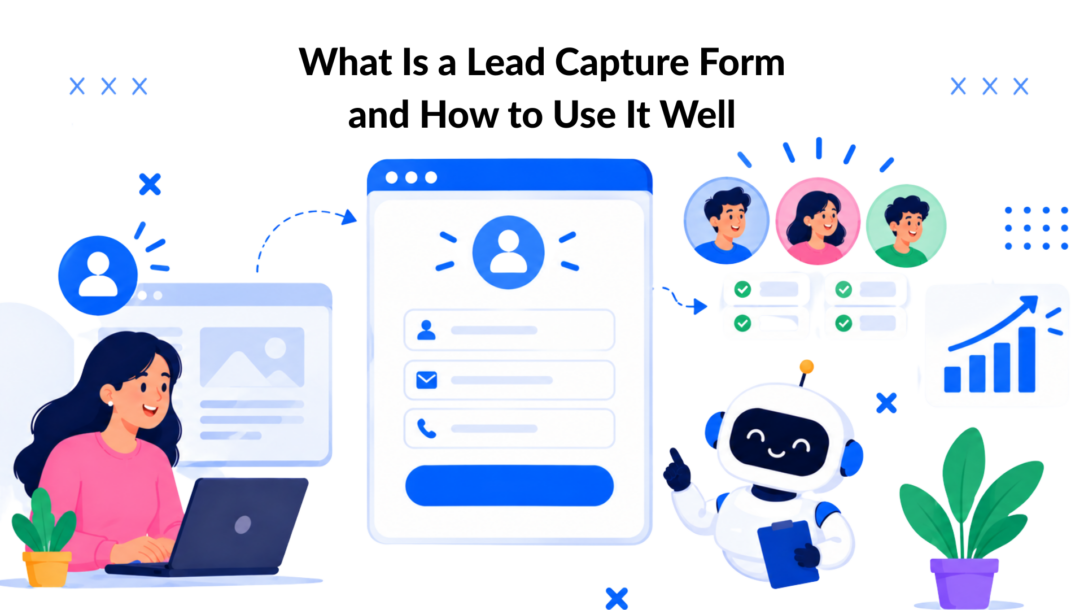
A lead capture form is a conversion mechanism that turns a website visitor into a contactable lead by exchanging value for contact information. Typical lead-generation forms convert around 2% to 5%, while LinkedIn Lead Gen Forms can range from 5% to 15% because less friction makes submission easier.
You’ve probably seen the problem firsthand. Someone reads your product page, checks the pricing, or downloads half of a guide, then disappears without leaving an email address. Your marketing brought the visitor to the site, but the experience didn’t give that person a simple reason and an easy way to continue the conversation.
That’s where a lead capture form earns its place. It’s not merely a box asking for a name and email. It’s the bridge between anonymous interest and a relationship your business can nurture through email, sales outreach, retargeting, or a chatbot conversation.
Introduction to Lead Capture Forms That Convert
Consider a visitor comparing software tools. They’re interested enough to read a comparison page, but they aren’t ready to book a sales call. A long form asking for their phone number, company size, budget, job title, and business goals feels like a commitment for potential customers. The visitor closes the tab, and your team loses the chance to help them later.
A shorter offer could change that outcome. The same page might invite the visitor to receive a practical checklist by email. The form asks only for an email address and perhaps a first name. The visitor gets something useful, while the business gains permission to continue the conversation.
That exchange defines what a lead capture form is. A business offers a resource, discount, consultation, product update, trial, or other useful next step. The visitor provides contact information. Once submitted, the data can enter a CRM, email audience, advertising system, or chatbot workflow.
The implementation matters as much as the offer. A form that creates unnecessary typing can lose motivated prospects, while a form that matches the visitor’s intent can turn existing interest into an identifiable lead. LinkedIn’s native forms illustrate the principle clearly. One cited comparison places native LinkedIn forms at roughly 13% versus 2.35% for the same offer sent to an external landing page, as reported in this LinkedIn lead generation tools guide.
You’ll learn the practical decisions behind that difference, from choosing fields and formats to using progressive profiling, consent, automation, and conversational capture. The focus stays on business outcomes: more usable contacts, better qualification, and less wasted traffic.
What a Lead Capture Form Is and How It Works
Think of a lead capture form as a digital handshake with an exchange attached. Your business offers something relevant, and the visitor decides whether the value justifies sharing contact information.
The process usually has five connected parts:
- The offer gives the visitor a reason to act, such as a guide, discount, product demo, consultation, or newsletter.
- The fields collect only the information needed at that moment, commonly an email address and name.
- The CTA explains the immediate result, such as “Get the pricing checklist” rather than a vague “Submit.”
- The consent notice tells people what communication they’re agreeing to receive.
- The next action delivers the promised resource, confirms the request, or invites the person to book a conversation.
Lead Capture Types
After submission, the contact record should move somewhere useful. An email platform can send the promised guide. A CRM can assign the lead to a sales workflow. A chatbot audience can apply a tag based on the person’s stated interest. The form creates the starting point for those actions, but the follow-up determines whether the lead receives a coherent experience.
A generic contact form usually answers a broad request, such as “send us a message.” A lead capture form has a clearer conversion purpose. It connects a specific visitor need to a specific offer and records the contact for future communication.
Friction is the central performance variable. Every additional question asks the visitor to spend more time, disclose more information, or make another decision. The available benchmark data shows the pattern: forms with 1 to 3 fields commonly convert around 8% to 12% in SaaS and IT, 10% to 15% in e-commerce and retail, and 4% to 7% in financial services, while forms with 7 or more fields often fall to low conversion rates if the lead generation form is too complex. 1% to 4% or below is the typical conversion rate for lead forms that do not streamline the process. See the Field-count conversion benchmarks can help streamline the lead generation form process. for comparison.
Remember this: Understanding potential customers’ needs is key to optimizing your lead form. A lead capture form doesn’t create value by collecting more data. It creates value by making the next step easy enough to complete and useful enough to justify.
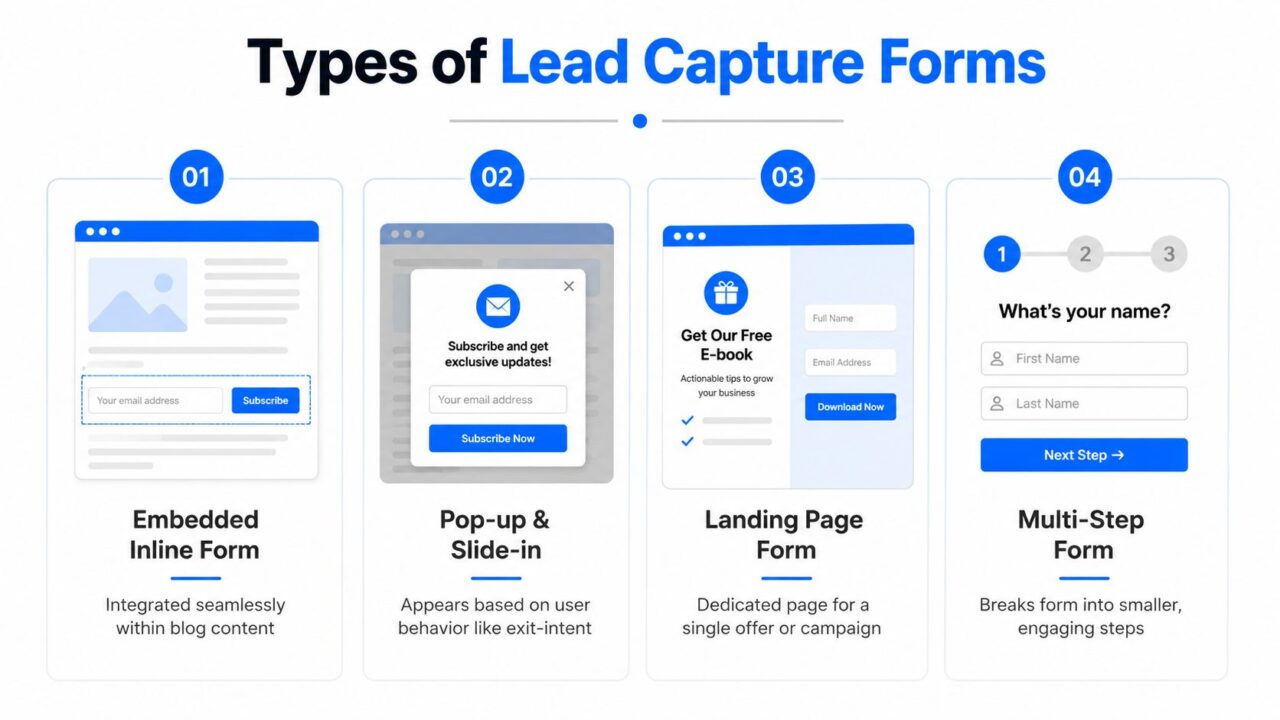
Types of Lead Capture Forms and When to Use Each
The right format depends on visitor intent, offer value, and required commitment. A newsletter reader shouldn’t face the same experience as a buyer requesting a complex consultation.
Embedded inline forms
An inline form sits inside a blog post, resource page, or product explanation. It works well when the offer directly matches the content someone is consuming. An article about inventory planning might include a downloadable reorder template near the relevant section.
This format feels natural and usually creates low interruption. It’s a sensible choice for newsletters, content upgrades, and lightweight resources. The main risk is invisibility, especially if the form appears below the point where readers stop.
Pop-ups and slide-ins
Pop-ups and slide-ins interrupt the page, so timing and relevance matter. An e-commerce store might show a discount offer after a shopper has viewed products, while a blog might present a related checklist as the reader reaches a meaningful point.
These formats can recover attention from visitors who might otherwise leave, but an irrelevant message can damage the experience. Match the trigger and offer to the page rather than showing the same form everywhere.
Landing page forms
A landing page removes competing navigation and focuses attention on one campaign. It’s useful for paid traffic, webinar registration, demo requests, and high-value downloads. A visitor arriving from an ad for a pricing calculator should see a page that repeats that promise, explains the benefit, and presents one clear action.
Landing pages generally support a more deliberate exchange. You can explain the offer before asking for information, which helps justify fields that wouldn’t make sense on a short newsletter form.
Multi-step and progressive forms
A multi-step form separates a larger request into smaller screens. A software demo might begin with an email address, then ask about the visitor’s role and goals. A progress indicator can make the total task feel more manageable.
Progressive profiling takes a longer view. Instead of asking every question during the first interaction, collect basic information now and ask for additional context during later downloads, conversations, or onboarding. This approach protects the first conversion while gradually improving qualification.
Conversational chatbot capture
A chatbot replaces a static row of fields with a guided exchange. On a website, Messenger, WhatsApp, or Instagram Direct Message, it can ask one question at a time, respond to an answer, and route the person toward a resource or human conversation.
This suits businesses where intent is easier to understand through dialogue. A local service company might ask what type of appointment a visitor needs before collecting contact details. A course creator might ask about the learner’s goal before recommending a program. A website capture widget can support this approach through Clepher’s lead capture widget.
Benefits of Lead Capture Forms and KPIs to Track
A form turns a one-time visit into an identifiable audience relationship. That matters because your business can follow up with a person who has already shown interest instead of relying entirely on a future return visit or an unpredictable social feed.
The first benefit is owned audience growth. A permission-based email or messaging audience gives your team a direct channel for education, reminders, launches, and support. The second is intent qualification. A form can ask a carefully chosen question, such as “Which service are you exploring?” and use the answer to segment follow-up.
Forms also improve campaign visibility. If a paid campaign sends visitors to a page, you can compare the number of completed forms with spend, traffic source, and downstream sales activity. That helps you distinguish a page that attracts clicks from one that creates commercially useful contacts.
The numbers behind friction
Benchmarks vary widely by industry, offer, traffic source, and implementation. Independent coverage places some average lead-generation performance around 1.7%, while other sources report medians around 4.7% to 6.6% and top-performing forms at 11.2% or higher. These ranges, summarized in the lead capture form benchmark guide, show why your own baseline matters more than a single universal target.
Field count provides a more specific planning reference. One dataset reports conversion rates of 18.2% for one-field forms is a benchmark for evaluating the effectiveness of your lead generation form., 13.0% for two fields, 11.5% for three, 9.9% for four, 8.1% for five, 7.6% for seven, 5.8% for eight, and 4.2% for nine or more fields. The form-field conversion data supports a practical rule: add a field only when the information improves qualification enough to justify the extra friction.
The KPIs that reveal what’s happening
Track the full path, not just submissions:
- Conversion rate: completed forms divided by relevant visitors or sessions.
- Abandonment rate: people who start but don’t finish.
- Cost per lead: campaign spend divided by captured leads.
- Lead-to-customer rate: the share of captured contacts who become customers.
- Lead quality is crucial for effective marketing strategies and successful sales funnels. whether the contacts match your audience and show meaningful intent.
A low conversion rate can indicate weak alignment between traffic and offer. High abandonment often points to field friction, unclear copy, technical problems, or a consent request that appears too late. Strong submission volume with poor lead quality suggests the form asks too little, targets the wrong audience, or promises something that attracts curiosity rather than buying intent.
For broader marketing measurement, use a framework such as these email marketing KPIs alongside form metrics so the team can connect capture activity to eventual revenue.
Best Practices and Real World Examples That Drive Results
Start with the information you need immediately, not every detail you might want eventually. An email may be enough to deliver a guide. A phone number makes more sense when someone requests a call and expects direct contact in the sales funnel. A company field can help B2B teams qualify accounts, but it may be unnecessary for a general newsletter.
The strongest evidence for reducing friction in the sales funnel comes from a documented form change in the lead generation process. Cutting a contact form from 11 fields to 4 increased submissions by 160% and conversion rate by 120%, according to this form reduction case study. The lesson isn’t that every business should use four fields. It’s that nonessential questions can cost more than they contribute.
Lead Capture Mobile Form
Build the form around the promise
An online store offering a first-order discount can ask for an email address and explain exactly when the code arrives. A SaaS company offering a demo can ask for an email, company, and use case if the sales team needs that context. A local contractor might ask what service the visitor needs and the preferred contact method.
Make the CTA describe the outcome:
- Guide download: “Send me the checklist”
- Demo request: “Book my product walkthrough”
- Quote request: “Get my project estimate”
- Newsletter: “Send me practical tips”
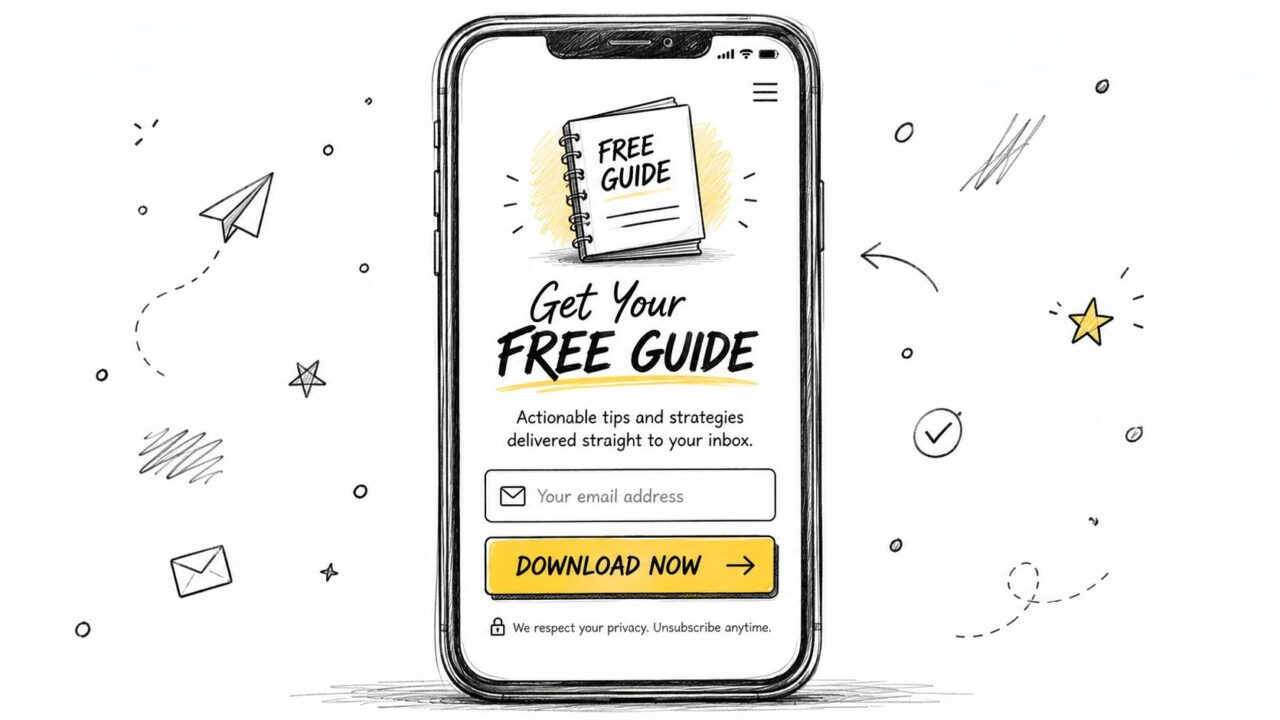
Mobile layouts should keep the form in one column, make controls easy to tap, and minimize typing. Test the complete path on an actual phone, including validation errors, consent checkboxes, confirmation messages, and delivery of the promised offer.
Treat consent as part of the experience
GDPR-oriented capture requires consent that’s freely given, specific, informed, and unambiguous. Pre-ticked boxes don’t count, and consent records should include a timestamp and a reference to the privacy-policy version accepted, according to this GDPR lead capture guide.
Separate purposes rather than hiding them under one vague opt-in. A SaaS company might use one required notice for service-related communication and a separate, optional unchecked box for marketing campaigns. Explain what the person will receive before submission of the lead form to enhance trust and conversion rates. Guidance on GDPR consent collection also recommends making each business purpose clear and separate.
Practical check: Ask for the minimum data, explain the value above the form, use a specific CTA, test the mobile path, and store consent details with the contact record.
For supporting communication outside the form itself, a polished signature can reinforce what happens next. Mailwarm’s guide to a best ChatGPT email signature is useful when your follow-up emails need a consistent, professional finish.
How to Implement and Integrate Lead Capture Forms With Clepher
A reliable setup starts before you open a form builder. Define the offer, the visitor’s likely intent, the minimum fields, the consent language, and the action that should happen after submission. Decide whether the first interaction should be a conventional form, a conversational flow, or a combination of both.
Build the capture experience in a no-code flow editor such as Clepher’s, or use the form capability already included in your website, CRM, email platform, or landing page system. Add conditional questions in the lead form only when an answer changes routing, qualification, or follow-up to better qualify leads. A chatbot can collect a goal first, then request an email address after the visitor receives a relevant recommendation.
Connect the submission to the systems that must act on it:
- Email automation: deliver the promised resource and begin the appropriate nurture sequence.
- CRM routing: create or update the contact and assign a segment, source, or owner.
- SMS workflows can be an effective marketing strategy to engage potential customers. Use only where permission and the intended purpose support it.
- Analytics: record form views, starts, completions, errors, and meaningful downstream actions.
- Consent storage in a CRM system is essential for managing potential customers’ data. Preserve the wording, timestamp, purpose, and privacy-policy version associated with the permission.
For teams using HubSpot, a connected workflow can pass captured fields and segmentation data into the CRM through an integration such as Clepher’s HubSpot connection. Zapier, Make, and similar connectors can extend the handoff to other systems when a native integration isn’t available.
The modern shift is from a static form on your website to an adaptive conversation that improves lead generation. Personalization can use browsing context or previous interactions, while progressive profiling gathers missing details over time instead of demanding everything in the first exchange. Test the offer, opening question, field count, CTA, and follow-up path independently. Then judge success by both conversion volume and lead quality.
Launch one focused experience, verify every integration with test submissions, and review the funnel regularly. A form is an operating workflow, not a page decoration.
Clepher lets you build no-code conversational flows, capture contacts through website and social messaging experiences, apply tags and segments, and connect leads to the tools your team already uses. Visit Clepher to create a lead capture workflow that reduces friction and gives every new contact a clear next step.
