
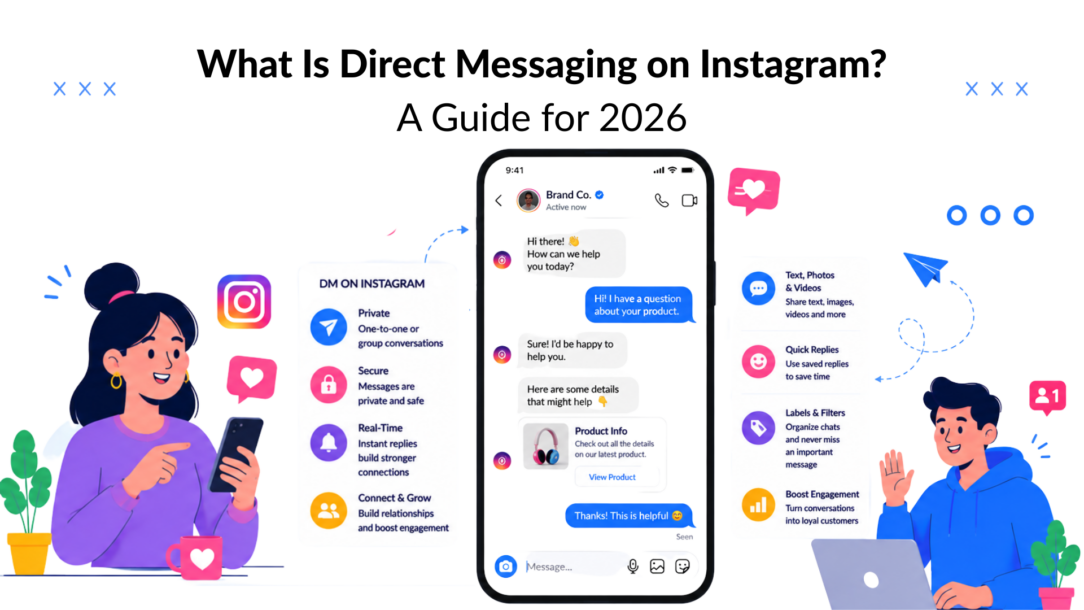
Instagram Direct is Instagram’s private messaging system, and Meta has reported that 150 million people message businesses on Instagram every month. In practice, what is direct messaging on Instagram? It’s the app’s built-in private channel for one-to-one and group conversations, and it’s now a serious place for customer service, sales, and marketing.
Instagram DMs stopped being a casual side feature a long time ago. Brands use them to answer pre-sale questions, move warm leads forward, and keep support conversations out of public comment threads.
Beyond the Paper Plane Icon
The mistake most businesses make is treating Instagram Direct like a simple inbox instead of a working part of the sales process, neglecting its potential for sending messages that engage customers. That’s a costly gap, because Instagram users are 34% more likely to contact brands via DM than by email, according to an industry report cited in the provided research, and Meta says 150 million people message businesses on Instagram every month. Those are not vanity numbers; they describe a channel customers already prefer for fast, direct contact.
Instagram’s own product framing makes sense in that context. Direct messaging is a private conversation layer inside the app, not just a place to swap friendly notes or send memes. For businesses, it becomes the handoff point between attention and action, especially when someone has already engaged with a post, a Story, or a Reel.
The business value is straightforward. A person asks about sizing, availability, booking, or pricing. The reply either moves that person toward a sale or lets the opportunity cool off. That’s why DMs deserve the same operational discipline as email or live chat.
Practical rule: If a DM can influence revenue, response time and routing matter as much as message copy.
The rest of this guide focuses on how to use Instagram DMs as a system, not a feature. That means understanding the inbox mechanics, the privacy settings that affect workflow, the business use cases that convert, and the automation layer that keeps the whole thing scalable. The point isn’t to send more messages. The point is to build a conversation path that turns interest into outcomes.
The Core Features of Instagram Direct Messaging
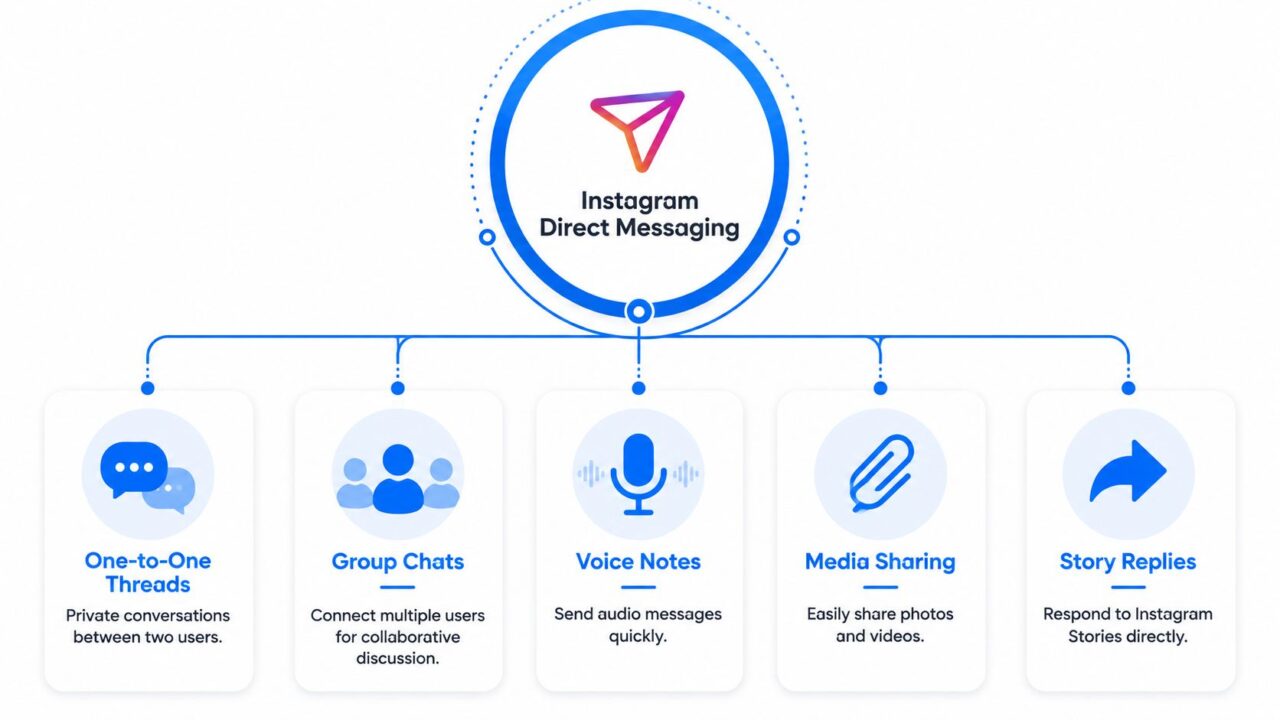
Direct Messaging on Instagram Features
Instagram DMs support much more than plain text. Sources in the brief describe text, photos, videos, voice notes, GIFs, stickers, Reels, stories, disappearing messages, and group chats, and one guide reports format limits including up to 1,000 characters per text message, voice notes up to 5 minutes, and group chats with up to 250 participants. That mix matters because it gives brands more ways to answer, reassure, and move a conversation forward without forcing the user into another channel.
One-to-one threads and group chats
A one-on-one thread is the standard business inbox conversation, allowing for personalized customer engagement. It works well for order questions, pre-sale qualification, and private troubleshooting. Group chats are a different tool, useful for small communities, coaching cohorts, internal collaboration with clients, or campaign delivery where several people need the same update.
A simple example works better than theory. A creator can run a paid workshop, then use a group chat to keep a small cohort updated on logistics and reminders. A local business can create a temporary group with a customer and a team member when a booking involves scheduling details.
Voice notes and richer media
Voice notes can make follow-up feel more human, especially when sent through platforms like Facebook Messenger. When a prospect asks a detailed question, a short audio reply can explain nuance faster than a long wall of text. Media sharing does the same thing for visuals; a support team can send a quick walkthrough, while a sales rep can share a product clip or a short FAQ video.
Send the format that removes the most friction. If a picture answers the question faster than text, use the picture.
Replies to stories and private interactions
Story replies are often the cleanest entry point into a business conversation. Someone reacts to a poll, slider, or question sticker, and that reply gives you context that cold outreach never has. That’s why Story replies often outperform generic DMs from a relevance standpoint, even when the actual message stays short.
For a deeper look at one of the inbox behaviors people often run into, this guide to Vanish Mode is a useful companion. The main takeaway here is simple, Instagram DMs are not a text-only system; they can incorporate photos or videos for richer engagement. They’re a multi-format conversation layer that can carry a customer from first response to resolution without leaving the app.
Managing Your Privacy and DM Settings
Business inboxes live or die by filtering messages to ensure effective customer engagement. If every incoming message lands in the same place, the team wastes time sorting real opportunities from spam, repeats, and low-intent noise. Instagram’s DM settings matter because they shape who can reach you, how requests are handled, and how much junk enters the workflow.
The most important operational issue is volume discipline. One source in the brief says Instagram may limit accounts to roughly 50 to 100 new DMs per day, and that copy-pasting the same message across many users can trigger a temporary block. That means outreach has to feel like outreach, not mass distribution. If a brand wants to stay safe and effective, each message should be tied to a real signal, a comment, an opt-in, a story reply, or a recent interaction.
What to tighten in a business inbox
Use the inbox settings with a process in mind, not as an afterthought. Requests need review, access needs to be limited to the people who can respond, and canned messages should be used carefully so they still sound like a person wrote them.
A practical setup usually looks like this:
- Prioritize message requests: Treat requests as a lead filter, not dead space.
- Route by intent: Separate support questions from sales inquiries as soon as possible.
- Limit repetitive outreach: Avoid copy-paste language that makes the account look automated or spammy.
- Keep replies contextual: Reference the user’s post, Story, or action that started the conversation.
- Review outbound pacing: Don’t push volume just because the inbox is quiet.
That last point matters more than many teams expect. Aggressive DM behavior may create short-term reach, but it can also hurt account safety and the quality of future conversations. The better strategy is smaller, more relevant outreach that feels tied to an actual interaction.
Business rule: Permission-based messaging scales better than prospecting blasts because it protects both deliverability and brand trust.
For teams building a more organized outreach motion, effective strategies for doula Instagram growth offer a useful example of how conversational channels, like Facebook Messenger, can support a service business without turning into spam. The same principle applies across most industries. People respond to messages that make sense in context, particularly when they are tailored to potential customers.
Putting DMs to Work with Real-World Business Use Cases
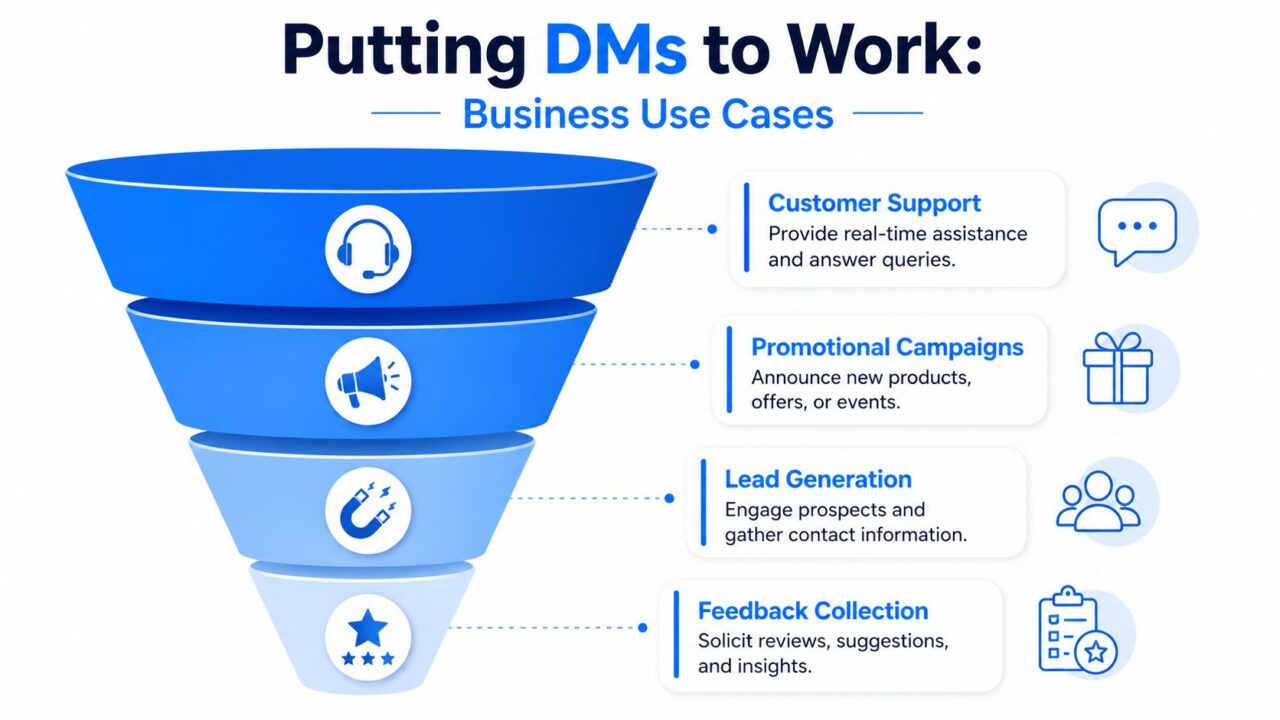
Direct Messaging on Instagram Business Funnel
The business rule that shapes everything else is the 24-hour reply window. When a customer messages a Business account, the business has 24 hours to reply, and the Human Agent tag can be used within 7 days for issues that need more time, according to the referenced guidance. That means the first reply isn’t just etiquette; it’s operational. If a team misses the window, the conversation becomes harder to manage.
Support, leads, promotions, and feedback in practice
A support interaction is the easiest place to see the value. A buyer messages about an order delay, the brand acknowledges the issue, confirms the next step, and moves the customer toward resolution. Because the user already initiated contact, the conversation starts with intent instead of interruption.
Lead generation works differently. A user taps a Story sticker, replies to a question, or comments on a post, and that engagement becomes the start of a private sales conversation. The key is to ask one useful follow-up, not three. Qualify the need, confirm the timing, then either move to a booking link or a human handoff.
Promotional campaigns work best when they feel like an extension of existing engagement. A launch announcement can go out through DMs to people who opted in, but the message has to be specific. The more the note looks like a blanket blast, the less effective it becomes.
Feedback collection is underrated. A short follow-up after purchase can surface friction, objections, or product ideas that never appear in public comments. For creators and service businesses, that private feedback often drives the next offer.
One helpful way to view it is:
| Use case | What starts it | What the DM should do |
|---|---|---|
| Support | Order issue or question | Resolve fast, then close the loop |
| Leads generated through Instagram can be nurtured using the one-on-one messaging feature. | Story reply, comment, or opt-in | Qualify and move toward the next step in the conversation using the one-on-one messaging feature. |
| Promotions | Campaign announcement should be communicated via Instagram Direct to enhance customer engagement. | Deliver a relevant offer or update |
| Feedback | Purchase or post-purchase check-in | Capture insight and reduce friction |
For brands wanting a tactical view of the channel, utilizing the Instagram account’s messaging feature is crucial. Instagram DM marketing tactics is a relevant reference point. The same structure applies whether you’re selling skincare, coaching, software, or local services. A message should either solve a problem, move a lead forward, or collect usable feedback. Anything else is noise.
The Next Level with Instagram DM Automation and AI
Manual DM handling breaks down once volume rises. A human can only answer so many repetitive questions before response times slip, and leads go cold. That’s where automation becomes less of a nice-to-have and more of an operating requirement.
Instagram’s official messaging infrastructure supports that shift. The platform exposes message routes such as/<IG_ID>/messages, which allows third-party systems to manage conversations through authenticated API calls, and the brief notes that this foundation supports event-driven automation can enhance customer engagement through messaging features. for support, lead qualification, and inbox triage. In practical terms, that means a chatbot or workflow tool can listen for an inbound message, decide what it is, and route the response without waiting for a person to notice the alert.
What automation should handle first?
Start with the repetitive stuff. Common questions about pricing, availability, shipping, booking, onboarding, or next steps are the first candidates for automation. If those questions repeat daily, they’re already taxing the inbox.
A good workflow usually does three things:
- Identifies intent from a keyword, button click, or incoming event.
- Responds instantly with the right answer or follow-up question.
- Escalates cleanly when a human needs to step in.
That structure works for lead qualification too. A chatbot can ask for the service type, budget range, or preferred timing, then tag the contact so a salesperson sees the context before replying. It also helps with inbox triage, because support, sales, and general questions can be separated before anyone wastes time reading every thread.
Automation should reduce typing, not remove judgment. The best systems hand off to people when nuance matters.
Clepher is one option in this space, since it supports Instagram Direct Message automation and connects conversational workflows to broader marketing and support systems. That’s useful for teams that need to keep Instagram responses organized without living in the inbox all day.
For teams comparing workflows and looking at implementation details, mastering Instagram DM automation for growth is the kind of resource that makes the technical and operational side easier to picture. The bottom line is simple. If DMs are a real acquisition and service channel, automation isn’t about replacing the team but enhancing the ability to send messages efficiently. It’s about keeping the team focused on the conversations that require a person.
Best Practices for Brands Using Instagram DMs
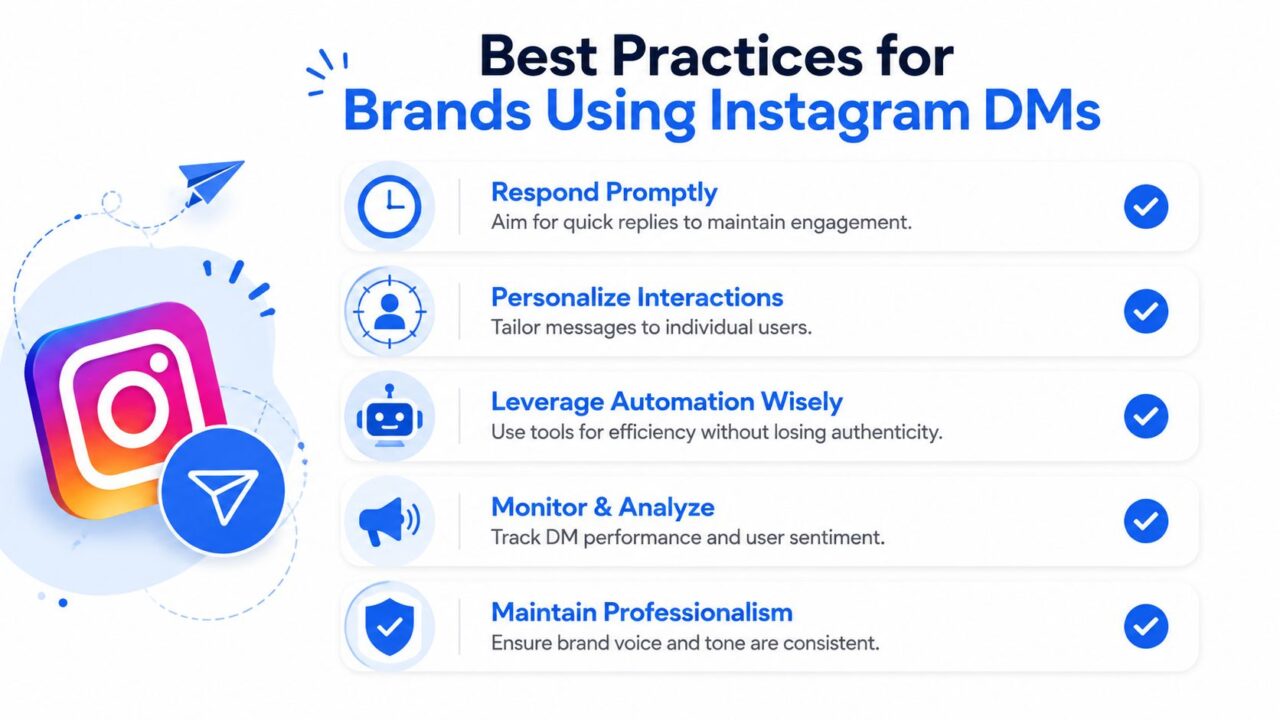
Direct Messaging on Instagram Best Practices
The strongest DM programs are disciplined, not flashy. They respond quickly, keep messages personal, and connect every conversation to a business outcome. That’s what turns Instagram DMs from a noisy inbox into a dependable channel.
- Respond promptly: Keep the conversation inside Instagram’s 24-hour response window whenever possible, because delay makes support feel colder and sales momentum weaker.
- Personalize every message: Reference the post, Story, comment, or question that started the exchange so the user knows you’re not blasting the same script to everyone.
- Use a clear next step: Ask for the booking, the email, the product choice, or the follow-up needed to move the thread forward.
- Avoid spam behavior: Keep outreach permission-based and relevant, especially if your team sends multiple outbound messages each day.
- Track what happens after the reply: A DM that leads to a sale, a booked call, or a resolved support issue is more valuable than a conversation that just feels active.
A good inbox also needs ownership. Someone should know which messages belong to sales, which belong to support, and which should be automated or tagged for follow-up. Without that structure, the channel becomes a pile of unread opportunities.
The most practical mindset is simple. Treat every DM like the start of a measurable workflow, not a one-off chat. That makes it easier to improve response quality, handoffs, and conversion over time.
If you want a cleaner way to manage Instagram conversations at scale, explore how Clepher helps businesses automate DMs, qualify leads, and route support without losing the personal feel that makes the channel work. It’s built for teams that want Instagram messaging to produce real sales and service outcomes, not just more inbox clutter, by leveraging photos or videos.
