
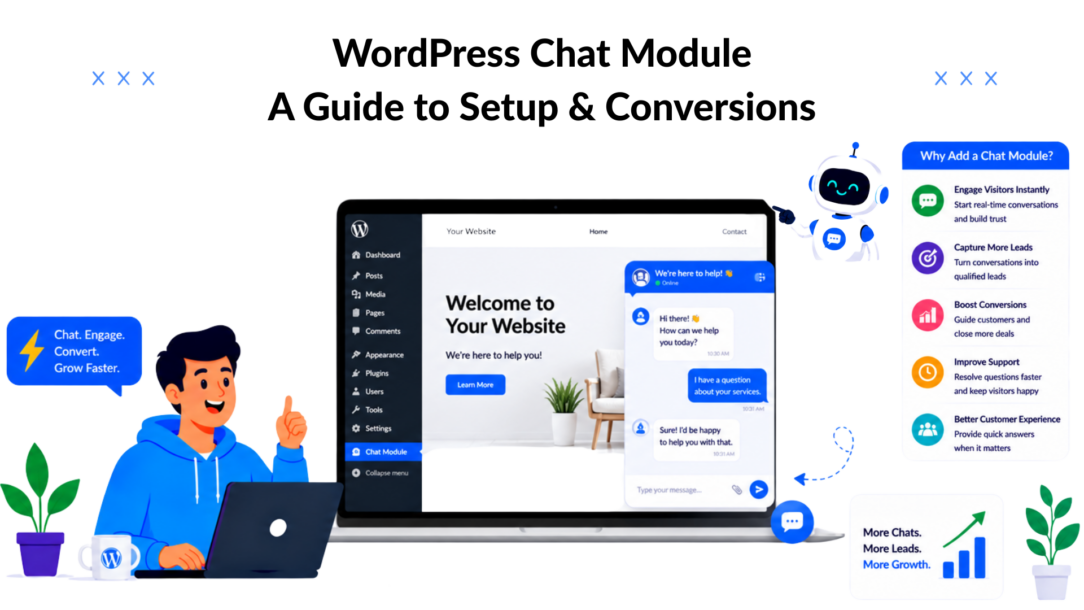
Up to 40% is the kind of conversion lift that gets attention. Live chat on WordPress can produce gains in that range, but the bigger mistake is treating chat as a small design feature instead of a revenue and support system.
A basic chat bubble only collects messages. A well-configured chat module qualifies leads, answers buying questions while intent is high, and routes routine support away from your inbox. That difference shows up fast in real businesses. An online store can recover hesitant buyers who need shipping or return details before checkout. A service business can turn a vague “I have a question” into a booked consultation with the right prompts and follow-up.
I see the same pattern often. Business owners install chat, leave the default widget in place, and assume the tool did not work. The main issue is configuration. If the module does not ask the right questions, connect to the channels your team already uses, or hand off cleanly between AI and a person, it becomes another inbox to monitor.
That is why this guide uses Clepher as a working example throughout. The goal is not to compare a pile of plugins. The goal is to show how to choose, set up, and tune one chat module so it produces a clear outcome, more leads, faster answers, and less manual back-and-forth.
Why a Chat Module Is Your Best Sales and Support Hire
Visitors decide fast. If a buyer hits a pricing question, a shipping concern, or a setup objection and gets no answer, the sale often stalls right there.

WordPress Chat Module Robot Mascot
A good WordPress chat module keeps that momentum alive while also taking pressure off your inbox. It answers routine questions at the point of intent, captures lead details while interest is still high, and sends harder cases to a person with the right context attached.
That has direct business value. An online store can save orders that would otherwise drop off over return policies or delivery times. A consultant can turn a vague question into a qualified lead by asking budget, timeline, and service interest before the conversation reaches the team. A course seller can help visitors choose the right program without forcing them through a generic contact form first.
What changes when chat is handled well
Live chat works because it shortens the gap between question and answer. Visitors do not need to leave the page, search a FAQ, or promise themselves they will email later. They ask in the moment, and the site keeps the conversation moving.
As noted earlier, live chat can lift conversions when it is configured well. The key point is not the widget itself. The result comes from the flow behind it: the prompts, routing rules, lead capture logic, and handoff process.
That is where tools like Clepher become useful in practice. A basic setup can greet a visitor on a pricing page, ask what they are trying to solve, collect their email, and route sales conversations differently from support requests. For a small team, that means fewer missed opportunities and fewer repetitive replies.
Here is a simple rule I use with clients.
Practical rule: If the same sales or support question shows up repeatedly in email, DMs, or contact forms, put it into your chat flow.
Why chat outperforms passive forms
Forms still have a place. They work well for detailed requests, complex intake, or compliance-heavy industries. But they ask for commitment up front, and that costs you conversations.
Chat gets more first responses because the starting action is lighter. A visitor who will not fill out six form fields will often type one sentence. From there, the module can ask follow-up questions, qualify the lead, collect contact details, and pass the thread to a person when needed. If your business runs on a WordPress website, adding a plugin for WordPress that handles this kind of conversation means you do not need to rebuild your site to get there. A WordPress live chat plugin fits directly into your existing setup and turns your homepage into an active front line rather than a static page waiting for someone to find the contact form.
The business benefit is straightforward. Your site gains a front-line system for sales and support that works outside office hours, handles repeat questions consistently, and gives your team cleaner conversations to step into. A live chat solution like this scales with your traffic instead of adding to your team’s workload, so growth does not mean more missed inquiries.
Choosing a True Conversion Engine, Not Just a Chat Box
Most site owners compare chat tools the wrong way. They look at colors, placement, and whether the widget looks modern. Those details matter, but they don’t decide revenue.
The question is whether your WordPress chat module can capture demand, organize conversations, and move people into the next step. That’s the difference between a chat box and a conversion engine.
WordPress Chat Module Conversion Engine
Start with proof of adoption
When a market matures, buyers stop rewarding gimmicks and start rewarding tools that work in production. That’s why usage data matters. Tidio has over 100,000 active installations and a 4.8-star rating on WordPress.org as of 2026, based on WP Rocket’s comparison of live chat plugins. That kind of adoption shows businesses want more than a basic message window.
A popular plugin isn’t automatically right for your business. But widespread adoption does signal what the market values: speed, automation, easy deployment, and reliable day-to-day use.
The features that actually matter
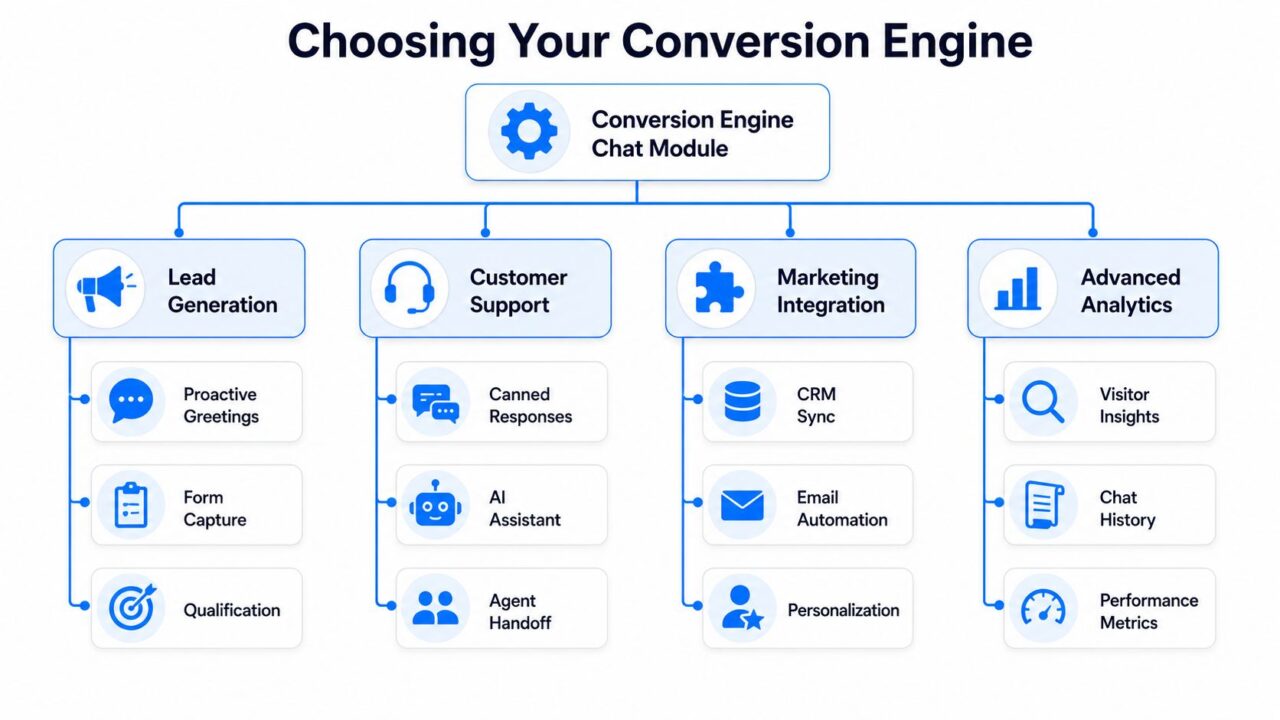
When I evaluate a WordPress chat module for a revenue-focused site, I look at four areas.
| Area | What to look for | Why it matters |
|---|---|---|
| Lead capture | Welcome prompts, qualification paths, contact capture | Turns anonymous traffic into usable pipeline |
| Support handling | FAQ automation, human handoff, saved replies | Reduces repetitive tickets and response delays |
| Integration | CRM sync, email platform connections, social messaging support | Keeps lead data from getting trapped in one tool |
| Visibility | Conversation history, performance views, visitor context | Helps you improve flows instead of guessing |
A weak plugin usually fails in integration and automation. It might display a bubble fine, but it doesn’t help you route sales leads, tag conversations, or push captured data into the rest of your stack.
How to judge the tool by the job
Different businesses need different strengths.
- For stores: prioritize pre-sale question handling, cart recovery prompts, and routing based on product interest.
- For coaches and creators: prioritize lead qualification, appointment intent, and clean email capture.
- For SaaS: prioritize onboarding answers, trial support, and clear escalation paths to sales or customer success.
- For agencies: prioritize multi-client workflows, segmentation, and handoff rules.
One practical example is Clepher’s Chatbot for WordPress, which supports no-code conversational flows, website chat capture, and broader messaging automation. That kind of setup makes more sense than a basic widget when the goal is to connect chat with lead generation and follow-up.
A chat tool earns its place when it shortens the path from question to action.
Red flags that waste time
A few signs usually tell you the module won’t hold up:
- No automation depth: If it only supports manual chat, your site goes silent when your team does.
- No segmentation: If every lead enters the same bucket, follow-up gets sloppy fast.
- No clean handoff: Buyers get frustrated when bots trap them instead of routing them.
- No reporting worth using: If you can’t see which flows create leads, you can’t improve them.
A true conversion engine helps your site do more than chat. It should qualify intent, collect context, and move conversations toward revenue or resolution.
From Plugin to Live Widget in Minutes
A chat module should be live fast. The real work is making sure it starts useful conversations instead of adding another floating icon nobody trusts.
WordPress Chat Module Clepher Landing Page
The setup itself is straightforward. What separates a revenue tool from a basic site add-on is how you configure the first five minutes of the visitor experience. A simple install can still fail if the widget appears on the wrong pages, opens with a vague message, or sends every conversation into the same dead-end path.
A practical rollout usually comes down to four moves: install the plugin, connect the hosted account, configure the widget around page intent, and test the paths that matter to sales and support.
Step one installs the plugin and connects the account
Inside WordPress, go to Plugins > Add New, search for your chosen tool, install it, and activate it. If the platform uses a hosted dashboard, connect that account during setup so the website widget can pull in your live settings.
That model matters because it keeps the WordPress side light while giving you more control over flows, routing, and reporting. For example, Clepher’s chatbot for WordPress lets you handle the on-site widget from WordPress while managing the actual conversation logic in the hosted platform.
Step two sets the widget up for buyer intent
Weak implementations usually become apparent in certain situations. A chat module on a pricing page should not sound like the same widget on a blog article or FAQ page.
Start with these settings:
- Display rules: Choose the pages where chat should appear first. Pricing, service, product, and checkout-assist pages usually matter more than low-intent content.
- Branding: Use a team name, support label, or rep identity that matches how customers already know your business.
- Opening message: Write a first prompt tied to page context. “Need help choosing the right plan?” will outperform a generic greeting on a pricing page.
- Response path: Decide whether the first interaction goes to live chat, an automated qualifier, or a contact capture flow.
One practitioner tip: check the mobile view before publishing. I regularly see site owners place the widget over cookie banners, sticky CTA bars, or mobile menus. The result is simple. Visitors cannot tap the launcher, and the business assumes chat is underperforming when the problem is layout conflict.
Step three configures the first conversion action
Do not stop at appearance settings. Add one clear action the visitor can take immediately.
For a service business, that might be Get a quote. For SaaS, it might be Book a demo or Ask a setup question. For ecommerce, it might be Find the right product. This small choice changes chat from passive support into guided conversion.
Keep it tight. One primary action is enough at launch.
Step four tests real scenarios, not just the install
Open the site on desktop and mobile and test the pages where intent is highest. Click through as a buyer, not as the admin who built it.
Check these points:
- Does the widget load fast on the pages that drive revenue
- Does the welcome message match the page topic
- Does the first click lead somewhere useful
- Does lead capture send the right details
- Does the handoff make sense if a human needs to step in
I also recommend testing one low-intent page and one high-intent page back to back. If both experiences feel identical, the setup still needs work. A live widget should adapt to context, because context is what turns chat into a pipeline or resolved support.
Build Your First AI Assistant to Capture Leads 24/7
A live widget helps when your team is online. An AI assistant keeps the site working when nobody is available. This presents a distinct advantage.
The simplest useful build is not a giant support bot. It’s a short lead capture flow that greets the visitor, asks one qualifying question, collects contact details, and sends the conversation to the right follow-up path.
A simple flow that works
For a service business, the opening sequence might look like this:
- Greet the visitor based on the page they’re viewing.
- Ask what they need help with.
- Branch the conversation based on their answer.
- Capture email or phone once intent is clear.
- Tag the lead so sales follow-up is relevant.
For example, a visitor on a Facebook ads service page could see a prompt asking whether they need lead generation, creative support, or campaign management. Each answer leads to a more relevant next question. That feels more useful than a blank chat window because the visitor doesn’t have to invent the conversation from scratch.
Build around triggers, not just replies
The strongest WordPress chat module setups react to behavior. A trigger could be time on page, intent to leave, or a visit to a high-intent page.
That changes the role of chat. Instead of waiting passively, the module starts useful conversations at the moments that matter most.
Use triggers carefully:
- On pricing pages: ask if the visitor wants help choosing the right plan.
- On course sales pages: ask whether they want help deciding if the program fits their level.
- On product pages: ask about delivery, sizing, or compatibility.
- On service pages: ask one qualification question before offering a contact option.
A no-code builder such as Clepher’s AI agent workflow approach is useful here because it lets you map those decisions without writing code.
Keep the first version narrow
Teams often overbuild the first bot. They try to answer everything and end up with a messy flow that helps nobody.
Start with one job:
- Lead capture for service pages
- FAQ handling for pre-sale questions
- Trial onboarding for SaaS
- Inquiry routing for local businesses
Then tighten the language. Short prompts work better than long paragraphs. Direct options work better than vague questions.
Build order: greeting, qualification, contact capture, handoff. Everything else comes later.
Revenue actions can happen inside the conversation
Advanced chat tools don’t stop at lead collection. Some also support transactions inside the conversation itself. For example, AtomChat supports in-chat payments with zero commission fees, according to AtomChat’s WordPress integration page. That matters because it shows the ceiling is much higher than simple support automation.
Even if you’re not taking payment in chat, the lesson is the same. Conversations should move people forward. A strong assistant doesn’t just answer. It qualifies, captures, routes, and creates a next step your team can act on.
Unify Conversations Across Your Website and Social Media
Most buyers don’t stay in one channel. They may start on your website, message you from Instagram later, and follow up on WhatsApp the next day. If those touchpoints live in separate tools, your team loses context, and the customer repeats themselves.
That’s why a WordPress chat module becomes more valuable when it connects to the rest of your messaging stack. The website widget should be one doorway into a single conversation system, not a silo.
One inbox changes team behavior
When messages from the website, Facebook Messenger, Instagram Direct, and WhatsApp feed into one place, response quality improves. Sales sees previous questions. Support sees purchase intent. Marketing sees which campaigns send the highest-intent conversations.
For teams handling promotions, product launches, or recurring support requests, that centralization removes a lot of friction. It also reduces the classic handoff problem where one person only sees the website conversation and another only sees the social thread.
A platform built for this model, such as Clepher’s multi-channel messaging setup, treats the site widget as one part of a broader conversational workflow.
What an omnichannel setup looks like in practice
The pattern is simple:
- A visitor clicks the chat widget on your product page.
- The bot answers a basic question and captures intent.
- The same user continues later on a social app.
- Your team sees the conversation history and picks up where the website left off.
That continuity matters most when buying cycles stretch across multiple sessions. It also helps local businesses and lean teams that need to reply from one operational hub instead of bouncing between apps.
Customers don’t think in channels. They think in conversations.
Use analytics to improve the system
Once conversations are centralized, patterns become easier to spot. You can review which pages trigger the most chats, what questions appear before purchase, and where conversations stall.
Those observations lead to practical improvements:
- Rewrite greetings when they attract the wrong type of inquiry.
- Add new branches when the same question keeps appearing.
- Change routing rules when sales-qualified leads land in support.
- Adjust staffing windows based on actual conversation peaks.
The biggest gain here isn’t visibility for its own sake. It’s operational clarity. You can see which interactions create leads, which ones solve support issues quickly, and where buyers need a human earlier.
A website widget by itself can help. A connected messaging system helps your whole business respond like one team.
Advanced Strategy for Performance Compliance and Growth
The biggest objections to a WordPress chat module usually sound technical. People worry it will slow the site down, create privacy headaches, or break unexpectedly after another plugin update.
Those concerns are valid. They’re also manageable if you choose the right setup and treat the module like part of your operating system, not a decorative feature.
Protect speed and mobile usability
A common mistake is choosing a bulky tool that loads too much on the site itself. Cloud-based chat platforms are usually the safer route because they reduce the burden on WordPress and keep feature updates outside your theme and plugin stack.
Mobile experience deserves the same attention. Sixty percent of global web traffic comes from mobile devices, and Bit Apps’ review of WordPress chat plugin pitfalls notes that non-responsive design can hurt user experience and conversions. If your widget blocks key buttons, opens poorly on smaller screens, or clashes with sticky bars, you’ll create friction where a large share of visitors browse.
Run a mobile check on the pages that matter most:
- Product pages: make sure the launcher doesn’t cover add-to-cart actions.
- Service pages: confirm forms, CTAs, and the chat prompt don’t compete for space.
- Checkout support pages: keep the widget available without becoming intrusive.
Treat privacy and data handling as product decisions
Chat collects data. That means compliance can’t be an afterthought.
Look for practical controls such as consent prompts, data export options, deletion handling, and clear rules for what gets stored in conversation history. You don’t need legal jargon in the interface. You do need a process your team can follow consistently when someone asks what data you hold or wants it removed.
A simple operating rule helps: only collect the information you’ll use. If your support team only needs email and issue type, don’t ask for a full profile in the first interaction.
Operational advice: The cleanest compliance workflow is usually the shortest one.
Fix the common issues fast
When the widget doesn’t appear or behaves strangely, the cause is often ordinary:
| Issue | Likely cause | First check |
|---|---|---|
| Widget not visible | Caching, display rules, or script conflict | Clear cache and review page targeting |
| Mobile display problems | Theme overlap or sticky UI conflict | Test on a real phone, not just desktop preview |
| Leads not syncing | Integration mapping issue | Confirm field mapping and account connection |
| Bot answers feel off | Weak prompts or unclear branching | Simplify the first questions and tighten options |
Keep troubleshooting boring and systematic. Test one change at a time. Don’t edit five variables and guess which one fixed it.
Growth comes from iteration, not installation
The long-term wins come from refinement. Review chat transcripts. Tighten your qualification questions. Remove dead-end replies. Add handoff points where people clearly want a human.
The businesses that get the most from a WordPress chat module don’t just install it. They treat it like a living revenue and support channel that gets sharper every month.
If you want a practical way to turn website chat into lead capture, AI automation, and multi-channel messaging, Clepher is one option worth evaluating. It’s built for businesses that want more than a chat bubble, especially if you need no-code flows, website widgets, and connected conversations across your marketing and support channels.
