
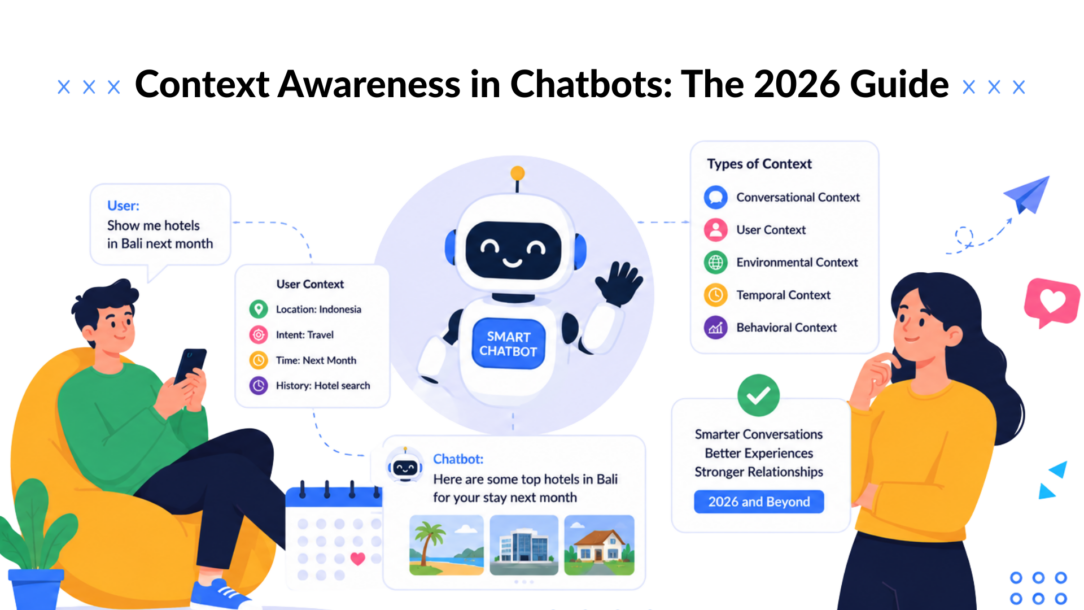
A returning shopper opens your Instagram DM after abandoning a product on your website. The chatbot greets her with, “Hi! Want 10% off your first order?” She bought from the brand last month, already asked about sizing, and left a jacket in her cart. The message feels less like help and more like the brand has forgotten who she is.
That failure is usually not a model problem. It’s a context problem. A bot can recognize words and still miss the customer’s identity, current session, purchase history, channel, and intent. Context awareness gives the system a structured way to use those signals before it responds.
Why Your Chatbot Feels Clueless Without Context Awareness
A stateless chatbot treats every message as a fresh encounter. It sees “I’m back” but not the product the shopper viewed, the questions she asked, or the point where she abandoned the conversation. It may collect her email again, offer a first-order incentive to an existing customer, and send her through a discovery flow she already completed, which can be adapted based on her previous interactions.
A context-aware system works differently. Before replying, it can check who the person is, what’s happening in the current session, what happened previously, and where the conversation is taking place. That lets the bot acknowledge a returning shopper, answer the unresolved sizing question, and present the abandoned item instead of restarting the relationship.

Context Awareness Chatbot Marketing
The difference between scripted and responsive
Scripted flows still have a place. A button-based Messenger sequence is predictable, easy to test, and useful for collecting structured information. It stops working when customers behave like customers rather than flowcharts.
A returning buyer might ask about delivery, switch to a product question, mention an earlier support ticket, and then request a human. A context-aware bot can adjust its tone, skip irrelevant questions, keep the cart reference available, and route the conversation with more useful information attached. This is also where AI assistants for in-product UX can help, because guidance becomes more useful when it reflects what the person has already done inside a product.
The practical distinction is simple:
- Stateless behavior: “What product are you asking about?”
- Context-aware behavior: “You’re asking about the jacket you saved earlier. Would you like the sizing guide or checkout link?”
Four signals shape the reply
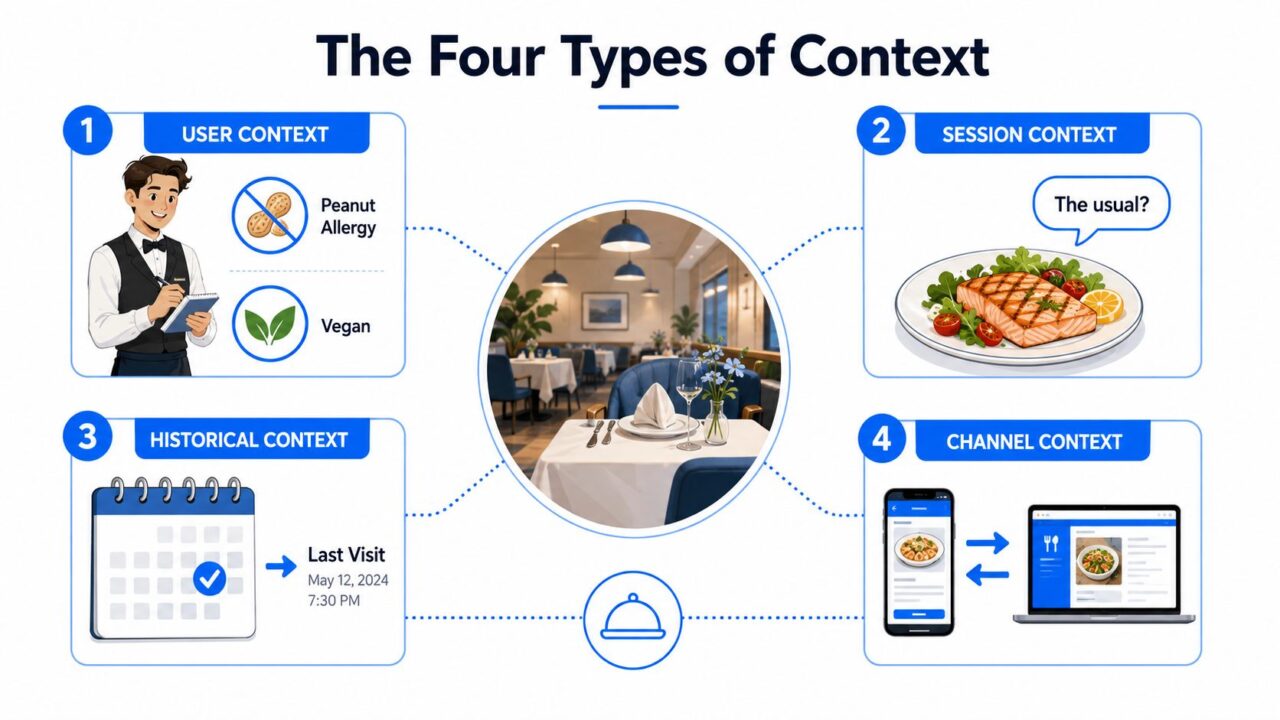
Most customer-facing implementations combine four context categories:
- User context, such as identity, preferences, tags, and saved fields.
- Session context, such as the current question, answers already provided, and the last unfinished step.
- Historical context, such as purchases, prior conversations, and support records.
- Environmental context, such as Messenger, Instagram, web chat, device, referrer, location, and time.
The rest of the system becomes easier to design once these categories are kept separate. You know what should disappear after a conversation, what should persist across channels, and what should be retrieved only when it helps the current request.
The Four Types of Context Every Conversational AI Needs
A good waiter doesn’t ask every guest the same questions. They may remember a dietary restriction, know the order being prepared now, recognize what the guest chose on a previous visit, and notice that rain outside makes a hot drink more relevant. Chatbots need the same layered awareness.
User context
User context describes the person rather than the current conversation. It can include a name, email address, customer status, language preference, product interest, subscription state, or a saved dietary restriction.
A bot reply might be: “Welcome back, Maya. I’ve kept your preference for gluten-free products in mind, adapting our suggestions in real-time.”
Use persistent fields for information that should survive a session. Keep consent and data access in view, especially when information moves between a chatbot, CRM, store, and support system.
Session context
Session context holds the short-term state of the current interaction. It records what the person has said, which buttons they clicked, which questions they answered, and where they stopped.
For example: “You selected the black medium jacket and asked about delivery. Would you like to continue from there?”
Session state prevents the most common conversational irritation, repeated questions. It also supports recovery when someone leaves Messenger or Instagram and returns before completing a flow.
Historical context
Historical context reaches beyond the current interaction. It may include previous purchases, a past support ticket, an earlier demo, or an old product inquiry.
A useful response could be: “You bought the regular-size refill before. Are you looking for the same variant or a different one that is more context aware?”
Historical data should be selective. Raw transcripts and every old event don’t belong in every reply. Retrieve the part that can change the decision in front of the customer.
Environmental context
Environmental context explains the circumstances around the message. The channel matters because an Instagram DM, Messenger reply, and website widget support different interaction patterns. A referrer, campaign parameter, device, location, or time can also shape the opening message.
For example: “You came from our Instagram launch post, so here are the colors featured in that collection.”
Context Awareness Types Context
These layers work best together. User context says who the customer is. Session context says what they’re doing now. History supplies continuity, while environmental context explains why the interaction arrived in this form.
Platform Features That Power Context Awareness Behind the Scenes
Context awareness becomes practical when a builder can store, retrieve, compare, and act on information. I think about the stack as four operational layers: memory stores, fields persist, conditions react, and AI agents reason.
Session memory keeps the conversation intact
Session memory is the short-term layer. It holds variables for the conversation in progress, such as the selected SKU, answer to a qualification question, or support topic. It shouldn’t become a permanent customer profile.
A Messenger flow might save the product category selected in the current session. An Instagram flow can use the same pattern to remember whether the person wants pricing, availability, or styling help. Web chat can retain a form answer while the visitor moves between product and support blocks.
Fields carry useful facts forward
Global fields and custom fields provide persistent storage. A field such as last_purchase_date, customer_status, or preferred_category can be populated from a form, CRM, Shopify event, or integration to leverage relevant information. The field should have an owner and a clear meaning, otherwise different flows will interpret it differently.
That principle extends to AI systems beyond chatbots. Good understanding AI website analysis requires more than extracting page text. The system needs signals that tell it what information means and when it applies.
Conditions make context operational
Conditions are the decision layer. They compare stored values and route people into different paths.
A condition can send a new buyer to education, a repeat buyer to product support, and a high-value subscriber to a priority handoff. For intent-driven routing, pair structured conditions with intent recognition so a person can express the same need naturally instead of selecting an exact button.
AI agents handle ambiguity
AI agents sit above the structured layers. They interpret open-ended language, retrieve relevant fields, and write new values when the conversation reveals something worth saving. They’re useful when the customer says, “I need something like the one I bought last winter,” rather than using a known product name.
| Feature | Context Type Covered | What It Enables |
|---|---|---|
| Session memory | Session | Continuity within an active conversation |
| Custom fields | User and historical | Persistent preferences, status, and purchase facts |
| Conditions | All structured context | Branching, qualification, and routing |
| AI agents | Session, historical, and intent context | Flexible interpretation and context-aware replies |
A review of business context-aware systems maps the broader architecture into acquisition, modeling, processing, and dissemination. The chatbot equivalents are collecting signals, structuring them, reasoning over them, and delivering the right response, as described in the 2020 review of context-aware systems and their impact on automation.. The stack matters more than any individual feature.
Real Examples of Context Awareness in Customer Journeys
The easiest way to evaluate context awareness is to compare what a cold bot says with what a prepared bot can do.
A returning Shopify shopper with an abandoned cart
A shopper leaves a $120 jacket in a Shopify cart, then returns through Instagram. A stateless flow asks what she’s looking for and offers a general catalog. The customer has to identify the jacket again, repeat her size, and explain that she was checking delivery timing.
A context-aware flow retrieves the SKU, selected size, cart value, and recent interaction status. A condition checks whether the cart is still active, then sends the exact product card, answers the delivery question, and presents a relevant incentive tied to that product. The value isn’t the discount alone; it also lies in how we can tailor the experience for each customer. It’s the removal of needless work.
A Messenger subscriber with a dietary preference
A subscriber previously asked a food brand about gluten-free options. A generic broadcast sends a broad product feed. The customer must scan irrelevant products or ask the same question again.
The context-aware version reads the saved preference and selects a product carousel that matches it, leveraging machine learning for better recommendations. A personalization system can insert the customer’s name, preferred category, or product detail through personalization tags, while a condition prevents the bot from showing unsuitable items based on machine learning insights.
An Instagram lead returning after a demo
An Instagram lead booked a demo six months ago and returns with pricing questions. A stateless bot launches the discovery sequence and asks for company size, role, and goals again. That opening makes the lead feel anonymous.
A context-aware flow retrieves the previous conversation, recognizes the demo history, and routes directly to pricing or a sales handoff. It can summarize the earlier topic for the human agent instead of forcing the lead to reconstruct it.
These scenarios use the same mechanics in different combinations. Session memory handles immediate continuity. Custom fields preserve durable facts. Conditions determine the route, while an AI agent interprets language that doesn’t fit neatly into a button or keyword.
How to Implement Context Awareness in Your Chatbot
Start with customer frustration, not the AI feature list. Review conversations from Messenger, Instagram, and web chat, then identify repeated questions, awkward restarts, incorrect offers, and handoffs that lack useful history.
Map each failure to a context layer
Create a simple decision map:
- Repeated question in one conversation: Add session memory.
- Preference needed later: Save a custom field.
- Different treatment for different customers: Add a condition.
- Unstructured or ambiguous request: Use an AI agent as the fallback.
This keeps the implementation controlled and allows for real-time adaptations. You don’t need an agent for a deterministic question such as “Are you a new or returning customer?” A field and condition handle that more consistently.
Configure durable fields carefully
Create a field such as last_purchase_date and define what writes to it, what format it uses, and which flow can integrate real-time updates. A new buyer can receive onboarding content, while a repeat buyer can receive product support or a reorder path.
Then layer a second condition. If customer_status identifies a VIP subscriber, route that person to priority support after checking the purchase state. The order matters. Test what happens when a field is empty, stale, contradictory, or unavailable.
For teams connecting multiple systems, a customer data integration plan should specify which system owns each value. Otherwise, a form submission can overwrite a more reliable CRM record.
Match configuration to the channel
Messenger flows can use subscriber actions, tags, and broadcast entry points. Instagram DMs need concise prompts and clear escalation because the interaction feels more personal and mobile-first. Web chat can combine page context, referral parameters, forms, and live support routing.
Use conditions for known states. Escalate to an AI agent when the customer asks an open-ended question, changes topic, or refers to an item without a precise identifier. Give the agent access to the same trusted fields, but don’t dump every available transcript into its prompt.
Implementation rule: Store the smallest reliable fact that can change the next decision.
Finish with a cold-contact fallback. If memory is missing, the bot should acknowledge the gap and ask one useful question, not pretend it remembers.
Context Awareness Across the Customer Journey
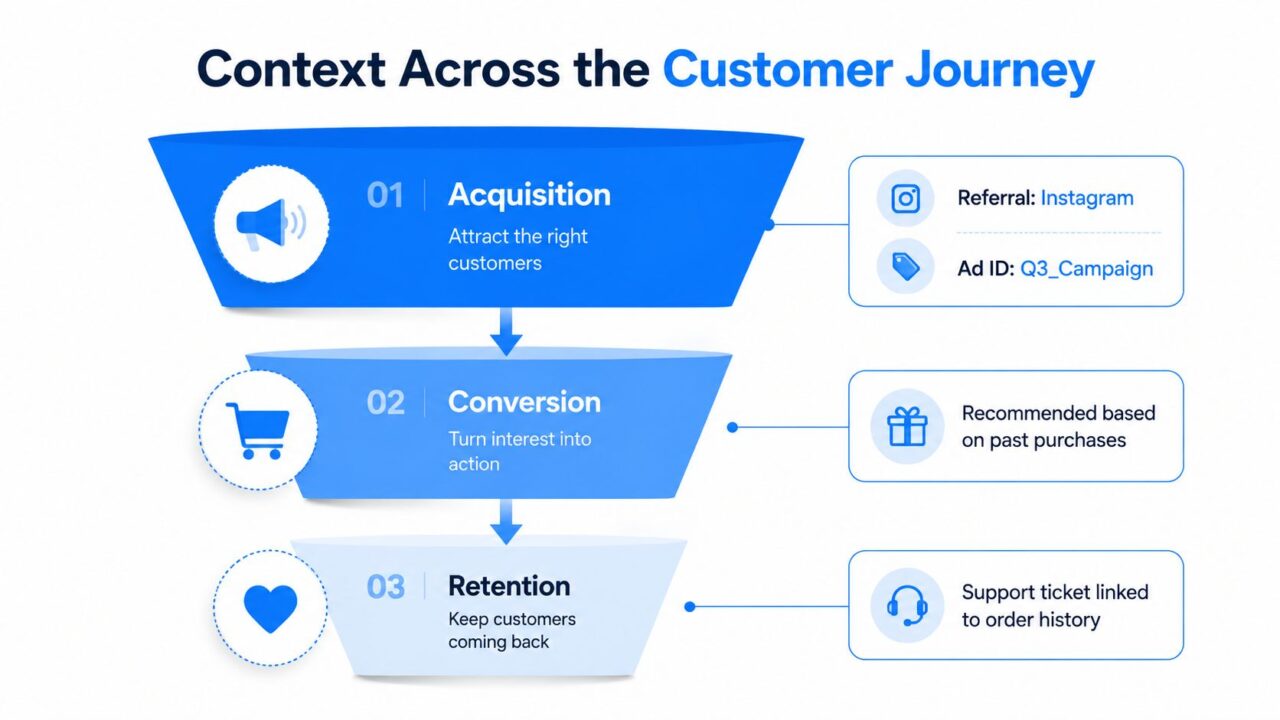
Context earns its keep when the same customer data improves several stages of the relationship. A referral source captured at acquisition can influence the welcome sequence, product education, conversion logic, and follow-up. The chat becomes one interface for a broader lifecycle system.
Context Awareness Customer Journey
Acquisition begins with useful origin data
Capture the source that explains why someone arrived. An Instagram referrer, ad click identifier, or campaign parameter can place a new subscriber in the right segment. Someone arriving from a product tutorial shouldn’t receive the same welcome path as someone arriving from a limited-time promotion.
The bot can open with the relevant topic, ask fewer qualifying questions, and measure the opt-in rate for each entry path. The goal isn’t to collect every possible field. It’s to preserve the signal that makes the next message more relevant.
Activation depends on early behavior
The first session reveals what kind of help the person needs. A visitor who reads setup content may need a tutorial. Someone who asks about compatibility may need a product specialist. A visitor who reports an error should reach support quickly.
Store behavior tags or session answers, then use conditions to select the next step. This turns activation into a guided path rather than a fixed sequence, adapting to user behavior in real-time.
Conversion needs commercial context
Purchase history, product interest, and cart value can shape offer logic. A returning customer may need reassurance or delivery information, while a new visitor may need education. Dynamic routing can protect margin by reserving incentives for situations where they’re appropriate, while still supporting revenue recovery.
Relevant measures include average order value, cart recovery completion, and the quality of sales handoffs. Context awareness doesn’t guarantee improvement in each metric, but it gives teams a way to connect a response to the customer state that produced it.
Retention uses the order as the anchor
Post-purchase messages should reference the exact variant, not a generic product category. Reorder reminders can use the purchased item, while feedback requests can exclude customers who already submitted a review.
That continuity is the foundation of efforts to automate your ecommerce customer journey. Retention teams can track repeat purchase rate, support resolution, and review participation without treating every post-purchase contact as a new relationship.
Metrics, Pitfalls, and a Quick Adoption Checklist
Context awareness needs operational measurement. A bot that remembers more information isn’t automatically helping customers. Measure whether stored context improves routing, reduces repetition, and moves people through the journey.
Track the handoff and resolution signals
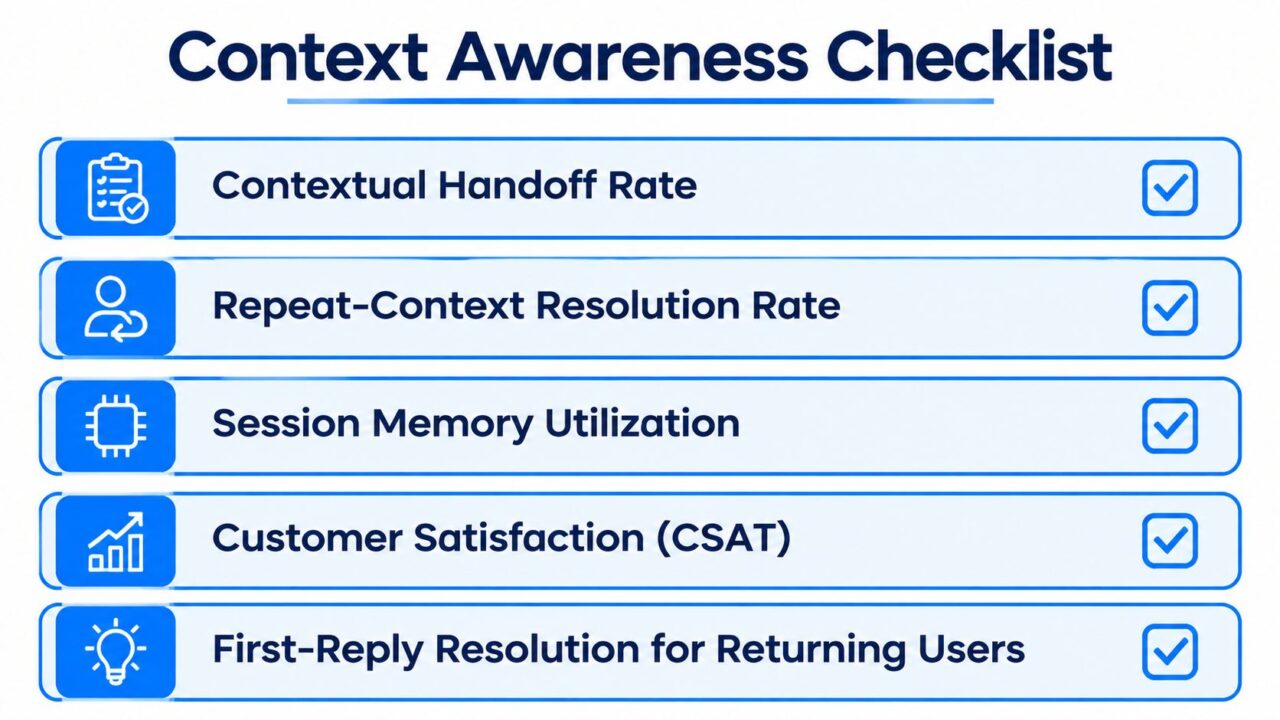
Use a small KPI set that reflects actual behavior:
- Contextual handoff rate: The share of human escalations that include useful identity, session, product, and history details.
- Repeat-context resolution rate: Returning users solved on the first reply without repeating the issue.
- Session memory utilization: The share of eligible flows that read relevant session variables.
- Journey progression lift: The difference in progression between context-aware and stateless cohorts.
- Customer satisfaction: CSAT or an equivalent feedback signal after support and purchase interactions.
- First-reply resolution for returning users: Whether an existing customer receives a useful answer immediately.
Keep the comparison clean. If a stateless cohort sees a different offer, channel, or audience mix, the result won’t tell you whether context caused the change.
Avoid context rot
Long histories can hurt when they contain stale preferences, contradictory values, or irrelevant events. Research on context-aware neural conversation models found that weighting context by query relevance outperformed comparable baselines, which supports a practical rule: retrieve what helps the current question, not everything the customer ever said (ACL empirical dialogue study).
A separate context model improved performance by encoding the current question separately from prior context and using the full conversation history in a structured way (deep neural context model research). In production, that means keeping the current request distinct from stored history rather than blending all text into one undifferentiated prompt.
Common mistakes include:
- Collecting too much too early can hinder the ability to leverage relevant information effectively. Ask only for fields that change a decision.
- Skipping expiration: Apply expiry rules to temporary intent, campaign interest, and session state.
- Using one field for everything: Separate customer status, product interest, consent, and support state.
- Ignoring missing memory: Give cold contacts a graceful recovery path.
- Letting AI write unchecked values: Validate updates before they influence offers or routing.
Launch with a narrow checklist
Enable session memory for the highest-friction flows. Define five essential custom fields, assign ownership, and set expiration rules. Add a short context recap for returning users, configure conditions at the main entry points, deploy a cold-contact fallback, and review the contextual handoff KPI weekly.
Context Awareness Checklist
The underlying idea has a long history. Context-aware computing emerged from ubiquitous computing research in the early 1990s, the term “context-aware” was first used in 1994 in work by Schilit and Theimer, and projects such as Active Badge in 1992 and Xerox PARCTab in 1995 demonstrated location-aware systems (historical survey). Yet a mobile context-aware computing survey noted that the technology had “never been widely available to everyday users,” a reminder that useful prototypes and reliable deployment aren’t the same thing (mobile context-aware computing survey).
For chatbot teams, the lesson is direct. Context awareness isn’t a decorative AI capability. It’s the infrastructure that connects memory, fields, rules, channels, and human handoffs into one customer experience.
Clepher gives teams a no-code way to build context-aware flows across Messenger, Instagram Direct Message, WhatsApp, and web chat, using AI Agents, custom fields, conditions, tags, segmentation, and analytics. Visit Clepher to design a flow that remembers the right customer details, routes conversations intelligently, and turns returning interactions into more useful journeys.
