
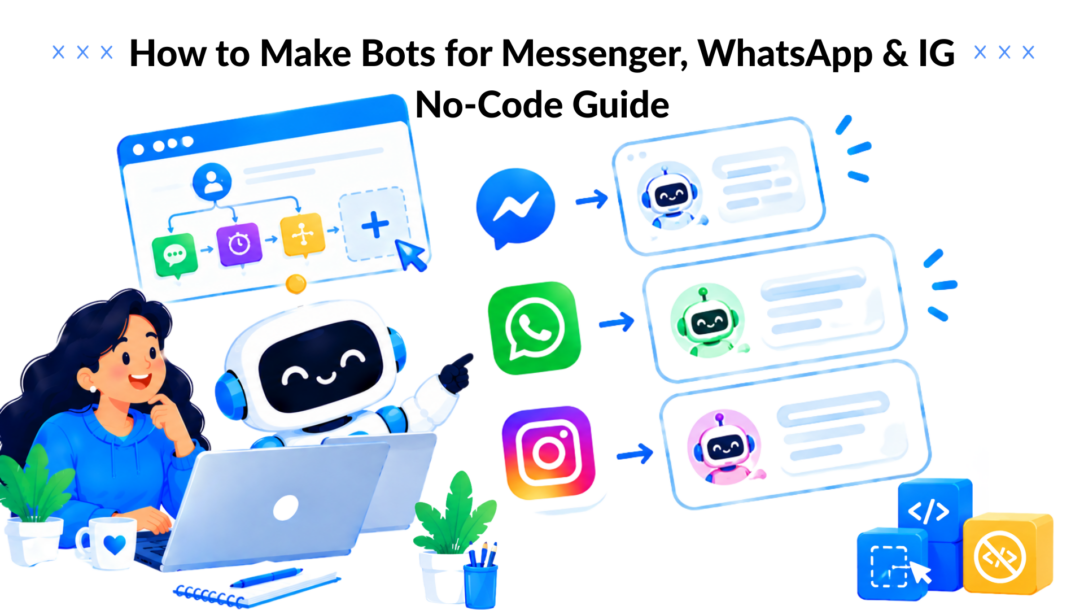
A DTC founder opens Instagram to answer a quick product question and finds the same conversation repeated across Messenger and WhatsApp. “How long does delivery take?” “Do you offer exchanges?” “Can I get help choosing a size?” By the time the replies are finished, the next batch of messages has already arrived.
That’s the point where many teams start searching for how to make bots without realizing that the hard part isn’t adding a chat widget. A useful bot needs a clear job, sensible permissions, a reliable handoff, channel-specific rules, and a way to learn from failed conversations.
Clepher gives no-code marketers a visual way to turn scattered inquiries into structured conversations. You can build flows, capture leads, personalize replies, and connect customer journeys across the channels where buyers already message you. The practical path is to start narrow, test with real questions, and scale only after the bot proves it can resolve the work you assigned to it.
Starting Your Bot Journey

How to Make Bots Digital Overload
If you run an online store or manage social accounts for clients, manual replies become an invisible operating cost. The work feels small one message at a time, but repetitive questions interrupt campaign planning, sales follow-up, and customer support throughout the day.
A chatbot can remove that repetition, but only when it has a defined responsibility. “Answer everything” is not a useful bot brief. “Help shoppers choose a product, collect their email when they need follow-up, and send complex cases to a human” is a great way to build a bot.
The historical starting point for bot-making knowledge is ELIZA, created at MIT in 1966 by Joseph Weizenbaum. It showed that keyword parsing and scripted responses could create convincing dialogue, and it influenced later systems such as PARRY in 1973. Modern builders now have foundation models and no-code tools, but the underlying lesson remains useful: a bot needs a deliberate conversation architecture.
Start with the business problem
Choose one workflow that already consumes time or loses opportunities:
- Product questions: Explain delivery, returns, sizing, availability, or product differences.
- Lead qualification: Ask about budget, needs, timing, and preferred follow-up.
- Sales recovery: Using programming techniques can enhance the process. Respond to an abandoned-cart inquiry and guide the buyer back to checkout.
- Support triage: Identify the issue, provide approved information, and route exceptions.
For a first deployment, support triage or lead qualification usually offers cleaner boundaries than an open-ended sales assistant when using Python. You can define what the bot knows, what it may collect, and when a person must take over.
Choose a controlled starting point
A no-code platform such as Clepher’s chatbot builder can help marketers create visual flows without writing software. The tool matters less than the operating discipline around it. Keep the first version small enough that you can inspect every path, response, tag, and handoff.
Write down three decisions before building:
- The desired outcome, such as a qualified lead or a resolved delivery question.
- The allowed actions should be clear when programming a bot, such as collecting contact details or linking to a policy page.
- The stop conditions, such as legal complaints, payment disputes, or requests that require account access.
Practical rule: A bot should have a job description, not just a personality.
That rule separates a useful automation from a novelty widget. The best bot isn’t the one that talks the most. It’s the one that moves a customer toward a clear next step while making its limits obvious.
Building Your First Conversation Flow
The first flow should be designed on paper before you open the builder. Start with the customer, not the feature list. A buyer who asks about delivery needs a different path from a prospect asking whether your service integrates with their current stack.
Define the persona and objective
Give the bot a name, tone, and narrow objective to make a bot that resonates with users. A fashion retailer might use a warm shopping assistant that asks about fit and intended use. A SaaS company might use a concise onboarding guide that points users toward documentation and human support.
The persona should influence language, not invent authority. If the bot doesn’t have verified information about stock, refunds, account status, or delivery exceptions, it mustn’t improvise. A friendly tone can’t compensate for an inaccurate answer.
Write a short operating brief:
- Audience: Who is messaging?
- Intent: What problem are they trying to solve?
- Knowledge: Essential for a beginner looking to create a bot. Which pages, policies, or approved answers can the bot use?
- Permission: What may it collect, update, or trigger?
- Handoff: Which situations require a person?
Map the conversation before adding branches
A practical bot-building method is to define the objective, split the task into subtasks, order them, create a prompt or rule set for each, connect the steps, and improve the sequence through feedback. This decomposition approach is described as improving clarity and completeness in a Wiley-published bot construction methodology.
For an abandoned-cart flow, the sequence might look like this:
- Greet the visitor and identify the product or order question.
- Ask whether they need help with fit, payment, shipping, or another concern.
- Route the conversation to the relevant answer.
- Offer a product or checkout link.
- Capture contact details only when follow-up adds value.
- Escalate if the customer reports a payment problem or an unusual order issue.
This sequence keeps the bot from asking for an email address before it has earned the request. It also makes testing easier because every branch has a purpose.
Build the flow with useful fields
Use conditions to separate intents and custom fields to retain context. A field such as product_interest, Customer_type: a critical factor when building a bot., or support_topic can help later messages feel relevant without forcing the customer to repeat information.
Personalization should reduce friction, not create false intimacy. Use a customer’s name when it helps, but don’t overuse it. A bot that inserts a name into every sentence feels more automated, not less.
How to Make Bots Clepher Platform
Install the capture widget carefully
The capture widget is often the first point where a website visitor enters the automation. Match its opening message to the page context to enhance user engagement when using Python. A product page can offer sizing help or product comparison. A pricing page can offer plan guidance. A generic “How can we help?” prompt wastes the intent the visitor has already shown.
For regulated or sensitive use cases, study a focused example such as a patient communication chatbot before copying patterns into your own flow. The lesson isn’t to reproduce the use case. It’s to think carefully about consent, data collection, escalation, and the difference between providing information and making a decision when you create a bot.
Before publishing, click through every button and condition yourself. Check empty responses, unexpected answers, repeated questions, broken links, and the route a user takes after saying “no.” A polished happy path can hide a poor customer experience in the branches that matter most.
Connecting to Messenger, WhatsApp, and Instagram
Channel choice changes the bot’s operating model. Messenger, WhatsApp, and Instagram Direct can all support conversational marketing, but they don’t give you the same permissions, timing, or audience behavior.
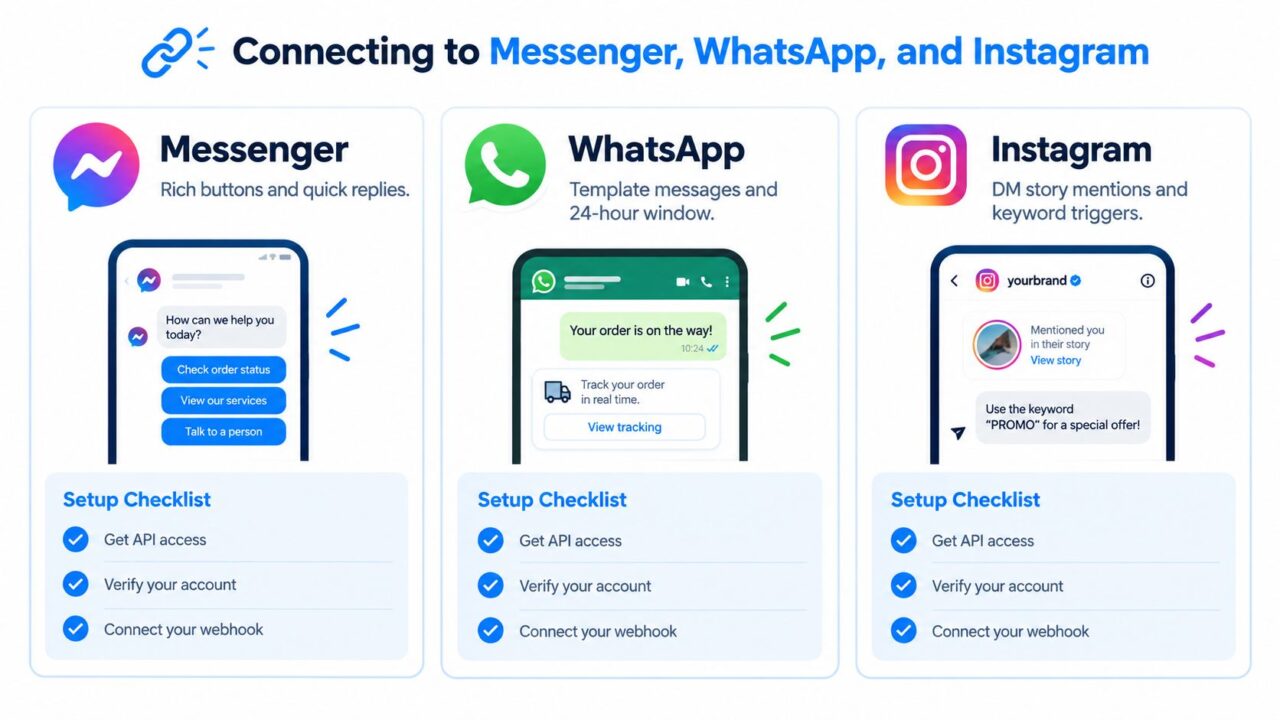
How to Make Bots Messaging Integration
Connect the business accounts first, verify permissions, and test a real inbound message before launching a campaign. For Instagram, review your target pages for Instagram when planning audience research or channel-specific outreach, but keep the bot’s messaging logic tied to actual consent and platform rules.
Compare the operating constraints
| Platform | Key Policy Limit | Best Use Case |
|---|---|---|
| Messenger | Businesses generally have up to 24 hours to respond in the standard messaging window, and promotional content may be included inside that window. Meta’s Messenger policy | Lead qualification, support replies, order updates, and timely recovery flows |
| Business-initiated conversations use moving 24-hour limits shared across phone numbers in the same Business Portfolio. New portfolios start at 250 messages, with possible levels of 2,000, 10,000, 100,000, or unlimited, depending on account performance and scaling path. WhatsApp messaging documentation | Customer support, onboarding, product launches, and opted-in re-engagement | |
| Instagram Direct | Access depends on connected business accounts, permissions, and supported triggers such as replies, mentions, and keywords. | Product questions, story responses, creator-led promotion, and social lead capture |
Messenger’s 24-hour window should shape your event logic. If someone asks about an abandoned cart, the bot can qualify the issue and send a recovery message while the conversation remains active. If the window closes, the flow needs a compliant alternative instead of blindly attempting another promotional message.
WhatsApp requires a different distinction. The limit applies to unique users a business can initiate conversations with during a moving 24-hour period, not to every individual message. Replies inside the 24-hour customer service window after a user-initiated message aren’t subject to the same business-initiated quota, as explained by Syniverse’s WhatsApp Business API documentation. That means an active support conversation and a proactive campaign should be measured separately.
For Instagram, build around the behavior that brings people into the inbox. Story replies, comment keywords, and direct questions can trigger different entry points. Don’t force an Instagram user through a long form designed for a website. Give them a quick choice, capture only the information you need, and provide a clear escalation route.
Use Clepher’s WhatsApp for Business resources when designing WhatsApp-specific workflows, then test each channel independently. A flow that works in Messenger may need different buttons, timing, copy, or consent handling on WhatsApp and Instagram when building a bot.
Testing and Optimization Strategies
A bot can look excellent in a builder and still fail during a busy support period. The difference is usually the test material. Teams often test invented questions that follow the flow neatly, while customers use partial sentences, misspellings, screenshots, product nicknames, and several requests in one message.
Test conversations that already happened
Pull representative material from support tickets, sales conversations, website searches, and call logs. Remove sensitive information, then turn the recurring questions into acceptance tests. Include both easy requests and awkward cases.
A useful test set checks whether the bot can:
- Recognize intent: Identify whether the person needs sales help, support, or a human.
- Preserve context: Remember the product, issue, or answer already provided.
- Avoid invention: Say when it lacks the information needed to answer.
- Escalate correctly: Transfer urgent, sensitive, or ambiguous cases.
- Complete the action: Deliver the correct link, tag, form, or next step.
The most important test isn’t “did the bot respond?” It’s “did the customer make progress?” A fast but irrelevant answer can increase frustration while making the dashboard look active.
Run controlled experiments
A/B testing works best when you change one meaningful variable at a time. You might compare a short opening against a more explanatory one, test two qualification paths, or distribute visitors between different calls to action.
Use Clepher’s A/B testing guidance to structure experiments around a decision, and consider coding different scenarios. Don’t test copy just because the feature exists. Decide what behavior would justify keeping version A or version B, such as a completed qualification, a handoff accepted by an agent, or a product link clicked.
Response timing deserves attention too. Instant replies can feel efficient for straightforward questions, but a long sequence of messages can overwhelm the user. A typing indicator or deliberate pause may make a complex handoff feel more natural, while a simple order-status answer should remain direct.
Measure resolution instead of containment
Containment tells you that a person stayed inside the bot. Resolution tells you whether the issue was handled. Those aren’t interchangeable.
An independent industry report found that 60% of surveyed leaders ranked black-box issues or compliance as their top challenge, while another reported that only 45.8% of chatbot cases were resolved even though chatbots were projected to handle 73.8% of chat sessions. The figures appear in Rasa’s State of Conversational AI report, and they illustrate why conversation volume alone is a weak success metric.
Track the complete outcome:
- Was the customer’s question answered?
- Did the customer reach the intended page or action?
- Did a human receive enough context at handoff?
- Did the customer repeat the question?
- Did the conversation end in abandonment?
Review failed conversations on a regular schedule. Add missing answers, simplify confusing branches, and remove automations that create work for agents. Production optimization is not a final polish. It’s the operating routine that keeps the bot useful.
Launching and Scaling Your Automation
Launch one focused flow before building a network of automations. The first release should have a defined audience, a limited message objective, and a person responsible for reviewing live conversations.
Start with a small segment, such as customers who asked about a specific product or leads who selected a particular service category. Segmentation lets you match the message to the person’s context and makes failures easier to diagnose.
Set up the first broadcast
A practical launch sequence looks like this:
- Choose the event: Use an opt-in, inbound question, product interest, or support interaction.
- Define the segment: Filter by tags, fields, channel, or stated intent.
- Write the message: Give one clear reason to respond and one primary action.
- Add the handoff: Tell people how to reach a human or request help.
- Check the policy: essential for programming a bot effectively. Confirm that the channel permits the message at that time.
- Monitor replies: Review the first conversations instead of assuming the flow is finished.
For WhatsApp, remember that outbound capacity is shared at the Business Portfolio level. A DTC brand running a product launch needs to segment and pace sends rather than treating each phone number as an independent pool. For Messenger, timing logic should account for the standard 24-hour window.
Expand only after the evidence
Successful scaling usually comes from adding adjacent jobs, not making the first bot answer everything. A store might begin with product questions, then add order updates. A SaaS company might start with onboarding and later introduce renewal reminders for an opted-in segment.
Use analytics to find the next bottleneck. If users repeatedly ask for a human after choosing a product, improve the product guidance before adding another campaign. If agents receive handoffs without context, collect the missing field earlier in the conversation.
Post-launch maintenance should include conversation review, permission checks, outdated-link checks, and audience cleanup. Retire segments that no longer reflect customer intent, and update responses whenever your policies, products, or support process changes.
Real Results and Next Steps
The transformation from manual chaos to useful automation doesn’t happen because a bot exists. It happens when the bot takes responsibility for a repeatable part of the customer journey and gives the human team better context for everything else.
A DTC brand might begin with a Messenger flow that answers delivery questions and captures shoppers who need follow-up. A creator might use Instagram keyword triggers to deliver a resource, qualify interest, and route serious prospects to a call. A SaaS team might use WhatsApp for onboarding questions while reserving proactive outreach for carefully segmented, opted-in audiences.
The common pattern is operational, not flashy:
- Start with repetition: Find the questions your team answers every day.
- Draw the boundary: Document what the bot can and can’t do.
- Build the handoff: Transfer difficult cases with the conversation history attached.
- Test real language: Use transcripts and messy customer phrasing.
- Measure resolution: Count completed outcomes, not just replies.
- Review continuously: Treat failed conversations as product feedback.
Modern bot-making has moved from hand-written rules toward foundation models, data, and rapid deployment. ChatGPT reached over 100 million users within two months of launch, according to the latest standards in creating a bot. LivePerson’s conversational AI overview. That adoption shows how quickly conversational interfaces can scale, but it doesn’t remove the need for governance. A powerful model still needs approved knowledge, permissions, escalation rules, and quality checks.
Audit one inbox this week. Highlight the repeated questions, choose one narrow workflow, write its stop conditions, and test it against real examples before publishing. That small project will reveal whether your business needs another bot, a better help center, or a simpler customer journey.
Clepher lets you build no-code conversational flows for Messenger, WhatsApp, Instagram Direct, and website capture, with tools for segmentation, personalization, testing, and analytics. Visit Clepher to turn one repetitive customer workflow into a monitored automation, then expand it only when the live conversations show that it’s ready.
