
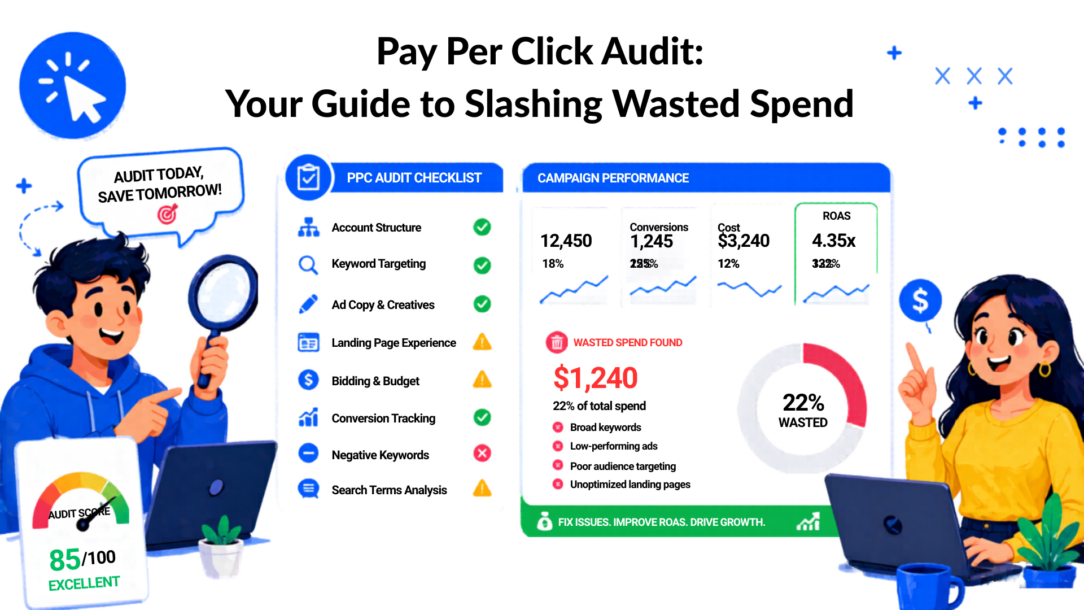
Your campaigns are spending. The dashboards look busy. Clicks come in every day. But revenue, lead quality, or booked calls don’t move the way they should.
Beyond Clicks to Conversions Why Audits Matter
The usual pattern looks like this. Spend rises month after month, the team keeps refreshing ads, and nobody can clearly explain why performance feels softer even though the platform still shows activity.
One account I’d call typical had decent traffic and constant motion inside Google Ads. New keywords were being added, old ads were paused, and the team was reporting on clicks every week. Sales, though, stayed flat. The issue wasn’t a lack of effort. The issue was that nobody had stepped back and audited the system end to end.
That’s what a pay per click audit is for. It gives you a controlled way to answer practical questions:
- Are the clicks relevant? If not, keyword and search term control is weak.
- Are the ads qualified? If not, the copy may be attracting the wrong intent.
- Is the site doing its job? If not, the problem starts after the click.
- Can you trust the data? If not, every optimization decision is suspect.
Practical rule: If you can’t explain why one campaign deserves more budget than another in plain business language, the account isn’t being managed tightly enough.
Audits matter because paid media gets expensive when uncertainty goes unchecked. You can live with a few underperforming keywords for a while. You can’t build a reliable acquisition engine on assumptions.
A strong audit also changes how you evaluate success. Many teams still overfocus on platform-facing metrics because those are easy to see. What matters more is whether the campaign creates qualified demand and whether attribution reflects reality. If your team needs a cleaner framework for that, this overview of marketing attribution fundamentals helps clarify how paid clicks should connect to outcomes.
For a broader operator’s view, Jackson Digital’s guide for scaling brands through paid media is a useful reference because it frames auditing as part of growth control, not just account cleanup.
The Checklist to Conduct a PPC Audit And Goal Setting
Start the audit before you open Google Ads.
Most wasted time in account reviews comes from wandering through reports without a clear decision framework. You need a success definition, a review window, and access to the systems that confirm whether ad platform numbers match business reality.
Pay Per Click Audit Compass
Set the business outcome first
A marketing manager often says, “We want better performance.” That’s too loose for an audit.
Pick the actual business priority. Examples:
- Lead generation: You need more qualified form fills, booked demos, or calls.
- Ecommerce efficiency: You need a stronger return on ad spend, not just more sessions.
- Customer acquisition control: You need to bring down acquisition cost while keeping volume stable.
- Pipeline quality: You need to stop paying for leads that sales won’t touch.
That choice shapes the rest of the audit. A search campaign built to capture high-intent leads should not be judged the same way as a remarketing campaign trying to recover abandoned visitors.
Lock your analysis window
Use a time range long enough to reveal patterns but short enough to reflect current behavior. In practice, teams often compare a recent operating window with an earlier period to catch drift, fatigue, and bidding changes.
Also, check whether anything unusual happened during the window:
- Promotions or launches: These can distort normal query behavior.
- Tracking changes: A tag update can make the whole period unreliable.
- Site changes: New templates or a checkout tweak can change conversion behavior.
- Sales process changes: If lead qualification is tightened, ad performance may look worse while actual quality improves.
An audit without context turns normal variation into fake problems.
Gather the systems you’ll need
A real audit crosses platforms. At a minimum, have access to:
- Google Ads or the active ad platform: Campaigns, keywords, ads, audiences, and settings.
- GA4: Post-click behavior, landing page performance, and traffic validation.
- CRM or ecommerce platform: Whether leads were closed or purchases were real.
- Tag manager or tracking setup: To confirm what fires and when.
- Landing pages and forms: You can’t audit conversion paths blind.
- Change history: It helps explain sudden shifts.
Here’s a simple way to frame prep:
| Audit input | Why it matters |
|---|---|
| Ad account access | Needed to inspect structure, settings, spend, and query behavior |
| Analytics access | Confirms what happens after the click |
| CRM or sales data | Separates cheap leads from valuable ones |
| Tracking visibility | Prevents optimization on bad data |
| Offer context | Helps judge whether the ad and the landing page message match |
Define the questions you want answered
Before the audit starts, write down a short list. For example:
- Which campaigns are producing real business value?
- Where is spending happening without meaningful conversion?
- Which traffic segments deserve more budget?
- What account issues are limiting efficiency right now?
If you want an extra checklist to compare against your process, UFO Performance Marketing has a practical piece on optimizing PPC campaign performance that’s worth reviewing before you dive in.
Auditing Account Structure And Google Ads Campaign Settings
A messy account can still produce conversions. It just does it inefficiently, with poor control and more budget loss than many realize.
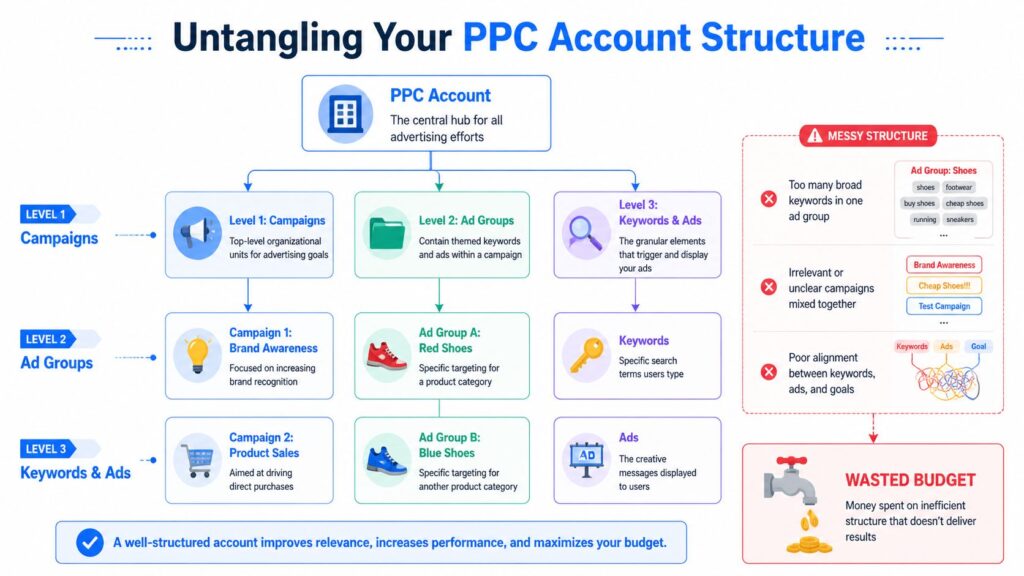
When I open an account and see campaigns built around loose themes, bloated ad groups, and broad keywords mixed with sharply different intents, I already know the audit will uncover preventable waste. Structure is not housekeeping. Structure decides whether the platform understands your relevance and whether your team can make smart changes without collateral damage.
Pay Per Click Audit PPC Structure
What a healthy account looks like
A strong structure makes intent obvious. Campaigns are grouped by goal or meaningful business segment. Ad groups stay tightly themed. Ads and landing pages reflect the keyword cluster they serve.
That gives you three advantages:
- Cleaner reporting: You can see what’s working without guessing.
- Better relevance: Search term, ad, and landing page alignment are easier to maintain.
- Safer optimization: You can adjust budgets, bids, and messaging without disrupting unrelated traffic.
A weak structure usually does the opposite. Teams pile unrelated terms into the same ad group, let match types blur together, and route very different searches to the same page.
Start with campaign settings; people forget
Campaign settings often get configured once and then ignored. During an audit, these are often the first silent leaks to find.
Check these first:
- Location targeting: Are ads showing in places the business can’t serve well?
- Ad schedule: Are campaigns active at times that don’t convert or don’t fit staffing?
- Device behavior: Are you buying mobile traffic while sending users to a poor mobile experience?
- Network settings: Are search campaigns reaching placements that don’t fit the goal?
- Conversion actions: Is the campaign optimizing toward the right event?
A campaign can have good keywords and still lose money because the settings point traffic at the wrong people, at the wrong time, on the wrong device.
Broad match usually tells on the account
The fastest structural red flag is broad match overuse without enough control around it.
According to GrowLeads, campaigns with 70%+ budget on exact/phrase match keywords outperform broad-heavy structures by 30-60% in CPA, and broad match without strong negatives leads to wasted spend identified in 80% of audited accounts. That statistic lines up with what practitioners see every day. Loose matching can scale reach, but it often scales irrelevance first.
Here’s the trade-off in plain terms:
| Structure choice | What usually happens |
|---|---|
| Broad-heavy, weak negatives | More query sprawl, weaker control, lower relevance |
| Exact/phrase-led, clear themes | Better intent alignment, cleaner optimization, stronger efficiency |
Broad match isn’t automatically wrong. It’s wrong when the account lacks the guardrails to manage it. If the search terms report is full of adjacent intent, research queries, or totally irrelevant traffic, don’t blame the platform. Blame the structure.
Audit ad groups for intent purity
Open a few ad groups and ask one question. Could one ad credibly speak to every keyword inside this group?
If the answer is no, split it.
Examples of structural issues that usually need action:
- Mixed product and problem terms: “running shoes” and “shoe pain relief” don’t deserve the same ad group.
- Branded and non-branded terms together: That hides true acquisition performance.
- High-intent and low-intent queries mixed: “buy CRM software” and “what is CRM” should not compete for the same message and bid strategy.
- One landing page for every theme: Convenient for the team, expensive for the account.
Quality follows relevance
Structure affects more than neatness. It shapes ad relevance and landing page alignment, which in turn influence Quality Score and cost efficiency.
If your account has rising costs, unstable CTR, and vague ad messaging, look at the structure before blaming bids. Better organization often fixes what teams try to solve with more spend.
A practical sequence works well here:
- Split campaigns by goal or major business category
- Tighten ad groups around one clear intent theme
- Separate match types where control is poor
- Pair each group with ads that sound like the query
- Send traffic to the closest matching landing page
This is one of the least glamorous parts of a pay per click audit. It’s also one of the most profitable.
Analyzing Keywords, Ads, and Audience Targeting
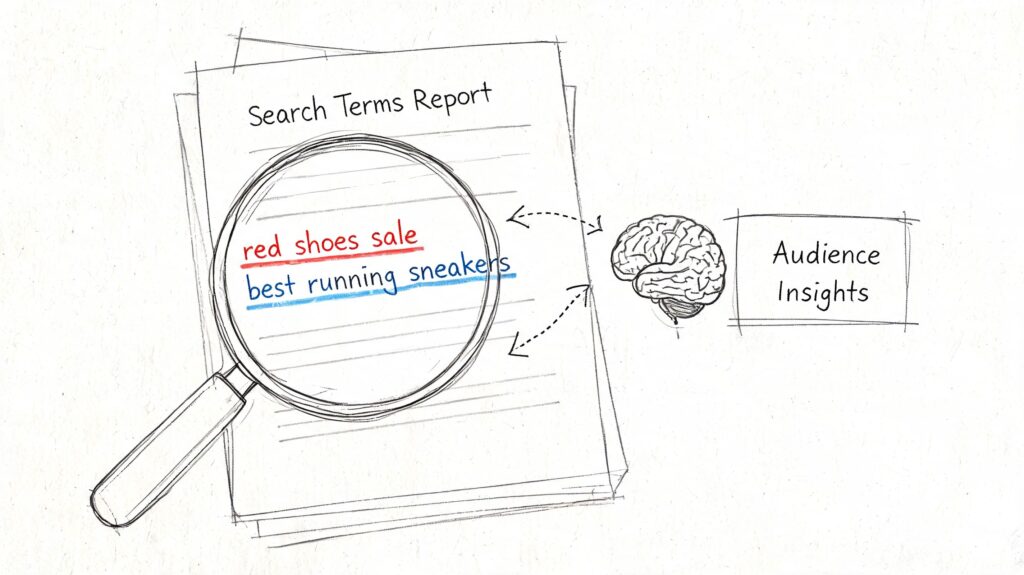
If the account structure shows how the account was built, the search terms report shows how the market is responding to it.
Now, audits stop being theoretical. You’re no longer looking at what you meant to target. You’re looking at what people really typed before they clicked.
Pay Per Click Audit Search Report
Read the search terms report like a diagnosis tool
Pull the report and scan for patterns, not isolated oddities.
You’re looking for three buckets:
- Terms that deserve protection: High-intent queries that convert or clearly fit your offer.
- Terms that deserve exclusion: Irrelevant, low-intent, or mismatched searches.
- Terms that deserve their own treatment: Queries that are promising but need dedicated ads or landing pages.
For example, if you sell premium skincare and your ad is appearing for “DIY face serum recipe,” that’s not a traffic opportunity. That’s waste. If you see “best vitamin c serum for dark spots” repeatedly and it aligns with your offer, that may deserve its own ad group and page.
Use CTR as an honesty check
Click-Through Rate (CTR) is one of the fastest ways to spot a message mismatch. It’s calculated as clicks divided by impressions. If an ad gets 1,000 impressions and 100 clicks, the CTR is 10%. As a benchmark, Google Ads search averages 6.66% across industries, display averages 0.46%, and a good overall benchmark is 1.9%, according to White Shark Media.
Those numbers aren’t a universal target. They are a signal. If CTR is lagging, the usual causes are familiar:
- Keyword mismatch: The query intent doesn’t match the ad.
- Weak copy: The ad doesn’t communicate value clearly.
- Poor positioning: You’re showing up, but not competitively.
- Audience mismatch: The wrong users are seeing the message.
The same source notes that high-CTR campaigns can yield 2-3x better ROAS post-audit when the underlying traffic is quality and the account is optimized. That’s why CTR matters in an audit. Not because clicks are the goal, but because low engagement often exposes deeper relevance problems.
Low CTR usually means one of two things. You’re in the wrong auction, or you’re saying the wrong thing in the right auction.
Fix the ad before you blame the keyword
Marketers often pause keywords too quickly when the actual issue is the ad.
Review ads at the ad-group level and ask:
- Does the headline mirror the query intent?
- Is the offer concrete enough?
- Does the CTA fit the stage of intent?
- Are extensions supporting the click, or just filling space?
A few practical examples:
| If you see this | Do this |
|---|---|
| Good impressions, weak CTR | Rewrite headlines to reflect the exact search intent |
| Good CTR, weak conversion | Check the landing page match before changing keywords |
| One ad variant dominates | Use it as the control and test one variable at a time |
| Broad generic messaging | Tighten the promise around the problem or product |
The point isn’t to write clever ads. It’s to write accurate ones.
Check audience layers for signal, not clutter
Audience targeting often gets added over time and then forgotten. Observation lists, in-market segments, remarketing pools, and interest layers can all be useful. They can also muddy the account when nobody knows what role they play.
A clean audit asks:
- Which audiences consistently produce qualified traffic?
- Which ones attract clicks but don’t progress?
- Are remarketing audiences getting customized messaging?
- Are exclusions preventing overlap and wasted impressions?
If everyone gets the same ad, your audience strategy probably isn’t doing much.
This walkthrough is useful if you want to see search term analysis in action before applying it to your own account:
Build your negative keyword habit
The best negative keyword work is steady, not heroic.
A simple operating habit works:
- Review search terms regularly
- Tag repeat irrelevant themes
- Add negatives at the right level
- Protect strong intent from overlap
- Revisit after ad or match type changes
Field note: Search term cleanup rarely feels dramatic in the moment. Over time, it’s one of the clearest ways to stop paying for curiosity and start paying for intent.
Checking Bidding Strategies And Budget Allocation
Bidding strategy should match the campaign’s reality, not the platform’s suggestion.
A lot of underperformance comes from using the wrong level of automation for the amount of clean data available. Teams switch to automated bidding because it feels more advanced, then discover the campaign doesn’t have enough reliable conversion information to guide it.
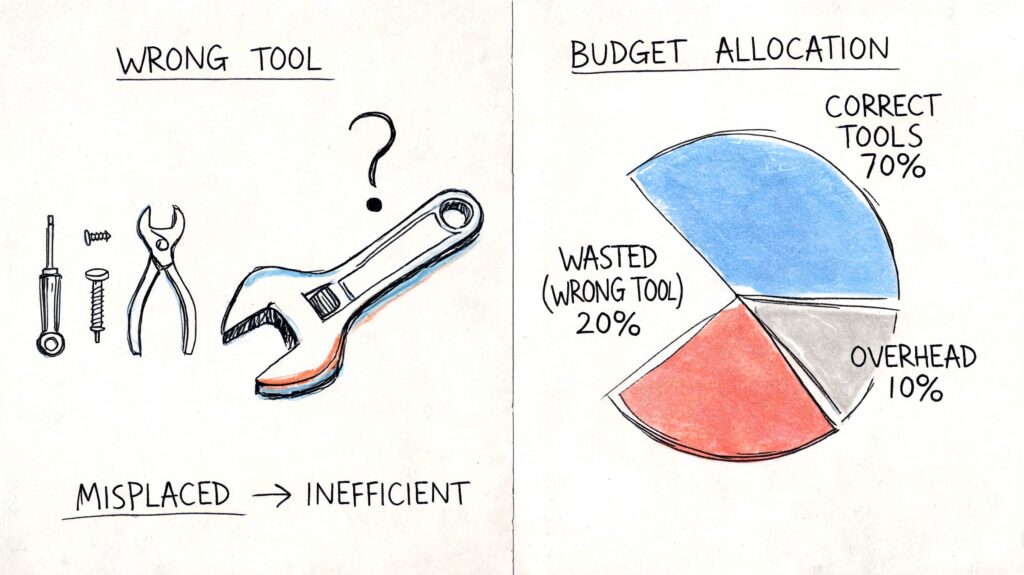
Pay Per Click Audit Budget Allocation
Read CPC in context
Cost-Per-Click (CPC) tells you what you paid for traffic. In 2025, the Google Ads average CPC stands at $5.26, and average paid search CPL reached $70.11, according to Improvado. Those figures matter because they force discipline. Expensive traffic isn’t automatically bad, but expensive traffic without downstream value is.
That same source notes that high CTR can lower CPC through stronger Quality Scores, and a Quality Score of 7+ can halve costs. It also points to 15-25% budget recovery through bid optimization. In practice, that usually comes from trimming inflated bids, reducing spend on weak segments, and reallocating budget to higher-intent traffic.
Choose a strategy based on signal strength
A simple decision framework helps:
- Manual or tighter control makes sense when conversion data is thin, query control matters, or the account is being cleaned up.
- Automation makes more sense when tracking is solid, conversion volume is reliable, and the campaign goal is clear.
- Hybrid oversight is often best because even automated strategies need boundaries, exclusions, and budget discipline.
If a low-volume campaign is using an aggressive automated strategy and spending into weak traffic, that’s not sophistication. That’s outsourcing judgment too early.
Follow the budget, not the narrative
A pay-per-click audit should reveal where the budget is trapped.
Look for situations like these:
- A strong campaign is limited, while weaker campaigns spend freely
- Brand campaigns absorb the budget that should support acquisition
- Mobile traffic consumes spend without post-click performance
- High-cost segments are protected because they “feel strategic.”
Here’s a practical review lens:
| Question | Why it matters |
|---|---|
| Which campaigns spend the most? | High spending deserves the first audit attention |
| Which campaigns create the best business outcome? | Budget should flow toward value, not activity |
| Where are CPCs rising without better results? | That often signals overbidding or weak targeting |
| Which campaigns are budget-limited for the right reasons? | Some deserve more funding, others deserve scrutiny |
For Amazon advertisers working through bid logic in a marketplace context, this guide on setting optimal Amazon PPC bids is a useful complement because it helps frame how bid discipline connects to margin control.
Validating Landing Pages And Conversion Tracking
Many audits frequently uncover the biggest problem. Not in the ads. Not in the keywords. What happens after the click?
Teams spend hours refining targeting and copy, then send paid traffic to a page that doesn’t continue the conversation the ad started. Or worse, they optimize based on conversion data that isn’t trustworthy.
Message match decides whether the click had a chance
A landing page should feel like the natural continuation of the ad.
If the ad promises a free consultation, the page should immediately reinforce that offer. If the keyword suggests urgency or high intent, the page should not open with generic brand language and make the visitor hunt for the next step.
Check these elements directly:
- Headline alignment: Does the page confirm what the ad offered?
- CTA clarity: Is the next action obvious and easy?
- Mobile usability: Can someone complete the action comfortably on a phone?
- Friction points: Are forms too long, buttons buried, or trust signals missing?
When ads outperform the page, marketers often keep tweaking ads because that’s easier than fixing the post-click experience. That usually makes the account noisier, not better.
The paid click has already cost you money. The landing page either converts that cost into opportunity or wastes it.
Tracking errors can invalidate the entire audit
This is not optional. Validate tracking before trusting any optimization path.
According to Digital Monk, the most common PPC audit pitfall is neglecting conversion tracking, and unaddressed tracking faults can lead to up to 79% potential customer loss. The examples are familiar: tracking code placed on landing pages instead of confirmation pages, product pages counted as conversions, or platform data showing suspiciously high conversion rates that don’t match sales reality.
A few warning signs should trigger immediate checking:
- Clicks and conversions look unnaturally similar
- Platform conversions rise while CRM results stay flat
- Lead volume looks strong, but sales quality collapses
- Pages that shouldn’t count appear in conversion paths
Validate the whole handoff
The cleanest audit path is to test the conversion flow yourself.
Run through the journey as a user would:
- Click the ad
- Confirm the landing page matches the promise
- Submit the form or take the key action
- Verify the thank-you state or confirmation event
- Check whether the event appears correctly in analytics and ad platforms
- Confirm the lead or order reaches the CRM or backend system
This is also where on-site engagement tools become relevant. If paid visitors need answers before converting, passive pages often underperform. Visitor tracking and behavior context matter more when the offer is complex, the product has objections, or the sales cycle isn’t instant. This overview of how to track website visitors is useful for understanding what to monitor after the click so you can spot hesitation and handoff gaps earlier.
What works better than sending traffic to a static page
For many brands, especially in e-commerce, lead generation, and direct response, the post-click experience improves when visitors can ask questions immediately instead of bouncing back to search or social.
That doesn’t mean every landing page needs more clutter. It means the page should help the visitor make progress. Sometimes that’s a sharper form. Sometimes it’s clearer proof. Sometimes it’s a conversational path that qualifies intent in real time.
If your paid campaigns drive traffic with mixed readiness levels, static pages often leave money on the table. Some users are ready to buy. Others need clarification. Others want reassurance before they commit. A better post-click setup respects those differences.
Building Your Prioritized Action Plan for PPC Ad Accounts
A pay-per-click audit becomes valuable only when the findings turn into a ranked list of actions.
Teams often fail here. They create a giant document, dump every issue into it, and then nothing meaningful gets fixed because everything looks urgent. The better move is to score each issue by ICE, meaning Impact, Confidence, and Ease.
Digital Monk recommends applying that framework after the audit, and it’s practical because it forces decisions instead of overwhelm. The same source also notes that fixing issues like broad match overreliance can lead to 30-60% CPA reductions when the root problems are addressed properly.
Score fixes by business value
Use a simple table like this:
| Issue | Fix | ICE view |
|---|---|---|
| Search terms are drifting | Add negatives and tighten match types | High impact, high confidence, high ease |
| Mobile traffic lands on weak pages | Improve mobile page flow or reduce exposure | High impact, medium confidence, medium ease |
| Tracking is unreliable | Rebuild and validate conversion actions | Very high impact, high confidence, medium ease |
| Account structure is bloated | Reorganize campaigns and ad groups | High impact, high confidence, low ease |
Quick wins matter because they create space for the heavier work. Negative keywords, exclusions, ad copy improvements, and conversion fixes usually move faster than a full rebuild.
Assign ownership and timing
Every action item needs:
- One owner
- One deadline
- One expected outcome
- One review date
That keeps the audit from turning into a discussion artifact.
A strong follow-up habit also helps. Audit the account on a recurring cadence. Digital Monk recommends 2-4 audits yearly in accounts that want to stay ahead of drift and auction changes, as noted earlier in the source. Between audits, monitor the fixes you implemented and compare them to the original hypothesis.
If your team is also improving post-click efficiency, this roundup of conversion rate optimization techniques is a useful companion because many PPC wins are only fully realized when the landing experience improves, too.
If you want to turn paid traffic into more conversations, leads, and recoverable opportunities after the click, Clepher helps teams build AI-powered chat flows across websites, Messenger, Instagram, WhatsApp, and more without heavy technical setup. It’s a practical way to support the part of the funnel many PPC accounts still overlook: what happens after someone clicks.

Related Posts
Customer Journey Automation: The Practical Guide
October 10, 2026Lead Qualification Marketing: A Practical 2026 Guide
October 9, 2026Customer Experience Optimization Playbook
October 8, 2026
Founder Clepher