
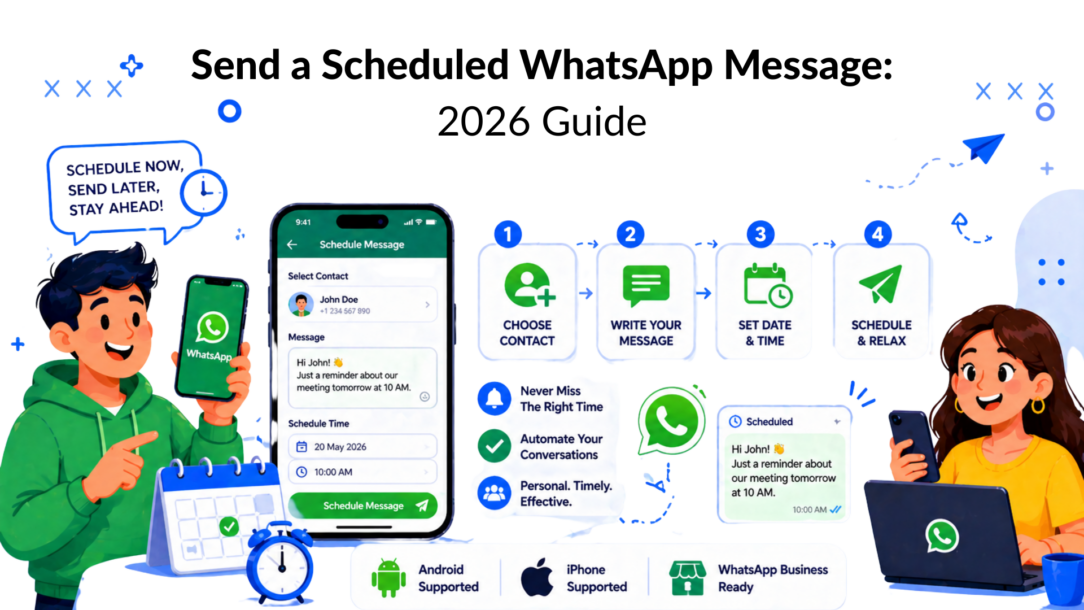
WhatsApp timing used to be awkward. The app sits at the center of daily communication, with 2 billion active users worldwide and over 100 billion messages sent each day, yet scheduled sending only arrived in beta builds for Android and iOS in February 2026 after 17 years without it, according to ChatMaxima’s coverage of WhatsApp scheduled messages.
That changes the conversation around the scheduled whatsapp message. This isn’t just a convenience feature for birthdays and reminders. It affects follow-ups, appointment nudges, sales timing, support expectations, and how brands structure customer communication without being glued to a phone.
Why Scheduling WhatsApp Messages Is a Game Changer in 2026
A scheduled message solves a simple but expensive problem. Good messages often fail because they land at the wrong moment.
That matters more on WhatsApp than almost anywhere else because the platform is where people already handle personal updates, purchase questions, booking confirmations, and group coordination. When your message arrives on time, it feels helpful. When it arrives late, it feels reactive.
Timing is now part of the workflow
Before 2026, users had to rely on reminders, shortcuts, browser extensions, or third-party apps to approximate scheduling. Those workarounds were useful, but they created friction. Some only reminded you to send manually. Others asked for broad permissions that many people shouldn’t be comfortable granting.
Native scheduling changes that because it moves timing into the actual send flow. You write the message once, set the delivery time, and stop thinking about it.
Practical rule: Scheduling isn’t about sending more messages. It’s about sending fewer messages at better moments.
For personal use, that means fewer forgotten check-ins, cleaner time zone management, and less last-minute scrambling. For business use, it means sales reps can write the follow-up while the call is fresh, then send it when the customer is more likely to read it.
What changed for marketers and operators
The release matters because it legitimizes scheduling as a standard WhatsApp behavior rather than a workaround. That shifts user expectations. Customers now expect faster acknowledgment, better-timed reminders, and more consistent communication.
A few use cases stand out immediately:
- Client follow-ups: Send next steps the next morning instead of late at night.
- Appointment reminders: Queue them when the booking happens.
- Team coordination: Schedule group updates for business hours.
- Personal tasks: Set birthday wishes, pickup reminders, or travel check-ins in advance.
The bigger point is strategic. Native scheduling gives individuals a clean tool for one-off timing. It doesn’t remove the need for more advanced automation when message volume, segmentation, approvals, and compliance start to matter.
Using the New Native WhatsApp Scheduling Feature
If you’ve got access to the beta rollout, the native tool is straightforward. It’s designed for one message at a time inside a normal chat, not a separate campaign builder.
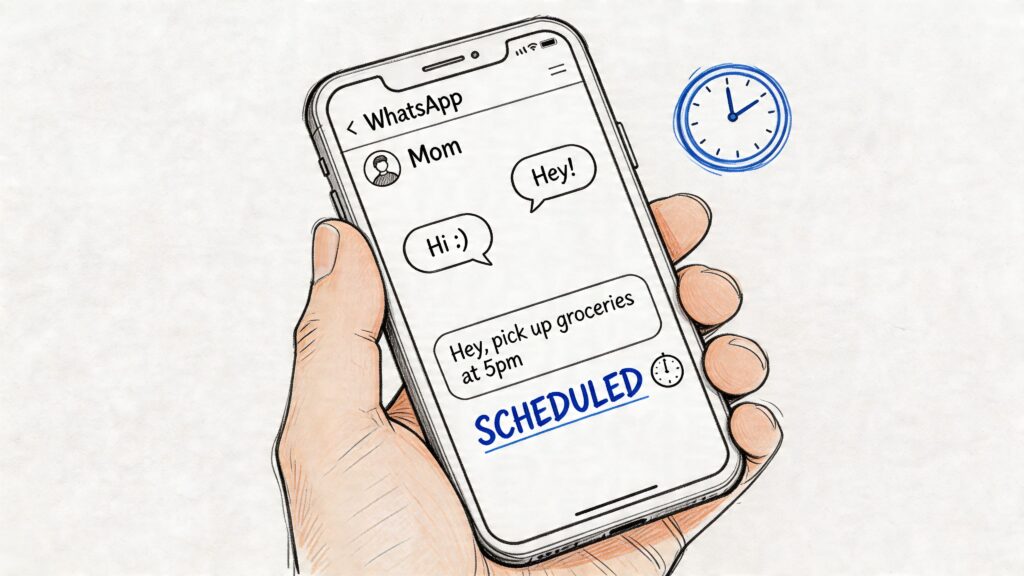
Scheduled WhatsApp Message Chat
On Android and iPhone
The flow is similar on both platforms.
- Open an individual or group chat.
- Type the message as you normally would.
- Use the send action to choose scheduling instead of immediate sending.
- Pick the exact date and time.
- Confirm the schedule.
Once saved, the message sits in a pending queue inside the chat until the scheduled time.
A practical example: if you finish a client call towards the end of your day, write the summary immediately while details are fresh. Then schedule it for the next morning during working hours. You preserve context without forcing the recipient to read work messages at night.
Managing queued messages
Native scheduling is useful because it doesn’t trap you once the message is queued. Scheduled items can be managed from the chat’s info area, where pending messages are listed.
From there, you can usually:
- Edit the message: Fix wording before it goes out.
- Reschedule delivery: Move it if the situation changes.
- Delete it entirely: Useful when the conversation has already resolved itself.
That control matters in real life. Plans shift. Customers reply early. Team updates get superseded. A scheduling feature is only good if it’s easy to stop a message that no longer makes sense.
Queue management is where native scheduling becomes practical instead of gimmicky.
Where the native tool works well
Native scheduling fits best when the task is simple and human-scale.
Use it for:
- One-to-one follow-ups
- Group reminders
- Personal reminders
- Time zone-sensitive outreach
- Light operational communication
It’s also cleaner than using a separate reminder app because the message is tied to the actual conversation, not to a disconnected note in another tool.
Where it falls short
Native scheduling still has limits. It isn’t built for bulk campaigns, list-based outreach, automated lead nurturing, or event-triggered messaging across many contacts.
If you’re a business owner trying to send the same reminder pattern to many customers, this quickly becomes manual labor. You’re still scheduling message by message, chat by chat.
That’s the line to watch. The native feature is excellent for a single scheduled whatsapp message. It is not a substitute for business automation.
Comparing Scheduling Methods, Workarounds, and Apps
Native scheduling arrived late, so an entire ecosystem grew around the gap. That’s why third-party tools still matter. Some offer recurring reminders, calendar views, timezone handling, or per-contact history that the native feature doesn’t match.
According to the App Store listing for Scheduled message for WhatsApp, these apps commonly work by prompting users at the scheduled time to send through WhatsApp rather than replacing WhatsApp itself. That design can preserve privacy through local storage, but it also means the experience depends on the app’s method and your device behavior.
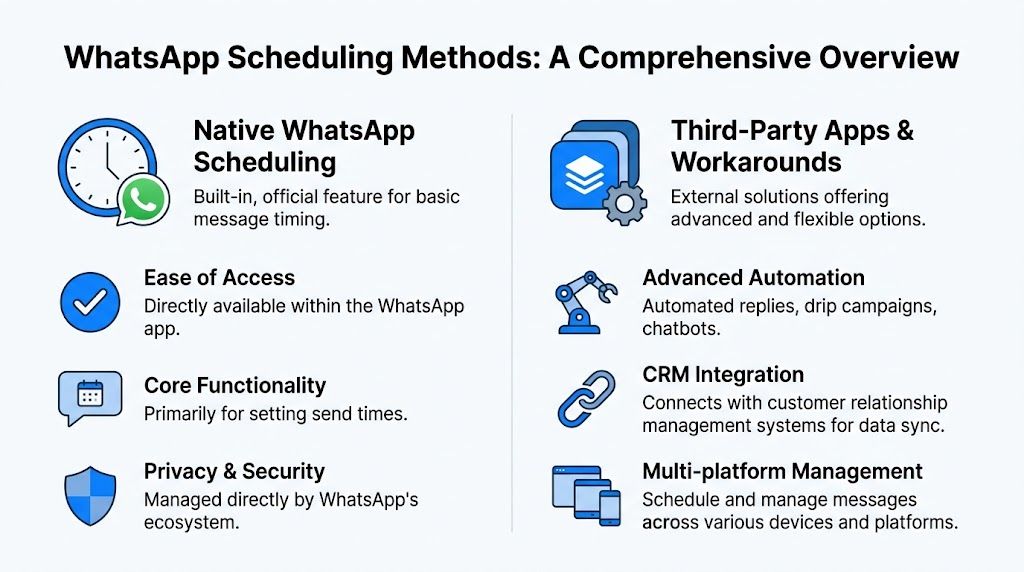
Scheduled WhatsApp Message Scheduling Methods
What workarounds still do better
Third-party apps remain relevant when you need features like:
- Recurring reminders: Weekly, monthly, or repeating prompts.
- Calendar visibility: A clearer view of upcoming scheduled sends.
- Timezone handling: Helpful if you message across regions.
- Message history: Useful for people who want a log of planned outreach.
On iPhone, reminder-style tools are often the cleanest workaround because they don’t try to hijack WhatsApp. On Android, some apps go further and request accessibility access so they can automate more of the process. That’s where trade-offs get serious.
The trade-offs people ignore
Convenience often hides risk. If an app needs accessibility permissions, control of the locked screen, or broad device access, you should pause and ask whether the feature is worth it.
That’s especially true for business use. A lightweight reminder tool is one thing. A tool that tries to simulate mass sending or deep automation without using the official business infrastructure is another.
If a scheduling tool feels like a hack, treat it like a hack. Don’t build important customer communication on top of it.
This matters in other service businesses, too. Teams that already depend on structured booking flows, such as tutors and academies using tutoring scheduling software, usually benefit from keeping scheduling tied to a reliable operating system rather than juggling manual reminders and risky app permissions.
WhatsApp scheduling methods compared
| Method | Best For | Key Advantage | Key Disadvantage |
|---|---|---|---|
| Native WhatsApp scheduling | Personal reminders and one-to-one follow-ups | Built into WhatsApp and easy to manage inside chat | Not built for bulk or advanced automation |
| Third-party apps | Recurring reminders and extra scheduling utilities | More flexibility, including calendar-style views and repeat logic | Privacy, reliability, and policy trade-offs vary widely |
| WhatsApp Business API | Scaled business messaging and automated workflows | Supports reliable scheduling tied to systems and triggers | Requires setup, process discipline, and approved business use |
A simple decision framework
If you’re choosing a method, don’t start with features. Start with the job.
Pick native scheduling if you need a handful of one-off sends.
Pick a third-party reminder-style app if you need repeat reminders for personal or low-risk use and you’re comfortable with how it works.
Pick the Business API if messages affect revenue, customer service, campaign performance, or team operations.
Scheduling Messages for Business Growth
Most businesses don’t need full automation on day one. They need consistency first.
That’s where the WhatsApp Business app earns its place. It gives small teams a practical middle ground between fully manual messaging and API-driven automation. You won’t get deep campaign scheduling, but you do get structured communication tools that improve response quality fast.
Scheduled WhatsApp Message WhatsApp Business
The business app is about expectation management
Two features matter most for early-stage operators:
- Greeting messages: These acknowledge inbound chats when someone contacts you.
- Away messages: These tell customers when you’re unavailable and what happens next.
Neither is glamorous. Both are useful.
If someone messages your store after hours, silence creates uncertainty. An away message sets the tone immediately. It tells the customer you received the message and gives them a reasonable expectation for follow-up.
How does this change the customer experience?
Simple automation works best when it removes friction from routine moments.
Examples:
- A local service business can acknowledge booking inquiries after closing time.
- A coach can confirm that application messages were received.
- A DTC brand can set a clear support response window during weekends.
- A SaaS team can route early questions into a cleaner onboarding process.
That kind of consistency improves the conversation before you ever get into advanced campaigns. If you want ideas for that broader approach, Clepher’s guide to actionable WhatsApp marketing strategies is a useful reference point for mapping message timing to actual business goals.
What the business app won’t do
The WhatsApp Business app helps with responsiveness, but it doesn’t solve scale. You still won’t have the kind of scheduling logic needed for abandoned cart sequences, behavior-based follow-ups, or personalized broadcasts across large audiences.
That’s why I treat it as the first rung of the ladder.
Use it when:
- Your volume is still manageable by hand
- You need better customer acknowledgment
- Your team is building messaging habits
- You’re not yet ready to operationalize API workflows
Use something stronger when timing needs to react to customer actions, not just your work schedule.
Full Automation with the WhatsApp Business API and Clepher
Serious WhatsApp scheduling starts when messages are triggered by data, not memory. That’s where the WhatsApp Business API becomes useful.
At this level, scheduled messaging stops being “send this later” and becomes “send this when the customer reaches this stage.” That could be after an inquiry, after a purchase, after inactivity, or after a support event.
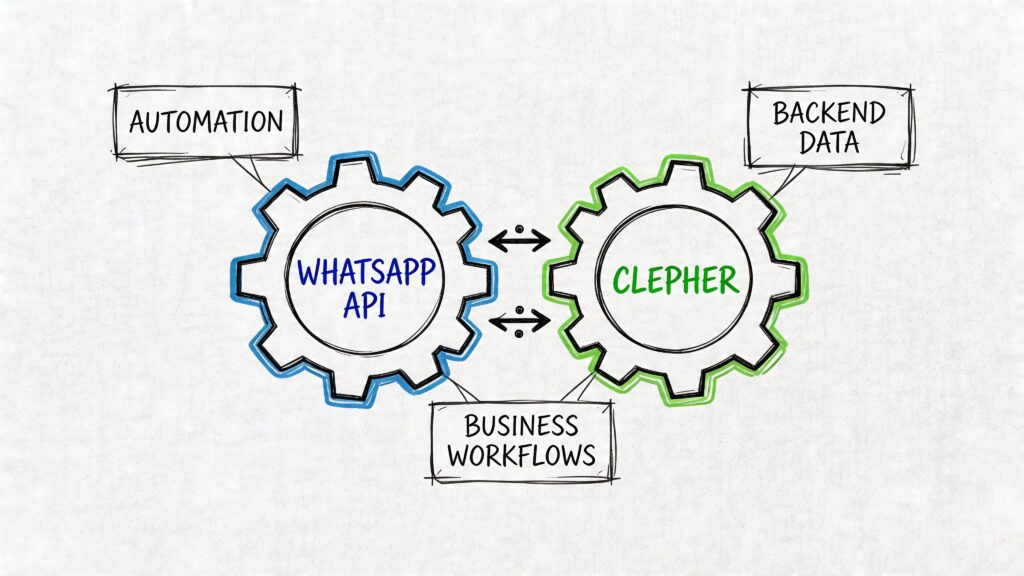
Scheduled WhatsApp Message Workflow Automation
Why API scheduling works better at scale
The technical difference matters. Based on Wasender API’s developer guide, an event-driven setup that stores scheduled messages in a database, pushes them through a queue, and processes them with workers can deliver sub-1s latency and 99.5% uptime. The same source says this approach can improve CTR by 18% in activity-triggered DTC flows and support 35% lead recovery in abandoned cart follow-ups.
Those numbers explain why marketers move beyond manual sending. Better timing and reliable delivery aren’t cosmetic improvements. They change campaign performance.
What this looks like in practice
A proper scheduling system usually includes:
- A message record: Stored with a
scheduled_attime and a delivery status. - A queue layer: Using tools like Redis, RabbitMQ, or Kafka to release work at the right time.
- Workers: Processes that send messages when the trigger fires.
- Retry logic: Exponential backoff helps handle temporary rate limits.
- Status tracking: Prevents duplicates and makes failed sends visible.
You don’t need to code that stack yourself to benefit from it. But you do need to understand why it matters. Business messaging breaks when there’s no discipline around timing, state, retries, and compliance.
Good automation doesn’t just send on time. It knows what was scheduled, what was sent, what failed, and what should happen next.
The no-code layer most teams actually need
Most marketing teams don’t want to manage brokers, queues, and worker processes. They want a visual workflow where they can define logic, such as:
- Send a reminder after a form submission
- Wait, then follow up if there’s no reply
- Branch based on customer behavior
- Stop the sequence if the customer converts
That’s the core value of a no-code platform. It puts scheduling inside a workflow builder instead of inside a developer backlog.
For teams evaluating automation beyond WhatsApp, MicroPoster’s API automation guide is a useful companion read because it explains how API-based scheduling becomes more reliable once timing is handled as system logic rather than manual posting behavior.
A platform such as Clepher can sit on top of the WhatsApp Business API and let teams schedule broadcasts or flow steps by date, time, or delay logic inside a no-code builder, alongside website, Messenger, Instagram, and support workflows. That makes the scheduled WhatsApp message part of a larger customer journey rather than a standalone task.
Here’s a visual walkthrough of the broader automation model:
When to move to API-based scheduling
The move usually makes sense when one of these becomes true:
- You’re sending the same follow-up pattern repeatedly
- Different customer actions should trigger different messages
- Your team needs shared visibility into campaigns
- Manual scheduling creates delays or missed opportunities
- Compliance and approvals matter
If your operation still fits inside a phone app, stay simple. If timing is tied to revenue or support load, move the process into the API layer.
For businesses comparing setup paths, Clepher’s overview of WhatsApp Business on web and related setup options can help clarify where app-based usage ends and business infrastructure begins.
Compliance and Best Practices to Avoid Getting Blocked
Most scheduling guides focus on convenience. They don’t spend enough time on account risk.
That’s a mistake. Timing alone doesn’t keep a WhatsApp account safe. The method you use matters just as much as the message itself.
The main risk with unofficial methods
According to GuruSup’s guide on scheduling WhatsApp messages, businesses using unofficial tools or overusing native scheduling for bulk campaigns face significant compliance issues. The same source cites anecdotal reports of 20-30% higher suspension risk from non-API tools, while compliant API-only scheduling avoids that category of ban risk.
That doesn’t mean every unofficial tool gets you blocked. It means you shouldn’t build commercial messaging on methods that sit outside the approved business route.
What safe scheduling looks like
If you want automation without unnecessary account risk, keep to a few rules.
- Get clear opt-ins: Don’t message people because you happen to have their number.
- Respect opt-outs immediately: If someone signals they don’t want messages, remove them.
- Use relevant timing: Don’t stack messages into odd hours or blast entire lists without context.
- Personalize the reason for contact: Generic outreach feels like spam fast.
- Separate reminders from promotions: A service update and a campaign message shouldn’t be treated the same way.
These practices reduce complaints, and complaints are often what turn a messaging strategy into an account problem.
The safest automation is boring in the right way. It’s permission-based, expected, and operationally clean.
Template discipline matters too
For businesses using the official route, template approval and content structure still matter. If you’re building outbound messaging through the sanctioned ecosystem, learn how WhatsApp templates work before you scale. Clepher’s breakdown of WhatsApp Business message templates is a useful primer for that operational side.
The practical takeaway is simple. If your goal is one personal reminder, native scheduling is fine. If your goal is bulk or repeat business communication, unofficial hacks are a poor bet.
Final Takeaways: Your Next Step in WhatsApp Automation
The right scheduling method depends on the job.
For personal use, the native feature is the cleanest way to send a scheduled whatsapp message. For small businesses, the WhatsApp Business app adds basic automation that improves responsiveness. For campaigns, follow-up systems, and behavior-based messaging, the WhatsApp Business API is the level where timing becomes reliable, scalable, and compliant.
Choose the lightest tool that can do the job well. Then upgrade when the process starts to affect revenue, support quality, or team workload.
If you’re ready to move from manual reminders to structured WhatsApp automation, Clepher is worth exploring as a way to build scheduled flows, broadcasts, and follow-up logic inside a no-code environment connected to your broader marketing stack.

Related Posts
Client Account Management: A Practical Playbook
October 13, 2026Chat Bot Responses That Convert: A Practical Guide
October 12, 202610 Broadcast Automation Software Platforms Compared
October 11, 2026
Founder Clepher