
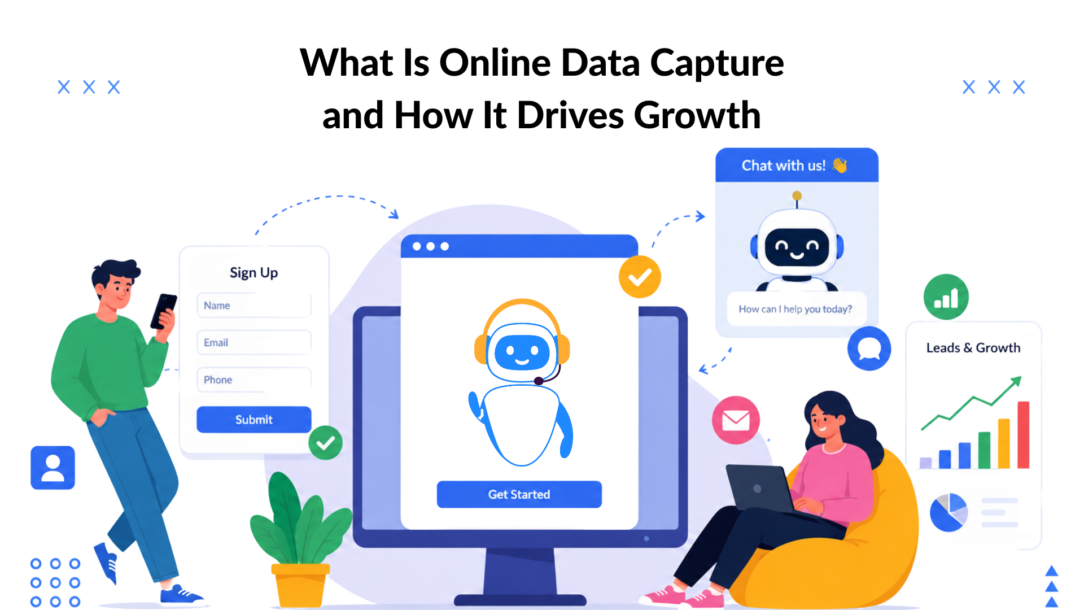
Online data capture is the process of collecting user information through digital touchpoints such as forms, chatbots, and tracking widgets. In 2025, those touchpoints can reach 6 billion internet users, or 74% of the world’s population, up from 60% in 2020.
That scale changes the question. Online data capture isn’t merely a way to collect an email address after someone fills out a form. It’s the operating layer behind lead generation, e-commerce personalization, onboarding, customer support, surveys, and automated follow-up. The businesses that get it right collect useful information with minimal friction, explain what they’re collecting, and route that data into an automated data capture action.
The businesses that get it wrong ask for too much, track users before they submit anything, or store manual data they never needed. The result is lower completion, weaker lead quality, and unnecessary privacy exposure.
The Scale and Purpose of Online Data Capture
The internet’s reach gives digital businesses a much larger audience from which to collect customer, survey, and transaction data. The ITU historical data referenced by the UK Data Service’s overview of historical online data management practices places global internet access at the forefront of the data capture process. 6 billion people, or 74% of the world’s population, in 2025, compared with 60% in 2020. Roughly 1.3 billion people came online during those five years, creating a far broader base for digital interactions.
Online data capture turns those interactions into usable records. A visitor enters contact details in a quote form, answers a question in a chatbot, joins a loyalty program through a widget, or consents to a relevant message. The business then uses that information to respond, segment the audience, personalize an offer, or support a sales conversation.
Capture is more than form filling
Offline collection usually depends on paper documents, in-person conversations, phone calls, or manually entered records. Online capture happens inside the customer journey itself. A product page can ask what a shopper needs, a SaaS trial can identify a user’s role, and a support widget can collect the information required to route a problem to the right team.
The difference is operational. Digital capture can connect directly to a CRM, email platform, messaging channel, analytics system, or help desk. That connection reduces manual handoffs and gives teams a usable record while the customer’s intent is still fresh, improving the workflow.
A practical capture system usually performs four jobs: data collection, data entry, workflow management, and automated data capture.
- Identify: Collect an email address, phone number, account details, or other contact information.
- Understand: Ask about goals, product needs, timing, or customer status.
- Qualify: Separate a purchase-ready visitor from someone who needs education.
- Activate: Trigger a response, route a lead, start onboarding, or deliver a relevant offer.
Practical rule: Ensure that the manual data entry is minimized to enhance data management. Capture only information that changes what your business does next.
The trade-off is straightforward. More information can improve segmentation, but every additional question adds friction and increases the chance that a visitor leaves. Modern systems therefore treat capture as a conversation or exchange, not a data grab. The best experience feels useful to the person providing the information, because the next step is clearer, faster, or more relevant.
How Online Data Capture Actually Works
Think of online data capture as a method to efficiently collect data, a digital receptionist. A receptionist greets a visitor, asks what they need, records the important details, and sends the request to the right person. A capture system performs the same sequence across a website, app, social channel, or messaging inbox.
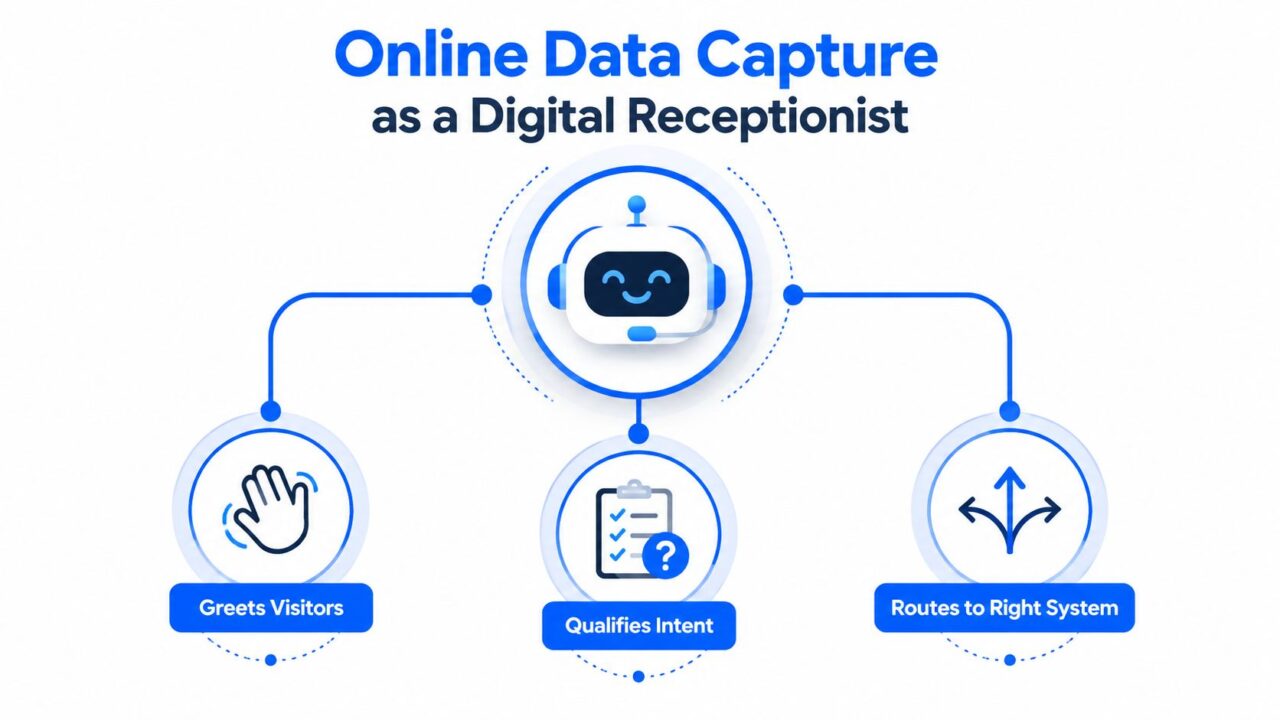
Online Data Capture Chatbot Receptionist
The four core techniques
Web forms are the most familiar method. They appear on landing pages, checkout screens, registration pages, contact pages, and surveys. A form might collect a name and email, or it might request company information, product preferences, and a message. Forms work well when the user already understands the offer and wants a direct transaction, such as downloading a resource or requesting a quote.
Conversational chatbots collect information through a sequence of questions and responses. Instead of presenting every field at once, the bot can ask one question, respond to the answer, and then choose the next prompt. That makes it possible to qualify intent before requesting contact details. A visitor asking about pricing might receive a pricing explanation first, then be offered a sales conversation.
Capture widgets are smaller interactive elements attached to a page or campaign. They can invite a visitor to subscribe, start a Messenger conversation, claim an offer, or answer a short question. A widget is useful when a full landing-page form would interrupt the browsing experience.
Behavioral tracking observes actions such as pages viewed, products considered, buttons clicked, or forms started. It can reveal intent and trigger an experience, but it requires careful consent management when cookies or similar device storage are involved. Businesses should distinguish between understanding on-site behavior and collecting identifiable personal information.
A modern stack combines these methods. A visitor may arrive through an Instagram campaign, open a chatbot, answer a qualification question, provide an email address, and receive a tagged record in the CRM. An automation platform can then send the appropriate email, SMS, or messaging follow-up.
For teams evaluating the difference between anonymous behavior and identifiable records, this guide to tracking website visitors The data management system provides useful context. The important design question isn’t which tool looks most advanced. It’s whether each capture point has a clear job, asks a reasonable question, and sends clean data to the system responsible for the next action.
Conversion Benchmarks and the Friction Problem
Form performance often declines as the visitor’s workload increases. One independent benchmark reports that a single-field form converts at about 25.5%, while a six-field form converts at roughly 15%, and forms with 10 or more fields for data entry fall below 10%. These figures come from the data management system, and they illustrate the practical cost of asking for information too early. See form conversion benchmarks for 2026.
Form conversion rates by field count
| Number of Fields | Conversion Rate |
|---|---|
| 1 | About 25.5% |
| 6 | Roughly 15% |
| 10+ | Below 10% of the total amount of data captured. |
The lesson isn’t that every form must have one field. A high-consideration sale may require business details, project context, or a phone number. The point is to earn the right to ask. If a visitor hasn’t yet understood the value of the offer, a long form feels like work imposed by the business.
A second benchmark defines form conversion as submissions divided by form views. One cross-industry source reports a 17.3% median completion rate for qualified visitors, while aggregated reports place general website form conversion near 1.7% to 2.35%. Those figures are presented in the context of data entry and workflow optimization, and the gap reinforces the role of intent.
A static form treats every visitor alike. An intent-aware flow adapts to the visitor’s question, source, page, or answer, enhancing the data capture methods. That’s why a chatbot can outperform a generic form in some situations. It can explain the offer, remove uncertainty, and collect data only for the details needed for the next step.
What to remove first
- Unnecessary qualification: Avoid capturing data that does not serve a clear purpose. Don’t ask for company size if the answer won’t change routing or messaging.
- Premature contact requests: Let visitors understand the value before requesting a phone number.
- Repeated questions: Pass known data between systems instead of asking customers to provide it again.
- Unclear benefits: Explain what the person receives after submitting the information.
- No recovery path: If someone abandons a flow, offer a helpful return point rather than repeatedly interrupting them.
Measure views, starts, completions, and downstream lead quality separately. A shorter form may increase submissions while lowering sales usefulness if it removes the question that identifies intent. The right target is not the largest database, but the most effective data capture methods. It’s a completed exchange that gives the customer value and gives the business enough context to act.
Real-World Use Cases That Drive Results
A capture flow works best when it responds to a moment of intent. The visitor has a question, a problem, or a reason to act. The system should recognize that moment and make the next step easier.
E-commerce recovery
An online retailer can place a conversational widget on product and cart pages. Instead of asking every shopper to register, it can offer help with sizing, shipping, product selection, or checkout questions. If a shopper indicates that they’re comparing products, the flow can suggest a relevant guide. If they signal purchase intent, it can request an email for a reminder or route the conversation to a sales channel.
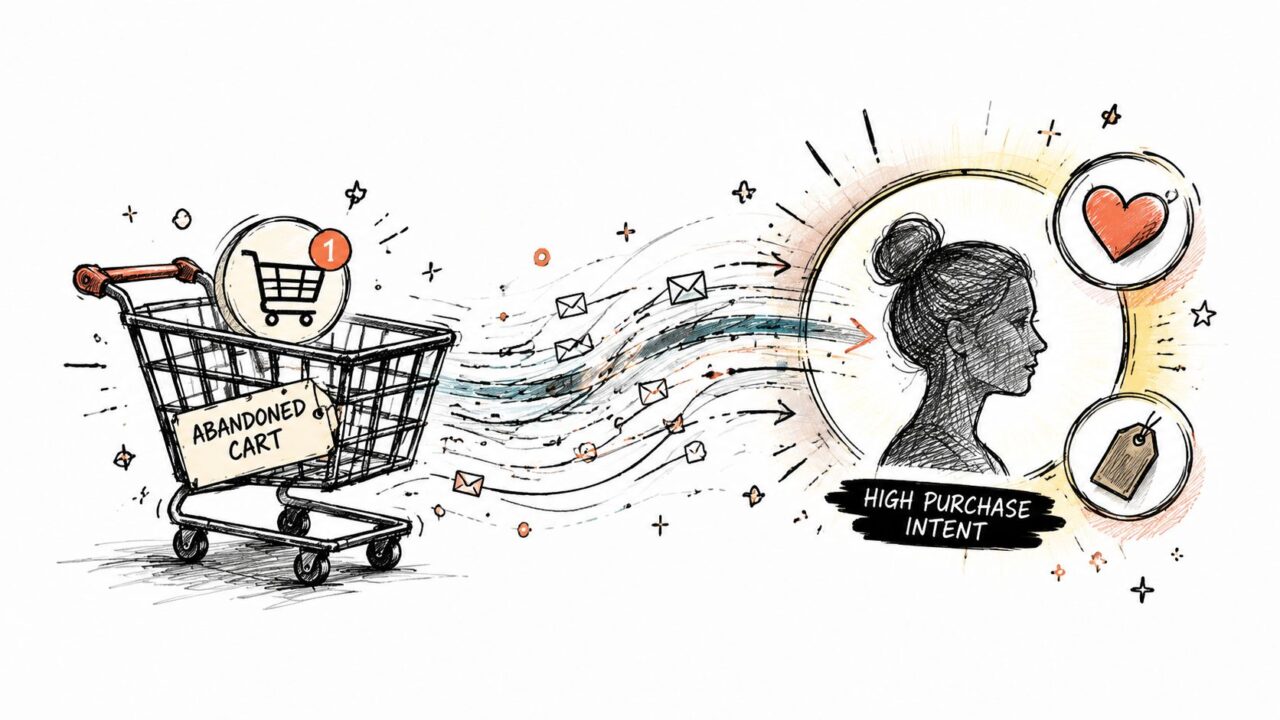
Online Data Capture Cart Intent
The valuable data isn’t just “cart abandoned.” It might include the product category, the customer’s objection, and whether they want a reminder or assistance to collect data effectively. Retailers building repeat-purchase programs can also review this resource on QR-based loyalty for retailers, especially when connecting physical visits with digital customer records.
Lead generation from social campaigns
Digital agencies and direct-to-consumer marketers often send Facebook or Instagram traffic to a conversational landing experience. The first prompt can reflect the campaign promise, such as choosing a service category or identifying a desired outcome in the format of electronic data capture. Later questions can collect contact details and assign tags based on the visitor’s answers.
This approach gives the sales team more than a raw lead. It supplies the campaign source, stated goal, product interest, and preferred follow-up route. The flow can then send the lead to email, Messenger, WhatsApp, or a CRM without forcing the visitor through a long form.
SaaS and course onboarding
A SaaS company or course creator can use capture during onboarding rather than treating registration as the end of the journey. The system can ask what the user wants to accomplish, what level of experience they have, or which feature they need first. Those answers can determine the welcome message, tutorial path, support prompt, or recommended lesson.
A support bot can also capture the problem category before handing the conversation to a human. That reduces repetitive questioning and gives the support agent context before the handoff. In each example, the outcome comes from connecting intent, data, and action. Collecting an email without a useful next step creates a record, but it doesn’t create much momentum.
Hidden Privacy Risks and Compliance Essentials
A capture flow can expose personal data before anyone clicks Submit. A 2026 investigation of health-insurance lead-generation sites found third-party scripts recording names, phone numbers, email addresses, and health-condition data keystroke by keystroke, including entries from abandoned forms, according to Help Net Security’s investigation of lead-generation privacy.
That risk changes how teams should audit a flow. Review scripts, event listeners, analytics platforms, session-replay tools, pixels, and vendor permissions alongside the visible form to ensure all relevant data is captured. A visitor may still be deciding whether to continue while an embedded tool has already transmitted what they entered.
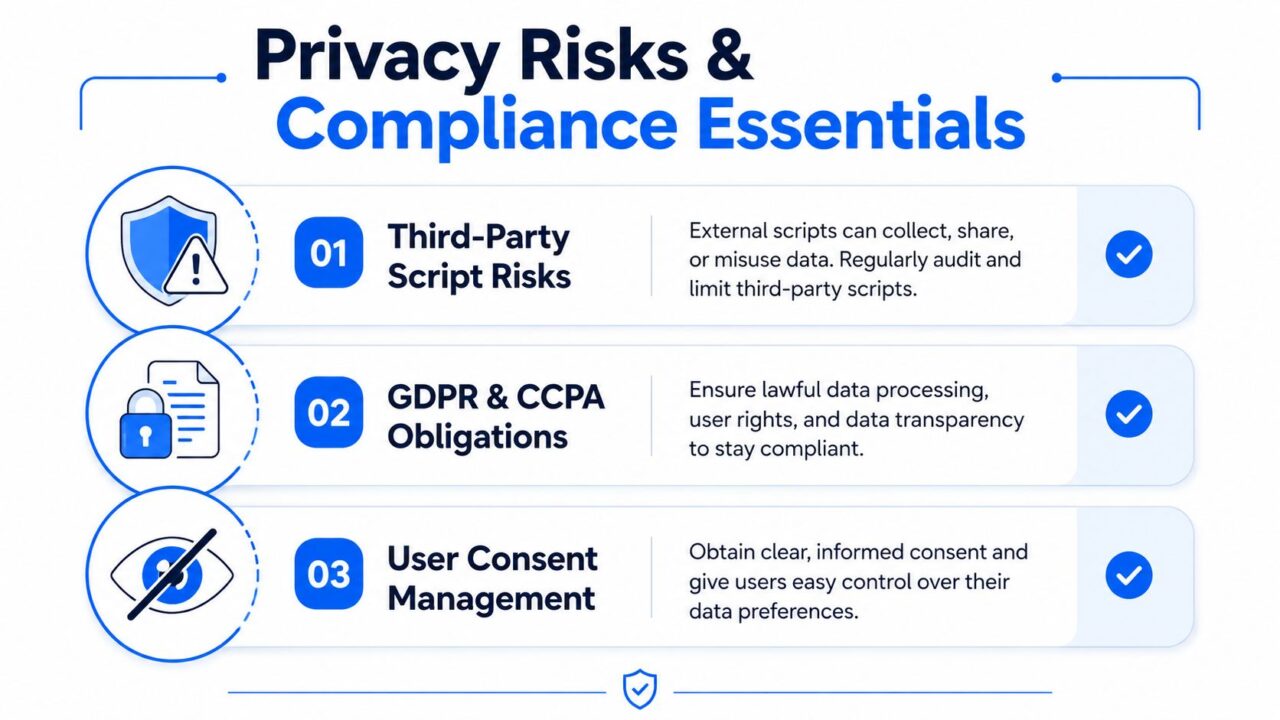
Online Data Capture Privacy Compliance
A trust-first capture checklist
- Minimize collection: Request only the data required for the stated purpose. Guidance on privacy-compliant lead generation covers minimization, visible notices, encryption, consent controls, and retention rules.
- Explain the exchange: Place the privacy notice beside the capture action. People should understand what the business will do with their information before they submit it.
- Use affirmative consent: GDPR-friendly forms use an unchecked checkbox or another clear confirmation action. Consent should be specific, informed, and recorded with its time, source, and method, as described in GDPR consent design guidance for data collection..
- Separate purposes: Marketing email, analytics, personalization, and service communication can require separate choices. The ActiveCampaign GDPR consent guide explains why each processing purpose should be distinguishable.
- Control retention: Set rules for reviewing, deleting, or anonymizing records. Teams handling supporter or campaign data can consult these crowdfunding data retention best practices.
- Document the setup: Platforms with built-in consent management can simplify implementation. See this guide to consent management and GDPR for a practical walkthrough, then verify that its settings match your actual scripts and data routes.
Cookie rules add another layer. The UK ICO guidance on cookies and similar technologies states that consent must come before placing or using cookies on a user’s device. GDPR lawful bases still apply separately to later personal-data processing.
Tools support implementation, but judgment remains with the business. Review every field, integration, script, and retention rule. If the team cannot explain why it captures a data point, remove it or redesign the flow so the request has a clear purpose.
Building Your Capture Stack Step by Step
Start with the business decision, not the software. A quote request, product recommendation, newsletter subscription, onboarding path, and support handoff each need different questions and different routing.
Choose the right entry point
Use a form when the visitor expects a direct submission, and the information is easy to provide. Use a chatbot when answers need explanation or qualification to improve data collection. Use a widget when you want to invite action without taking over the page. Add behavioral tracking only when the purpose, consent, and downstream use are clear.
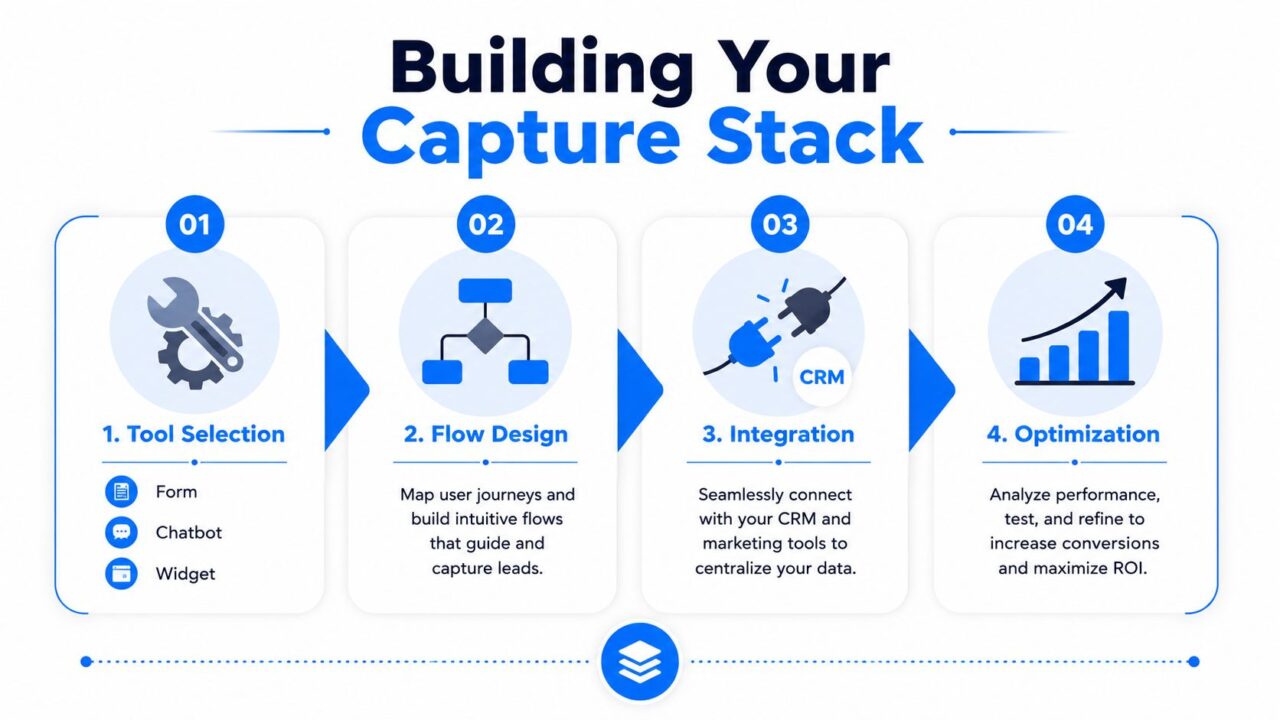
Online Data Capture Stack
Build the flow around intent
Write the opening prompt in the language your audience uses. Ask one useful question at a time, branch based on answers, and delay sensitive or high-friction fields until the visitor understands the benefit. Give the user a clear outcome, such as a recommendation, answer, booking option, or resource.
Then connect the flow to the operational stack. Native integrations can send tags and fields into a CRM or messaging platform. Automation tools such as Zapier and Make can handle additional handoffs, including email, SMS, spreadsheets, and internal notifications.
A practical launch sequence looks like this:
- Map the action: streamline the workflow for efficient data collection. Decide what should happen after each answer.
- Define the fields for effective electronic data capture: Keep required data minimal and label optional information clearly.
- Record consent: Store the purpose, choice, source, and relevant timestamp for data management.
- Connect systems: Send clean fields, tags, and source data to the destination.
- Test the handoff: Submit realistic entries and confirm that routing, messages, and suppression rules work.
- Review performance: Compare completion with lead quality and downstream conversion to assess the effectiveness of data capture methods.
For teams managing several customer systems, customer data integration offers a useful framework for keeping records consistent across the stack. Build the first flow around one high-value page or campaign, launch quickly, and improve the points where users hesitate. A smaller working system will teach you more than a large automation project that never reaches production.
KPIs and Tactical Next Steps for Growth
Track the entire path, not just the number of captured contacts. Start with form view-to-submission rate and chatbot completion rate, then connect those metrics to lead quality, cost per lead, and downstream conversion. Website visitor-to-lead conversion is commonly around 2% to 5%, while one benchmark places B2B lead-capture forms at 1.0% to 3.5%, with best-performing pages above 5.0%, according to lead-generation funnel benchmarks.
Use those figures as reference points, not promises. Audience intent, offer strength, traffic source, device experience, and compliance choices all affect performance.
Prioritize these actions:
- Audit capture points: List every form, widget, chatbot, script, and destination system.
- Reduce field burden: Remove questions that don’t affect routing or follow-up.
- Add a conversational path: Test a chatbot on the page with the clearest purchase or support intent.
- Record consent properly: Separate purposes and retain evidence of each affirmative choice.
- Run one controlled test: Change one variable on the highest-traffic page, then compare completion and lead quality to see how the amount of data is captured.
A healthy capture program produces fewer abandoned interactions, cleaner segmentation, and faster follow-up. Review performance regularly, but don’t optimize completion at the expense of trust or sales usefulness.
Clepher helps businesses build no-code conversational flows, capture visitor information, qualify intent, and export data across websites, Facebook, Messenger, WhatsApp, and Instagram Direct Message. Visit Clepher to explore practical chatbot automation for lead generation, onboarding, support, and e-commerce recovery.
